https://github.com/althonos/lapucelle-textures
A PPSSPP texture pack for La Pucelle Ragnarok (english patched)
Science Score: 13.0%
This score indicates how likely this project is to be science-related based on various indicators:
-
○CITATION.cff file
-
✓codemeta.json file
Found codemeta.json file -
○.zenodo.json file
-
○DOI references
-
○Academic publication links
-
○Committers with academic emails
-
○Institutional organization owner
-
○JOSS paper metadata
-
○Scientific vocabulary similarity
Low similarity (7.4%) to scientific vocabulary
Keywords
Repository
A PPSSPP texture pack for La Pucelle Ragnarok (english patched)
Basic Info
Statistics
- Stars: 4
- Watchers: 2
- Forks: 1
- Open Issues: 1
- Releases: 1
Topics
Metadata Files
README.md
lapucelle-textures
A PPSSPP texture pack for La Pucelle: Ragnarok



About
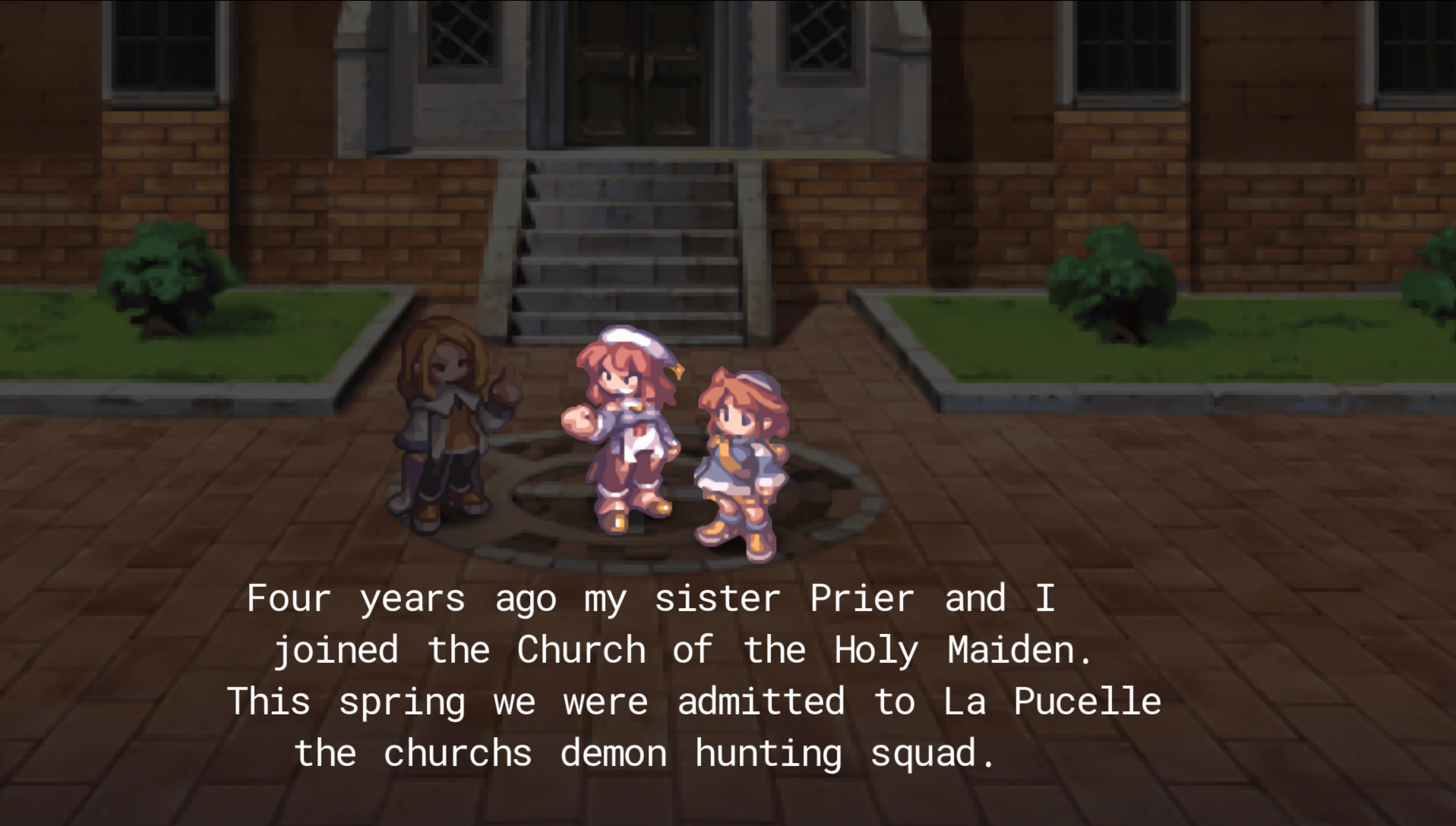
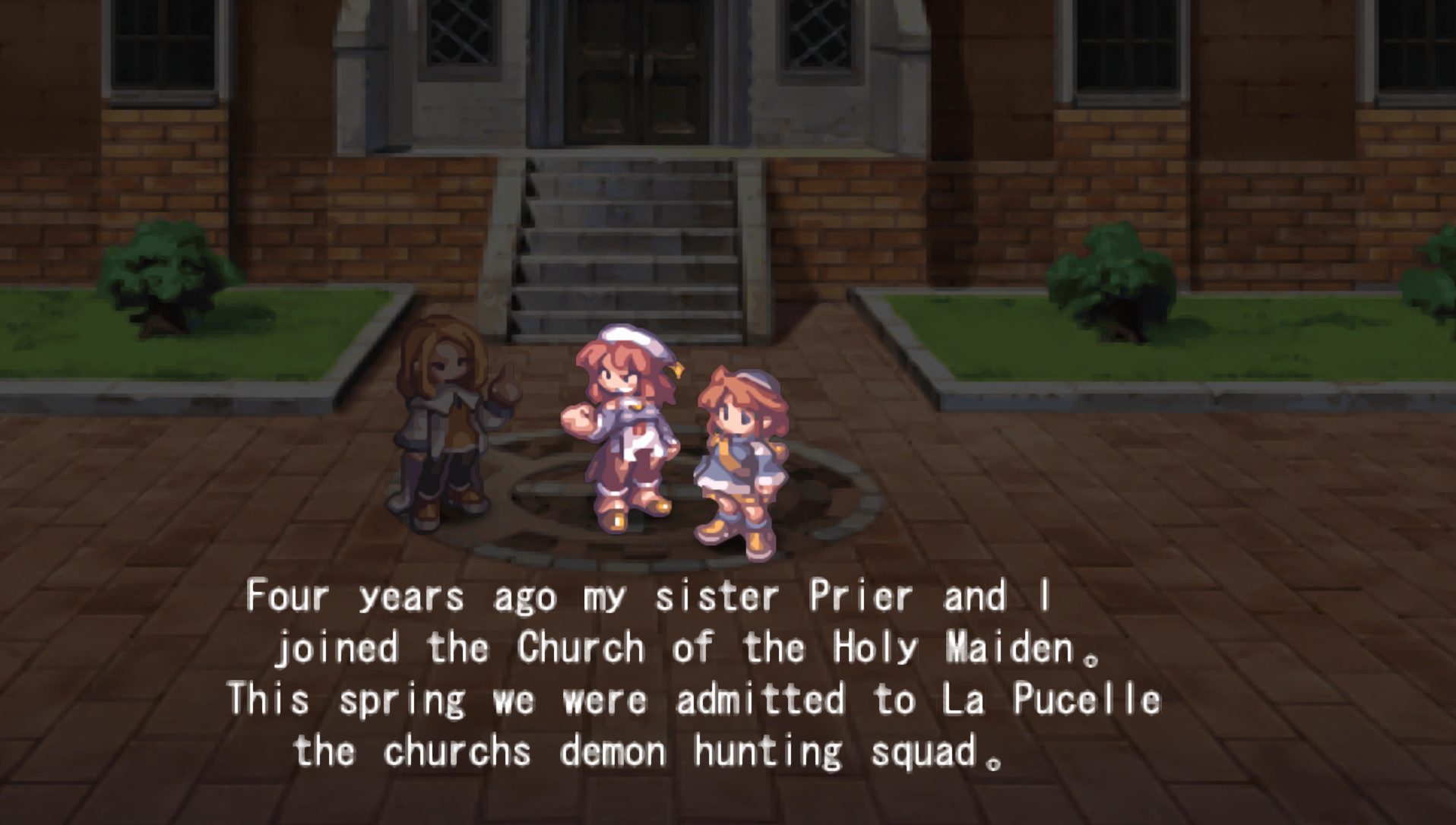
This project is a texture pack for the PSP game La Pucelle: Ragnarok and its fanmade translation patch made by DragonRagnarok, ChepChep and Hatsubai. It is mostly targetting the User Interface, and in particular the various fonts used in the game.
This is not a patch for the game ISO, but a replacement pack for the PPSSPP emulator.
Features
The following features can be cherry-picked, so you're remove some new textures that are not to your liking:
- Font replacement for interface text (hence excluding location panels, etc.) using several fonts with free noncommercial licenses.
- Button icon replacement using the PS3 buttons of the
Free Keyboard and Controllers Prompts Pack
made by
@xelu. - Menu sprites replacement using equivalent HQ item sprites from Disgaea 5. This works using functional analogy: I used the new Fairy Dust sprite although it does not look similar, etc.
- Dialog box replacement based on an actual victorian art frame. They do not look at all like the original ones but for technical reasons with how the game draws these dialogs (and also because I'm no texture artist) that's the best I can offer right now.
Screenshots
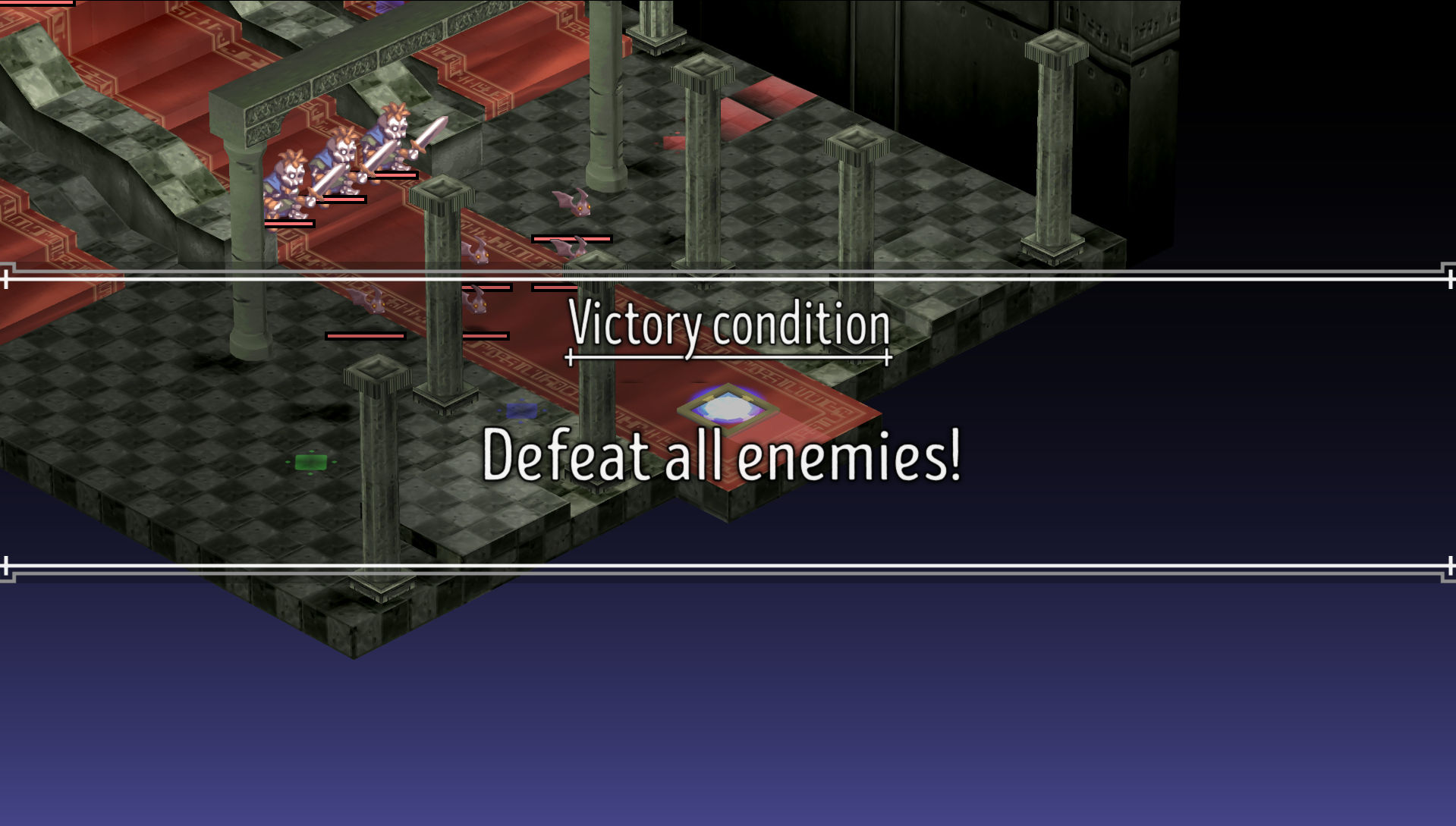
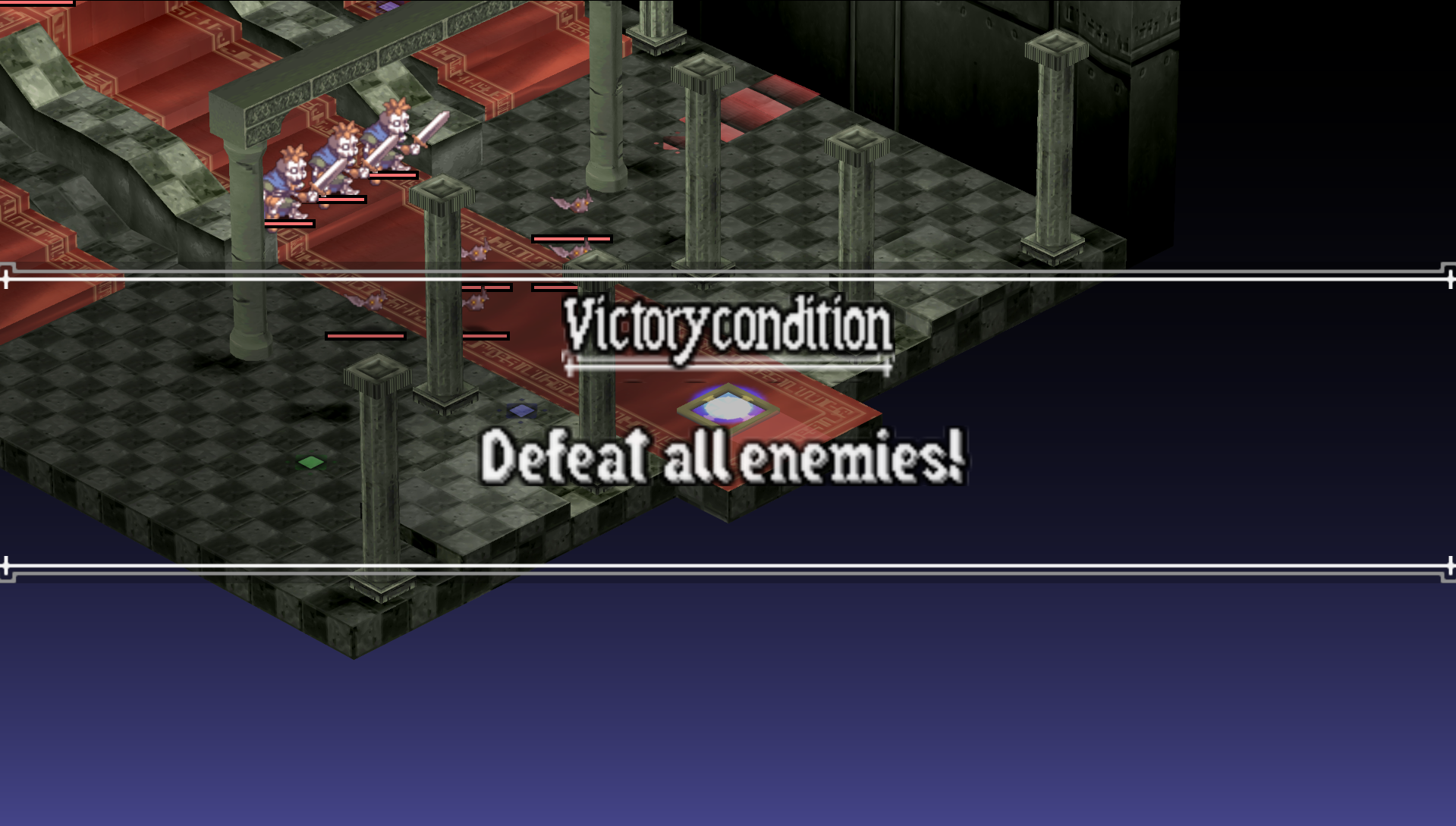
Screenshots were taken with *PPSPP** in 6x resolution and 3x texture upscaling.*
Cutscene
Victory conditions
Battle screen
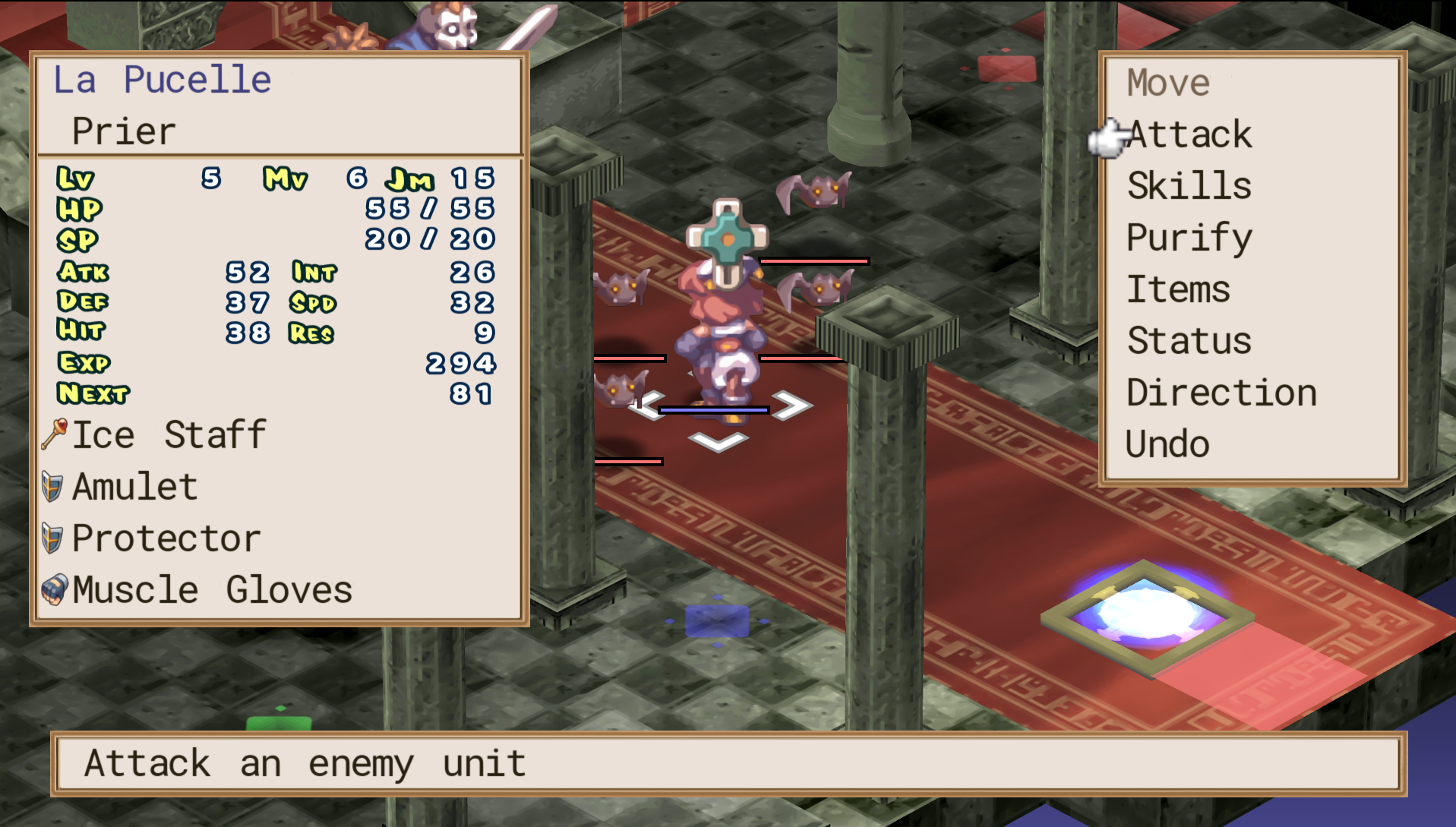
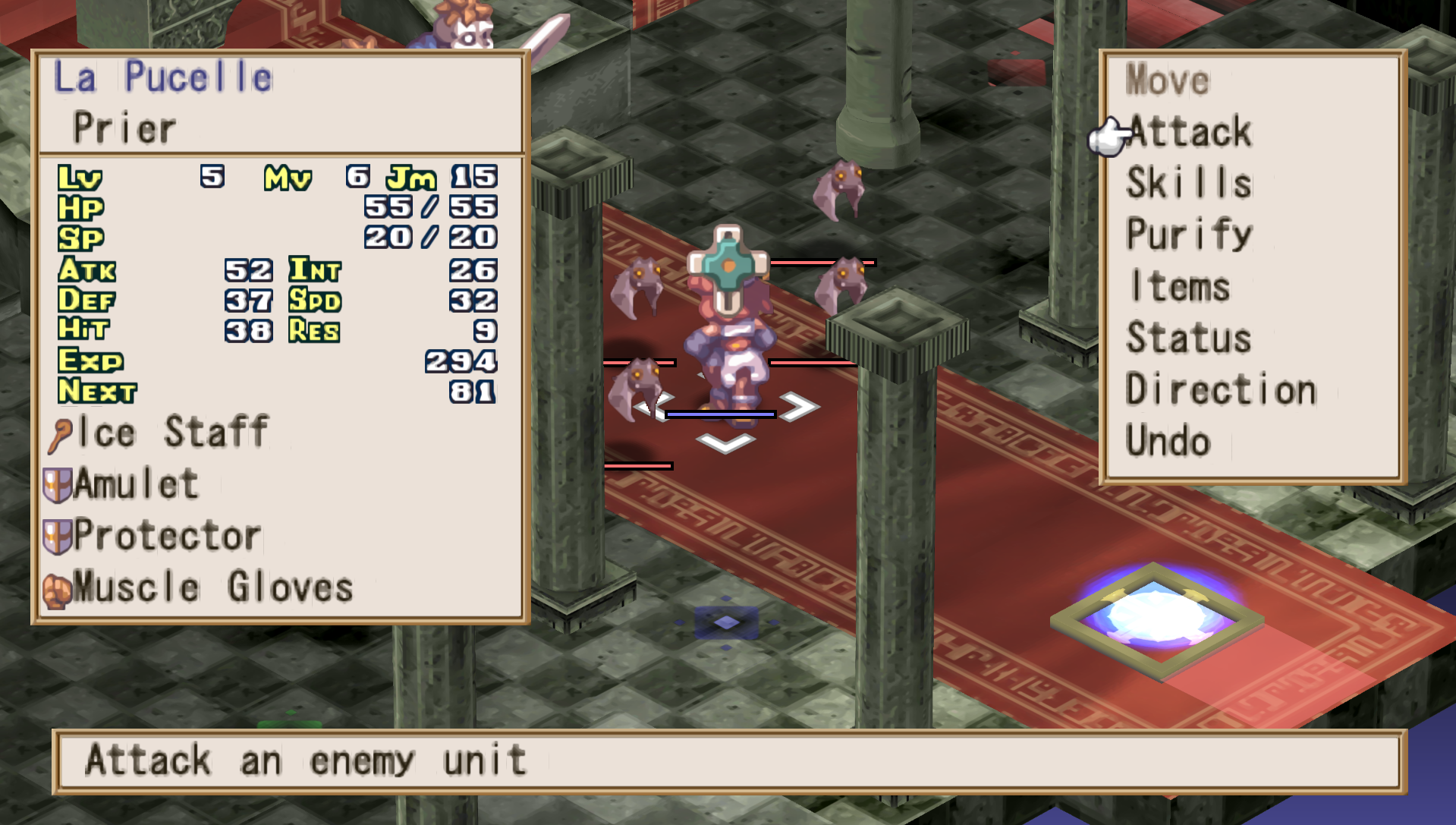
Dialog
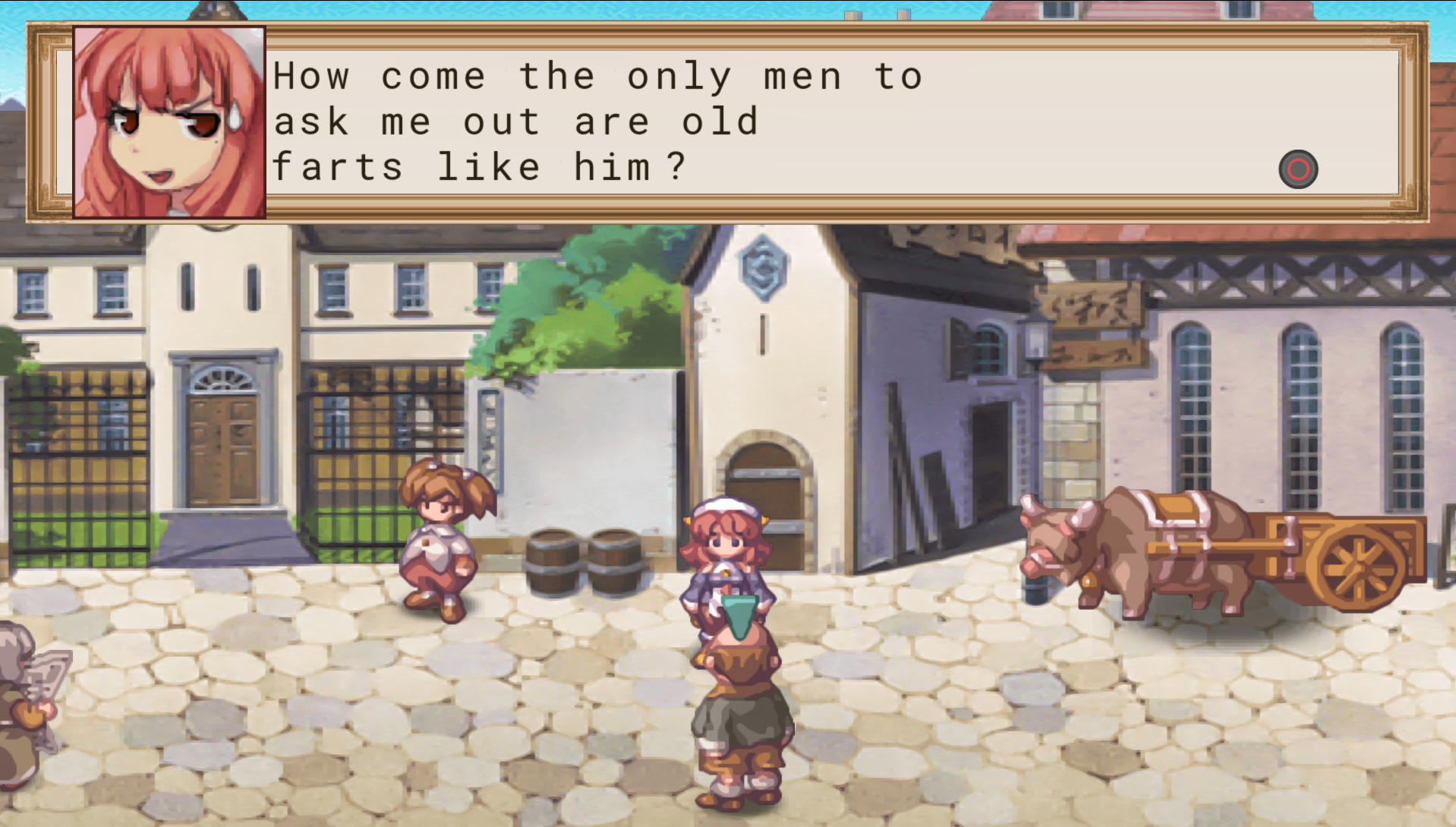
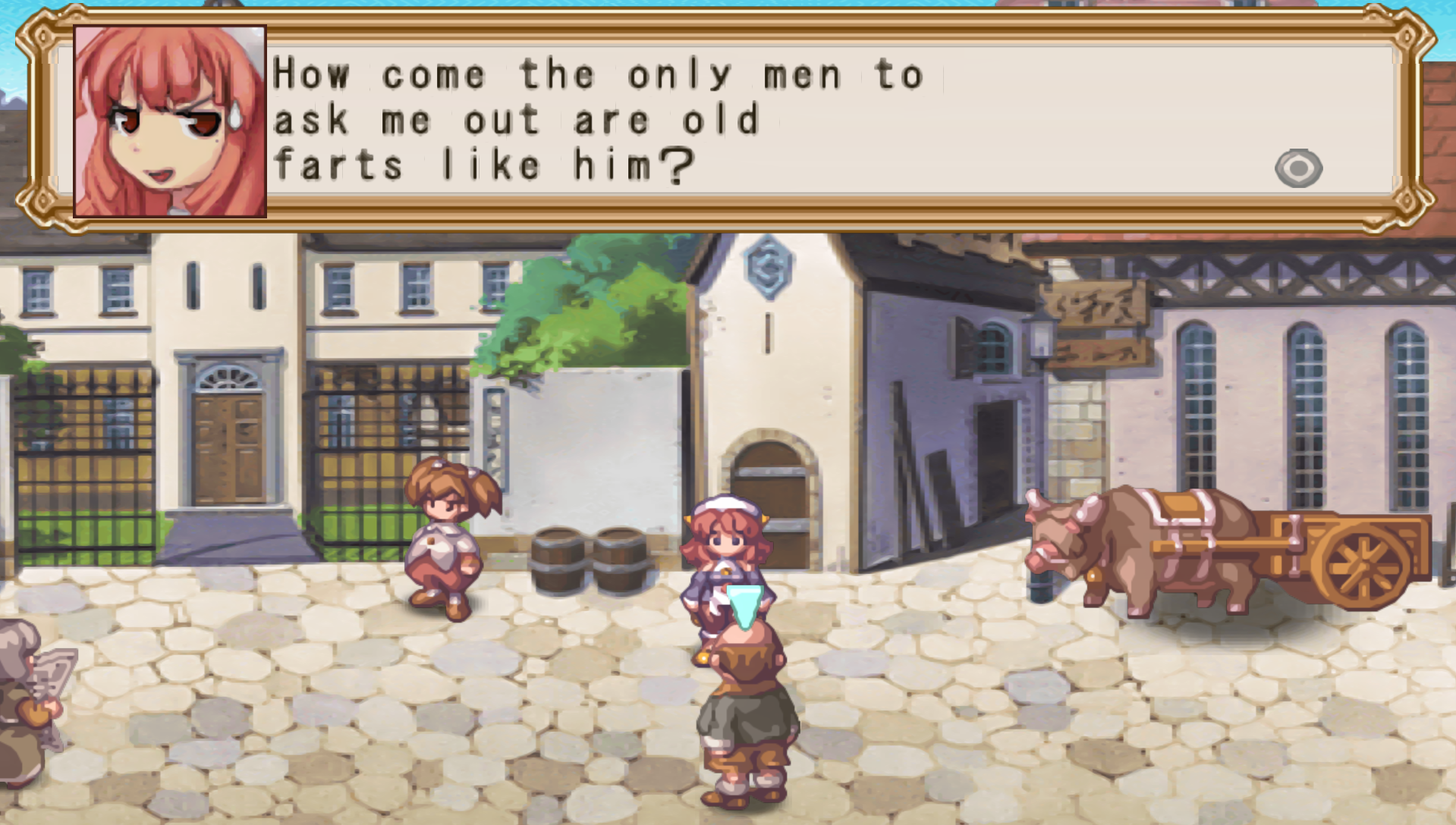
Roadmap
- [x] Main game font
- [x] Victory conditions font
- [x] Battle messages font
- [x] Brand new dialog box
- [ ] Button icon replacement (WIP)
- [ ] Menu icon replacement (WIP)
- [ ] Brand new interface box (WIP)
- [ ] Battle interface font (WIP)
- [ ] Battle interface static boxes
- [ ] Battle interface sprites
Install
Enable the texture replacement
Open PPSSPP and make sure the Replace Textures options is enabled. It can be found in the Settings > Tools > Download Tools menu.
Grab the latest version
Go to the Release page of the GitHub repository and download the
latest release archive (named something like ULJS00244-vX.Y.Z.zip)
containing the built PNG files.
Locate the PPSSPP system folder
Go to the PPSSPP directory (named PSP):
* on Windows: My Documents/PSP
* on Linux: ~/.config/ppsspp/PSP
* on Android: flash0/PSP
That folder should contain some other directories named GAME, SYSTEM,
SAVEDATA, etc. If it does not exist already, create a TEXTURE folder.
Install the textures
Extract the release archive and copy the folder named ULJS00244 to
the TEXTURE folder. Enjoy !
Fonts
This game contains many different styles of text, most of them not being available as public fonts, so I tried my best to replicate the general idea of some texts more than actually creating a pixel-perfect replacement. To do so, I used the following fonts:
Nimbus Roman: as surprising as it can be, most of the large serif text in the game is written in Times New Roman. I used Nimbus as it is a free alternative with the exact same features and metrics. It is also used (with extra stroke width) to display inflicted damage during battle animations.
RobotoMono: the English-patched version of the game features a compact sans-serif monospace font that looks like Arial. In the best of all possible worlds, I would have used the same font as the Disgaea ports, but I couldn't find it online, so I had to resort using a free alternative. RobotoMono is a good option since it was improved for monospaced contexts and provides shrinked
mandwwhile increasing the width of characters such asiandl: this way, the text looks more compact and consistent. The only exception is the barred0that does not look so good, so I used the original Roboto glyph for this one.Intro Head B: the font used to display the Victory Conditions at the beginning of a battle looks weird for several reasons: I assume it is sans-serif looking at the original screen, but it also has the features of an old-english / historical font, with for instance
lcharacters having a diagonal leg. I used Intro Head as it provides a script look with high legibility. I may try other options later. I'll experiment with gothic fonts later but I fear it may not be nearly as legible.Pricedrop and Baloo: the battle UI contains a lot of different characters, once again without any free alternative. The original font for the stats is a blocky wide sans-serif, but I figured it would add more personality to use a puffy script font with about the same width instead. Because the free Pricedrop does not contain numbers and special characters, I used Baloo, a wide sans-serif, for the remaining glyphs.
Build
To build this project for source, you must have Inkscape and GIMP installed, as well as the various fonts listed above (they can all be found for free on websites such as DaFont.
The simply run make to generate all textures, or make sdist to create the
a distributable ZIP archive.
License
This project is not affiliated, sponsored, or otherwise endorsed by Nippon Ichi Software.
La Pucelle and Disgaea are trademarks or registered trademarks of NIS America.
These assets are provided "as is" without warranty of any kind. See the COPYING.md file
for more information about licensing.
Owner
- Name: Martin Larralde
- Login: althonos
- Kind: user
- Location: Heidelberg, Germany
- Company: EMBL / LUMC, @zellerlab
- Twitter: althonos
- Repositories: 91
- Profile: https://github.com/althonos
PhD candidate in Bioinformatics, passionate about programming, SIMD-enthusiast, Pythonista, Rustacean. I write poems, and sometimes they are executable.
GitHub Events
Total
Last Year
Committers
Last synced: over 1 year ago
Top Committers
| Name | Commits | |
|---|---|---|
| Martin Larralde | m****e@e****r | 60 |
Committer Domains (Top 20 + Academic)
Issues and Pull Requests
Last synced: 11 months ago
All Time
- Total issues: 0
- Total pull requests: 1
- Average time to close issues: N/A
- Average time to close pull requests: N/A
- Total issue authors: 0
- Total pull request authors: 1
- Average comments per issue: 0
- Average comments per pull request: 0.0
- Merged pull requests: 0
- Bot issues: 0
- Bot pull requests: 1
Past Year
- Issues: 0
- Pull requests: 0
- Average time to close issues: N/A
- Average time to close pull requests: N/A
- Issue authors: 0
- Pull request authors: 0
- Average comments per issue: 0
- Average comments per pull request: 0
- Merged pull requests: 0
- Bot issues: 0
- Bot pull requests: 0
Top Authors
Issue Authors
Pull Request Authors
- imgbot[bot] (1)