https://github.com/amir22010/pysyft
A library for encrypted, privacy preserving deep learning
Science Score: 10.0%
This score indicates how likely this project is to be science-related based on various indicators:
-
○CITATION.cff file
-
○codemeta.json file
-
○.zenodo.json file
-
○DOI references
-
✓Academic publication links
Links to: arxiv.org -
○Academic email domains
-
○Institutional organization owner
-
○JOSS paper metadata
-
○Scientific vocabulary similarity
Low similarity (15.5%) to scientific vocabulary
Last synced: 10 months ago
·
JSON representation
Repository
A library for encrypted, privacy preserving deep learning
Basic Info
Statistics
- Stars: 0
- Watchers: 1
- Forks: 0
- Open Issues: 0
- Releases: 0
Fork of OpenMined/PySyft
Created almost 7 years ago
· Last pushed almost 7 years ago
https://github.com/Amir22010/PySyft/blob/dev/
# Introduction [](https://mybinder.org/v2/gh/OpenMined/PySyft/master) [](https://travis-ci.org/OpenMined/PySyft) [](https://openmined.slack.com/messages/team_pysyft) [](https://app.fossa.io/projects/git%2Bgithub.com%2Fmatthew-mcateer%2FPySyft?ref=badge_small) PySyft is a Python library for secure, private Deep Learning. PySyft decouples private data from model training, using [Federated Learning](https://ai.googleblog.com/2017/04/federated-learning-collaborative.html), [Differential Privacy](https://en.wikipedia.org/wiki/Differential_privacy), and [Multi-Party Computation (MPC)](https://en.wikipedia.org/wiki/Secure_multi-party_computation) within PyTorch. Join the movement on [Slack](http://slack.openmined.org/). ## PySyft in Detail A more detailed explanation of PySyft can be found in the [paper on arxiv](https://arxiv.org/abs/1811.04017) PySyft has also been explained in video form by [Siraj Raval](https://www.youtube.com/watch?v=39hNjnhY7cY&feature=youtu.be&a=) ## Pre-Installation Optionally, we recommend that you install PySyft within the [Conda](https://docs.conda.io/projects/conda/en/latest/user-guide/overview.html) virtual environment. If you are using Windows, I suggest installing [Anaconda and using the Anaconda Prompt](https://docs.anaconda.com/anaconda/user-guide/getting-started/) to work from the command line. ```bash conda create -n pysyft python=3 conda activate pysyft # some older version of conda require "source activate pysyft" instead. conda install jupyter notebook ``` ## Installation > PySyft supports Python >= 3.6 and PyTorch 1.1.0 ```bash pip install syft ``` If you have an installation error regarding zstd, run this command and then re-try installing syft. ```bash pip install --upgrade --force-reinstall zstd ``` If this still doesn't work, and you happen to be on OSX, make sure you have [OSX command line tools](https://railsapps.github.io/xcode-command-line-tools.html) installed and try again. You can also install PySyft from source on a variety of operating systems by following this [installation guide](https://github.com/OpenMined/PySyft/blob/dev/INSTALLATION.md). ## Run Local Notebook Server All the examples can be played with by running the command ```bash make notebook ``` and selecting the pysyft kernel ## Use the Docker image Instead of installing all the dependencies on your computer, you can run a notebook server (which comes with Pysyft installed) using [Docker](https://www.docker.com/). All you will have to do is start the container like this: ```bash $ docker container run openmined/pysyft-notebook ``` You can use the provided link to access the jupyter notebook (the link is only accessible from your local machine). > **_NOTE:_** > If you are using Docker Desktop for Mac, the port needs to be forwarded to localhost. In that case run docker with: > ```bash $ docker container run -p 8888:8888 openmined/pysyft-notebook ``` > to forward port 8888 from the container's interface to port 8888 on localhost and then access the notebook via http://127.0.0.1:8888/?token=... You can also set the directory from which the server will serve notebooks (default is /workspace). ```bash $ docker container run -e WORKSPACE_DIR=/root openmined/pysyft-notebook ``` You could also build the image on your own and run it locally: ```bash $ cd docker-image $ docker image build -t pysyft-notebook . $ docker container run pysyft-notebook ``` More information about how to use this image can be found [on docker hub](https://hub.docker.com/r/openmined/pysyft-notebook) ## Try out the Tutorials A comprehensive list of tutorials can be found [here](https://github.com/OpenMined/PySyft/tree/master/examples/tutorials) These tutorials cover how to perform techniques such as federated learning and differential privacy using PySyft. ## High-level Architecture  ## Start Contributing The guide for contributors can be found [here](https://github.com/OpenMined/PySyft/tree/master/CONTRIBUTING.md). It covers all that you need to know to start contributing code to PySyft in an easy way. Also join the rapidly growing community of 5000+ on [Slack](http://slack.openmined.org). The slack community is very friendly and great about quickly answering questions about the use and development of PySyft! ## Troubleshooting We have written an installation example in [this colab notebook](https://colab.research.google.com/drive/14tNU98OKPsP55Y3IgFtXPfd4frqbkrxK), you can use it as is to start working with PySyft on the colab cloud, or use this setup to fix your installation locally. ## Organizational Contributions We are very grateful for contributions to PySyft from the following organizations! [](https://udacity.com/) | [
](https://github.com/coMindOrg/federated-averaging-tutorials) | [
](http://ark.hn) | [
](https://dropoutlabs.com/) --------------------------------------------------------------|--------------------------------------------------------------|---------------------------------------------------------------------------|--------------------------------------------------------------------------- ## Disclaimer Do NOT use this code to protect data (private or otherwise) - at present it is very insecure. Come back in a couple months. ## License [Apache License 2.0](https://github.com/OpenMined/PySyft/blob/master/LICENSE) [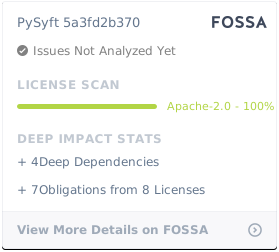](https://app.fossa.io/projects/git%2Bgithub.com%2Fmatthew-mcateer%2FPySyft?ref=badge_large)
Owner
- Name: Amir Khan
- Login: Amir22010
- Kind: user
- Location: India
- Repositories: 3
- Profile: https://github.com/Amir22010
working on developing a state of art AI solutions mainly in computer vision, chat bots and nlp domain. building an awesome AI as a professional developer 😍.