https://github.com/amir22010/pigo
Go implementation of Pico face detection library.
Science Score: 10.0%
This score indicates how likely this project is to be science-related based on various indicators:
-
○CITATION.cff file
-
○codemeta.json file
-
○.zenodo.json file
-
○DOI references
-
✓Academic publication links
Links to: arxiv.org -
○Academic email domains
-
○Institutional organization owner
-
○JOSS paper metadata
-
○Scientific vocabulary similarity
Low similarity (15.0%) to scientific vocabulary
Last synced: 10 months ago
·
JSON representation
Repository
Go implementation of Pico face detection library.
Basic Info
- Host: GitHub
- Owner: Amir22010
- License: mit
- Language: Go
- Default Branch: master
- Homepage: https://github.com/nenadmarkus/pico
- Size: 436 KB
Statistics
- Stars: 0
- Watchers: 1
- Forks: 0
- Open Issues: 0
- Releases: 0
Fork of esimov/pigo
Created about 7 years ago
· Last pushed about 7 years ago
https://github.com/Amir22010/pigo/blob/master/
[](https://travis-ci.org/esimov/pigo) [](https://godoc.org/github.com/esimov/pigo/core) [](./LICENSE) [](https://github.com/esimov/pigo/releases/tag/v1.1.0) [](https://snapcraft.io/pigo) [](https://build.snapcraft.io/user/esimov/pigo) Pigo is a purely Go face detection library based on ***Pixel Intensity Comparison-based Object detection*** paper (https://arxiv.org/pdf/1305.4537.pdf). | Rectangle face marker | Circle face marker |:--:|:--: |  | 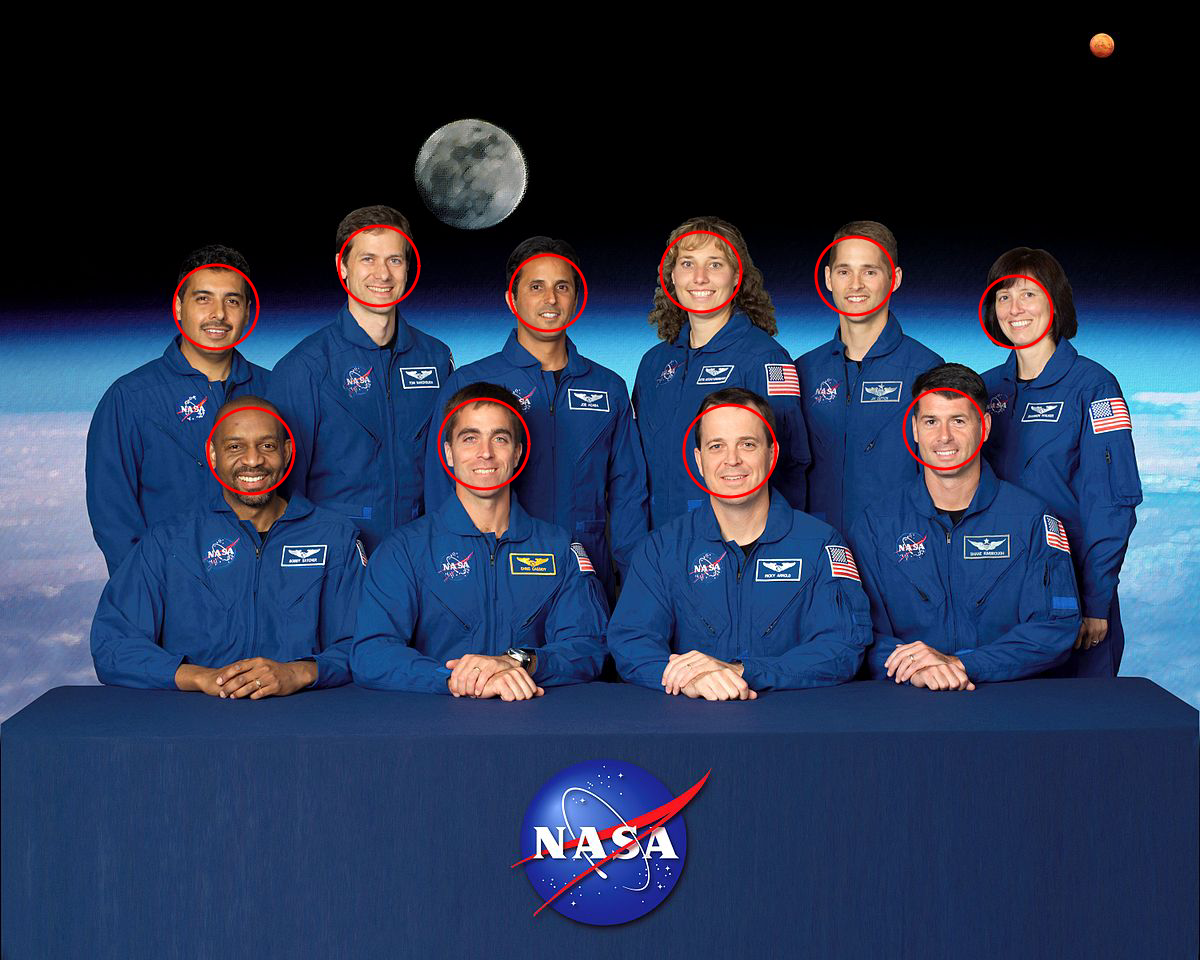 | ### Motivation I've intended to implement this face detection method, since the only existing solution for face detection in the Go ecosystem is using bindings to OpenCV, but installing OpenCV on various platforms is sometimes daunting. This library does not require any third party modules to be installed. However in case you wish to try the real time, webcam based face detection you might need to have Python2 and OpenCV installed, but **the core API does not require any third party module or external dependency**. ### Key features - [x] Does not require OpenCV or any 3rd party modules to be installed - [x] High processing speed - [x] There is no need for image preprocessing prior detection - [x] There is no need for the computation of integral images, image pyramid, HOG pyramid or any other similar data structure - [x] The face detection is based on pixel intensity comparison encoded in the binary file tree structure - [x] **Fast detection of in-plane rotated faces** **The API can detect even faces with eyeglasses.** 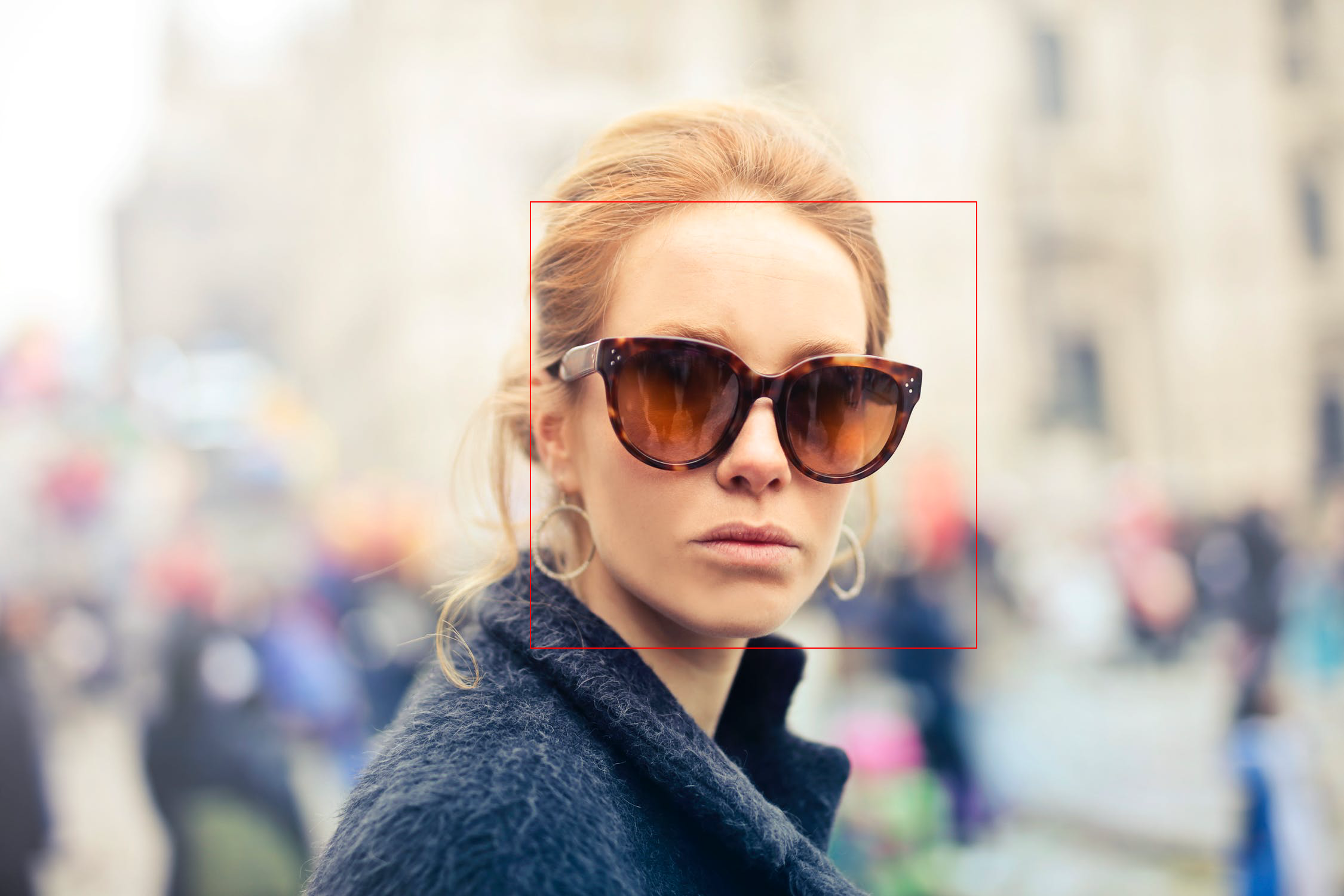 **The API can also detect in plane rotated faces.** For this reason a new `-angle` parameter have been included into the command line utility. The command below will generate the following result (see the table below for all the supported options). ```bash $ pigo -in input.jpg -out output.jpg -cf data/facefinder -angle=0.8 -iou=0.01 ``` | Input file | Output file |:--:|:--: |  | 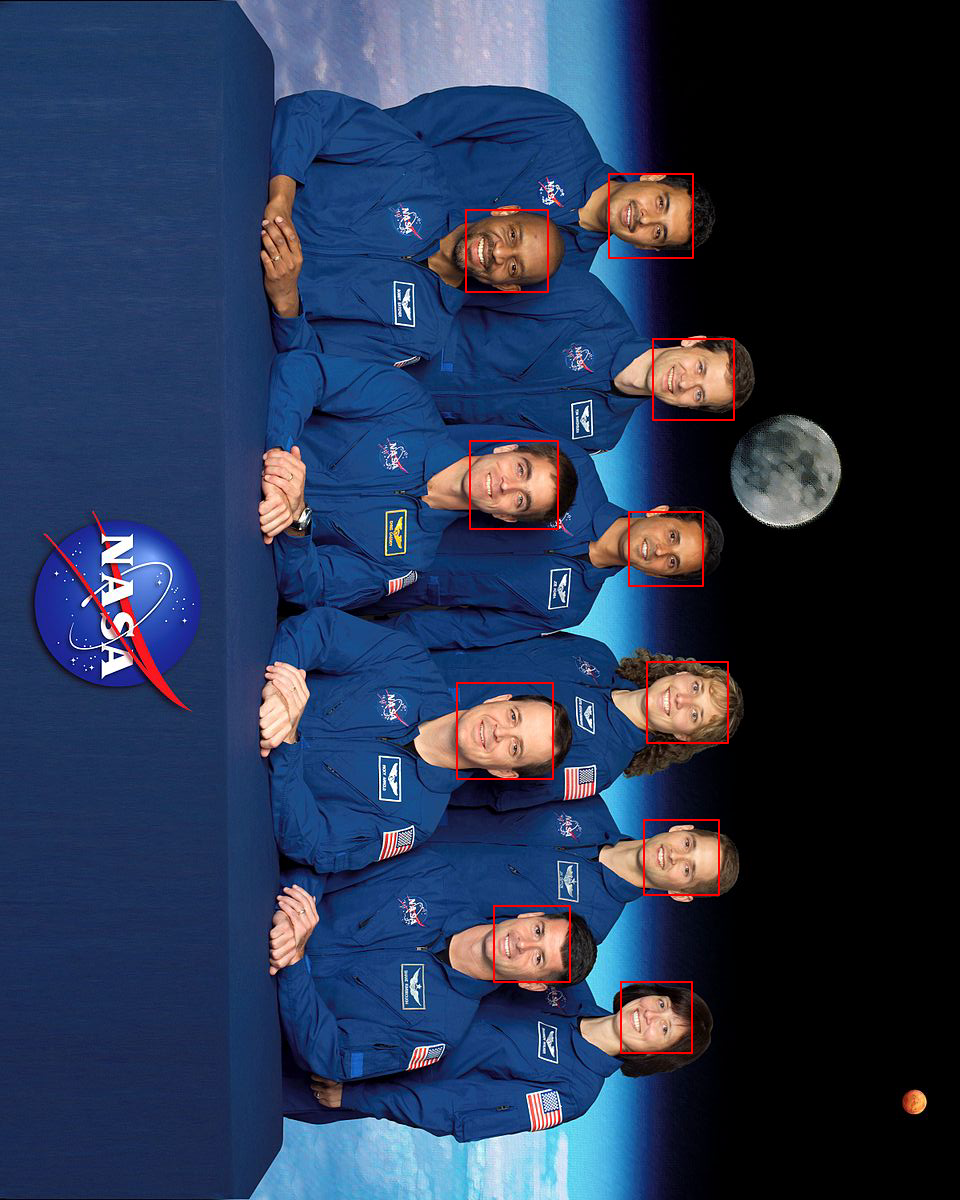 | In case of in plane rotated faces the angle value should be adapted to the provided image. ## Install Install Go, set your `GOPATH`, and make sure `$GOPATH/bin` is on your `PATH`. ```bash $ export GOPATH="$HOME/go" $ export PATH="$PATH:$GOPATH/bin" ``` Next download the project and build the binary file. ```bash $ go get -u -f github.com/esimov/pigo/cmd/pigo $ go install ``` ### Binary releases Also you can obtain the generated binary files in the [releases](https://github.com/esimov/pigo/releases) folder in case you do not have installed or do not want to install Go. The library can be accessed as a snapcraft function too.
## API Below is a minimal example of using the face detection API. First you need to load and parse the binary classifier, then convert the image to grayscale mode, and finally to run the cascade function which returns a slice containing the row, column, scale and the detection score. ```Go cascadeFile, err := ioutil.ReadFile("/path/to/cascade/file") if err != nil { log.Fatalf("Error reading the cascade file: %v", err) } src, err := pigo.GetImage("/path/to/image") if err != nil { log.Fatalf("Cannot open the image file: %v", err) } pixels := pigo.RgbToGrayscale(src) cols, rows := src.Bounds().Max.X, src.Bounds().Max.Y cParams := pigo.CascadeParams{ MinSize: fd.minSize, MaxSize: fd.maxSize, ShiftFactor: fd.shiftFactor, ScaleFactor: fd.scaleFactor, ImageParams: pigo.ImageParams{ Pixels: pixels, Rows: rows, Cols: cols, Dim: cols, }, } pigo := pigo.NewPigo() // Unpack the binary file. This will return the number of cascade trees, // the tree depth, the threshold and the prediction from tree's leaf nodes. classifier, err := pigo.Unpack(cascadeFile) if err != nil { log.Fatalf("Error reading the cascade file: %s", err) } angle := 0.0 // cascade rotation angle. 0.0 is 0 radians and 1.0 is 2*pi radians // Run the classifier over the obtained leaf nodes and return the detection results. // The result contains quadruplets representing the row, column, scale and detection score. dets := classifier.RunCascade(cParams, angle) // Calculate the intersection over union (IoU) of two clusters. dets = classifier.ClusterDetections(dets, 0.2) ``` ## Usage A command line utility is bundled into the library to detect faces in static images. ```bash $ pigo -in input.jpg -out out.jpg -cf data/facefinder ``` ### Supported flags: ```bash $ pigo --help Go (Golang) Face detection library. Version: 1.1.0 -angle float 0.0 is 0 radians and 1.0 is 2*pi radians -cf string Cascade binary file -circle Use circle as detection marker -in string Source image -iou float Intersection over union (IoU) threshold (default 0.2) -json Output face box coordinates into a json file -max int Maximum size of face (default 1000) -min int Minimum size of face (default 20) -out string Destination image -scale float Scale detection window by percentage (default 1.1) -shift float Shift detection window by percentage (default 0.1) ``` ### Real time face detection In case you wish to test the library real time face detection capabilities using a webcam, the `examples` folder contains a Web and a few Python examples. Prior running it you need to have Python2 and OpenCV2 installed. To run the Python version: ```bash $ python2 demo.py ``` To run the web version: ```bash $ go run main.go -cf "../../data/facefinder" ``` Then access the `http://localhost:8081/cam` url from a web browser. ## Author * Endre Simo ([@simo_endre](https://twitter.com/simo_endre)) ## License Copyright 2018 Endre Simo This software is distributed under the MIT license. See the LICENSE file for the full license text.

Owner
- Name: Amir Khan
- Login: Amir22010
- Kind: user
- Location: India
- Repositories: 3
- Profile: https://github.com/Amir22010
working on developing a state of art AI solutions mainly in computer vision, chat bots and nlp domain. building an awesome AI as a professional developer 😍.