rp_lock-in_pid_h
Lock-in and PID application for RedPitaya enviroment (only with harmonic modulation)
Science Score: 44.0%
This score indicates how likely this project is to be science-related based on various indicators:
-
✓CITATION.cff file
Found CITATION.cff file -
✓codemeta.json file
Found codemeta.json file -
✓.zenodo.json file
Found .zenodo.json file -
○DOI references
-
○Academic publication links
-
○Academic email domains
-
○Institutional organization owner
-
○JOSS paper metadata
-
○Scientific vocabulary similarity
Low similarity (12.2%) to scientific vocabulary
Repository
Lock-in and PID application for RedPitaya enviroment (only with harmonic modulation)
Basic Info
- Host: GitHub
- Owner: marceluda
- License: gpl-3.0
- Language: C
- Default Branch: master
- Size: 6.32 MB
Statistics
- Stars: 8
- Watchers: 3
- Forks: 8
- Open Issues: 6
- Releases: 1
Metadata Files
README.md
Red Pitaya Lock-in+PID Application with HARMONIC modulation
This started being a striped version of lock-in+PID project. Now it incorporated some new features that make it another App.
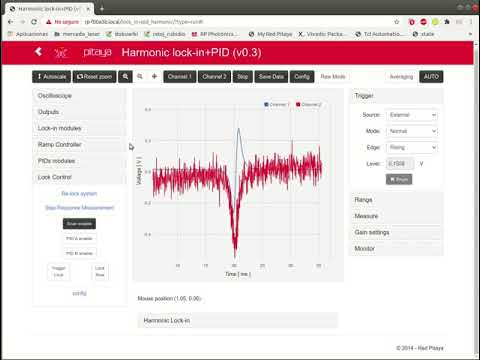
Features
- Lock-in amplifier
- in-phase and quadrature Demodulation
- Demodulation for arbitrary phase
- Demodulatión for double and triple frequency
- Two PID filters, for loop back stabilization
- Ramp/Scan controller for response analysis
- Lock control for automatic scan-stop / PID start
- Streaming system for continued acquisition of two channels
- Remote control through HTTP API
New Interface for lock-in R & Phase :
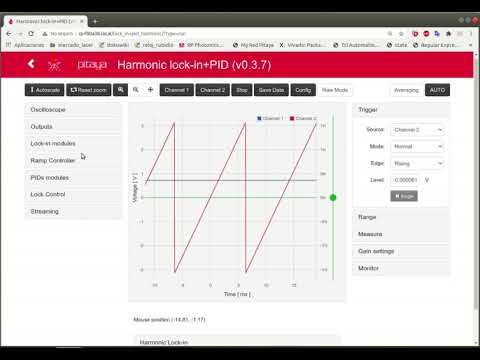
More decimaion values
| dec | max oscilloscope lenght | |--------|-------------------------| | 1 | 0.131072 ms | | 8 | 1.048576 ms | | 64 | 8.388608 ms | | 128 | 16.777216 ms | | 256 | 33.554432 ms | | 512 | 67.108864 ms | | 1024 | 134.217728 ms | | 8192 | 1.073741824 s | | 65536 | 8.589934592 s | | 524288 | 68.719476736 s |
Lock-in and PID application for RedPitaya environment
This is an application built for the Red Pitaya STEMlab 125-14 board (RP). The board is closed-hardware and open-software. You can buy the board and build your own software.
If you have a RP board you can install the Lock-in+PID application
by copying the lock_in+pid_harmonic folder (that comes with this tar/zip file) to the
/opt/redpitaya/www/apps folder (inside the RP).
For more information about installing procedure, refer to: https://marceluda.github.io/rplock-inpid/TheApp/install/
Development
To build of modify the App you need a linux development environment with:
- Vivado 2015.2
- gcc-linaro-4.9-2015.02-3-x8664arm-linux-gnueabihf (installed on /opt/linaro/gcc-linaro-4.9-2015.02-3-x86_64_arm-linux-gnueabihf/)
The App was based on code from project: https://github.com/RedPitaya/RedPitaya/tree/release-v0.95/apps-free/scope
Software requirements
You will need the following to build the Red Pitaya components:
- Various development packages:
bash
sudo apt-get install make u-boot-tools curl xz-utils nano
Xilinx Vivado 2015.2 FPGA development tools. The SDK (bare metal toolchain) must also be installed, be careful during the install process to select it. Preferably use the default install location.
Linaro ARM toolchain for cross compiling Linux applications. We recommend to install it to
/opt/linaro/since build process instructions relly on it.
```bash TOOLCHAIN="http://releases.linaro.org/14.11/components/toolchain/binaries/arm-linux-gnueabihf/gcc-linaro-4.9-2014.11-x8664arm-linux-gnueabihf.tar.xz"
TOOLCHAIN="http://releases.linaro.org/15.02/components/toolchain/binaries/arm-linux-gnueabihf/gcc-linaro-4.9-2015.02-3-x8664arm-linux-gnueabihf.tar.xz"
curl -O $TOOLCHAIN sudo mkdir -p /opt/linaro sudo chown $USER:$USER /opt/linaro tar -xpf linaro.tar.xz -C /opt/linaro ```
NOTE: you can skip installing Vivado tools, if you only wish to compile user space software.
- Missing
gmakepath
Vivado requires a gmake executable which does not exist on Ubuntu. It is necessary to create a symbolic link to the regular make executable.
bash
sudo ln -s /usr/bin/make /usr/bin/gmake
- On Ubuntu Linux you also need:
bash
sudo apt-get install make u-boot-tools curl xz-utils
sudo apt-get install libx32gcc-4.8-dev
sudo apt-get install libc6-dev-i386
The building was tested on Ubuntu 16.04 Linux x86_64
Building
Run on terminal:
bash
source settings.sh
make
Or form App folder lock_in_mtm :
bash
source ../settings.sh
and then...
For web controller building:
bash
make app
For FPGA implementation:
bash
make fpga
For tar.gz packaging
bash
make tar
For cleaning:
bash
make clean       # clean all
make clean_app   # clean only C objects
make clean_fpga  # clean only FPGA implementation temp files and .bin
Upload App to Red Pitaya device
UnZip / UnTar the App folder. Execute from terminal:
bash
./upload_app.sh rp-XXXXXX.local
Replace rp-XXXXXX.local by your RP localname or IP address
Also, you can use your own SSH client and upload the lockin+pidharmonic folder the the
RedPiaya folder: /opt/redpitaya/www/apps
Owner
- Name: Marcelo Luda
- Login: marceluda
- Kind: user
- Location: Argentina
- Company: Citedef
- Repositories: 3
- Profile: https://github.com/marceluda
Physics PhD Student. Working on laser technology for optics with application in quantum physics, metrology and in different physics and engineers labs.
Citation (CITATION.cff)
cff-version: 1.2.0
message: "If you use this software, please cite it using these metadata."
authors:
  - family-names: Luda
    given-names: "Marcelo Alejandro"
    orcid: "https://orcid.org/0000-0002-1850-2282"
title: "Red Pitaya Lock-in+PID Application with HARMONIC modulation"
doi: "10.1063/1.5080345"
keywords:
  - FPGA
  - Optics
  - Spectroscopy
license: "GPL-3.0-only"
url: "https://github.com/marceluda/rp_lock-in_pid_h"
GitHub Events
Total
- Issues event: 1
- Watch event: 1
- Push event: 1
- Fork event: 1
Last Year
- Issues event: 1
- Watch event: 1
- Push event: 1
- Fork event: 1