https://github.com/aserbremen/mrg_slam_sim
Multi-Robot Graph SLAM Simulation
Science Score: 26.0%
This score indicates how likely this project is to be science-related based on various indicators:
-
○CITATION.cff file
-
✓codemeta.json file
Found codemeta.json file -
✓.zenodo.json file
Found .zenodo.json file -
○DOI references
-
○Academic publication links
-
○Academic email domains
-
○Institutional organization owner
-
○JOSS paper metadata
-
○Scientific vocabulary similarity
Low similarity (10.6%) to scientific vocabulary
Repository
Multi-Robot Graph SLAM Simulation
Basic Info
- Host: GitHub
- Owner: aserbremen
- Language: Python
- Default Branch: main
- Size: 23.9 MB
Statistics
- Stars: 8
- Watchers: 2
- Forks: 3
- Open Issues: 0
- Releases: 0
Metadata Files
README.md
Multi-Robot Graph SLAM using LIDAR Simulation Package
This repository contains a world and launch files for testing the the Multi-Robot Graph SLAM Framework in a simulated environment using Gazebo. Tested on
- ROS2 humble and Gazebo Fortress
- ROS2 Jazzy and Gazebo Harmonic (minimal, see below), checkout branch
gazebo_harmonic
Dependencies
This package depends on the following packages:
sudo apt install ros-humble-ros-gz # ROS2 JazzHumble
sudo apt install ros-jazzy-ros-gz # ROS2 Jazzy
Usage for two robots in the marsyard2020 environment
The demo explained in this section can be checked out in this video on youtube:
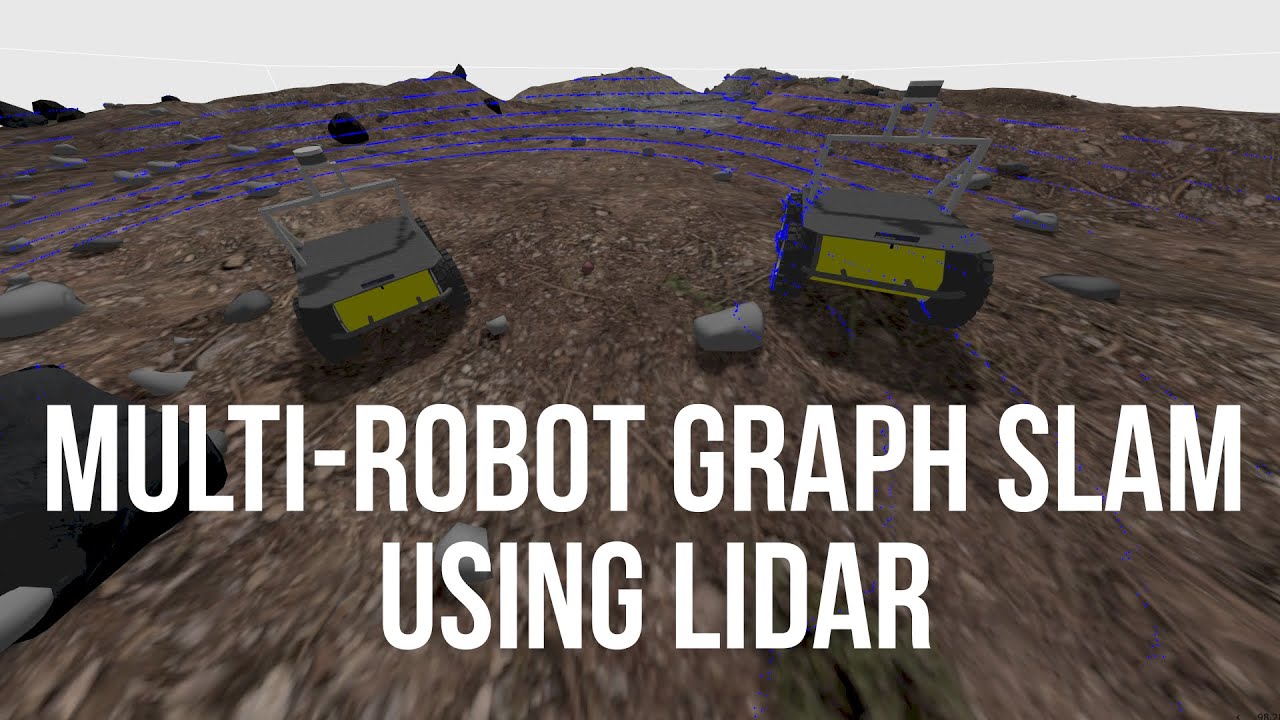
1. Launch the world
Launch the world in gazebo with the following command. Note that the first call to gazebo might take a while, since it has to download the models of the fortress.
ros2 launch mrg_slam_sim marsyard2020.launch.py
2. Spawn the robots and start the ros_gz bridge and teleop node
Spawn two robots equipped with LIDAR sensors and bridge the sensor data to ROS2 topics. Also start the teleop_joystick node to control the first robot atlas with a joystick (xbox). This terminal has to be kept active.
ros2 launch mrg_slam_sim dual_robot_sim.launch.py # only for Gazebo Fortress at the moment
You should be able to control the first robot atlas with the joystick.
3. Control the robots via the terminal
If you don't have a joystick, you can disable the teleopjoystick node in the dual robot config by setting `enableteleop_joy` to false. Then you can control the robot with the keyboard using the following command:
ros2 run teleop_twist_keyboard teleop_twist_keyboard --ros-args -r __node:=teleop_twist_keyboard_node_atlas -r /cmd_vel:=/atlas/cmd_vel
Second robot bestla can be controlled with the keyboard in a new terminal using the following command:
ros2 run teleop_twist_keyboard teleop_twist_keyboard --ros-args -r __node:=teleop_twist_keyboard_node_bestla -r /cmd_vel:=/bestla/cmd_vel
4. Start two instances of the Multi-Robot Graph SLAM Framework
Now to test the Multi-Robot Graph SLAM Framework with the mrg_slam package. Run two instances of the slam algorithm as follows:
ros2 launch mrg_slam mrg_slam.launch.py model_namespace:=atlas x:=-15.0 y:=13.5 z:=1.1 # terminal 1
ros2 launch mrg_slam mrg_slam.launch.py model_namespace:=bestla x:=-15.0 y:=-13.0 z:=1.1 # terminal 2
Or use two instances of Multi-Robot Graph SLAM inside two docker containers. Make sure that the docker containers can communicate with the host machine. For example, environment variables like ROSLOCALHOSTONLY or ROSDOMAINID should not be set or should be correctly set. Then run the following commands:
docker run -it --rm --network=host --ipc=host --pid=host -e MODEL_NAMESPACE=atlas -e USE_SIM_TIME=true -e X=-15.0 -e Y=13.5 -e Z=1.1 --name atlas_slam mrg_slam # terminal 1
docker run -it --rm --network=host --ipc=host --pid=host -e MODEL_NAMESPACE=bestla -e USE_SIM_TIME=true -e X=-15.0 -e Y=-13.0 -e Z=1.1 --name bestla_slam mrg_slam # terminal 2
5. Visualize the results in rviz2
Move the robots and visualize the results in rviz2:
rviz2 -d /path/to/mrg_slam/rviz/mrg_slam.rviz --ros-args -p use_sime_time:=true
Additional use cases
Simulate a single robot without a namespace / robot name
Many packages use hard-coded frames like /base_link or /odom. If you want to test the Multi-Robot Graph SLAM Framework with a single robot without a namespace, you can use the singlerobotsim.launch.py launch file. After launching the gazebo world in step 1 above, you can spawn a single robot.
ros2 launch mrg_slam_sim single_robot_sim.launch.py # Gazebo Fortress & Harmonic
Simulate a single robot with a namespace / robot name
If you want to test the Multi-Robot Graph SLAM Framework with a single robot with a namespace, you need to set the robot_name parameter in the singlerobotmarsyard2020_sim.yaml file. After launching the gazebo world in step 1 above, you can spawn a single robot with a namespace.
ros2 launch mrg_slam_sim single_robot_sim.launch.py
Launch the world with any number of robots
Check out the config/multirobotsim.yaml file to set the robot_names, the initial poses, and the topics to bridge from gazebo to ROS2. Then you can spawn any number of robots and start bridging topics using the following command:
ros2 launch mrg_slam_sim multi_robot_sim.launch.py
Launch other worlds
At the moment there are two worlds available: marsyard2020 and rubicon. You can launch the rubicon world with the following command:
ros2 launch mrg_slam_sim rubicon.launch.py
To spawn two robots at the correct positions in the rubicon world, you can use the following command:
ros2 launch mrg_slam_sim dual_robot_sim.launch.py world:=rubicon # dual robot in rubicon world
ros2 launch mrg_slam_sim single_robot_sim.launch.py world:=rubicon # single robot in rubicon world
Note that when you start an instance of the Multi-Robot Graph SLAM Framework, you have to set the correct initial position of the robot in the rubicon world. The initial poses can be found in the config folder.
ros2 launch mrg_slam mrg_slam.launch.py model_namespace:=atlas x:=-7.0 y:=0.0 z:=3.96 # terminal 1
ros2 launch mrg_slam mrg_slam.launch.py model_namespace:=bestla x:=0.0 y:=-15.0 z:=3.8 # terminal 2
Owner
- Name: Andreas Serov
- Login: aserbremen
- Kind: user
- Company: University of Bremen
- Repositories: 1
- Profile: https://github.com/aserbremen
GitHub Events
Total
- Watch event: 6
- Issue comment event: 1
- Push event: 6
- Pull request event: 2
- Fork event: 3
- Create event: 1
Last Year
- Watch event: 6
- Issue comment event: 1
- Push event: 6
- Pull request event: 2
- Fork event: 3
- Create event: 1