Science Score: 67.0%
This score indicates how likely this project is to be science-related based on various indicators:
-
✓CITATION.cff file
Found CITATION.cff file -
✓codemeta.json file
Found codemeta.json file -
✓.zenodo.json file
Found .zenodo.json file -
✓DOI references
Found 2 DOI reference(s) in README -
✓Academic publication links
Links to: scholar.google -
○Academic email domains
-
○Institutional organization owner
-
○JOSS paper metadata
-
○Scientific vocabulary similarity
Low similarity (11.0%) to scientific vocabulary
Keywords
Repository
📊 Graphical User Interface for TCC package
Basic Info
- Host: GitHub
- Owner: swsoyee
- License: mit
- Language: R
- Default Branch: master
- Homepage: https://infinityloop.shinyapps.io/TCC-GUI/
- Size: 37.7 MB
Statistics
- Stars: 46
- Watchers: 2
- Forks: 17
- Open Issues: 5
- Releases: 0
Topics
Metadata Files
README.md
📊 TCC-GUI: Graphical User Interface for TCC package




TCC1 is a R/Bioconductor package provides a series of functions for performing differential expression (DE) analysis from RNA-seq count data using a robust normalization strategy (called DEGES).
The basic idea of DEGES is that potential differentially expressed genes (DEGs) among compared samples should be removed before data normalization to obtain a well-ranked gene list where true DEGs are top-ranked and non-DEGs are bottom ranked. This can be done by performing the multi-step normalization procedures based on DEGES (DEG elimination strategy) implemented in TCC.
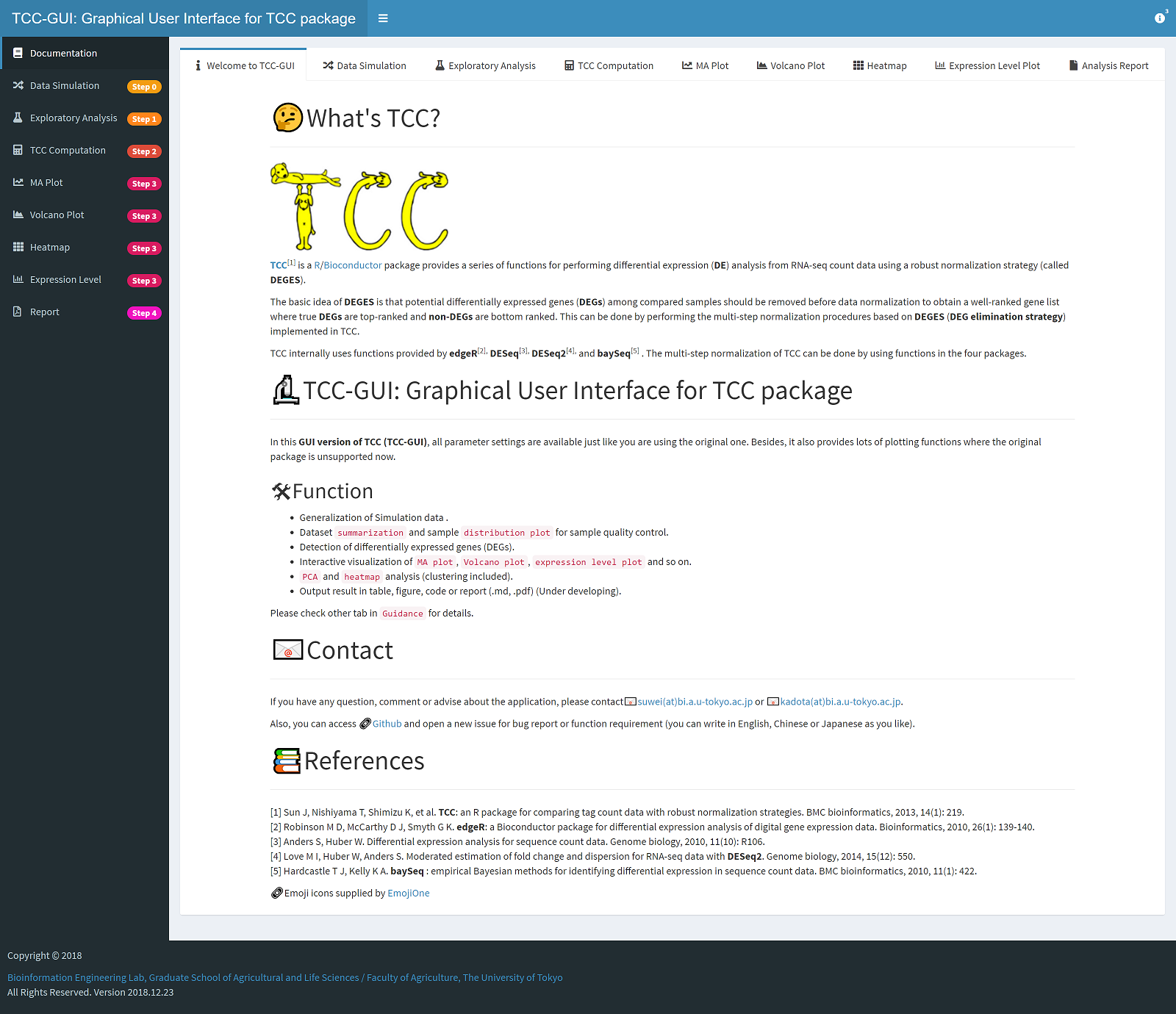
TCC internally uses functions provided by edgeR2, DESeq23, and baySeq4 . The multi-step normalization of TCC can be done by using functions in the four packages.
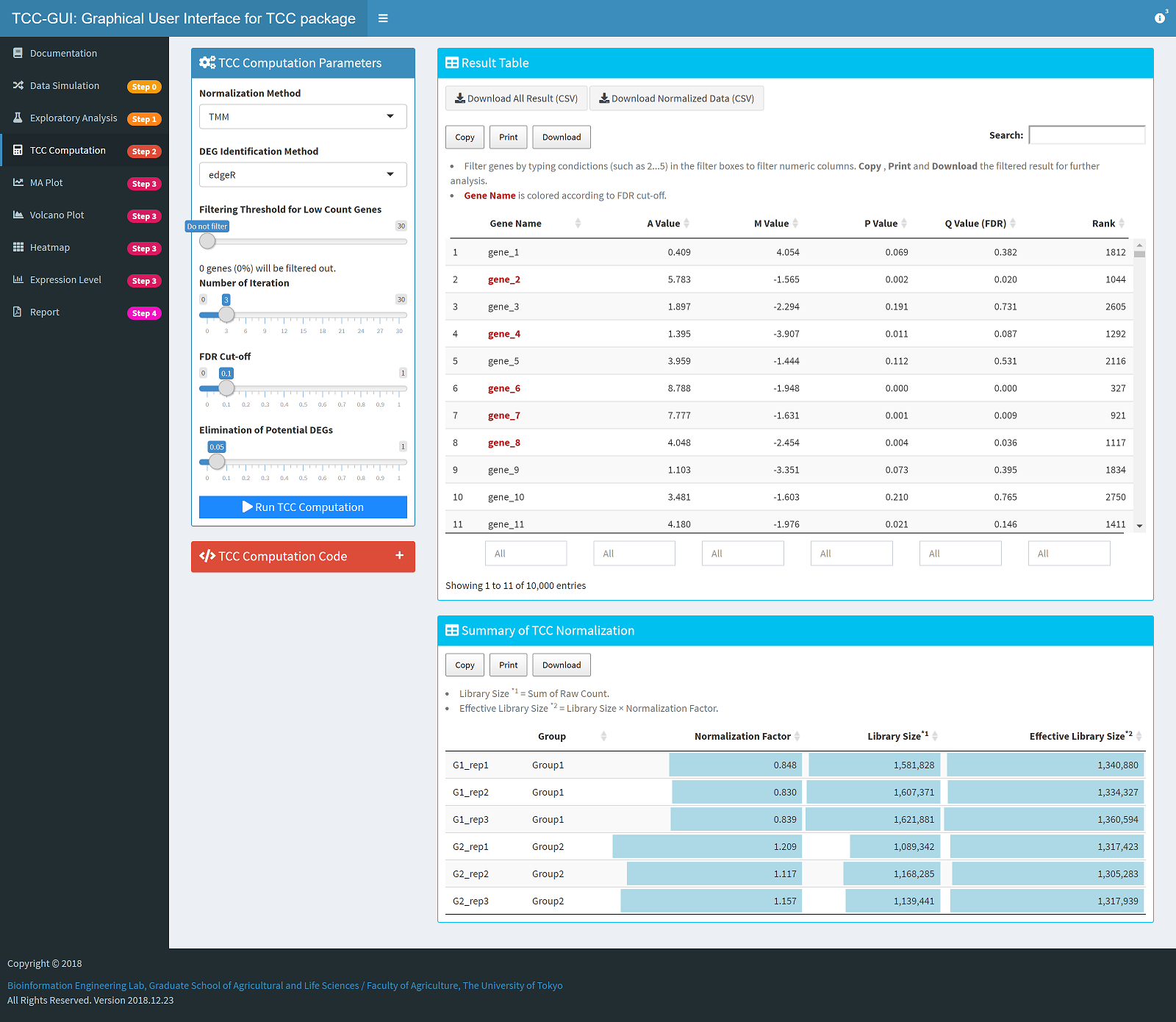
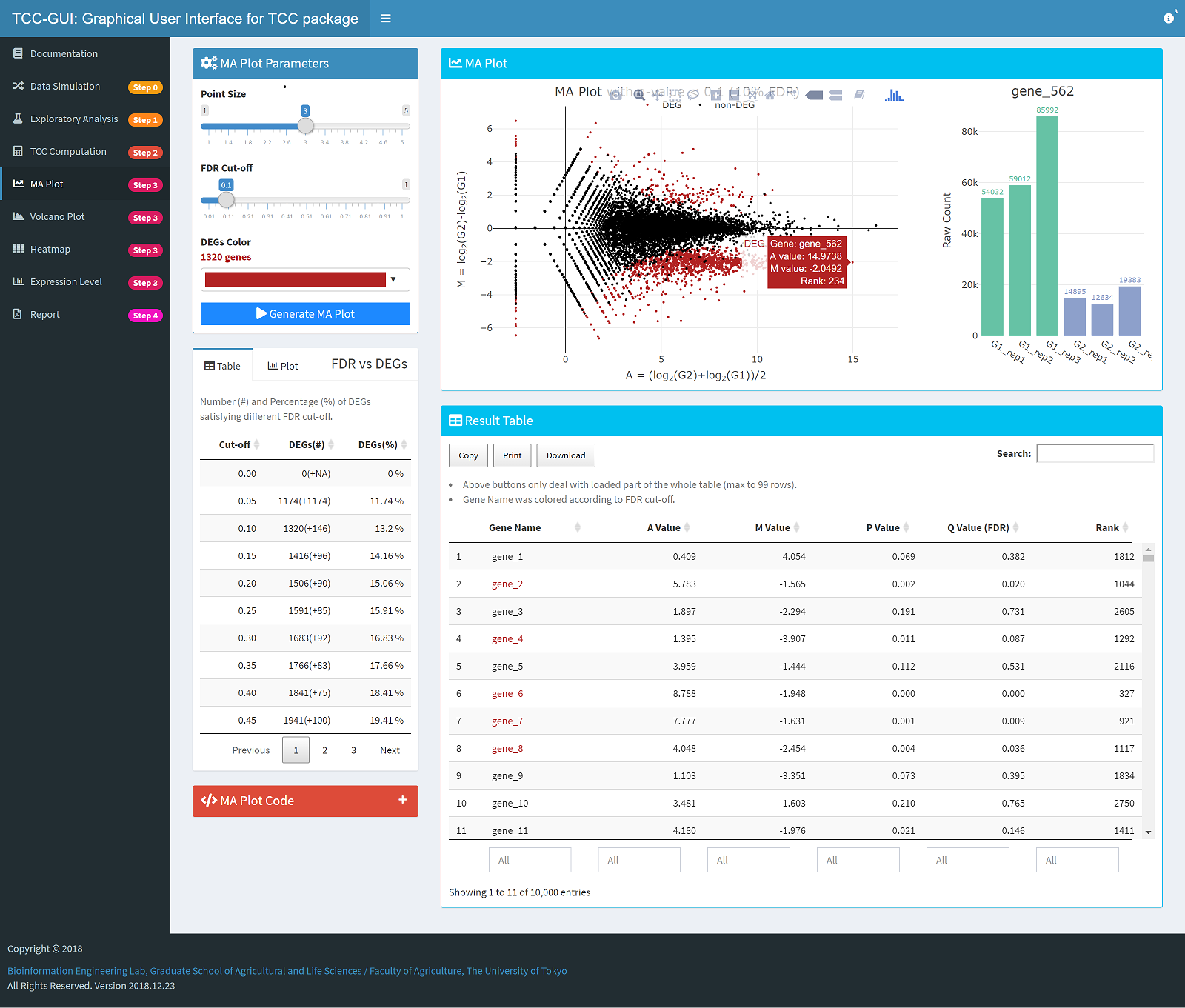
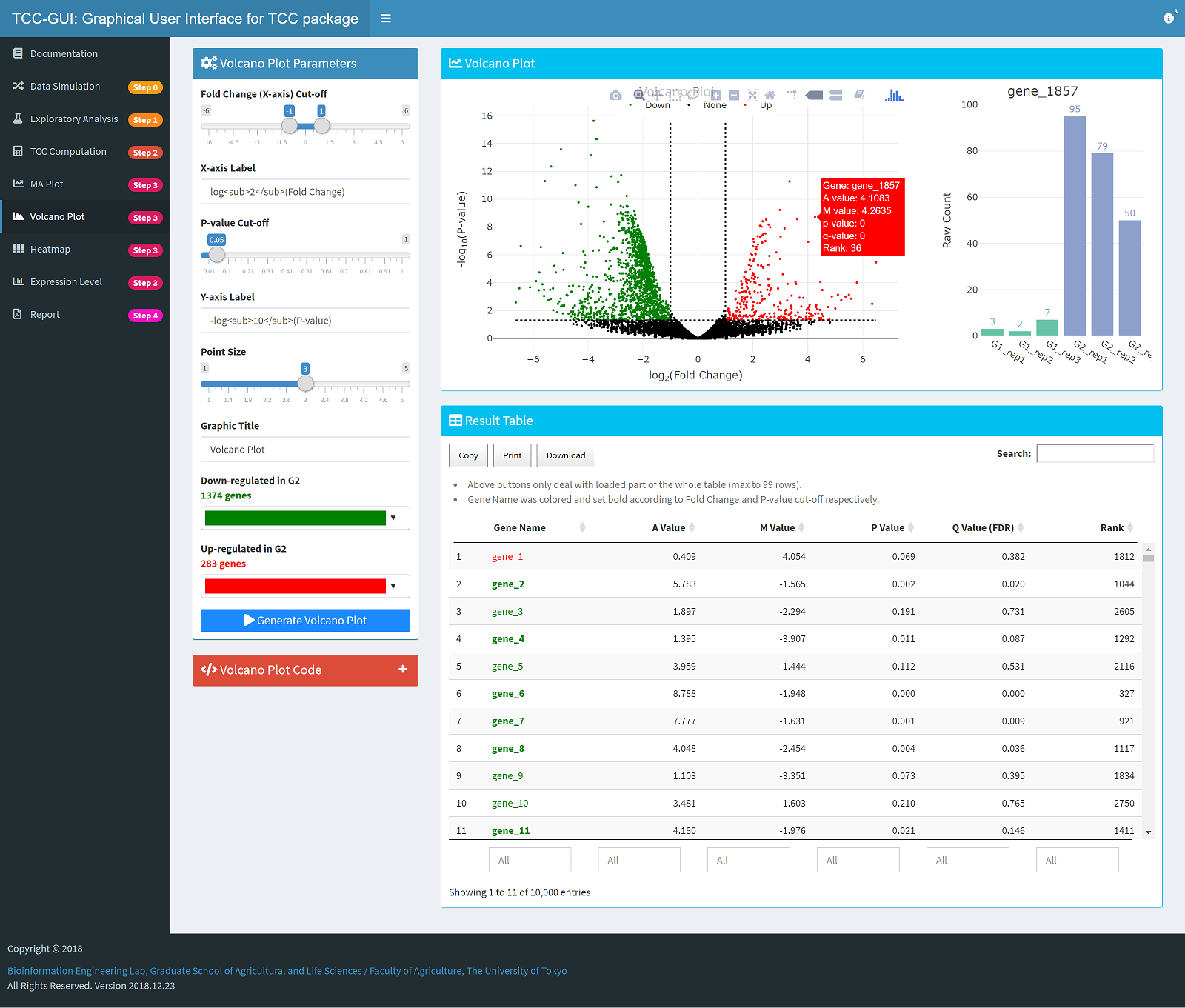
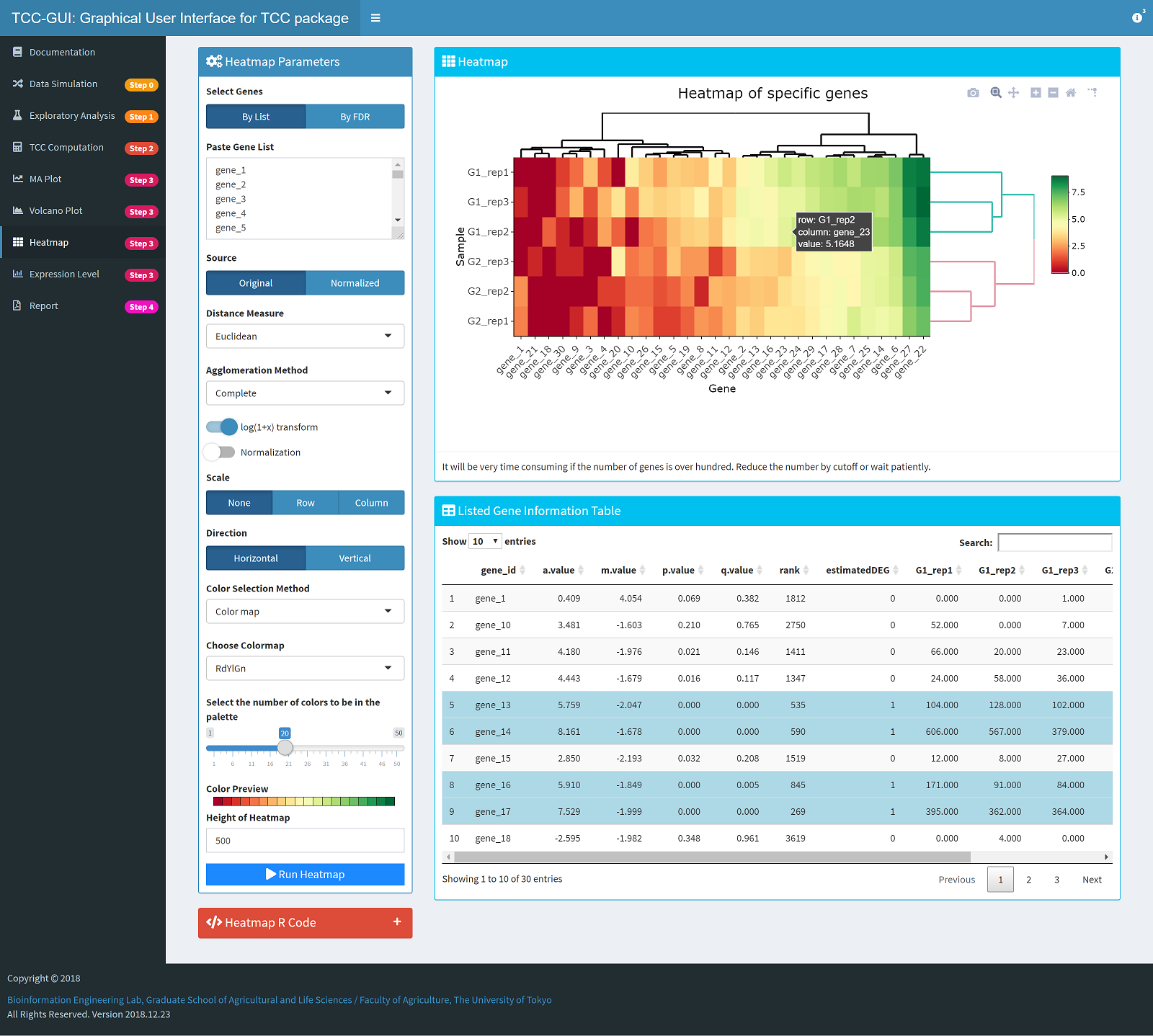
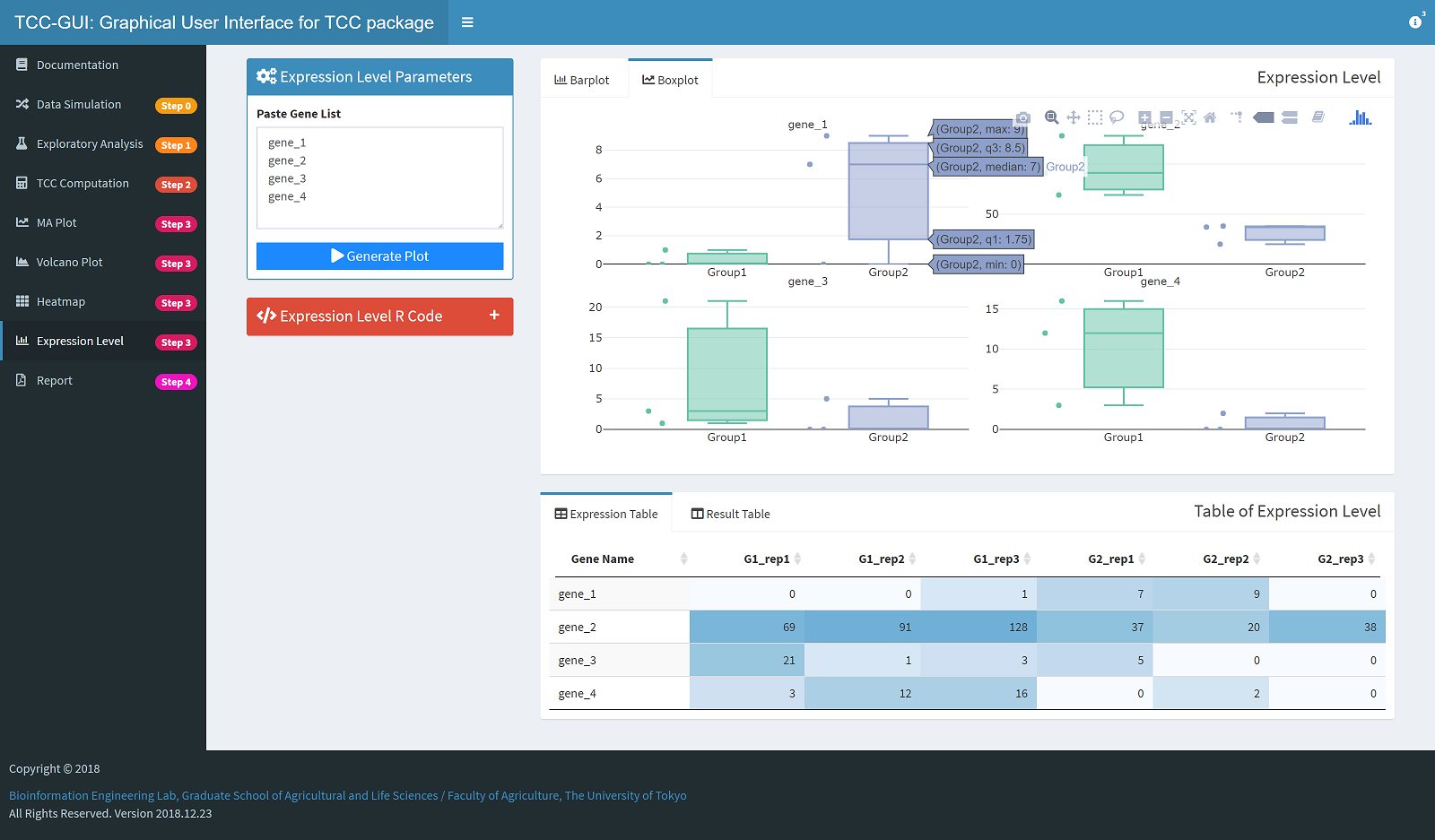
In this GUI version of TCC (TCC-GUI), all parameter settings are available just like you are using the original one. Besides, it also provides lots of plotting functions where the original package is unsupported now.
Tips: Development is now undergoing, some functions and features may be changed in the final version.
📈 Features
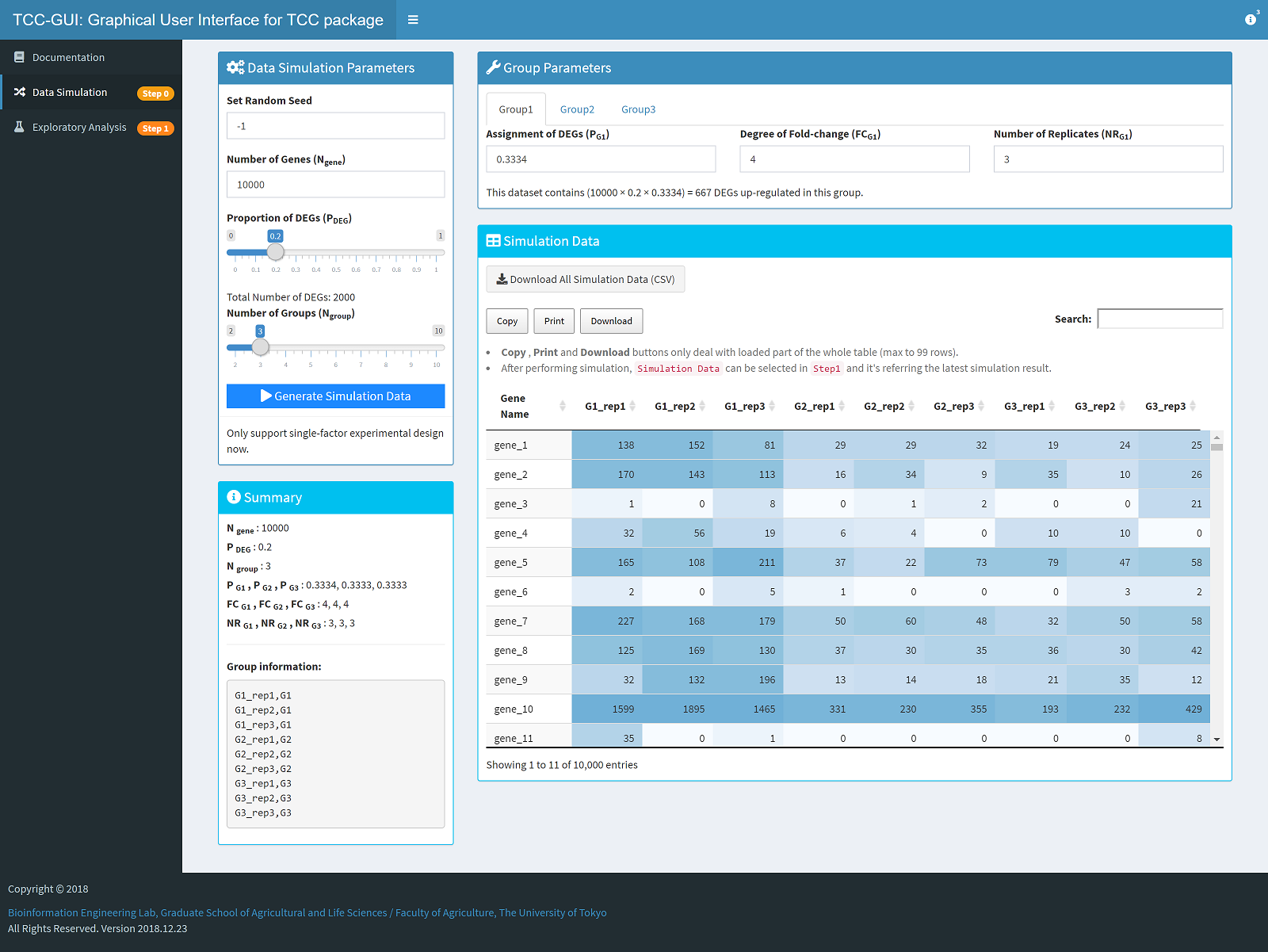
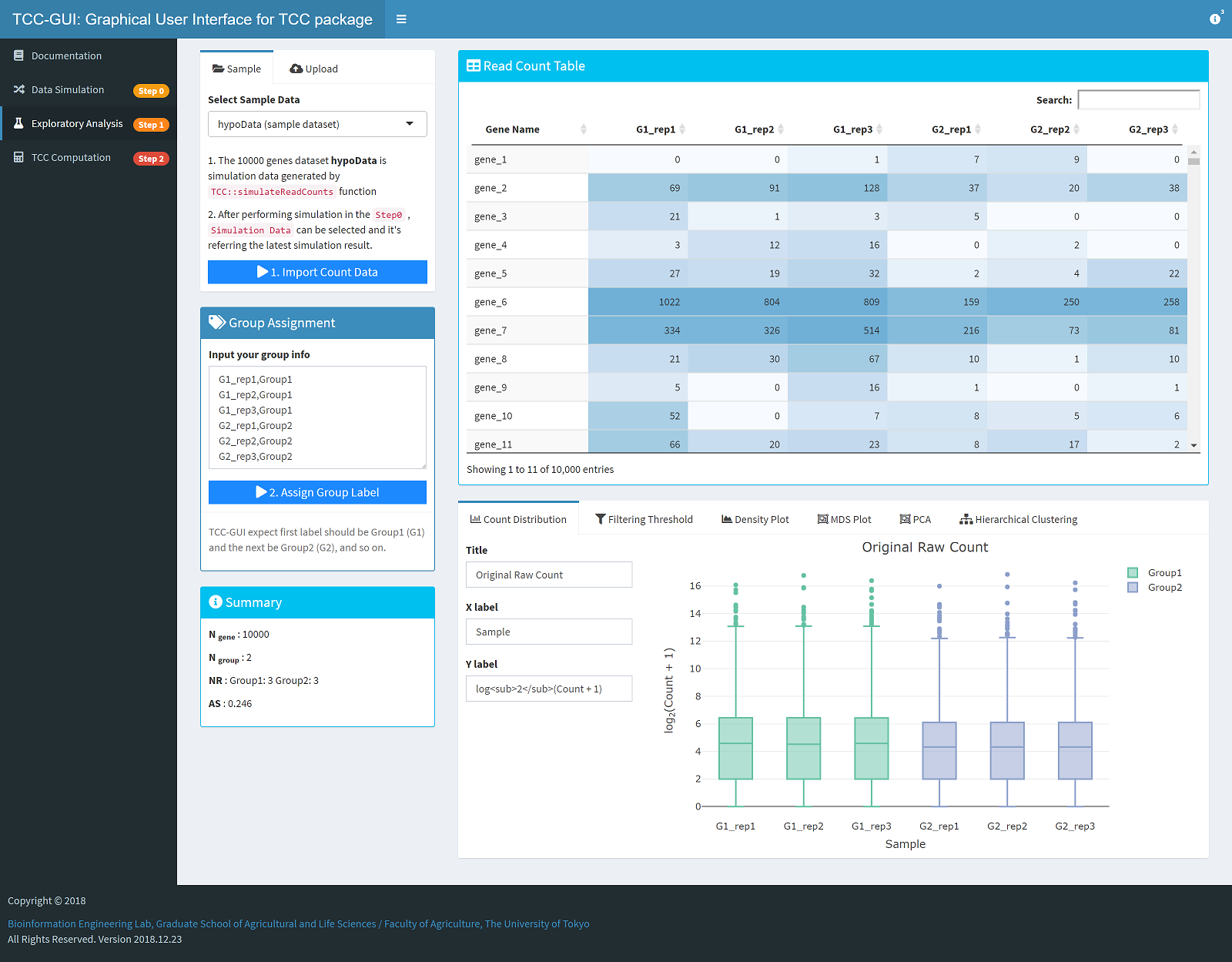
| Simulation Data Generation| Exploratory Analysis|
| --- | --- |
|  |
|  |
|
|
|
 |
|  |
|
|
|  |
|  |
|
|
|  |
| 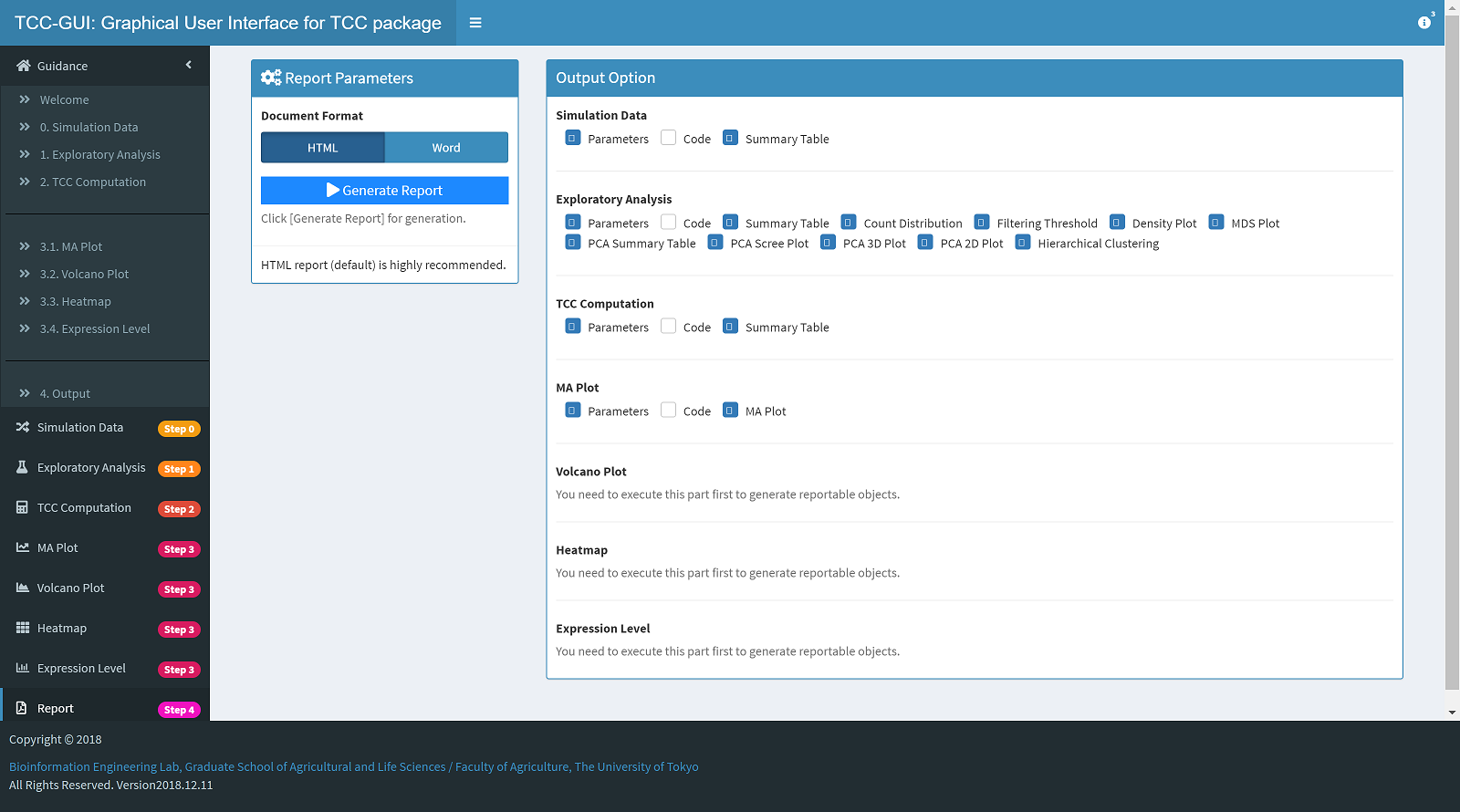 |
|
📔 Usage
Online version
Access TCC-GUI hosted by shinyapps.io. Due to the limitations of the free version of shinyapps, you may not be able to use the tool in some cases, in which case you may consider downloading the source code and launch the tool in a your machine (see below).
Standalone version
If you are familiar with git, Method 1 is highly recommended.
Method 1
Use the command below to clone the source code to your local directory. We assume you already know how to clone a project using Git from the command line, if not please refer to Git Basics - Getting a Git Repository.
bash
git clone https://github.com/swsoyee/TCC-GUI.git ~/Desktop/TCC-GUI
When you open this project (just double click
TCC-GUI.Rproj) in R at first time, the following message will be print in console, and the packagerenvwill be install automatically (if not, please installrenvmanually or create a issue for help). Next, userenv::restore()to install all other packages which are needed.```r
Bootstrapping renv 0.17.0 --------------------------------------------------
- Downloading renv 0.17.0 ... OK (downloaded binary)
- Installing renv 0.17.0 ... Done!
- Successfully installed and loaded renv 0.17.0. Installing BiocManager [1.30.20] ... OK [linked cache in 0.36 milliseconds]
- Installed 1 package in 9 milliseconds.
- Project '~/Desktop/TCC-GUI' loaded. [renv 0.17.0]
- One or more packages recorded in the lockfile are not installed.
- Use
renv::status()for more details. > renv::restore() The following package(s) will be updated: ... ````
If you are using
RStudio, just open theui.R,server.Rorglobal.RinTCC-GUIdirectory, and click theRun Appbutton to launch the application. Or use the commend below to complete the same thing.r shiny::runApp(appDir = "TCC-GUI")
For more information, please refer to the wiki.
Method 2
- Click
Codebutton on the top of this page, then clickDownload ZIP; - Unzip the file to your working directory;
- Double click
TCC-GUI.Rprojto open the project; - Make sure the
renvpackage is install automatically (also see Method 1 step 2); Run the code to launch the application (according to your structure of working directory it may be different).
```R
install packages by using renv
renv::restore()
run the command and launch the application
shiny::runApp(appDir = "TCC-GUI") ``
If you are using RStudio, there will be aRun Appbutton in the souce code file panel when you open fileui.R,server.Rorglobal.R`. Click the button and TCC-GUI will be launched.
If the above method still does not work, please try the old version installation method below or feel free to contact us.
Old Installation Method
### Pre-installation Make sure that you have already installed those packages in your environment. `shiny`, `shinydashboard`, `shinyWidgets`, `plotly`, `dplyr`, `TCC`, `DT`, `heatmaply`, `markdown`, `rmarkdown`, `data.table`, `tidyr`, `RColorBrewer`, `utils`, `knitr`, `cluster`, `shinycssloaders`, `shinyBS`, `renv`, `MASS`. If any package is missing, Please run the following command in your [`RStudio`](https://www.rstudio.com/) and it will install all packages automatically. ```R # Check "BiocManager" if (!requireNamespace("BiocManager", quietly = TRUE)) install.packages("BiocManager") # Package list libs <- c("shiny", "shinydashboard", "shinyWidgets", "plotly", "dplyr", "DT", "heatmaply", "tidyr","utils","rmarkdown","data.table","RColorBrewer", "knitr", "cluster", "shinycssloaders", "shinyBS", "renv", "MASS", "TCC") # Install packages if missing for (i in libs){ if( !is.element(i, .packages(all.available = TRUE)) ) { BiocManager::install(i, suppressUpdates=TRUE) } } ``` ### Start the App Run the following command to launch `TCC-GUI` in your local environment, then it will download `TCC-GUI` automatically from github and launch. ##### Method 1 ```R shiny::runGitHub("TCC-GUI", "swsoyee", subdir = "TCC-GUI", launch.browser = TRUE) ``` This method always download the source code from github before launching, so maybe you can try to download all the source code by yourself and launch it. ##### Method 2 1. Click `Clone or download` button on the top of this page, then click [`Download ZIP`](https://github.com/swsoyee/TCC-GUI/archive/master.zip); 2. Unzip the file to your working directory (use `getwd()` to know your working directory); 3. Run the code of launching (according to your structure of working directory it may be different). ```R shiny::runApp("TCC-GUI", launch.browser = TRUE) ```If you have any question about TCC-GUI, simply create a issue for help (prefer) or send E-mail to us. We will answer your question as soon as possible.
📕 Publication
If you have use TCC-GUI in your work, please cite the original paper and consider to give this repository a ⭐Star!
TCC-GUI: a Shiny-based application for differential expression analysis of RNA-Seq count data
Wei Su, Jianqiang Sun, Kentaro Shimizu and Koji Kadota
BMC Research Notes 2019 12:133
https://doi.org/10.1186/s13104-019-4179-2 | © The Author(s) 2019
Received: 14 January 2019 | Accepted: 11 March 2019 | Published: 13 March 2019
📚 References
- Sun J, Nishiyama T, Shimizu K, et al. TCC: an R package for comparing tag count data with robust normalization strategies. BMC bioinformatics, 2013, 14(1): 219.
- Robinson M D, McCarthy D J, Smyth G K. edgeR: a Bioconductor package for differential expression analysis of digital gene expression data. Bioinformatics, 2010, 26(1): 139-140.
- Love M I, Huber W, Anders S. Moderated estimation of fold change and dispersion for RNA-seq data with DESeq2. Genome biology, 2014, 15(12): 550.
- Hardcastle T J, Kelly K A. baySeq : empirical Bayesian methods for identifying differential expression in sequence count data. BMC bioinformatics, 2010, 11(1): 422.
Code of Conduct
Please note that the TCC-GUI project is released with a Contributor Code of Conduct. By contributing to this project, you agree to abide by its terms.
Owner
- Name: InfinityLoop
- Login: swsoyee
- Kind: user
- Location: Tokyo, Japan
- Website: https://swsoyee.vercel.app/
- Twitter: swsoyee
- Repositories: 77
- Profile: https://github.com/swsoyee
📊 Visualization 🎛️ Front-end
Citation (CITATION.cff)
cff-version: 1.2.0
message: "If you use this software, please cite it using the metadata from this file."
authors:
  - family-names: Su
    given-names: Wei
    email: swsoyee@gmail.com
    affiliation: Graduate School of Agricultural and Life Sciences, The University of Tokyo, Yayoi 1-1-1, Bunkyo-ku, Tokyo, 113-8657, Japan
    orcid: 'https://orcid.org/0000-0002-9302-5332'
  - family-names: Sun
    given-names: Jianqiang
    affiliation: Graduate School of Agricultural and Life Sciences, The University of Tokyo, Yayoi 1-1-1, Bunkyo-ku, Tokyo, 113-8657, Japan
    orcid: 'https://orcid.org/0000-0002-3438-3199'
  - family-names: Kadota
    given-names: Koji
    email: koji.kadota@gmail.com
    affiliation: Graduate School of Agricultural and Life Sciences, The University of Tokyo, Yayoi 1-1-1, Bunkyo-ku, Tokyo, 113-8657, Japan
    orcid: 'https://orcid.org/0000-0002-3907-4336'
title: "TCC-GUI"
url: "https://github.com/swsoyee/TCC-GUI"
preferred-citation:
  type: article
  authors:
    - family-names: Su
      given-names: Wei
      email: swsoyee@gmail.com
      affiliation: Graduate School of Agricultural and Life Sciences, The University of Tokyo, Yayoi 1-1-1, Bunkyo-ku, Tokyo, 113-8657, Japan
      orcid: 'https://orcid.org/0000-0002-9302-5332'
    - family-names: Sun
      given-names: Jianqiang
      affiliation: Graduate School of Agricultural and Life Sciences, The University of Tokyo, Yayoi 1-1-1, Bunkyo-ku, Tokyo, 113-8657, Japan
      orcid: 'https://orcid.org/0000-0002-3438-3199'
    - family-names: Kadota
      given-names: Koji
      email: koji.kadota@gmail.com
      affiliation: Graduate School of Agricultural and Life Sciences, The University of Tokyo, Yayoi 1-1-1, Bunkyo-ku, Tokyo, 113-8657, Japan
      orcid: 'https://orcid.org/0000-0002-3907-4336'
  doi: "10.1186/s13104-019-4179-2"
  journal: "BMC Research Notes"
  month: 3
  title: "TCC-GUI: a Shiny-based application for differential expression analysis of RNA-Seq count data"
  issue: 133
  volume: 12
  year: 2019
GitHub Events
Total
- Watch event: 4
Last Year
- Watch event: 4