SpmImage Tycoon
SpmImage Tycoon: Organize and analyze scanning probe microscopy data - Published in JOSS (2022)
Science Score: 98.0%
This score indicates how likely this project is to be science-related based on various indicators:
-
✓CITATION.cff file
Found CITATION.cff file -
✓codemeta.json file
Found codemeta.json file -
✓.zenodo.json file
Found .zenodo.json file -
✓DOI references
Found 7 DOI reference(s) in README and JOSS metadata -
✓Academic publication links
Links to: joss.theoj.org -
○Committers with academic emails
-
○Institutional organization owner
-
✓JOSS paper metadata
Published in Journal of Open Source Software
Keywords
Keywords from Contributors
Repository
Organize Scanning Probe Microscopy (SPM, STM, AFM) Images and Spectra.
Basic Info
Statistics
- Stars: 15
- Watchers: 2
- Forks: 1
- Open Issues: 4
- Releases: 23
Topics
Metadata Files
README.md

SpmImage Tycoon
Cross-platform app to manage and edit scanning probe microscopy (SPM) images and spectra. It supports scanning tunneling microscopy (STM) and atomic force microscopy (AFM) images and spectra.
Features
Demo
Supported file formats
Disclaimer
Installation
Installation (alternative)
Cite
Case study
Tips and tricks
Accessing the database
Technical background
Third party libraries
Contribute
Related projects
Features
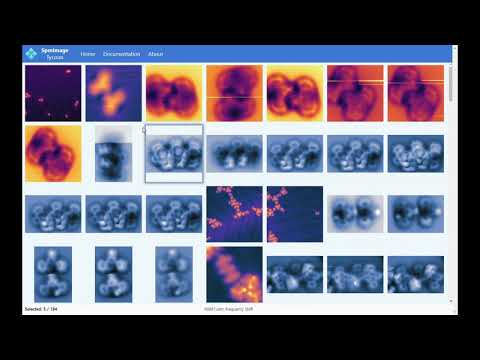
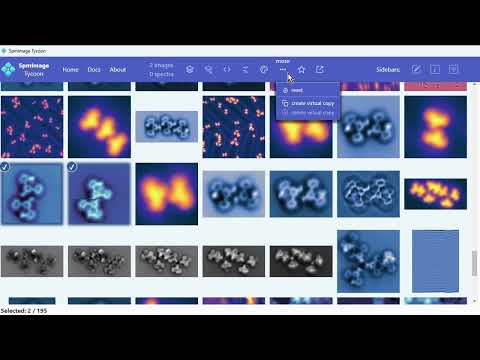
- Load and display SPM images: grid and zoom views
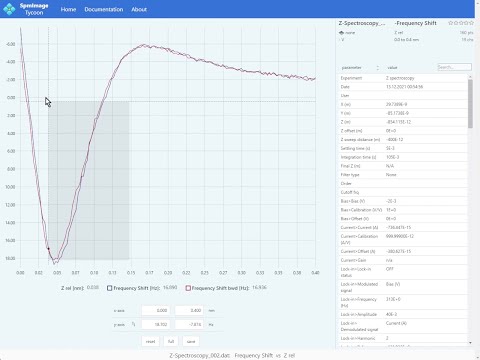
- Load and display spectra
- Fast navigation: dropdown menus or keyboard shortcuts
- Cycle through channels, switch between forward and backward directions
- Different types of background corrections
- Various color palettes
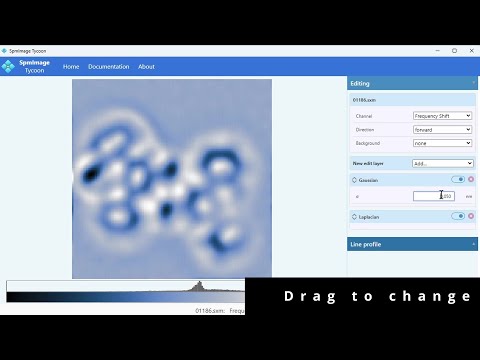
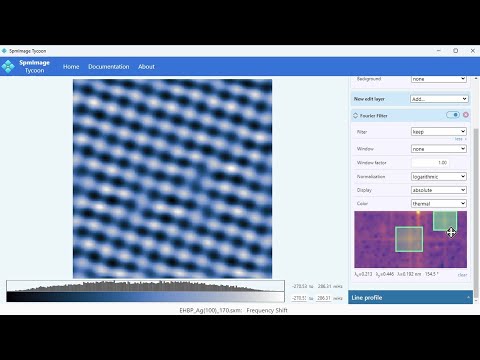
- Non-destructive edits: Gaussian, Laplacian, Fourier Filter, etc.
- Line profiles
- Star-rating and keyword systems
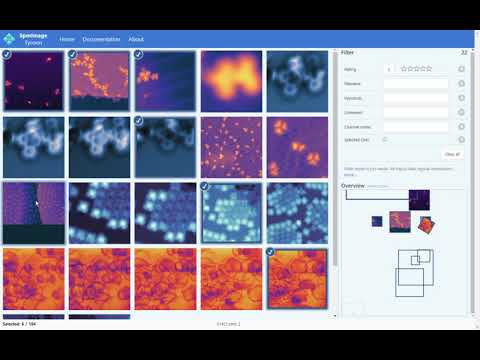
- Powerful search and filtering (e.g., by keywords, data type, location, scan size)
- Overview and position-based filtering
- Export to OpenDocument presentation (compatible with LibreOffice, OpenOffice, PowerPoint, etc.)
- Everything is experimental. And we all like experiments.
Demo
|
|
|
| Feature demo (YouTube) |
Global scan frame filter (YouTube) |
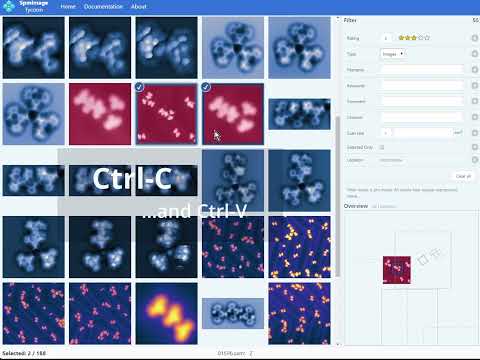
Copy and paste parameters (YouTube) |

|

|
|
| Grid view: images and spectra (Screenshot) |
Spectrum display (Screenshot) |
Spectra demo (YouTube) |
|
|
|
| Non-destructive edits (YouTube) |
Fourier filter (YouTube) |
Menus (YouTube) |
It is best to play around with the app yourself, so go ahead and install it.. Example data can be found in the test directory.
Supported file formats
| images | spectra | ||
| Nanonis | .sxm | .dat | release |
| GXSM | .nc | .vpdata | testing |
| Asylum Research | .ibw | testing |
Currently, Nanonis files have the most extensive support. GXSM and Asylum Research file support is implemented and needs further testing. If you want to contribute to the development or testing, please get in touch with me. If you come across any issues or have suggestions for other file formats, please let me know.
Disclaimer
Currently, the app should be considered experimental. It has undergone limited testing and I can not guarantee that it will work flawlessly. It is conceivable that some of the calculations potentially give erroneous results under certain circumstances.
The app never modifies or deletes your original data. However, in case of any unexpected problems, you might lose the modifications saved within the app. Even though this has never happened to me, I still advice to backup the database regularly (I personally do not do that, though). The app creates a database in each project directory under `spmimagescache/db.jld2` (some older versions of this file are kept as well). This file contains all your edits, keywords, etc. and can be copied as a backup. Any filesystem backup solution should handle this.
Installation
Please only use the app if you read the disclaimer above and feel brave enough to do so.
Use SpmImage Tycoon Installer. It will install a compiled version of SpmImage Tycoon with much improved startup speed. Furthermore, it can create startmenu and desktop shortcuts. This way of installation also allows to copy the app from one computer to another, by simply copying the installation directory.
Usage is simple:
- Install Julia
- Start Julia and type the following two commands:
julia
using Pkg
Pkg.add("SpmImageTycoonInstaller")
using SpmImageTycoonInstaller
install()
This will install a compiled version of SpmImage Tycoon. The installation will typically take 10 to 20 minutes and take up around 1 GB of space. The same procedure can be used to update to the latest version.
Alternative Installation
As an alternative to the automatic installation process described above, you can manually install SpmImage Tycoon:
- Install Julia
- Start Julia and type the following two commands:
julia
using Pkg
Pkg.add("SpmImageTycoon")
To run the app, type (within Julia):
julia
using SpmImageTycoon
tycoon()
(if there are any firewall requests, please accept them - it is only for local server/client communication)As a more convenient alternative to 3, just use one of the scripts in the helpers directory to start the app. There is a shell script for linux, as well as a bat script for windows and also an autohotkey script. You can find more information on autohotkey here.
Update an existing manual installation
- Start Julia and type the following two commands:
julia using Pkg Pkg.update() - done
Cite
If you use the app for your scientific work, please consider citing it:

bibtex
@article{Riss_JOSS_2022,
  doi = {10.21105/joss.04644},
  url = {https://doi.org/10.21105/joss.04644},
  year = {2022},
  publisher = {The Open Journal},
  volume = {7},
  number = {77},
  pages = {4644},
  author = {Alexander Riss},
  title = {SpmImage Tycoon: Organize and analyze scanning probe microscopy data},
  journal = {Journal of Open Source Software}
}
You can stop reading here and start using the app now.
Real world case study

Tips and tricks
- Fast access to the file system is crucial - do not use this app on a slow networked file system.
- The first startup after installation (or update) can be slow - it is due to initial compilations. I am working on a solution to this.
- To gain a significant speedup through mutlithreading, start Julia with multiple threads, e.g.:
julia --threads=auto. This is automatically done by the SpmImage Tycoon Installer. - There is a small overhead to apply color schemes; for performance it is best to use the standard "gray" color scheme.
- Extra settings (such as default channels and the default color scheme) can be changed in the
<homedir>/.spmimagetycoon/settings.tomlfile.
Accessing the database
The app uses a HDF5-compatible database, which can be read using Python, Julia, or any other language that supports HDF5. An example of how to access the database using Python is shown here.
Ok, now you really can stop reading.
Technical background
The app is written in Julia, using Blink.jl for the Electron-based frontend.
The Julia source code is in the src directory, the HTML, CSS, and JavaScript source code for the frontend is in the res directory.
Dependencies
The program relies on
- SpmImages.jl: Julia library to read and display SPM images.
- SpmSpectroscopy.jl: Julia library to read and analyze SPM spectra.
Third party libraries (included)
The following javascript and css libraries are included in the app:
- Bulma: MIT License
- μPlot: MIT License
- SelectionJS: MIT License
- Simple-DataTables: LGPL License
- Sortable: MIT License
- tagify: MIT License
Automated tests


Get in touch and contribute
Contributions are very welcome. Please post issues, suggestions, and pull requests on github. If you want to contribute to the code, take a look at the technical background and contribution guidelines; and please get in touch with me.
Follow me on X (twitter) for updates and more information about this project:

Related projects
- SpmImages.jl: Julia library to read and display SPM images.
- SpmSpectroscopy.jl: Julia library to read and analyze SPM spectra.
- SpmGrids.jl: Julia library to read and analyze SPM grid spectroscopy.
- imagex: Python scripts to analyze scanning probe images.
- gridex: Python scripts to analyze 3D grid data.
Owner
- Name: Alex Riss
- Login: alexriss
- Kind: user
- Location: Munich, Germany
- Company: Technical University of Munich
- Website: http://alex.lifecocktail.org
- Twitter: 00alexx
- Repositories: 25
- Profile: https://github.com/alexriss
Scientist (Physics, Chemistry, Scanning Probe Microscopy), Data, Visualization, Health/Fitness/Bio, Photography
JOSS Publication
SpmImage Tycoon: Organize and analyze scanning probe microscopy data
Authors

Technical University of Munich, Physics Department E20, 85748 Garching, Germany
Editor
Jeff Gostick
Tags
Julia scanning probe microscopy scanning probe spectroscopy scanning tunneling microscopy scanning tunneling spectroscopy atomic force microscopy SPM STM AFMCitation (CITATION.cff)
cff-version: 1.2.0
message: "If you use this software, please cite it as below."
authors:
- family-names: "Riss"
  given-names: "Alexander"
  orcid: "https://orcid.org/0000-0002-3212-7925"
title: "SpmImage Tycoon: Organize and analyze scanning probe microscopy data"
doi: "10.21105/joss.04644"
url: "https://doi.org/10.21105/joss.04644"
preferred-citation:
  type: article
  authors:
  - family-names: "Riss"
    given-names: "Alexander"
    orcid: "https://orcid.org/0000-0002-3212-7925"
  doi: "10.21105/joss.04644"
  journal: "Journal of Open Source Software"
  start: 4644
  title: "SpmImage Tycoon: Organize and analyze scanning probe microscopy data"
  issue: 77
  volume: 7
  year: 2022
GitHub Events
Total
- Issues event: 1
- Watch event: 2
- Delete event: 13
- Issue comment event: 1
- Push event: 5
- Pull request event: 13
Last Year
- Issues event: 1
- Watch event: 2
- Delete event: 13
- Issue comment event: 1
- Push event: 5
- Pull request event: 13
Committers
Last synced: 11 months ago
Top Committers
| Name | Commits | |
|---|---|---|
| Alex Riss | 0****x@r****t | 590 |
| github-actions[bot] | 4****] | 4 |
| Xavier | 3****v | 1 |
Committer Domains (Top 20 + Academic)
Issues and Pull Requests
Last synced: 10 months ago
All Time
- Total issues: 5
- Total pull requests: 47
- Average time to close issues: about 18 hours
- Average time to close pull requests: 4 months
- Total issue authors: 5
- Total pull request authors: 3
- Average comments per issue: 17.2
- Average comments per pull request: 0.02
- Merged pull requests: 5
- Bot issues: 0
- Bot pull requests: 45
Past Year
- Issues: 1
- Pull requests: 1
- Average time to close issues: N/A
- Average time to close pull requests: 5 months
- Issue authors: 1
- Pull request authors: 1
- Average comments per issue: 4.0
- Average comments per pull request: 0.0
- Merged pull requests: 0
- Bot issues: 0
- Bot pull requests: 1
Top Authors
Issue Authors
- LovisHardeweg (1)
- alexriss (1)
- kasasxav (1)
- Ex-libris (1)
- github-actions[bot] (1)
- JuliaTagBot (1)
Pull Request Authors
- github-actions[bot] (55)
- timholy (1)
- kasasxav (1)
Top Labels
Issue Labels
Pull Request Labels
Packages
- Total packages: 1
-
Total downloads:
- julia 9 total
- Total dependent packages: 0
- Total dependent repositories: 0
- Total versions: 24
juliahub.com: SpmImageTycoon
Organize Scanning Probe Microscopy (SPM, STM, AFM) Images and Spectra.
- Documentation: https://docs.juliahub.com/General/SpmImageTycoon/stable/
- License: GPL-3.0
-
Latest release: 0.6.3
published over 2 years ago
Rankings
Dependencies
- actions/checkout v3 composite
- codecov/codecov-action v2 composite
- julia-actions/cache v1 composite
- julia-actions/julia-buildpkg v1 composite
- julia-actions/julia-processcoverage v1 composite
- julia-actions/julia-runtest v1 composite
- julia-actions/setup-julia v1 composite
- JuliaRegistries/TagBot v1 composite