https://github.com/blajanclaudiu/driver
Science Score: 26.0%
This score indicates how likely this project is to be science-related based on various indicators:
-
○CITATION.cff file
-
✓codemeta.json file
Found codemeta.json file -
✓.zenodo.json file
Found .zenodo.json file -
○DOI references
-
○Academic publication links
-
○Academic email domains
-
○Institutional organization owner
-
○JOSS paper metadata
-
○Scientific vocabulary similarity
Low similarity (10.8%) to scientific vocabulary
Repository
Basic Info
- Host: GitHub
- Owner: blajanclaudiu
- License: mit
- Language: TypeScript
- Default Branch: main
- Size: 399 KB
Statistics
- Stars: 0
- Watchers: 1
- Forks: 0
- Open Issues: 7
- Releases: 0
Metadata Files
README.md
🤑 @epic-web/cachified
A simple API to make your app faster.Cachified allows you to cache values with support for time-to-live (ttl), stale-while-revalidate (swr), cache value validation, batching, and type-safety.
npm install @epic-web/cachified



 <!-- prettier-ignore-end -->
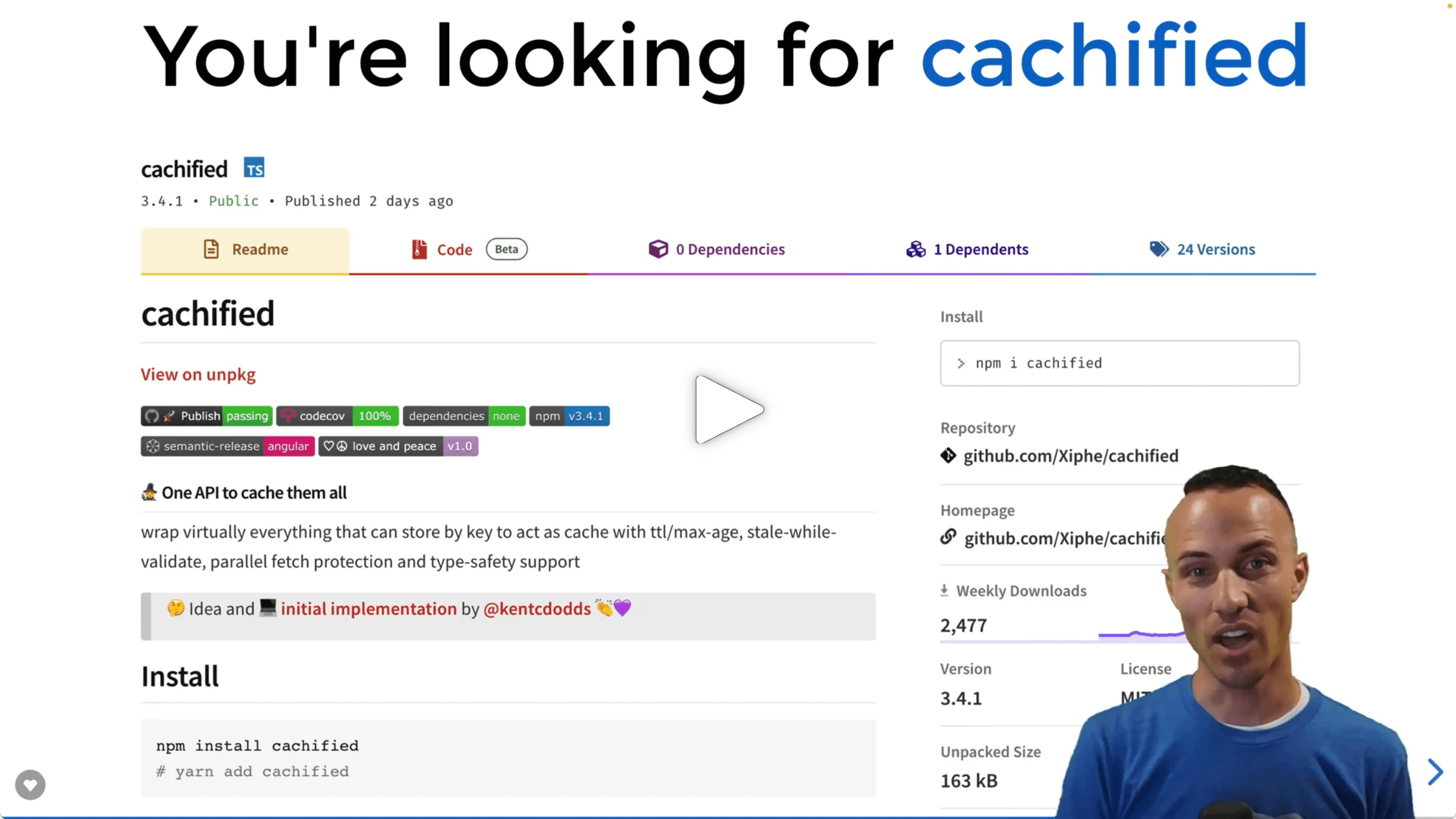
Watch the talk "Caching for Cash 🤑" on EpicWeb.dev:
Install
```sh npm install @epic-web/cachified
yarn add @epic-web/cachified
```
Usage
```ts import { LRUCache } from 'lru-cache'; import { cachified, CacheEntry, Cache, totalTtl } from '@epic-web/cachified';
/* lru cache is not part of this package but a simple non-persistent cache */
const lruInstance = new LRUCache
const lru: Cache = { set(key, value) { const ttl = totalTtl(value?.metadata); return lruInstance.set(key, value, { ttl: ttl === Infinity ? undefined : ttl, start: value?.metadata?.createdTime, }); }, get(key) { return lruInstance.get(key); }, delete(key) { return lruInstance.delete(key); }, };
function getUserById(userId: number) {
return cachified({
key: user-${userId},
cache: lru,
async getFreshValue() {
/* Normally we want to either use a type-safe API or checkValue but
to keep this example simple we work with any /
const response = await fetch(
https://jsonplaceholder.typicode.com/users/${userId},
);
return response.json();
},
/ 5 minutes until cache gets invalid
* Optional, defaults to Infinity */
ttl: 300_000,
});
}
// Let's get through some calls of getUserById:
console.log(await getUserById(1));
// > logs the user with ID 1
// Cache was empty, getFreshValue got invoked and fetched the user-data that
// is now cached for 5 minutes
// 2 minutes later
console.log(await getUserById(1));
// > logs the exact same user-data
// Cache was filled an valid. getFreshValue was not invoked
// 10 minutes later
console.log(await getUserById(1));
// > logs the user with ID 1 that might have updated fields
// Cache timed out, getFreshValue got invoked to fetch a fresh copy of the user
// that now replaces current cache entry and is cached for 5 minutes
```
Options
ts
interface CachifiedOptions<Value> {
  /**
   * Required
   *
   * The key this value is cached by
   * Must be unique for each value
   */
  key: string;
  /**
   * Required
   *
   * Cache implementation to use
   *
   * Must conform with signature
   *  - set(key: string, value: object): void | Promise<void>
   *  - get(key: string): object | Promise<object>
   *  - delete(key: string): void | Promise<void>
   */
  cache: Cache;
  /**
   * Required
   *
   * Function that is called when no valid value is in cache for given key
   * Basically what we would do if we wouldn't use a cache
   *
   * Can be async and must return fresh value or throw
   *
   * receives context object as argument
   *  - context.metadata.ttl?: number
   *  - context.metadata.swr?: number
   *  - context.metadata.createdTime: number
   *  - context.background: boolean
   */
  getFreshValue: GetFreshValue<Value>;
  /**
   * Time To Live; often also referred to as max age
   *
   * Amount of milliseconds the value should stay in cache
   * before we get a fresh one
   *
   * Setting any negative value will disable caching
   * Can be infinite
   *
   * Default: `Infinity`
   */
  ttl?: number;
  /**
   * Amount of milliseconds that a value with exceeded ttl is still returned
   * while a fresh value is refreshed in the background
   *
   * Should be positive, can be infinite
   *
   * Default: `0`
   */
  staleWhileRevalidate?: number;
  /**
   * Alias for staleWhileRevalidate
   */
  swr?: number;
  /**
   * Validator that checks every cached and fresh value to ensure type safety
   *
   * Can be a standard schema validator or a custom validator function
   * @see https://github.com/standard-schema/standard-schema?tab=readme-ov-file#what-schema-libraries-implement-the-spec
   *
   * Value considered ok when:
   *  - schema succeeds
   *  - validator returns
   *    - true
   *    - migrate(newValue)
   *    - undefined
   *    - null
   *
   * Value considered bad when:
   *  - schema throws
   *  - validator:
   *    - returns false
   *    - returns reason as string
   *    - throws
   *
   * A validator function receives two arguments:
   *  1. the value
   *  2. a migrate callback, see https://github.com/epicweb-dev/cachified#migrating-values
   *
   * Default: `undefined` - no validation
   */
  checkValue?:
    | CheckValue<Value>
    | StandardSchemaV1<unknown, Value>
    | Schema<Value, unknown>;
  /**
   * Set true to not even try reading the currently cached value
   *
   * Will write new value to cache even when cached value is
   * still valid.
   *
   * Default: `false`
   */
  forceFresh?: boolean;
  /**
   * Whether or not to fall back to cache when getting a forced fresh value
   * fails
   *
   * Can also be a positive number as the maximum age in milliseconds that a
   * fallback value might have
   *
   * Default: `Infinity`
   */
  fallbackToCache?: boolean | number;
  /**
   * Promises passed to `waitUntil` represent background tasks which must be
   * completed before the server can shutdown. e.g. swr cache revalidation
   *
   * Useful for serverless environments such as Cloudflare Workers.
   *
   * Default: `undefined`
   */
  waitUntil?: (promise: Promise<unknown>) => void;
}
Adapters
There are some adapters available for common caches. Using them makes sure the used caches cleanup outdated values themselves.
- Adapter for redis : cachified-redis-adapter
- Adapter for redis-json : cachified-redis-json-adapter
- Adapter for Cloudflare KV : cachified-adapter-cloudflare-kv repository
- Adapter for SQLite : cachified-adapter-sqlite
Advanced Usage
Stale while revalidate
Specify a time window in which a cached value is returned even though it's ttl is exceeded while the cache is updated in the background for the next call.
```ts import { cachified } from '@epic-web/cachified';
const cache = new Map();
function getUserById(userId: number) { return cachified({ ttl: 120000 /* Two minutes */, staleWhileRevalidate: 300000 /* Five minutes */,
cache,
key: `user-${userId}`,
async getFreshValue() {
  const response = await fetch(
    `https://jsonplaceholder.typicode.com/users/${userId}`,
  );
  return response.json();
},
}); }
console.log(await getUserById(1));
// > logs the user with ID 1
// Cache is empty, getFreshValue gets invoked and and its value returned and
// cached for 7 minutes total. After 2 minutes the cache will start refreshing in background
// 30 seconds later
console.log(await getUserById(1));
// > logs the exact same user-data
// Cache is filled an valid. getFreshValue is not invoked, cached value is returned
// 4 minutes later
console.log(await getUserById(1));
// > logs the exact same user-data
// Cache timed out but stale while revalidate is not exceeded.
// cached value is returned immediately, getFreshValue gets invoked in the
// background and its value is cached for the next 7 minutes
// 30 seconds later
console.log(await getUserById(1));
// > logs fresh user-data from the previous call
// Cache is filled an valid. getFreshValue is not invoked, cached value is returned
```
Forcing fresh values and falling back to cache
We can use forceFresh to get a fresh value regardless of the values ttl or stale while validate
```ts import { cachified } from '@epic-web/cachified';
const cache = new Map();
function getUserById(userId: number, forceFresh?: boolean) { return cachified({ forceFresh, /* when getting a forced fresh value fails we fall back to cached value as long as it's not older then 5 minutes / fallbackToCache: 300_000 / 5 minutes, defaults to Infinity */,
cache,
key: `user-${userId}`,
async getFreshValue() {
  const response = await fetch(
    `https://jsonplaceholder.typicode.com/users/${userId}`,
  );
  return response.json();
},
}); }
console.log(await getUserById(1));
// > logs the user with ID 1
// Cache is empty, getFreshValue gets invoked and and its value returned
console.log(await getUserById(1, true));
// > logs fresh user with ID 1
// Cache is filled an valid. but we forced a fresh value, so getFreshValue is invoked
```
Type-safety
In practice we can not be entirely sure that values from cache are of the types we assume. For example other parties could also write to the cache or code is changed while cache stays the same.
```ts import { cachified, createCacheEntry } from '@epic-web/cachified';
const cache = new Map();
/* Assume something bad happened and we have an invalid cache entry... */ cache.set('user-1', createCacheEntry('INVALID') as any);
function getUserById(userId: number) {
return cachified({
checkValue(value: unknown) {
if (!isRecord(value)) {
/* We can either throw to indicate a bad value */
throw new Error(Expected user to be object, got ${typeof value});
}
  if (typeof value.email !== 'string') {
    /* Or return a reason/message string */
    return `Expected user-${userId} to have an email`;
  }

  if (typeof value.username !== 'string') {
    /* Or just say no... */
    return false;
  }

  /* undefined, true or null are considered OK */
},

cache,
key: `user-${userId}`,
async getFreshValue() {
  const response = await fetch(
    `https://jsonplaceholder.typicode.com/users/${userId}`,
  );
  return response.json();
},
}); }
function isRecord(value: unknown): value is Record
console.log(await getUserById(1));
// > logs the user with ID 1
// Cache was not empty but value was invalid, getFreshValue got invoked and
// and the cache was updated
console.log(await getUserById(1));
// > logs the exact same data as above
// Cache was filled an valid. getFreshValue was not invoked
```
ℹ️
checkValueis also invoked with the return value ofgetFreshValue
Type-safety with schema libraries
We can also use zod, valibot or other libraries implementing the standard schema spec to ensure correct types
```ts import { cachified, createCacheEntry } from '@epic-web/cachified'; import z from 'zod';
const cache = new Map(); /* Assume something bad happened and we have an invalid cache entry... */ cache.set('user-1', createCacheEntry('INVALID') as any);
function getUserById(userId: number) { return cachified({ checkValue: z.object({ email: z.string(), }),
cache,
key: `user-${userId}`,
async getFreshValue() {
  const response = await fetch(
    `https://jsonplaceholder.typicode.com/users/${userId}`,
  );
  return response.json();
},
}); }
console.log(await getUserById(1));
// > logs the user with ID 1
// Cache was not empty but value was invalid, getFreshValue got invoked and
// and the cache was updated
console.log(await getUserById(1));
// > logs the exact same data as above
// Cache was filled an valid. getFreshValue was not invoked
```
Pre-configuring cachified
We can create versions of cachified with defaults so that we don't have to specify the same options every time.
```ts import { configure } from '@epic-web/cachified'; import { LRUCache } from 'lru-cache';
/* lruCachified now has a default cache */
const lruCachified = configure({
cache: new LRUCache
const value = await lruCachified({ key: 'user-1', getFreshValue: async () => 'ONE', }); ```
Manually working with the cache
During normal app lifecycle there usually is no need for this but for maintenance and testing these helpers might come handy.
```ts import { createCacheEntry, assertCacheEntry, isExpired, cachified, } from '@epic-web/cachified';
const cache = new Map();
/* Manually set an entry to cache / cache.set( 'user-1', createCacheEntry( 'someone@example.org', / Optional CacheMetadata */ { ttl: 300_000, swr: Infinity }, ), );
/* Receive the value with cachified */ const value: string = await cachified({ cache, key: 'user-1', getFreshValue() { throw new Error('This is not called since cache is set earlier'); }, }); console.log(value); // > logs "someone@example.org"
/* Manually get a value from cache */ const entry: unknown = cache.get('user-1'); assertCacheEntry(entry); // will throw when entry is not a valid CacheEntry console.log(entry.value); // > logs "someone@example.org"
/* Manually check if an entry is expired */ const expired = isExpired(entry.metadata); console.log(expired); // > logs true, "stale" or false
/* Manually remove an entry from cache */ cache.delete('user-1'); ```
Migrating Values
When the format of cached values is changed during the apps lifetime they can be migrated on read like this:
```ts import { cachified, createCacheEntry } from '@epic-web/cachified';
const cache = new Map();
/* Let's assume we've previously only stored emails not user objects */ cache.set('user-1', createCacheEntry('someone@example.org'));
function getUserById(userId: number) { return cachified({ checkValue(value, migrate) { if (typeof value === 'string') { return migrate({ email: value }); } /* other validations... */ },
key: 'user-1',
cache,
getFreshValue() {
  throw new Error('This is never called');
},
}); }
console.log(await getUserById(1));
// > logs { email: 'someone@example.org' }
// Cache is filled and invalid but value can be migrated from email to user-object
// getFreshValue is not invoked
console.log(await getUserById(1)); // > logs the exact same data as above // Cache is filled an valid. ```
Soft-purging entries
Soft-purging cached data has the benefit of not immediately putting pressure on the app to update all cached values at once and instead allows to get them updated over time.
More details: Soft vs. hard purge
```ts import { cachified, softPurge } from '@epic-web/cachified';
const cache = new Map();
function getUserById(userId: number) {
return cachified({
cache,
key: user-${userId},
ttl: 300_000,
async getFreshValue() {
const response = await fetch(
https://jsonplaceholder.typicode.com/users/${userId},
);
return response.json();
},
});
}
console.log(await getUserById(1)); // > logs user with ID 1 // cache was empty, fresh value was requested and is cached for 5 minutes
await softPurge({ cache, key: 'user-1', }); // This internally sets the ttl to 0 and staleWhileRevalidate to 300_000
// 10 seconds later console.log(await getUserById(1)); // > logs the outdated, soft-purged data // cache has been soft-purged, the cached value got returned and a fresh value // is requested in the background and again cached for 5 minutes
// 1 minute later console.log(await getUserById(1)); // > logs the fresh data that got refreshed by the previous call
await softPurge({ cache, key: 'user-1', // manually overwrite how long the stale data should stay in cache staleWhileRevalidate: 60_000 /* one minute from now on */, });
// 2 minutes later console.log(await getUserById(1)); // > logs completely fresh data ```
ℹ️ In case we need to fully purge the value, we delete the key directly from our cache
Fine-tuning cache metadata based on fresh values
There are scenarios where we want to change the cache time based on the fresh
value (ref #25).
For example when an API might either provide our data or null and in case we
get an empty result we want to retry the API much faster.
```ts import { cachified } from '@epic-web/cachified';
const cache = new Map();
const value: null | string = await cachified({
ttl: 60_000 /* Default cache of one minute... */,
async getFreshValue(context) {
const response = await fetch(
https://jsonplaceholder.typicode.com/users/1,
);
const data = await response.json();
if (data === null) {
  /* On an empty result, prevent caching */
  context.metadata.ttl = -1;
}

return data;
},
cache, key: 'user-1', }); ```
Batch requesting values
In case multiple values can be requested in a batch action, but it's not
clear which values are currently in cache we can use the createBatch helper
```ts import { cachified, createBatch } from '@epic-web/cachified';
const cache = new Map();
async function getFreshValues(idsThatAreNotInCache: number[]) {
const res = await fetch(
https://example.org/api?ids=${idsThatAreNotInCache.join(',')},
);
const data = await res.json();
// Validate data here...
return data; }
function getUsersWithId(ids: number[]) { const batch = createBatch(getFreshValues);
return Promise.all( ids.map((id) => cachified({ getFreshValue: batch.add( id, /* onValue callback is optional but can be used to manipulate * cache metadata based on the received value. (see section above) */ ({ value, ...context }) => {}, ),
    cache,
    key: `entry-${id}`,
    ttl: 60_000,
  }),
),
); }
console.log(await getUsersWithId([1, 2]));
// > logs user objects for ID 1 & ID 2
// Caches is completely empty. getFreshValues is invoked with [1, 2]
// and its return values cached separately
// 1 minute later
console.log(await getUsersWithId([2, 3]));
// > logs user objects for ID 2 & ID 3
// User with ID 2 is in cache, getFreshValues is invoked with [3]
// cachified returns with one value from cache and one fresh value
```
Reporting
A reporter might be passed as second argument to cachified to log caching events, we ship a reporter resembling the logging from Kents implementation
```ts import { cachified, verboseReporter } from '@epic-web/cachified';
const cache = new Map();
await cachified(
{
cache,
key: 'user-1',
async getFreshValue() {
const response = await fetch(
https://jsonplaceholder.typicode.com/users/1,
);
return response.json();
},
},
verboseReporter(),
);
```
please refer to the implementation of verboseReporter when you want to implement a custom reporter.
License
MIT
Owner
- Login: blajanclaudiu
- Kind: user
- Repositories: 1
- Profile: https://github.com/blajanclaudiu
GitHub Events
Total
- Issues event: 2
- Watch event: 1
- Delete event: 6
- Issue comment event: 6
- Pull request event: 17
- Create event: 16
Last Year
- Issues event: 2
- Watch event: 1
- Delete event: 6
- Issue comment event: 6
- Pull request event: 17
- Create event: 16
Issues and Pull Requests
Last synced: 10 months ago
All Time
- Total issues: 3
- Total pull requests: 11
- Average time to close issues: N/A
- Average time to close pull requests: 19 days
- Total issue authors: 2
- Total pull request authors: 2
- Average comments per issue: 0.0
- Average comments per pull request: 0.18
- Merged pull requests: 0
- Bot issues: 1
- Bot pull requests: 10
Past Year
- Issues: 3
- Pull requests: 11
- Average time to close issues: N/A
- Average time to close pull requests: 19 days
- Issue authors: 2
- Pull request authors: 2
- Average comments per issue: 0.0
- Average comments per pull request: 0.18
- Merged pull requests: 0
- Bot issues: 1
- Bot pull requests: 10
Top Authors
Issue Authors
- blajanclaudiu (2)
Pull Request Authors
- dependabot[bot] (9)
- blajanclaudiu (1)
Top Labels
Issue Labels
Pull Request Labels
Dependencies
- actions/checkout v4 composite
- actions/setup-node v4 composite
- bahmutov/npm-install v1 composite
- codecov/codecov-action v5 composite
- 308 dependencies
- @types/jest 29.5.14 development
- @types/node 22.13.13 development
- esbuild 0.25.1 development
- jest 29.7.0 development
- ts-jest 29.3.0 development
- typescript 5.8.2 development
- zod-legacy npm:zod@3.23.5 development