https://github.com/blajanclaudiu/excited
Science Score: 26.0%
This score indicates how likely this project is to be science-related based on various indicators:
-
○CITATION.cff file
-
✓codemeta.json file
Found codemeta.json file -
✓.zenodo.json file
Found .zenodo.json file -
○DOI references
-
○Academic publication links
-
○Academic email domains
-
○Institutional organization owner
-
○JOSS paper metadata
-
○Scientific vocabulary similarity
Low similarity (7.2%) to scientific vocabulary
Repository
Basic Info
- Host: GitHub
- Owner: blajanclaudiu
- License: mit
- Language: TypeScript
- Default Branch: main
- Size: 24.4 KB
Statistics
- Stars: 0
- Watchers: 1
- Forks: 0
- Open Issues: 3
- Releases: 0
Metadata Files
README.md
jupyterlab-vim



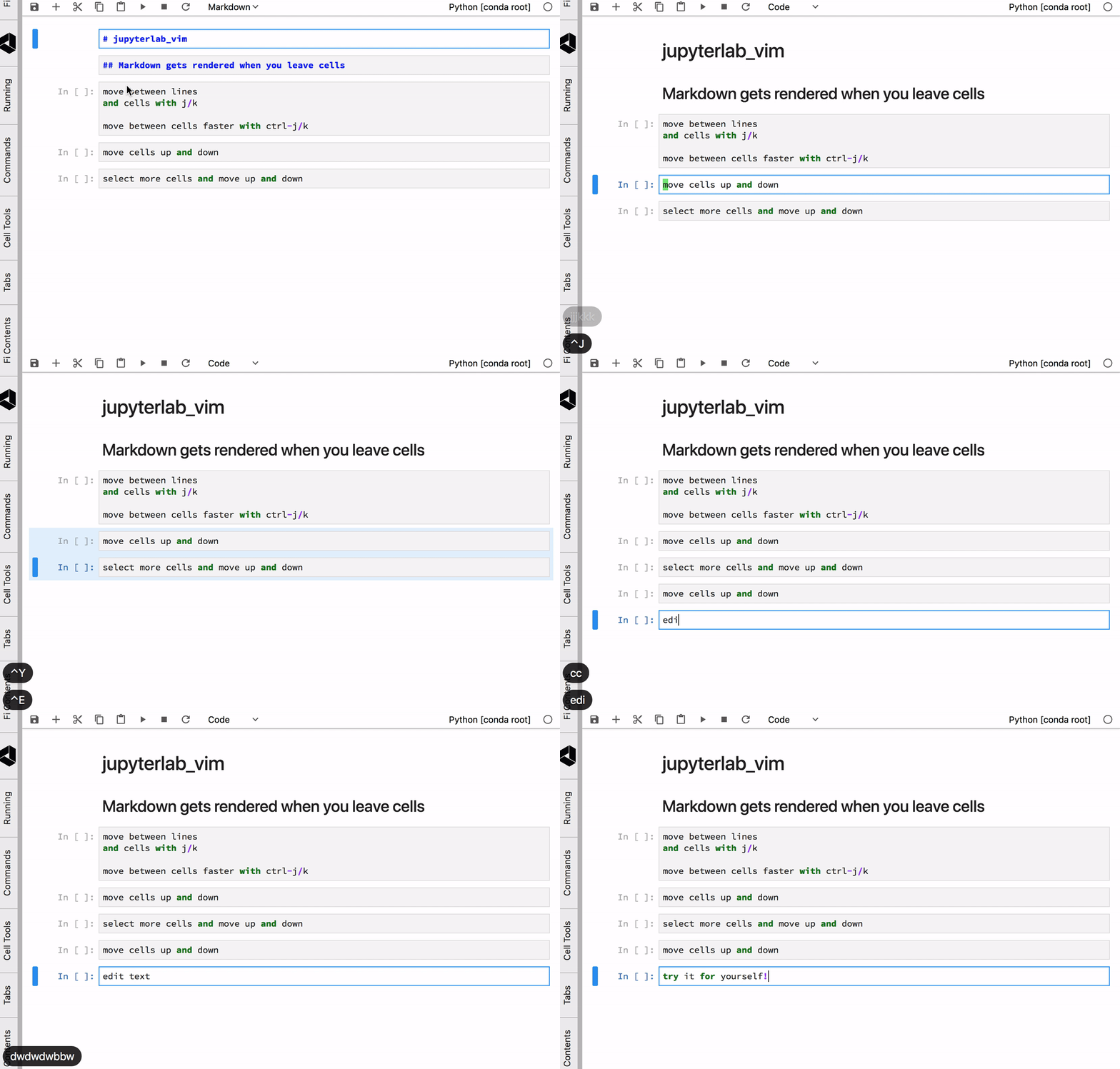
Notebook cell vim bindings
Special Thanks
I want to acknowledge Alisue and his excellent work creating vim bindings for Jupyter notebooks. I hope this extension can meet the high bar his work set.
Modes
This extension splits Jupyter edit mode into two modes: Vim command mode and Vim insert mode. Three editing modes now exist: Jupyter command, Vim command, and Vim insert.
Install
Prerequisites
- JupyterLab 1.0
Install or upgrade
bash
jupyter labextension install jupyterlab_vim
Uninstall
bash
jupyter labextension uninstall jupyterlab_vim
Key Bindings
Please note that all keys are lowercase unless Shift is explicitly indicated.
For example, Y, Y is two lowercase ys, Shift-Y, Y is one uppercase Y followed by a lowercase y.
Shortcuts this extension introduces:
Vim Ex commands
| Command | Action | | ------- | ------ | | :w[rite] | Save Notebook | | :q[uit] | Enter Jupyter command mode |
Vim command bindings
| Chord | Action | | ----- | ------- | | Ctrl-O, U | Undo Cell Action | | - | Split Cell at Cursor | | Ctrl-O, - | Split Cell at Cursor | | Ctrl-O, D | Cut Cell | | Ctrl-O, Y | Copy Cell | | Ctrl-O, P | Paste Cell | | Ctrl-Shift-J | Extend Marked Cells Below | | Ctrl-Shift-K | Extend Marked Cells Above | | Ctrl-O, O | Insert Cell Below | | Ctrl-O, Ctrl-O | Insert Cell Above | | Ctrl-J | Select Cell Below | | Ctrl-K | Select Cell Above | | Ctrl-O, G | Select First Cell | | Ctrl-O, Ctrl-G | Select Last Cell | | Ctrl-E | Move Cell Down | | Ctrl-Y | Move Cell Up | | Ctrl-O, Z, Z | Center Cell | | Ctrl-G | Show Tooltip | | Command/Ctrl-1 | Code Cell Mode | | Command/Ctrl-2 | Markdown Cell Mode | | Command/Ctrl-3 | Raw Cell Mode | | Shift-Escape | Leave Vim Mode |
Jupyter command bindings
| Chord | Action | | ----- | ------ | | G, G | Select First Cell | | Shift-G | Select Last Cell | | D, D | Delete Cell | | Y, Y | Yank (Copy) Cell | | P | Paste Cell | | Shift-P | Paste Cell Above | | O | Insert Cell | | Shift-O | Insert Cell Above | | U | Undo Cell Action | | Ctrl-E | Move Cells Down | | Ctrl-Y | Move Cells Up | | Z, Z | Center Cell |
Contributing
Contributions and feedback are most welcome!


Development
For a development install (requires npm version 4 or later), do the following in the repository directory. Please note, you need to make sure that you satisfy all the prerequisites, i.e. the JupyterLab version.
bash
jlpm install
jlpm run build
jupyter labextension link .
To rebuild the package and the JupyterLab app:
bash
jlpm run build
jupyter lab build
Owner
- Login: blajanclaudiu
- Kind: user
- Repositories: 1
- Profile: https://github.com/blajanclaudiu
GitHub Events
Total
- Issues event: 2
- Watch event: 1
- Create event: 2
Last Year
- Issues event: 2
- Watch event: 1
- Create event: 2
Dependencies
- rimraf ^2.6.2 development
- typescript ~3.5.1 development
- @jupyterlab/application ^1.0.1
- @jupyterlab/cells ^1.0.1
- @jupyterlab/codemirror ^1.0.1
- @jupyterlab/notebook ^1.0.1
- @phosphor/commands ^1.6.3
- @phosphor/coreutils ^1.3.1
- @phosphor/domutils ^1.1.3
- @types/codemirror ^0.0.76
- 148 dependencies