https://github.com/chaconnb/nsc325_sweetspot_team1
Science Score: 26.0%
This score indicates how likely this project is to be science-related based on various indicators:
-
○CITATION.cff file
-
✓codemeta.json file
Found codemeta.json file -
✓.zenodo.json file
Found .zenodo.json file -
○DOI references
-
○Academic publication links
-
○Academic email domains
-
○Institutional organization owner
-
○JOSS paper metadata
-
○Scientific vocabulary similarity
Low similarity (13.4%) to scientific vocabulary
Repository
Basic Info
- Host: GitHub
- Owner: chaconnb
- Language: Jupyter Notebook
- Default Branch: main
- Size: 13 MB
Statistics
- Stars: 0
- Watchers: 1
- Forks: 0
- Open Issues: 0
- Releases: 0
Metadata Files
README.md
NSC325_GROUP1
Contents
Project Summary
Developer Quick Start
Prerequisites
- VSCode (IDE)
- UV (Python Development Tool)
- Git (and GitHub)
VSCode/UV install for Windows
Install WSL and VSCode by following these instructions. https://code.visualstudio.com/docs/remote/wsl
- Install the WSL with the Ubuntu distribution
Install UV on the WSL side (Do not install it on the Windows side)
Open an WSL terminal (Ubuntu), navigate to the
$HOMEdirectory, run the install script.console cd ~ curl -LsSf https://astral.sh/uv/install.sh | sh
VSCode/UV install for MacOS and Linux
Install VSCode for your OS. https://code.visualstudio.com/Download
Install UV (from the terminal)
console
cd ~
curl -LsSf https://astral.sh/uv/install.sh | sh
Install git (from the terminal)
Install Git
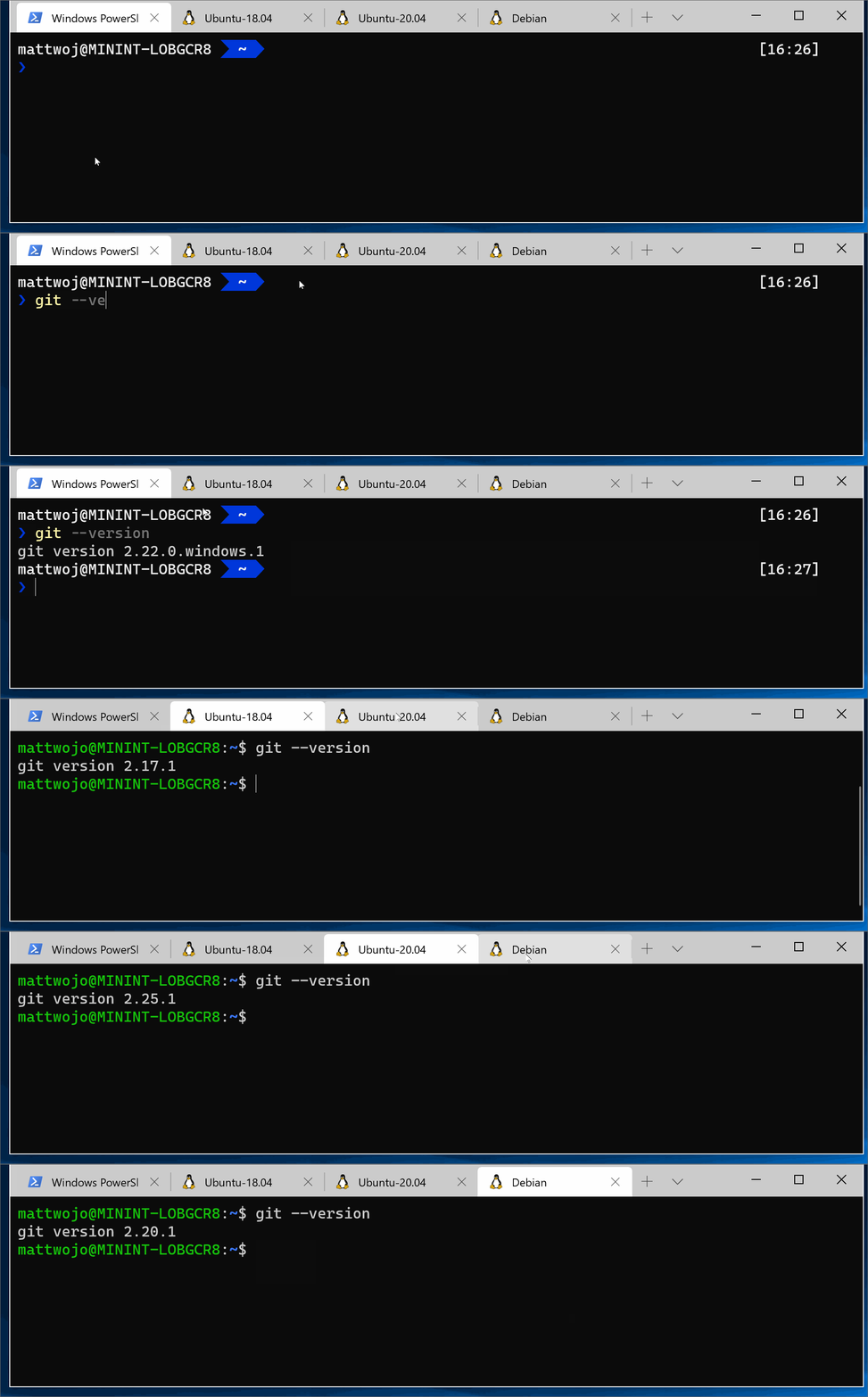
It is likely that git is already installed on your system. To check if you have git install, run this command in your terminal:
console
git --version
(For WSL/Linux with an Ubuntu/debian distribution)
console
sudo apt install git-all
(For MacOS, If you don't have brew, install it https://brew.sh/)
console
brew install git
Set up the Project Folder
Open a terminal. Create a "projects" directory from your $HOME directory.
console
cd ~
mkdir projects/
Clone the Project Repository
First, navigate to your projects folder
console
cd ~/projects/
From the browser, navigate to the GitHub repository for your project. Clone the project by clicking the green "Code" button. Select "HTTPS" and copy the line in the text box.

On your terminal, navigate to the projects folder and clone the repository.
console
cd ~/projects/
git clone https://github.com/chaconnb/NSC325_GROUP1.git # this is an example
Navigate to the newly cloned repository and open VSCode from the repository root folder.
console
cd ~/projects/<your-repo-name>
code .
Set up Development Environment
With UV installed, you can set up the development environment by running this
command in the project root directory:
console
uv sync
This will set up a Python virtual environment and install any dependencies listed in
the pyproject.toml. To activate the virtual environment on your terminal, run:
console
source .venv/bin/activate
Setting up a local Jupyter Notebook
You can use VSCode to run Jupyter notebooks. Read the VSCode docs for more information. https://code.visualstudio.com/docs/datascience/jupyter-notebooks
You will need to set up the kernel. We suggest you use the local virtual environment we set up with UV. Follow these instructions on how to use your virtual environment in your

Jupyter notebook. VSCode should find and identify the project's virtual environment folder
and recommend it (i.e., it should be .venv/bin/python)

Owner
- Name: Nataly Chacon-Buitrago
- Login: chaconnb
- Kind: user
- Location: Austin
- Company: UT Austin
- Repositories: 1
- Profile: https://github.com/chaconnb
Hi, I am Nataly! I am a geostatistics Ph.D. student at UT Austin!
GitHub Events
Total
- Issues event: 1
- Member event: 5
- Push event: 8
Last Year
- Issues event: 1
- Member event: 5
- Push event: 8
Dependencies
- ipykernel >=6.29.5
- matplotlib >=3.10.0
- numpy >=2.2.2
- pandas >=2.2.3
- scikit-learn >=1.6.1
- seaborn >=0.13.2
- appnope 0.1.4
- asttokens 3.0.0
- cffi 1.17.1
- colorama 0.4.6
- comm 0.2.2
- contourpy 1.3.1
- cycler 0.12.1
- debugpy 1.8.12
- decorator 5.1.1
- executing 2.2.0
- fonttools 4.55.5
- ipykernel 6.29.5
- ipython 8.31.0
- jedi 0.19.2
- joblib 1.4.2
- jupyter-client 8.6.3
- jupyter-core 5.7.2
- kiwisolver 1.4.8
- matplotlib 3.10.0
- matplotlib-inline 0.1.7
- nest-asyncio 1.6.0
- nsc325-group1 0.1.0
- numpy 2.2.2
- packaging 24.2
- pandas 2.2.3
- parso 0.8.4
- pexpect 4.9.0
- pillow 11.1.0
- platformdirs 4.3.6
- prompt-toolkit 3.0.50
- psutil 6.1.1
- ptyprocess 0.7.0
- pure-eval 0.2.3
- pycparser 2.22
- pygments 2.19.1
- pyparsing 3.2.1
- python-dateutil 2.9.0.post0
- pytz 2024.2
- pywin32 308
- pyzmq 26.2.0
- scikit-learn 1.6.1
- scipy 1.15.1
- seaborn 0.13.2
- six 1.17.0
- stack-data 0.6.3
- threadpoolctl 3.5.0
- tornado 6.4.2
- traitlets 5.14.3
- typing-extensions 4.12.2
- tzdata 2025.1
- wcwidth 0.2.13