https://github.com/charlesneimog/om-py
This repo aim to bring python to OM# enviroment!
Science Score: 10.0%
This score indicates how likely this project is to be science-related based on various indicators:
-
○CITATION.cff file
-
○codemeta.json file
-
○.zenodo.json file
-
○DOI references
-
✓Academic publication links
Links to: zenodo.org -
○Academic email domains
-
○Institutional organization owner
-
○JOSS paper metadata
-
○Scientific vocabulary similarity
Low similarity (12.1%) to scientific vocabulary
Keywords
Repository
This repo aim to bring python to OM# enviroment!
Basic Info
- Host: GitHub
- Owner: charlesneimog
- Language: Common Lisp
- Default Branch: master
- Homepage: https://www.charlesneimog.com
- Size: 980 KB
Statistics
- Stars: 1
- Watchers: 1
- Forks: 1
- Open Issues: 0
- Releases: 4
Topics
Metadata Files
README.md
OM-py
Cite this repository: 
OM-py bring python to visual enviroment. For this library work properly you need to download it, and then read the topics in this documentation:
- Install OM-Sharp;
- Install OM Libraries;
- Install Python (see your plataform).
Download
OM-py is a bridge between Python and OM environments. What it does is format some types of data that are differently represented. For example, one list of numbers in OM is represented by (1 2 3 4 5). In Python, the same list is represented by [1, 2, 3, 4, 5]. Sounds inside OM are represented by a class, for example, #<sound 23186913>. To send this #<sound 23186913> to Python, we need to save it in a temp folder and then give it to Python by a pathname.
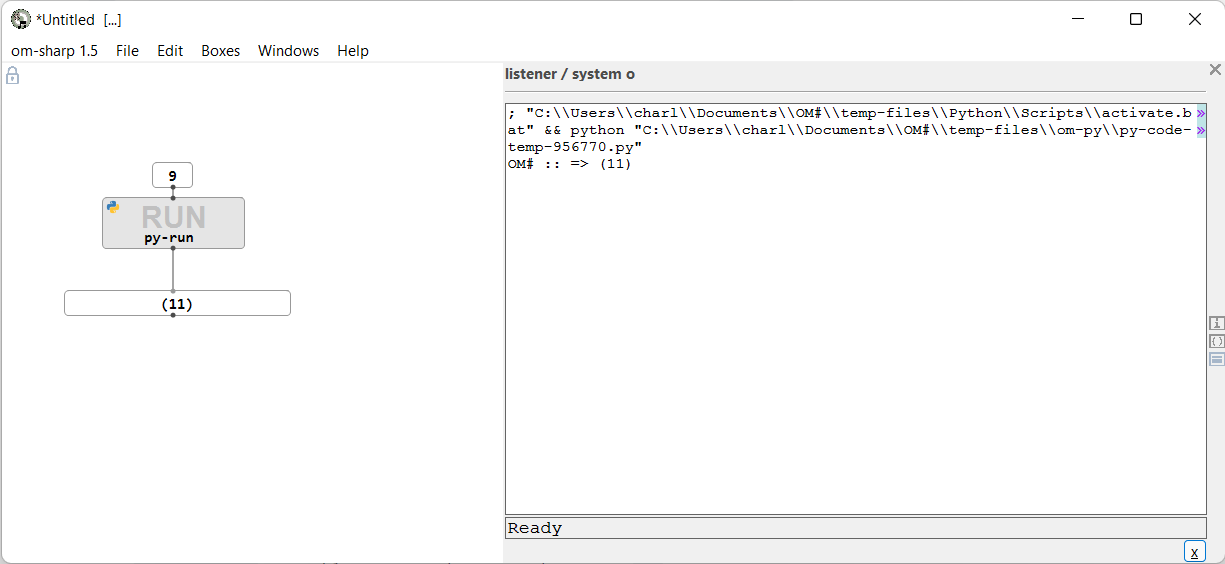
Besides that, it will run the python code, and bring the formatted result to OM. For that, we have two main OM-boxes: py and py-code. The py is like and object and will send to OM-Sharp all python vars insinde to_om(). The example below, will return 4 to OM.
```lisp (pyvar () " from ompy.pythontoom import toom sum = 2 + 2 toom(sum) # If you want to use something inside OM, you need to print it.
" ) ``` Use variables inside OM is simple:
```lisp (pyvar (myomnumber) " from ompy.pythontoom import toom sum = 2 + myomnumber toom(sum) # If you want to use something inside OM, you need to print it.
" )
``
Withmyomnumberinside py_var it will open and input in thepy` box.
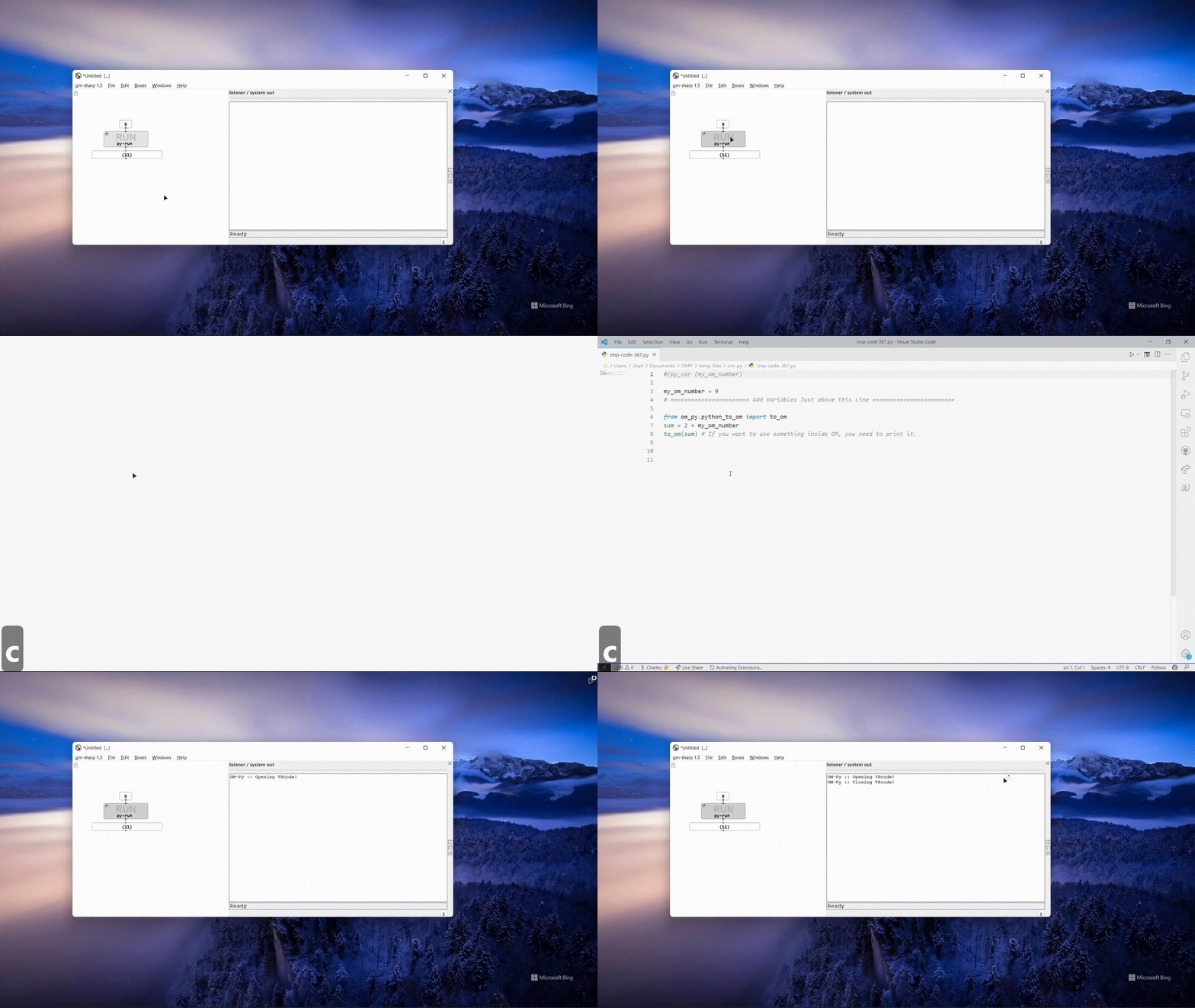
OM-py work with vscode too. For that select py or py-code box and press z. If the key is added to some function in OM-Sharp, I will need to change it.
Use your own enviroment
If you want, you can define your own Python enviroment in external:
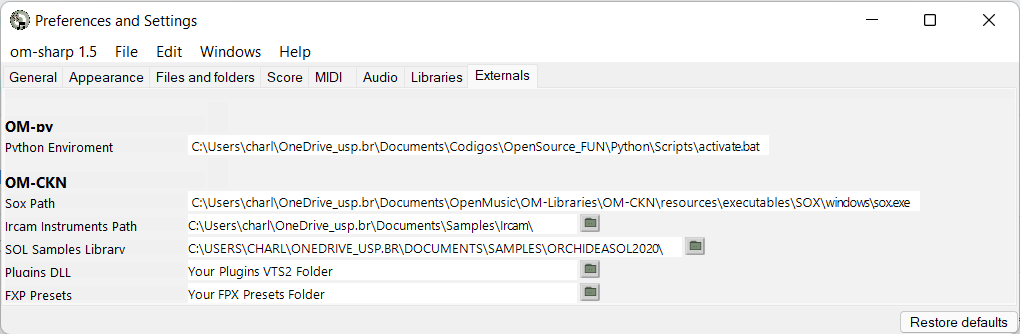
by using: conda activate composition for example in the Python enviroment!
Scripts/activate.batfor Windows;bin/activatefor Ubuntu.
A beautiful example for spatialization:
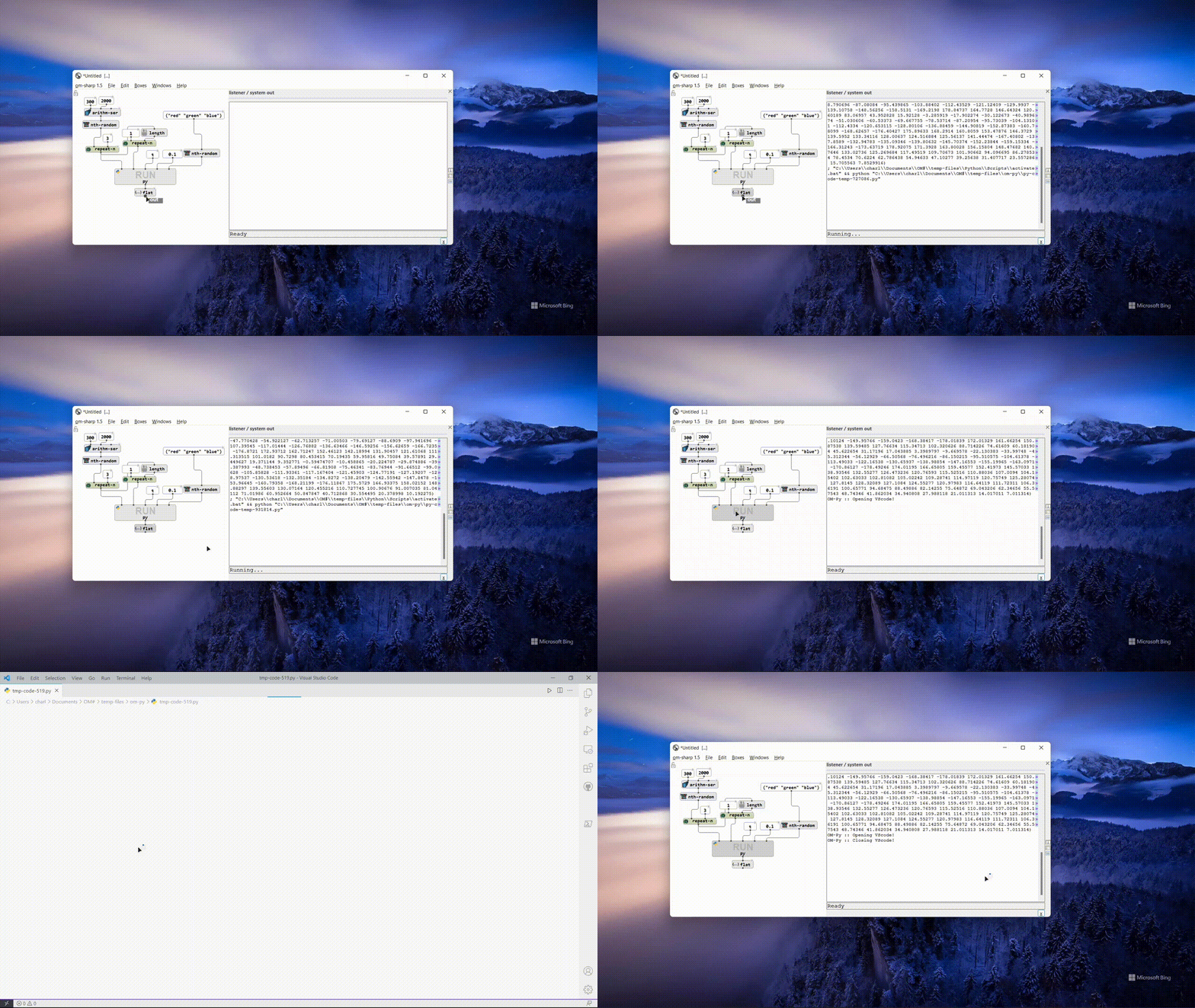
With this library will be able to: * Use python scripts using OM variables. * Use VST3, vamp-plugins, tools for analisys and others; * Easy Visual Python Multithreading with OM-CKN; * All that Python could do.
Install OM-Sharp
Go to https://github.com/cac-t-u-s/om-sharp/releases/ and download it from your plataform!
Install OM Libraries
To install OM External Libraries see the process in: https://cac-t-u-s.github.io/pages/libraries!
Install Python
Windows
To install Python on Windows you need first download Python 3.9 in the Python website.
https://www.python.org/downloads/release/python-399/
At the bottom of the page, you will see the Windows installer (64-bit).
- Download it!

- Then double click in the "python-3.9.9-amd64.exe".
- Make sure to mark the option Add Python 3.9 to PATH.
- Click on Install Now.

- Click in Close.
- Finally load om-py from OM-Sharp, the first load will download some things. The could take some time
To make sure that all things are working: * Open OM-Sharp * Load om-py; * Then go to Help-> Help Patches... -> om-py * Then open the path use-py-inside-om. * Then evaluate the patch!
If you heard a sound probably, it is working!! If not, please let me know!
Linux
In Linux the process is a little more simple!
* Open the terminal;
* If you have no python in your machine (improbable) type sudo apt install python3
* Then install pip typing, sudo apt-get -y install python3-pip
* Install Virtual Env: sudo apt install python3-venv
* Finnaly, load the om-py library, the first load will download some things. The could take some time.
To make sure that all things are working:
* Open OM-Sharp
* Load om-py;
* Then go to Help-> Help Patches... -> om-py
* Then open the path use-py-inside-om.
* Then evaluate the patch!
MacOS
- Install Python from https://www.python.org/downloads/release/python-399/! Maybe it is already installed!
- On Mac Terminal, run
python3 -m pip install virtualenv. - Go to
Help -> Help Patches -> OM-py -> for-mac!! Open the patch and then run the TextBuffer and execute (on Mac terminal) these two lines of code. - Load om-py Library in OM-Sharp, the first load will download some things. The could take some time.
- To open python scripts in vscode you need:
- Download, Install and Open vscode.
- Open command palette. (
shift + command + p) - Look for
Install code command in PATH. - Press
ENTER. - If this does not work read this https://code.visualstudio.com/docs/setup/mac.
Owner
- Name: Charles K. Neimog
- Login: charlesneimog
- Kind: user
- Location: São Paulo - Brazil
- Company: Universidade de São Paulo
- Website: charlesneimog.com
- Twitter: charlesneimog
- Repositories: 9
- Profile: https://github.com/charlesneimog
Charles K. Neimog is a Ph.D. candidate at the University of São Paulo. I research Art/Music and Technology.