https://github.com/cryptoking-max/western
Science Score: 26.0%
This score indicates how likely this project is to be science-related based on various indicators:
-
○CITATION.cff file
-
✓codemeta.json file
Found codemeta.json file -
✓.zenodo.json file
Found .zenodo.json file -
○DOI references
-
○Academic publication links
-
○Academic email domains
-
○Institutional organization owner
-
○JOSS paper metadata
-
○Scientific vocabulary similarity
Low similarity (13.4%) to scientific vocabulary
Repository
Basic Info
- Host: GitHub
- Owner: cryptoking-max
- License: mit
- Language: TypeScript
- Default Branch: main
- Size: 4.41 MB
Statistics
- Stars: 1
- Watchers: 1
- Forks: 0
- Open Issues: 17
- Releases: 0
Metadata Files
README.md

Vacuum Card





Vacuum cleaner card for Home Assistant Lovelace UI
By default, Home Assistant does not provide any card for controlling vacuum cleaners. This card displays the state and allows to control your robot.
Installing
💡 Tip: If you like this project, consider giving me a tip for the time I spent building this project:

HACS
This card is available in HACS (Home Assistant Community Store).
Just search for Vacuum Card in plugins tab.
Manual
- Download
vacuum-card.jsfile from the latest-release. - Put
vacuum-card.jsfile into yourconfig/wwwfolder. Add reference to
vacuum-card.jsin Lovelace. There's two way to do that:- Using UI: Configuration → Lovelace Dashboards → Resources Tab → Click Plus button → Set Url as
/local/vacuum-card.js→ Set Resource type asJavaScript Module. Note: If you do not see the Resources Tab, you will need to enable Advanced Mode in your User Profile - Using YAML: Add following code to
lovelacesection.
yaml resources: - url: /local/vacuum-card.js type: module- Using UI: Configuration → Lovelace Dashboards → Resources Tab → Click Plus button → Set Url as
Add
custom:vacuum-cardto Lovelace UI as any other card (using either editor or YAML configuration).
Usage
This card can be configured using Lovelace UI editor.
- In Lovelace UI, click 3 dots in top left corner.
- Click Configure UI.
- Click Plus button to add a new card.
- Find Custom: Vacuum Card in the list.
- Choose
entity. - Now you should see the preview of the card!
Sorry, no support for actions, shortcuts and stats in visual config yet.
Typical example of using this card in YAML config would look like this:
yaml
type: 'custom:vacuum-card'
entity: vacuum.vacuum_cleaner
actions:
  start:
    service: xiaomi_miio.vacuum_clean_segment
    service_data:
      entity_id: vacuum.vacuum_cleaner
      segments: [16, 20]
stats:
  default:
    - attribute: filter_left
      unit: hours
      subtitle: Filter
    - attribute: side_brush_left
      unit: hours
      subtitle: Side brush
    - attribute: main_brush_left
      unit: hours
      subtitle: Main brush
    - attribute: sensor_dirty_left
      unit: hours
      subtitle: Sensors
  cleaning:
    - entity_id: sensor.vacuum_main_brush_left
      value_template: '{{ (value | float(0) / 3600) | round(1) }}'
      subtitle: Main brush
      unit: hours
    - attribute: cleaning_time
      unit: minutes
      subtitle: Cleaning time
shortcuts:
  - name: Clean living room
    service: script.clean_living_room
    icon: 'mdi:sofa'
  - name: Clean bedroom
    service: script.clean_bedroom
    icon: 'mdi:bed-empty'
  - name: Clean kitchen
    service: script.clean_kitchen
    icon: 'mdi:silverware-fork-knife'
Here is what every option means:
| Name | Type | Default | Description |
| -------------- | :-------: | ------------ | --------------------------------------------------------------------------------------------------------- |
| type | string | Required | custom:vacuum-card |
| entity | string | Required | An entityid within the vacuum domain. |
| map | string | Optional | An entityid within the camera domain, for streaming live vacuum map. |
| map_refresh | integer | 5 | Update interval for map camera in seconds |
| image | string | default | Path to image of your vacuum cleaner. Better to have png or svg. |
| show_name | boolean | true | Show friendly name of the vacuum. |
| show_status | boolean | true | Show status of the vacuum. |
| show_toolbar | boolean | true | Show toolbar with actions. |
| compact_view | boolean | false | Compact view without image. |
| stats | object | Optional | Custom per state stats for your vacuum cleaner |
| actions | object | Optional | Override default actions behavior with service invocations. |
| shortcuts | array | Optional | List of shortcuts shown at the right bottom part of the card with custom actions for your vacuum cleaner. |
stats object
You can use any attribute of vacuum or even any entity by entity_id to display by stats section. You can also combine attribute with entity_id to extract an attribute value of specific entity:
| Name | Type | Default | Description |
| ---------------- | :------: | -------- | ---------------------------------------------------------------------------------------------------- |
| entity_id | string | Optional | An entityid with state, i.e. sensor.vacuum. |
| attribute | string | Optional | Attribute name of the stat, i.e. `filterleft. |
|valuetemplate|string| Optional | Jinja2 template returning a value.valuevariable represents theentityidorattributestate. |
|unit|string| Optional | Unit of measure, i.e.hours. |
|subtitle|string| Optional | Friendly name of the stat, i.e.Filter`. |
actions object
You can defined service invocations to override default actions behavior. Available actions to override are start, pause, resume, stop, locate and return_to_base.
| Name | Type | Default | Description |
| -------------- | :------: | --------------------------------- | ----------------------------------------------- |
| service | string | Optional | A service to call, i.e. script.clean_bedroom. |
| service_data | object | service_data for service call |
shortcuts object
You can defined custom scripts for custom actions i.e cleaning specific room and add them to this card with shortcuts option.
| Name | Type | Default | Description |
| -------------- | :------: | --------------------------------- | ----------------------------------------------------------------------- |
| name | string | Optional | Friendly name of the action, i.e. Clean bedroom. |
| service | string | Optional | A service to call, i.e. script.clean_bedroom. |
| target | object | Optional | A HassServiceTarget, to define a target for the current service call. |
| icon | string | Optional | Any icon for action button. |
| service_data | object | service_data for service call |
Theming
This card can be styled by changing the values of these CSS properties (globally or per-card via card-mod):
| Variable | Default value | Description |
| --------------------------- | ---------------------------------------------------------------- | ------------------------------------ |
| --vc-background | var(--ha-card-background, var(--card-background-color, white)) | Background of the card |
| --vc-primary-text-color | var(--primary-text-color) | Vacuum name, stats values, etc |
| --vc-secondary-text-color | var(--secondary-text-color) | Status, stats units and titles, etc |
| --vc-icon-color | var(--secondary-text-color) | Colors of icons |
| --vc-toolbar-background | var(--vc-background) | Background of the toolbar |
| --vc-toolbar-text-color | var(--secondary-text-color) | Color of the toolbar texts |
| --vc-toolbar-icon-color | var(--secondary-text-color) | Color of the toolbar icons |
| --vc-divider-color | var(--entities-divider-color, var(--divider-color)) | Color of dividers |
| --vc-spacing | 10px | Paddings and margins inside the card |
Styling via theme
Here is an example of customization via theme. Read more in the Frontend documentation.
yaml
my-custom-theme:
  vc-background: '#17A8F4'
  vc-spacing: 5px
Styling via card-mod
You can use card-mod to customize the card on per-card basis, like this:
yaml
type: 'custom:vacuum-card'
style: |
  ha-card {
    --vc-background: #17A8F4;
    --vc-spacing: 5px;
  }
  ...
Animations
I've added some animations for this card to make it alive. Animations are applied only for image property. Here's how they look like:
| Cleaning | Docking |
| :---------------------------------: | :-----------------------------------: |
| 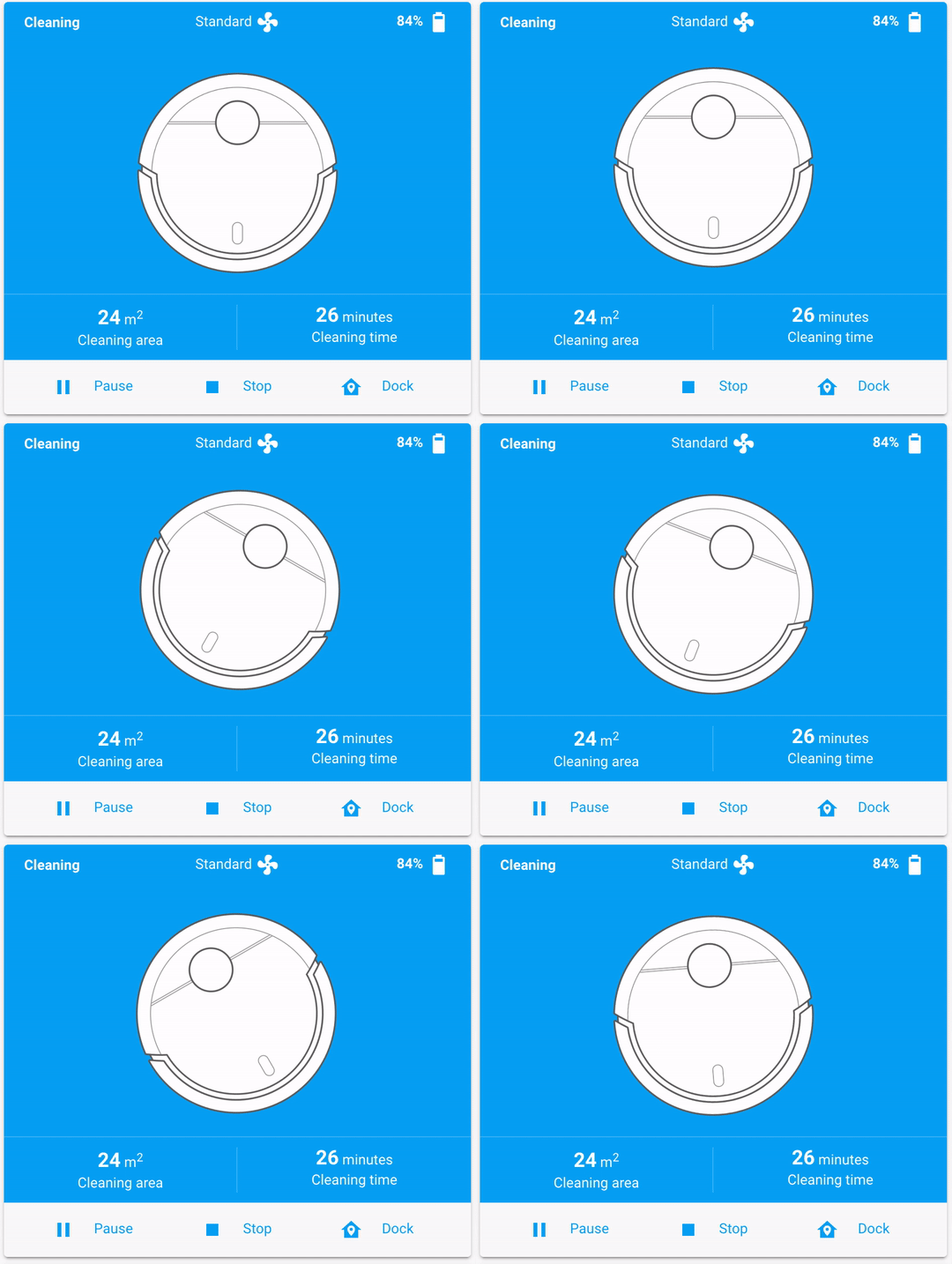 |
|  |
|
Supported languages
This card supports translations. Please, help to add more translations and improve existing ones. Here's a list of supported languages:
- English
- Українська (Ukrainian)
- Deutsch (German)
- Français (French)
- Italiano (Italian)
- Nederlands (Dutch)
- Polski (Polish)
- Русский (Russian)
- Español (Spanish)
- Čeština (Czech)
- Magyar (Hungarian)
- עִבְרִית (Hebrew)
- Português (Portuguese)
- Português Brasileiro (Brazilian Portuguese)
- Svenska (Swedish)
- Norsk bokmål (Norwegian)
- Norsk nynorsk (Norwegian)
- Dansk (Danish)
- 한국어 (Korean)
- Suomi (Finnish)
- Català (Catalan)
- 正體中文 (Traditional Chinese)
- Việt Nam (Vietnamese)
- Lietuvių (Lithuanian)
- Română (Romanian)
- 简体中文 (Simplified Chinese)
- 日本語 (Japanese)
- Your language?
Supported models
This card relies on basic vacuum services, like pause, start, stop, return_to_base, etc. It should work with any robot vacuum, however I can physically test it only with my own robot vacuum.
If this card works with your vacuum cleaner, please open a PR and your model to the list.
- Roborock S8 (MaxV Ultra, Ultra Pro), S7 (MaxV), S6 (MaxV, Pure), S5 (Max), S50, S4 (Max), E25, E4, Q5 Pro, Qrevo S
- Mijia Robot Vacuum Cleaner 1C (STYTJ01ZHM)
- Xiaomi Mi Robot (STYJ02YM), Mi Robot 1S, Mi Roborock V1 (SDJQR02RR), Mijia 1C, Mi Robot Vacuum-Mop P, Robot Vacuum E10
- Roomba 670, 675, 676, 960980, 981, i3, i7+, e5, S9, s9+, j7
- Braava M6
- Dyson 360 Eye
- Neato D7, D6, D4
- Shark IQ
- Ecovacs Deebot 950, Deebot OZMO T8 AIVI, Deebot N79, Deebot N8, Deebot N8+, T9 AIVI, Deebot T20 Ombi
- Eufy Robovac 30c, Robovac 15C Max, Robovac X8 Hybrid, Robovac G40
- EcoVacs T9 AIVI
- Dreame Z10 Pro, L10 Pro, D9, F9
- 360 S7 Pro
- KaBum! Smart 500
- Honiture Q6 Lite
- Neabot NoMo N1 Plus
- Kyvol E31
- Setti+ RV800
- Your vacuum?
Development
Want to contribute to the project?
First of all, thanks! Check contributing guideline for more information.
Inspiration
This project is heavily inspired by:
- MacBury Smart House — basically, this project is a refinement of MacBury's custom card.
- Benji vacuum card — this is where I noticed this vacuum card design for the first time.
Huge thanks for their ideas and efforts 👍
License
MIT © Denys Dovhan
Owner
- Name: Solana sniper copy trading bot
- Login: cryptoking-max
- Kind: user
- Location: solana trading bot
- Company: solana trading bot
- Website: solana trading bot
- Repositories: 1
- Profile: https://github.com/cryptoking-max
#Solana #sniper #copy #trading #bot
GitHub Events
Total
- Delete event: 20
- Issue comment event: 16
- Pull request event: 27
- Create event: 17
Last Year
- Delete event: 20
- Issue comment event: 16
- Pull request event: 27
- Create event: 17