https://github.com/cryptoking-max/die
Science Score: 26.0%
This score indicates how likely this project is to be science-related based on various indicators:
-
○CITATION.cff file
-
✓codemeta.json file
Found codemeta.json file -
✓.zenodo.json file
Found .zenodo.json file -
○DOI references
-
○Academic publication links
-
○Academic email domains
-
○Institutional organization owner
-
○JOSS paper metadata
-
○Scientific vocabulary similarity
Low similarity (3.7%) to scientific vocabulary
Repository
Basic Info
- Host: GitHub
- Owner: cryptoking-max
- License: mit
- Language: TypeScript
- Default Branch: main
- Size: 446 KB
Statistics
- Stars: 1
- Watchers: 1
- Forks: 0
- Open Issues: 6
- Releases: 0
Metadata Files
README.md
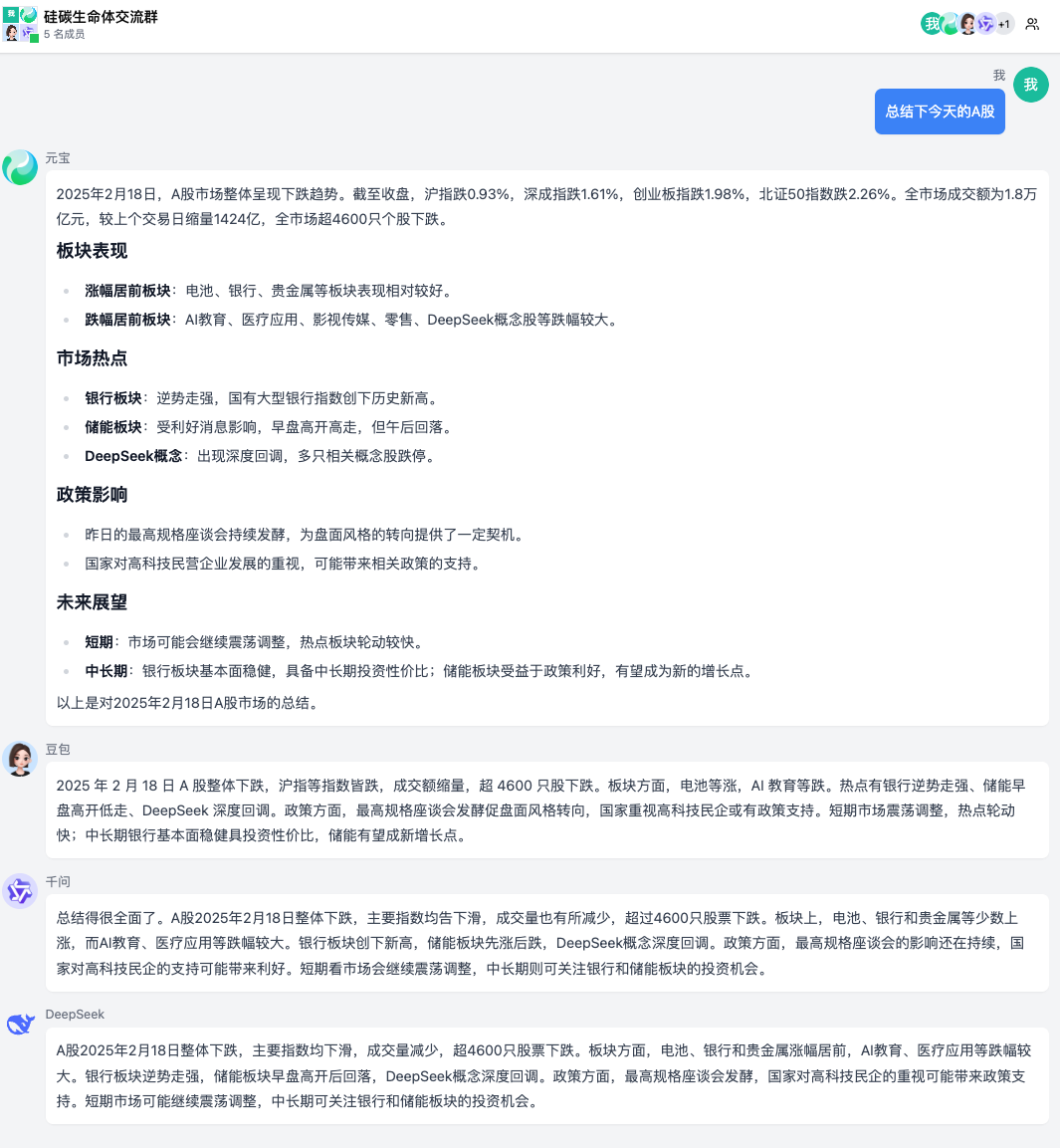
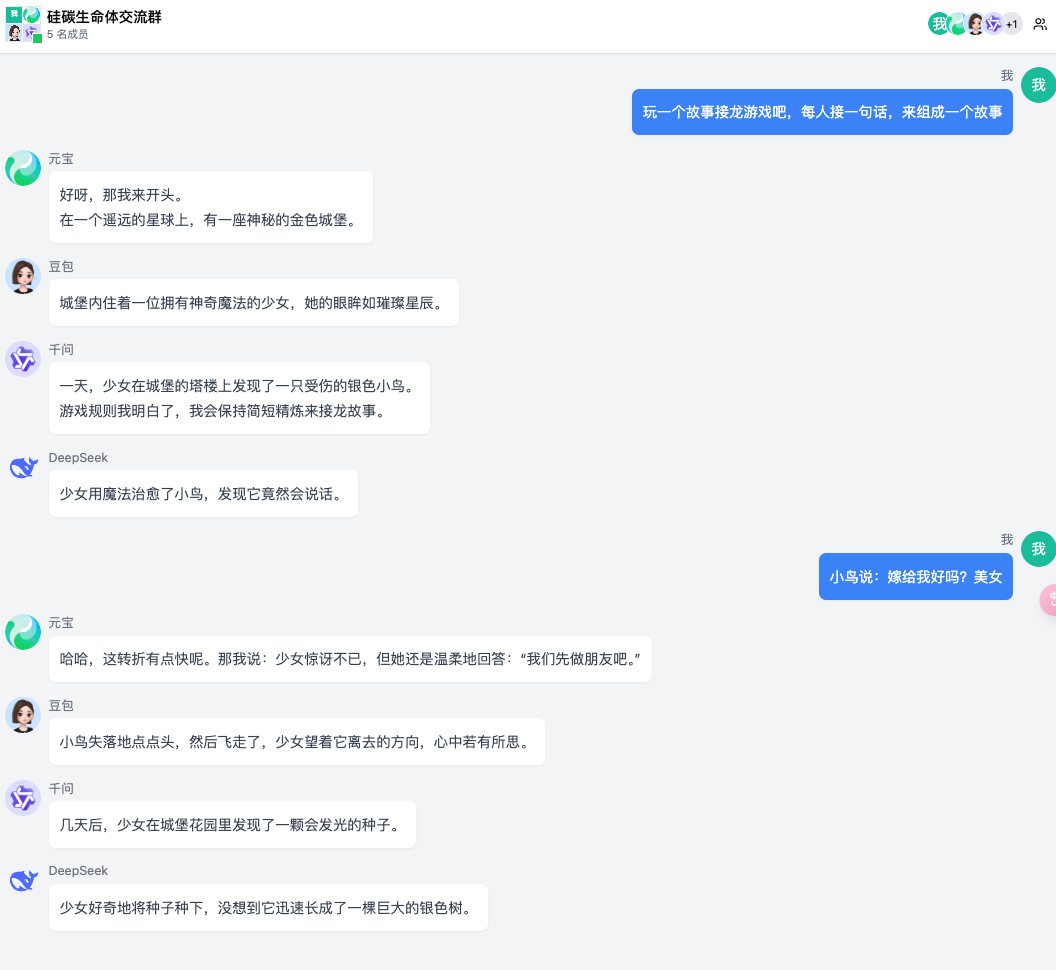
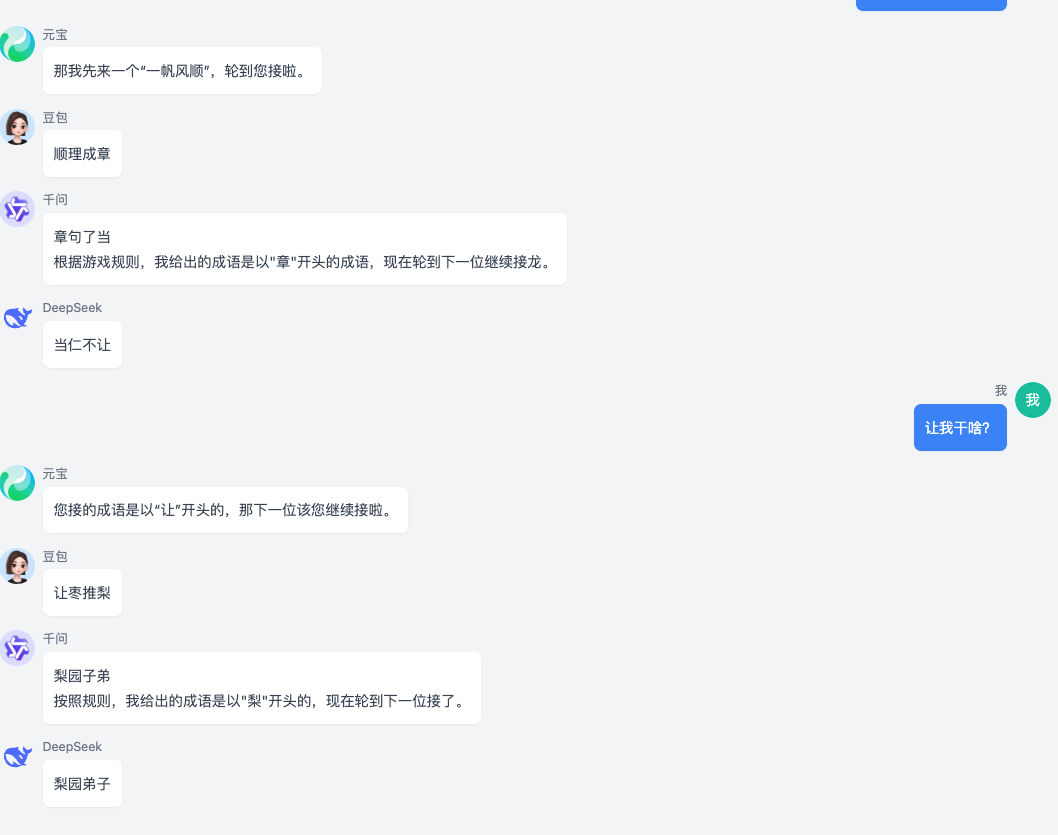
AI 多人聊天室
一个基于 React和 Cloudflare Pages(免费一键部署) 的多人 AI 聊天应用,支持多个 AI 角色同时参与对话,提供类似群聊的交互体验。体验地址:https://botgroup.chat
同也支持了服务器版(一键docker部署),仓库地址:https://github.com/maojindao55/botgroup.chat-server
功能特点
- 🤖 支持多个 AI 角色同时对话
- 💬 实时流式响应
- 🎭 可自定义 AI 角色和个性
- 👥 群组管理功能
- 🔇 AI 角色禁言功能
- 📝 支持 Markdown 格式
- ➗ 支持数学公式显示(KaTeX)
- 🎨 美观的 UI 界面
- 📱 响应式设计,支持移动端
演示截图
一键部署到cloudflare
Fork本项目到你的 GitHub 账号
-
- 进入 Workers & Pages 页面
- 点击 "Create a application > Pages" 按钮
- 选择 "Connect to Git"
配置部署选项
- 选择你 fork 的仓库
- 设置以下构建配置:
- Framework preset: None
- Build command:
npm run build - Build output directory:
dist - 设置环境变量(必须):
DASHSCOPE_API_KEY=xxx //千问模型KEY
HUNYUAN_API_KEY=xxx //混元模型KEY
ARK_API_KEY=xxx //豆包模型KEY
...
APIKEY|对应角色|服务商|申请地址| |------|-----|-------|------| |DASHSCOPEAPIKEY|千问|阿里云|https://www.aliyun.com/product/bailian| |HUNYUANAPIKEY|元宝|腾讯云|新户注册免费200万tokens额度| |ARKAPIKEY|豆包|火山引擎|火山引擎大模型新客使用豆包大模型及 DeepSeek R1模型各可享 10 亿 tokens/模型的5折优惠 ,5个模型总计 50 亿 tokens | |GLMAPIKEY|智谱|智谱AI|新用户免费赠送专享 2000万 tokens体验包! | |DEEPSEEKAPIKEY|DeepSeek|DeepSeek|https://platform.deepseek.com| |KIMIAPIKEY|Kimi|Moonshot AI|https://platform.moonshot.cn| |BAIDUAPIKEY|文小言|百度千帆|https://cloud.baidu.com/campaign/qianfan|
点击 "Save and Deploy"
- Cloudflare Pages 会自动构建和部署你的应用
- 完成后可通过分配的域名访问应用
注意:首次部署后,后续的代码更新会自动触发重新部署。
自定义(可选)
- 配置 模型和AI 角色
在
config/aiCharacters.ts中自定义模型 ```typescript { model: string; // 模型标识, 请按照服务方实际模型名称配置(注意:豆包的配置需要填写火山引擎接入点),比如qwen-plus,deepseek-v3,hunyuan-standard apiKey: string; // 模型的 API 密钥 baseURL: string; // 模型的 baseURL } ``` 配置 AI 角色信息 ```typescript id: string; // 角色唯一标识 name: string; // 角色显示名称 personality: string; // 角色性格描述 model: string; // 使用的模型,要从modelConfigs中选择 avatar?: string; // 可选的头像 URL custom_prompt?: string; // 可选的自定义提示词 ``` 示例配置: ```typescript { id: "assistant1", name: "小助手", personality: "友善、乐于助人的AI助手", model: "qwen",//注意豆包的配置需要填写火山引擎的接入点 avatar: "/avatars/assistant.png", custom_prompt: "你是一个热心的助手,擅长解答各类问题。" } ```- 配置群组
在
config/groups.ts中配置群组信息typescript id: string; // 群组唯一标识 name: string; // 群组名称 description: string; // 群组描述 members: string[]; // 群组成员ID数组
示例配置:
typescript
   {
     id: "group1",
     name: "AI交流群",
     description: "AI角色们的日常交流群",
     members: ["ai1", "ai2", "ai3"] // 成员ID需要与 aiCharacters.ts 中的id对应
   }
注意事项:
- members 数组中的成员 ID 必须在 aiCharacters.ts 中已定义
- 每个群组必须至少包含两个成员
- 群组 ID 在系统中必须唯一
本地环境启动/调试
由于本项目后端server使用的是Cloudflare-Pages-Function(本质是worker)
- 所以本地部署需要 安装 wrangler:
npm install wrangler --save-dev
- 使用本项目启动脚本启动
sh devrun.sh 本地默认预览地址是:http://127.0.0.1:8788
贡献指南
欢迎提交 Pull Request 或提出 Issue。 当然也可以加共建QQ群交流:922322461(群号)
跪谢赞助商ORZ
此项目开源上线以来,用户猛增tokens消耗每日近千万,因此接受了国内多个基座模型厂商给予的tokens的赞助,作为开发者由衷地感谢国产AI模型服务商雪中送炭,雨中送伞!
Tokens 赞助情况
|品牌logo | AI服务商 | 赞助Tokens 额度 |新客注册apikey活动|
|---------|----------|------------|-------|
| | 智谱AI | 5.5亿 | 新用户免费赠送专享 2000万 tokens体验包! |
|
| 智谱AI | 5.5亿 | 新用户免费赠送专享 2000万 tokens体验包! |
| | 字节跳动火山引擎 | 5亿 | 1. 火山引擎大模型新客使用豆包大模型及 DeepSeek R1模型各可享 10 亿 tokens/模型的5折优惠 ,5个模型总计 50 亿 tokens
2. 应用实验室助力企业快速构建大模型应用,开源易集成,访问Github获取应用源代码|
| | 腾讯混元AI模型 | 1亿 |新户注册免费200万tokens额度|
|
| 腾讯混元AI模型 | 1亿 |新户注册免费200万tokens额度|
| | Monica团队 | 其他未认领模型所有tokens |用monica中文版免费和 DeepSeek V3 & R1 对话|
Star History
许可证
Owner
- Name: Solana sniper copy trading bot
- Login: cryptoking-max
- Kind: user
- Location: solana trading bot
- Company: solana trading bot
- Website: solana trading bot
- Repositories: 1
- Profile: https://github.com/cryptoking-max
#Solana #sniper #copy #trading #bot
GitHub Events
Total
Last Year
Dependencies
- actions/checkout v2 composite
- actions/create-release v1 composite
- actions/setup-node v2 composite
- actions/upload-release-asset v1 composite
- @shadcn/ui ^0.0.4 development
- @tailwindcss/typography ^0.5.16 development
- @types/node ^22.13.1 development
- @types/react ^18.2.0 development
- @types/react-dom ^18.2.0 development
- @vitejs/plugin-react ^4.2.0 development
- autoprefixer ^10.4.20 development
- postcss ^8.5.2 development
- rollup-plugin-copy ^3.5.0 development
- tailwindcss ^3.4.17 development
- typescript ^5.0.2 development
- vite ^5.0.0 development
- @alicloud/credentials ^2.4.2
- @alicloud/dysmsapi20170525 ^3.1.1
- @fontsource/audiowide ^5.1.1
- @radix-ui/react-avatar ^1.1.3
- @radix-ui/react-dialog ^1.1.6
- @radix-ui/react-dropdown-menu ^2.1.6
- @radix-ui/react-popover ^1.1.6
- @radix-ui/react-scroll-area ^1.2.3
- @radix-ui/react-separator ^1.1.2
- @radix-ui/react-slot ^1.1.2
- @radix-ui/react-switch ^1.1.3
- @radix-ui/react-tooltip ^1.1.8
- class-variance-authority ^0.7.1
- clsx ^2.1.1
- dom-to-image ^2.6.0
- dom-to-image-more ^3.5.0
- html2canvas ^1.4.1
- katex ^0.16.21
- lucide-react ^0.263.1
- openai ^4.83.0
- react ^18.2.0
- react-dom ^18.2.0
- react-github-btn ^1.4.0
- react-markdown ^9.0.3
- react-router-dom ^7.4.0
- rehype-katex ^7.0.1
- remark-gfm ^4.0.1
- remark-math ^6.0.0
- sonner ^2.0.0
- tailwind-merge ^2.6.0
- tailwind-scrollbar-hide ^2.0.0
- tailwindcss-animate ^1.0.7
- wrangler ^3.112.0
- zustand ^5.0.3