https://github.com/cstl-kaist/cs473-2025-fall
CS473 Social Computing 2025 Fall Website
Science Score: 26.0%
This score indicates how likely this project is to be science-related based on various indicators:
-
○CITATION.cff file
-
✓codemeta.json file
Found codemeta.json file -
✓.zenodo.json file
Found .zenodo.json file -
○DOI references
-
○Academic publication links
-
○Academic email domains
-
○Institutional organization owner
-
○JOSS paper metadata
-
○Scientific vocabulary similarity
Low similarity (11.2%) to scientific vocabulary
Repository
CS473 Social Computing 2025 Fall Website
Basic Info
- Host: GitHub
- Owner: cstl-kaist
- License: mit
- Language: HTML
- Default Branch: master
- Size: 148 MB
Statistics
- Stars: 0
- Watchers: 0
- Forks: 0
- Open Issues: 0
- Releases: 0
Metadata Files
README.md
Features
- Individual page for assignments, lectures, course material, course schedule
- Auto generated Course schedule Page
- Auto generated course updates section (for each new lectures and assignments) + custom/manual announcements
- Super lightweight
- Highly customizable
- Ready to be used in Github Pages
- Responsive Mobile View
- Support for Google Analytics
Change log
- Version 2.0
- New Schedule page with more efficient use of space.
- Gregorian calendar is now the default one (English Calendar).
- Add customization options to home, assignments, lectures, and schedule pages.
- Add support for themes (so you can modify the website's look according to your school's brandings)!.
- Move navigation menus to YAML which means it is now easier to add new pages.
- Add more flexibility to lecture's links
Demo
Checkout for a working demo at kazemnejad.github.io/jekyll-course-website-template/. You may also want to see this real-world example at iust-deep-learning.github.io/972 or iust-courses.github.io/ai97/ (Please note the last two examples are using the older version).
Some Screenshots
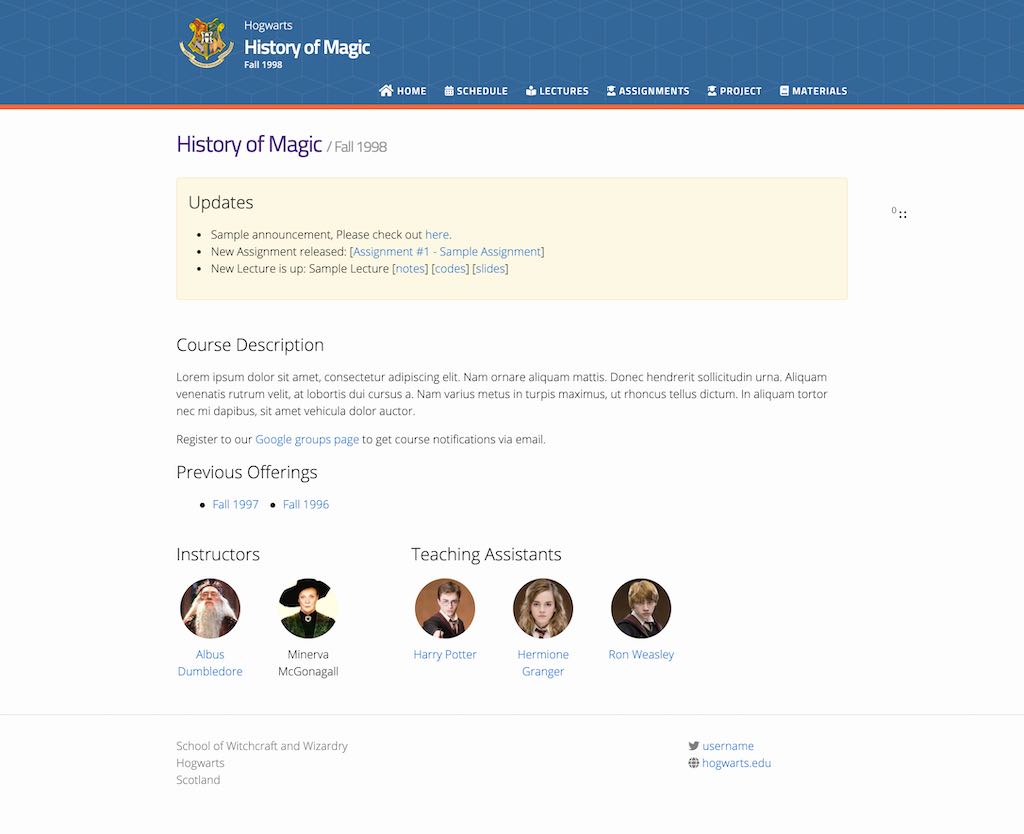
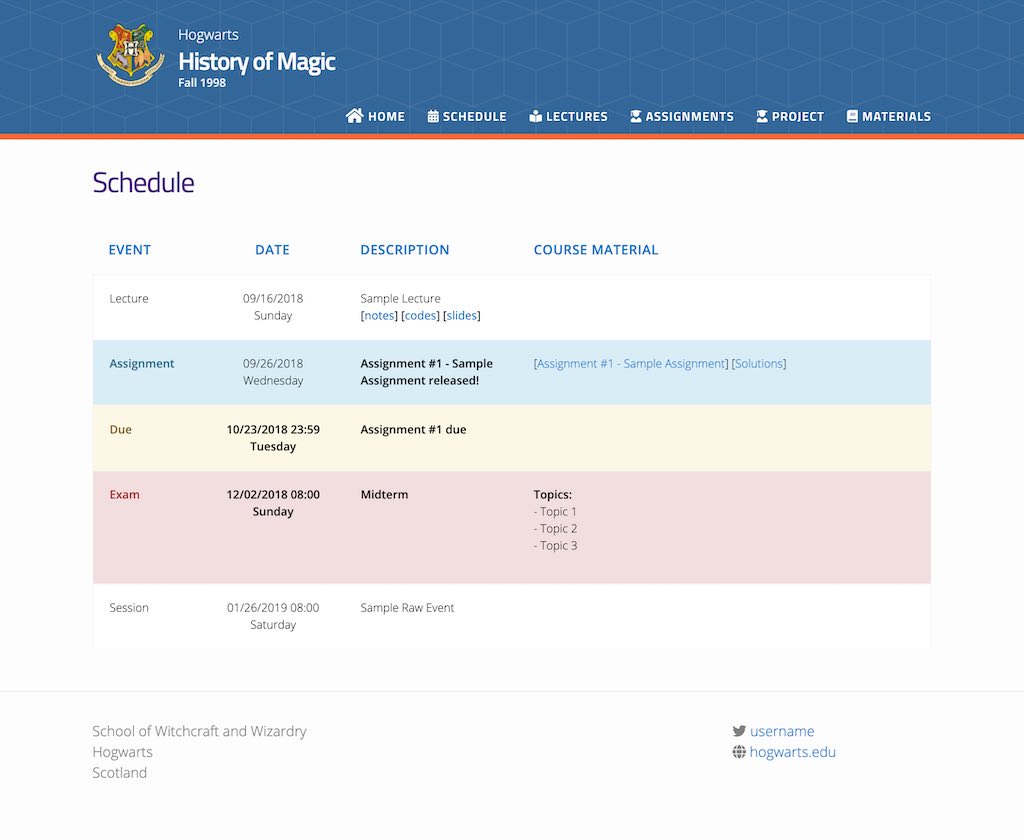
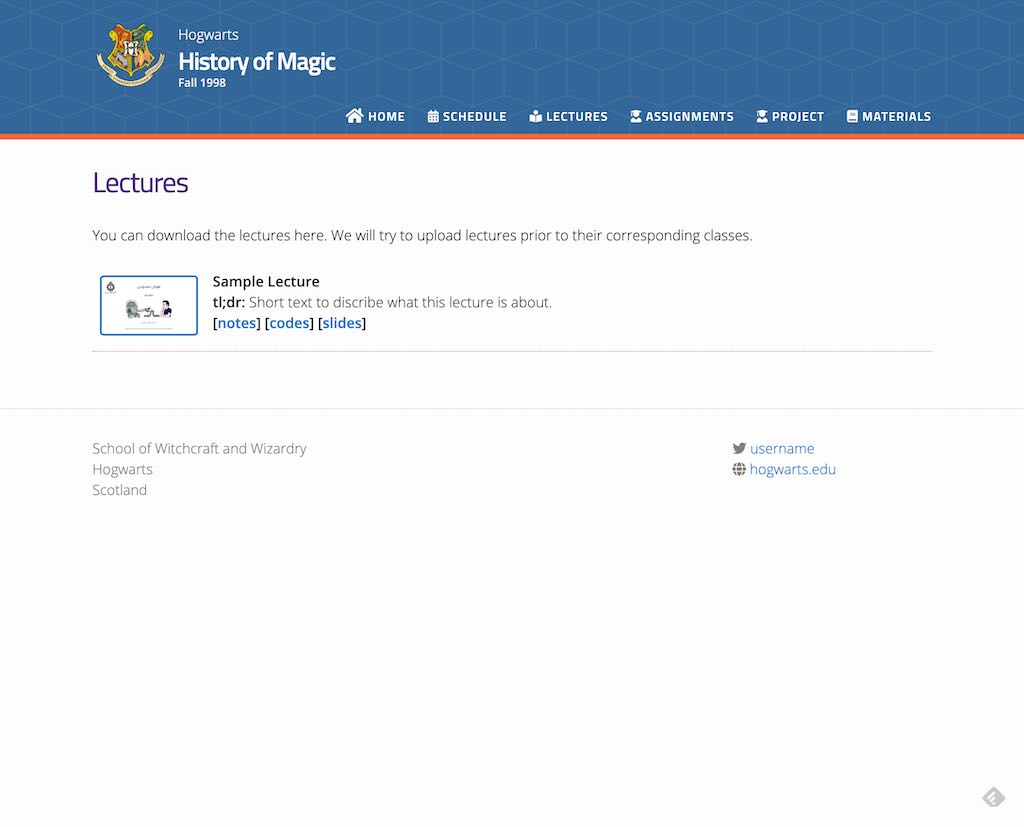
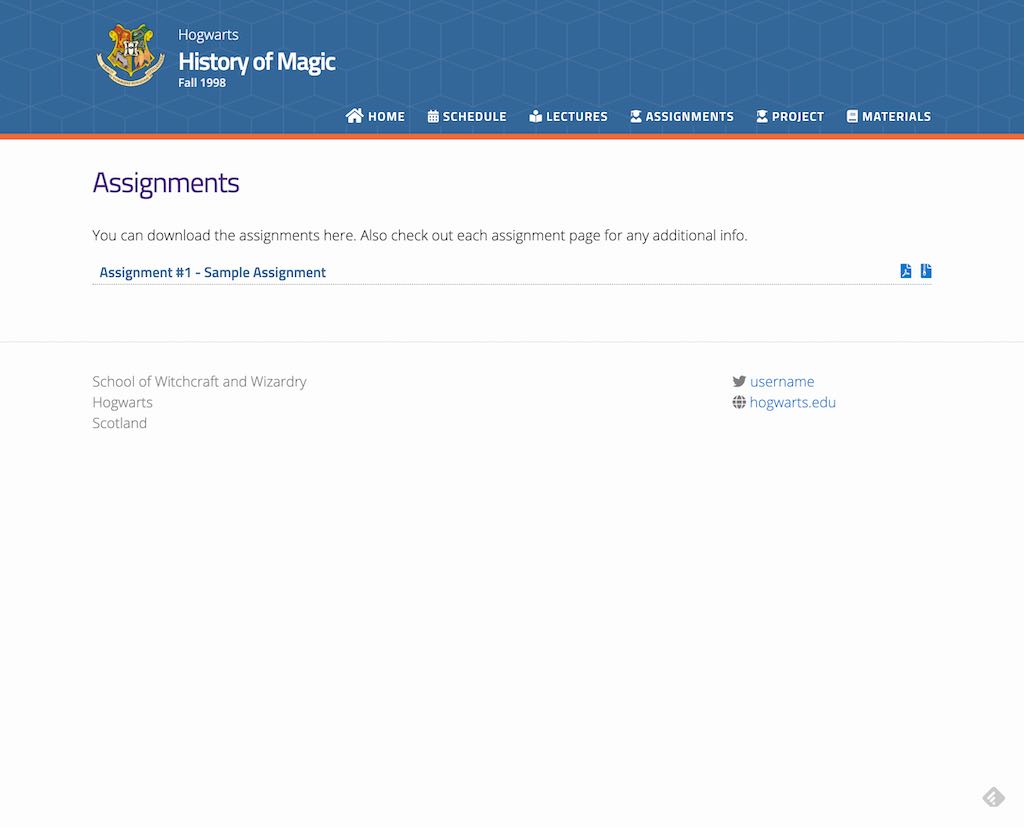
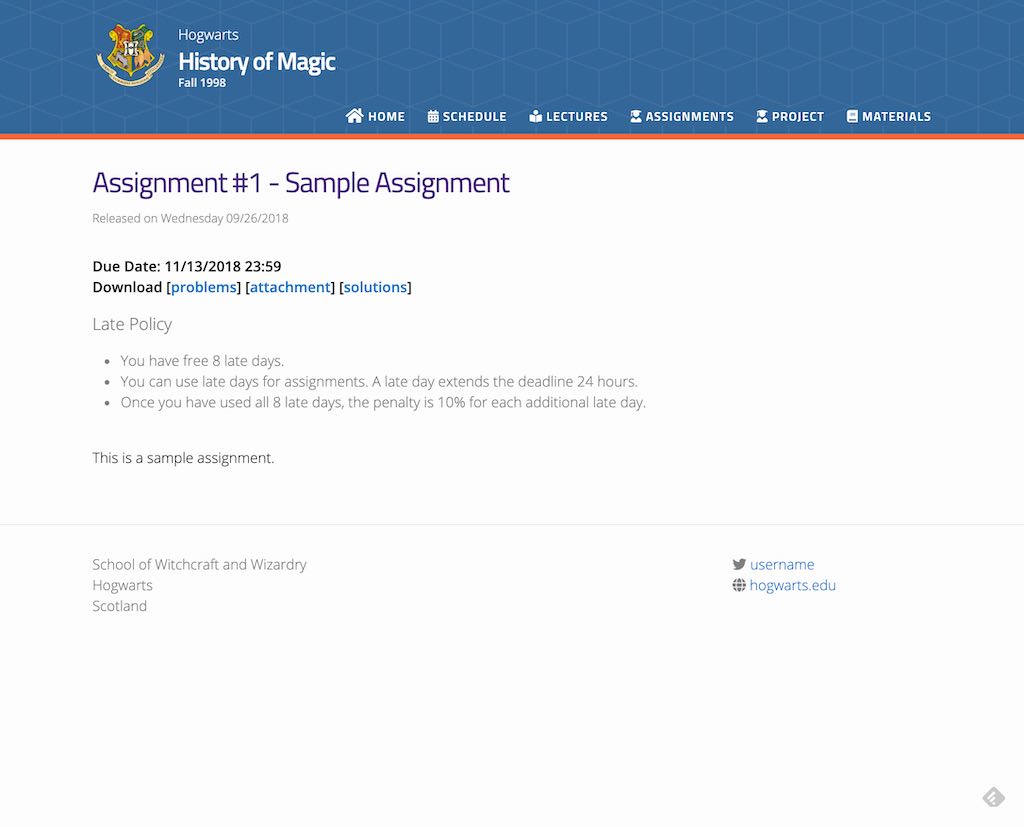
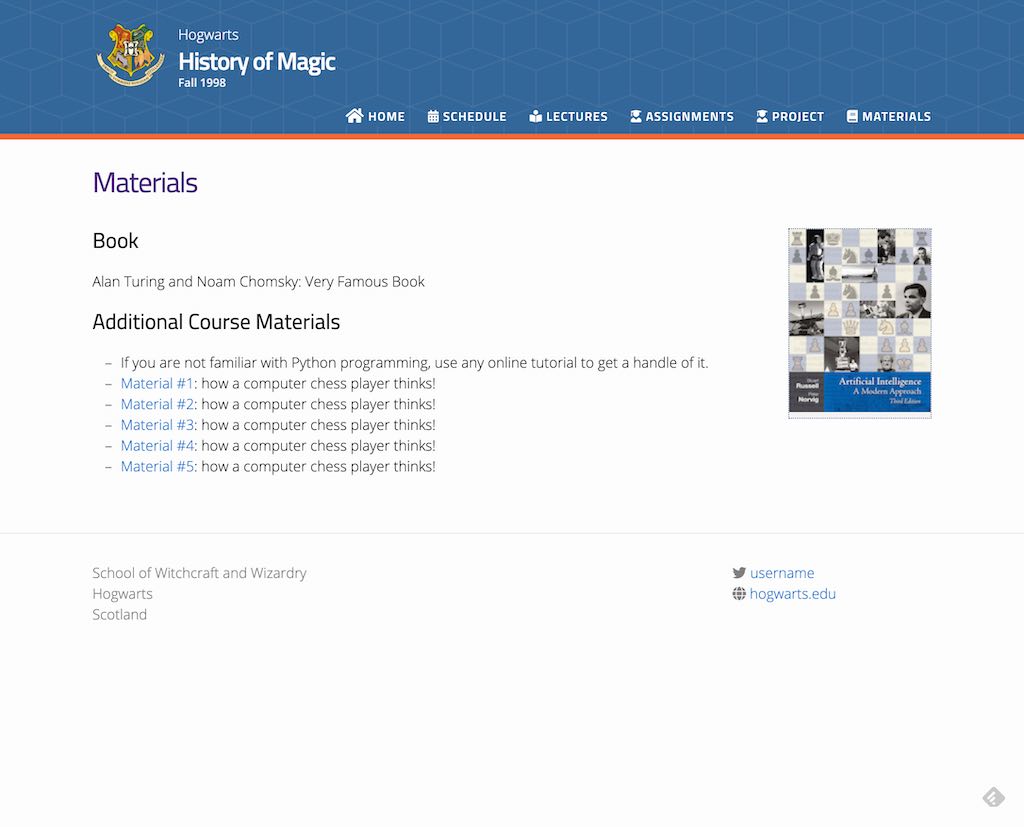
Acknowledgement
This template is heavily based on svmiller / course-website.
How to deploy your own website (on GitHub pages)
- Fork this repository.
- Open
_config.yml.- Update
urlfield according to your GitHub account (e.g.,https://<your-github-username>.github.io/). - Update
baseurlfield according to your reporsitory's name (e.g.,/cs101). - Commit and push your changes.
- Update
- Go to your repository's settigns (
https://github.com/<your-github-username>/<your-repo-name>/settings). - On GitHub Pages section, choose source to be your master branch, and enable Github Pages.
- You are now ready to go! Start customizing your website.
Pro Tip: You don't need to clone your repo to update your website. Use GitHub web UI to update its source files, and GitHub will build and deploy your website automatically!
Best Practice for managing repositories: If you plan to use this template for university courses, and the course is offered for multiple semesters/quarters, I suggests you to create a GitHub account or an Organization for it. Then, create new repoository under that account/organization for each semester.
- Example:
- Course name: CS101
- Semester: Fall 2020
- School name: CMU
- => account/org name: cmu-cs101
- => repo name: fa2020
- => website address will be: https://cmu-cs101.github.io/fa2020/
How to test your website locally
- Install Jekyll (Installation guide)
- Clone your repo
- Watch your website while editing:
bundle exec jekyll serve
How to customize
Changing the names
- Open
_config.yml - Update
course_name,course_semester, andcourse_description(this will appear in the home page). - Update
schoolname,schoolurl,twitter_username, andaddressaccordingly. - (Optional) Enter your Google Analytics tracking ID in the
google_analyticsfield (Remember to uncomment it). - Add more content to your home page: Update
index.md(it supports Markdown!) - Update course staff info at
_data/people.yml(You may need to upload the profile pics to_imagesfolder. - (Optional) Open
_data/previous_offering.ymland update the data if needed.
Change the looks
- Open
_sass/_user_vars.scss - Select your favorite from the pre-defined themes (comment all other themes, and uncomment your desired one)
Here are all themes:
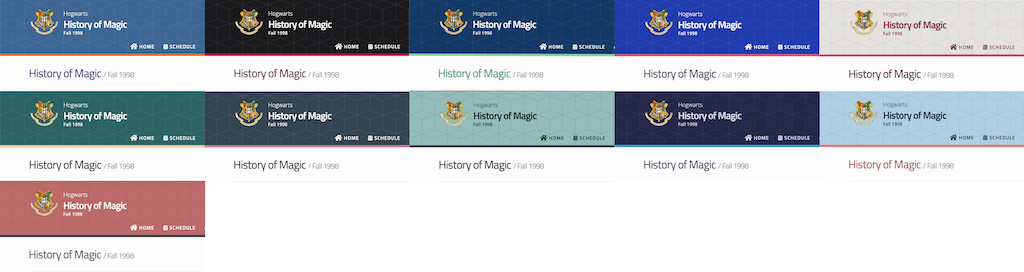
You can also change the colors manually to match your branding
Contents
Lectures
To add a new lecture, create an empty file with
.mdpostfix in_lectures/directory. fill it using below template:```markdown
type: lecture date: 20xx-xx-xxTx:xx:xx+4:30 title:
</p></li> </ul> <h1>optional</h1> <h1>please use /static_files/notes directory to store notes</h1> <p>thumbnail: /static_files/path/to/image.jpg</p> <h1>optional</h1> <p>tldr: "What is AI? How does it impact our lives? The current state of the art."</p> <h1>optional</h1> <h1>set it to true if you dont want this lecture to appear in the updates section</h1> <p>hide<em>from</em>announcements: false</p> <h1>optional</h1> <p>links: - url: /static<em>files/presentations/lec.zip name: notes - url: /static</em>files/presentations/code.zip name: codes - url: https://google.com name: slides - url: https://example.com</p> <h2> name: other</h2> <!-- Other additional contents using markdown --> <p><strong>Suggested Readings:</strong> - <a href="https://example.com">Readings 1</a> - <a href="https://example.com">Readings 2</a> ```</p> <h3>Assignments</h3> <p>To add a new assignments, create an empty file with <code>.md</code> postfix in <code>_assignments/</code> directory. fill it using below template:</p> <h2>```markdown</h2> <p>type: assignment date: 20xx-xx-xxTx:xx:xx+4:30 title: <Assignment title (e.g. Assignment #1></p> <h1>optional</h1> <p>pdf: /static<em>files/assignments/assign</em>01.pdf</p> <h1>optional</h1> <p>solutions: /static<em>files/assignments/assign</em>01_solutions.pdf</p> <h1>optional</h1> <p>attachment: /static<em>files/assignments/assign</em>01_attachment.zip</p> <h1>optional</h1> <h1>set it to true if you don't want this assignment to appear in the announcements section</h1> <p>hide<em>from</em>announcements: false</p> <p>due_event: type: due date: 20xx-xx-xxTx:xx:xx+4:30</p> <h2> description: 'Assignment #1 due'</h2> <!-- Other additional contents using markdown --> <p>```</p> <h3>Dues & Deadlines</h3> <p>Use <code>_events/</code> directory to add new a deadline, use <code>type: due</code>. These events will apear at the schedule page.</p> <h2>```markdown</h2> <p>type: due date: 20xx-xx-xxTx:xx:xx+4:30 description: <Description of deadline (e.g. 'Final report due')></p> <h1>optional</h1> <h1>set it to true if you don't want this event to appear in the announcements section</h1> <h2>hide<em>from</em>announcements: false</h2> <p>```</p> <h3>Exams</h3> <p>Use <code>_events/</code> directory to add new Exam alert, use <code>type: exam</code>. These events will apear at the schedule page.</p> <h2>```markdown</h2> <p>type: exam date: 20xx-xx-xxTx:xx:xx+4:30 description: <Description of the exam (e.g. 'The midterm exam')></p> <h1>optional</h1> <h1>set it to true if you don't want to this event appear in the announcements section</h1> <h2>hide<em>from</em>announcements: false</h2> <p>```</p> <h3>Custom Events</h3> <p>Use <code>_events/</code> directory to add new custom events, use <code>type: raw_event</code>. These events will apear at the schedule page.</p> <h2>```markdown</h2> <p>type: raw_event name: <Event name> date: 20xx-xx-xxTx:xx:xx+4:30 description: <Event description></p> <h1>optional</h1> <h1>if you want to hide time in Schedule, set this to true</h1> <p>hide_time: false</p> <h1>optional</h1> <h1>set it to true if you don't want this event appear to in the announcements section</h1> <h2>hide<em>from</em>announcements: false</h2> <!-- you can create custom content using markdown. this section will be placed in "Course Materials (in schedule section)" --> <h2>Hello</h2> <p>this is a custom event with <code>code</code> ```</p> <h3>Updates/Announcements</h3> <p>All contents here appear in at the home page Use <code>_announcements/</code> directory to create new Announcement</p> <h2>```markdown</h2> <h2>date: 20xx-xx-xxTx:xx:xx+4:30</h2> <p><put a short announcement here, you can use all markdown features> ```</p> <h2>Advanced Customization</h2> <p>You can add custom contents to each section (lectures, assignments, schedule, materials, and project) - Lectures: Edit <code>lectures.md</code> - Assignments: Edit <code>assignments.md</code> - Schedule: Edit <code>schedule.md</code> - Materials: Edit <code>materials.md</code> - Project: Edit <code>project.md</code></p> <p>Additionally, you can update navigation menus (the menu at the top of the website) by editing <code>_data/nav.yml</code></p> <p>To add new section, add new navigation menu. Then create a new file in website's root directory using the following template:</p> <h2>```markdown</h2> <p>layout: page title: Page Title</p> <h2>permalink: /page-address/</h2> <p>```</p> </div> </div> <div class="mb-4"> <h3 class="mb-3"> Owner </h3> <div class="card border-0 shadow-sm"> <div class="card-body"> <div class="row g-3"> <div class="col-md-6"> <ul class="list-unstyled mb-0"> <li class="mb-2"> <strong>Login:</strong> cstl-kaist </li> <li class="mb-2"> <strong>Kind:</strong> <span class="badge rounded-pill bg-primary">user</span> </li> </ul> </div> <div class="col-md-6"> <ul class="list-unstyled mb-0"> <li class="mb-2"> <strong>Repositories:</strong> 1 </li> <li class="mb-2"> <strong>Profile:</strong> <a class="text-decoration-none" href="https://github.com/cstl-kaist">https://github.com/cstl-kaist</a> </li> </ul> </div> </div> </div> </div> </div> <div class="mb-4"> <h3 class="mb-3">GitHub Events</h3> <div class="card border-0 shadow-sm"> <div class="card-body"> <div class="row g-4"> <div class="col-md-6"> <h6 class="text-muted text-uppercase small mb-3">Total</h6> <ul class="list-unstyled mb-0"> <li class="mb-2"> <strong>Push event:</strong> 21 </li> </ul> </div> <div class="col-md-6"> <h6 class="text-muted text-uppercase small mb-3">Last Year</h6> <ul class="list-unstyled mb-0"> <li class="mb-2"> <strong>Push event:</strong> 21 </li> </ul> </div> </div> </div> </div> </div> </div> </div> <footer class="footer dark-section"> <div class="container"> <div class="row"> <div class="col-md-8"> <a class="site-logo site-logo--white" href="/">Ecosyste.ms</a> <p class="small">Tools and open datasets to support, sustain, and secure critical digital infrastructure.</p> <p class="small"> Code: <a href="https://github.com/ecosyste-ms/documentation/blob/main/LICENSE">AGPL-3</a> — Data: <a target="_blank" href="https://creativecommons.org/licenses/by-sa/4.0/">CC BY-SA 4.0</a> </p> <p class='footer-icons'> <a target="_blank" href="https://github.com/ecosyste-ms"> <svg width="20" height="20" alt="ecosyste.ms on Github" class="bi bi-github" viewBox="0 0 16 16" fill="currentColor" version="1.1" aria-hidden="true"><path d="M8 0C3.58 0 0 3.58 0 8c0 3.54 2.29 6.53 5.47 7.59.4.07.55-.17.55-.38 0-.19-.01-.82-.01-1.49-2.01.37-2.53-.49-2.69-.94-.09-.23-.48-.94-.82-1.13-.28-.15-.68-.52-.01-.53.63-.01 1.08.58 1.23.82.72 1.21 1.87.87 2.33.66.07-.52.28-.87.51-1.07-1.78-.2-3.64-.89-3.64-3.95 0-.87.31-1.59.82-2.15-.08-.2-.36-1.02.08-2.12 0 0 .67-.21 2.2.82.64-.18 1.32-.27 2-.27s1.36.09 2 .27c1.53-1.04 2.2-.82 2.2-.82.44 1.1.16 1.92.08 2.12.51.56.82 1.27.82 2.15 0 3.07-1.87 3.75-3.65 3.95.29.25.54.73.54 1.48 0 1.07-.01 1.93-.01 2.2 0 .21.15.46.55.38A8.01 8.01 0 0 0 16 8c0-4.42-3.58-8-8-8"></path></svg> </a> <a target="_blank" href="https://mastodon.social/@ecosystems"> <svg width="20" height="20" alt="ecosyste.ms on Mastodon" class="bi bi-mastodon" viewBox="0 0 16 16" fill="currentColor" version="1.1" aria-hidden="true"><path d="M11.19 12.195c2.016-.24 3.77-1.475 3.99-2.603.348-1.778.32-4.339.32-4.339 0-3.47-2.286-4.488-2.286-4.488C12.062.238 10.083.017 8.027 0h-.05C5.92.017 3.942.238 2.79.765c0 0-2.285 1.017-2.285 4.488l-.002.662c-.004.64-.007 1.35.011 2.091.083 3.394.626 6.74 3.78 7.57 1.454.383 2.703.463 3.709.408 1.823-.1 2.847-.647 2.847-.647l-.06-1.317s-1.303.41-2.767.36c-1.45-.05-2.98-.156-3.215-1.928a4 4 0 0 1-.033-.496s1.424.346 3.228.428c1.103.05 2.137-.064 3.188-.189zm1.613-2.47H11.13v-4.08c0-.859-.364-1.295-1.091-1.295-.804 0-1.207.517-1.207 1.541v2.233H7.168V5.89c0-1.024-.403-1.541-1.207-1.541-.727 0-1.091.436-1.091 1.296v4.079H3.197V5.522q0-1.288.66-2.046c.456-.505 1.052-.764 1.793-.764.856 0 1.504.328 1.933.983L8 4.39l.417-.695c.429-.655 1.077-.983 1.934-.983.74 0 1.336.259 1.791.764q.662.757.661 2.046z"></path></svg> </a> <a target="_blank" href="https://opencollective.com/ecosystems"> <svg width="20" height="20" alt="ecosyste.ms on Open Collective" class="bi bi-opencollective" viewBox="0 0 16 16" fill="currentColor" version="1.1" aria-hidden="true"><path fill-opacity=".4" d="M12.995 8.195c0 .937-.312 1.912-.78 2.693l1.99 1.99c.976-1.327 1.6-2.966 1.6-4.683 0-1.795-.624-3.434-1.561-4.76l-2.068 2.028c.468.781.78 1.679.78 2.732z"></path> <path d="M8 13.151a4.995 4.995 0 1 1 0-9.99c1.015 0 1.951.273 2.732.82l1.95-2.03a7.805 7.805 0 1 0 .04 12.449l-1.951-2.03a5.07 5.07 0 0 1-2.732.781z"></path></svg> </a> </p> <div> <h3 class="mt-5 h6">Supported by</h3> <div class="row justify-content-start align-items-center g-4 mb-4 mb-lg-0"> <div class="col-auto"> <a href="https://www.schmidtfutures.org"> <img alt="Schmidt Futures" class="img-fluid p3" src="/assets/logo-schmidt-white-efa52873280decb2588e601323ef616a96a7891c254db5cdf0cca626ed85acc5.svg" width="267" height="20" /> </a> </div> <div class="col-auto"> <a href="https://oscollective.org"> <img alt="Open Source Collective" class="img-fluid p3" src="/assets/logo-osc-white-43e420a5624e755fe206869f9c3ff608e9476881d847007a020ea01d37e36dfa.png" width="210" height="56" /> </a> </div> </div> <p class="mt-3"><a href="https://opencollective.com/ecosystems" class="small">Become a sponsor</a></p> </div> </div> <div class="col-md-4"> <ul class="list-unstyled footer-links mt-3 small"> <li><strong><a href="https://ecosyste.ms">About</a></strong></li> <li><strong><a href="https://blog.ecosyste.ms">Blog</a></strong></li> <li><strong><a href="https://mastodon.social/@ecosystems">Contact</a></strong></li> <li><strong><a href="https://ecosyste.ms/privacy">Privacy</a></strong></li> <li><strong><a href="https://ecosyste.ms/terms">Terms</a></strong></li> <li><strong><a href="https://ecosystems.appsignal-status.com/">Status</a></strong></li> </ul> </div> </div> </div> </footer> </body> </html>