fuji
FAIRsFAIR Research Data Object Assessment Service
Science Score: 41.0%
This score indicates how likely this project is to be science-related based on various indicators:
-
✓CITATION.cff file
Found CITATION.cff file -
○codemeta.json file
-
○.zenodo.json file
-
✓DOI references
Found 7 DOI reference(s) in README -
✓Academic publication links
Links to: zenodo.org -
○Academic email domains
-
○Institutional organization owner
-
○JOSS paper metadata
-
○Scientific vocabulary similarity
Low similarity (13.3%) to scientific vocabulary
Keywords
Repository
FAIRsFAIR Research Data Object Assessment Service
Basic Info
Statistics
- Stars: 57
- Watchers: 8
- Forks: 41
- Open Issues: 22
- Releases: 14
Topics
Metadata Files
README.md
F-UJI (FAIRsFAIR Research Data Object Assessment Service)
Developers: Robert Huber, Anusuriya Devaraju
Thanks to Heinz-Alexander Fuetterer for his contributions and his help in cleaning up the code.
| CI | 
 |
| :--- | :--- |
| CD |
|
| :--- | :--- |
| CD |  |
| Package |
|
| Package | 




Overview
F-UJI is a web service to programmatically assess FAIRness of research data objects based on metrics developed by the FAIRsFAIR project. The service will be applied to demonstrate the evaluation of objects in repositories selected for in-depth collaboration with the project.
The 'F' stands for FAIR (of course) and 'UJI' means 'Test' in Malay. So F-UJI is a FAIR testing tool.
Cite as
Devaraju, A. and Huber, R. (2021). An automated solution for measuring the progress toward FAIR research data. Patterns, vol 2(11), https://doi.org/10.1016/j.patter.2021.100370
Clients and User Interface
A web demo using F-UJI is available at https://www.f-uji.net.
An R client package that was generated from the F-UJI OpenAPI definition is available from https://github.com/NFDI4Chem/rfuji.
An open source web client for F-UJI is available at https://github.com/MaastrichtU-IDS/fairificator.
Output Formats
As as REST service the default output of F-UJI is JSON. Since version 3.5.0 F-UJI additionally offers output of results in various RDF formats following the DQV specifications. Content negotiation can be used to retrieve a RDF DQV result output. Supported RDF serialisations are: application/rdf+xml, application/x-turtle, text/turtle, application/ld+json, text/n3
Assessment Scope, Constraint and Limitation
The service is in development and its assessment depends on several factors. - In the FAIR ecosystem, FAIR assessment must go beyond the object itself. FAIR enabling services and repositories are vital to ensure that research data objects remain FAIR over time. Importantly, machine-readable services (e.g., registries) and documents (e.g., policies) are required to enable automated tests. - In addition to repository and services requirements, automated testing depends on clear machine assessable criteria. Some aspects (rich, plurality, accurate, relevant) specified in FAIR principles still require human mediation and interpretation. - The tests must focus on generally applicable data/metadata characteristics until domain/community-driven criteria have been agreed (e.g., appropriate schemas and required elements for usage/access control, etc.). For example, for some metrics (i.e., on I and R principles), the automated tests we proposed only inspect the surface of criteria to be evaluated. Therefore, tests are designed in consideration of generic cross-domain metadata standards such as Dublin Core, DCAT, DataCite, schema.org, etc. - FAIR assessment is performed based on aggregated metadata; this includes metadata embedded in the data (landing) page, metadata retrieved from a PID provider (e.g., DataCite content negotiation) and other services (e.g., re3data).
Requirements
Python 3.11
Google Dataset Search
Since FsF metric 0.8, The Google Corpus is no longer used, the following steps are therefore not required anymore.
* Download the latest Dataset Search corpus file from: https://www.kaggle.com/googleai/dataset-search-metadata-for-datasets
* Open file fuji_server/helper/create_google_cache_db.py and set variable 'googlefilelocation' according to the file location of the corpus file
* Run create_google_cache_db.py which creates a SQLite database in the data directory. From root directory run python3 -m fuji_server.helper.create_google_cache_db.
The service was generated by the swagger-codegen project. By using the OpenAPI-Spec from a remote server, you can easily generate a server stub. The service uses the Connexion library on top of Flask.
Usage
Before running the service, please set user details in the configuration file, see config/users.py.
To install F-UJI, you may execute the following Python-based or docker-based installation commands from the root directory:
Python module-based installation
From the fuji source folder run:
bash
python -m pip install .
The F-UJI server can now be started with:
bash
python -m fuji_server -c fuji_server/config/server.ini
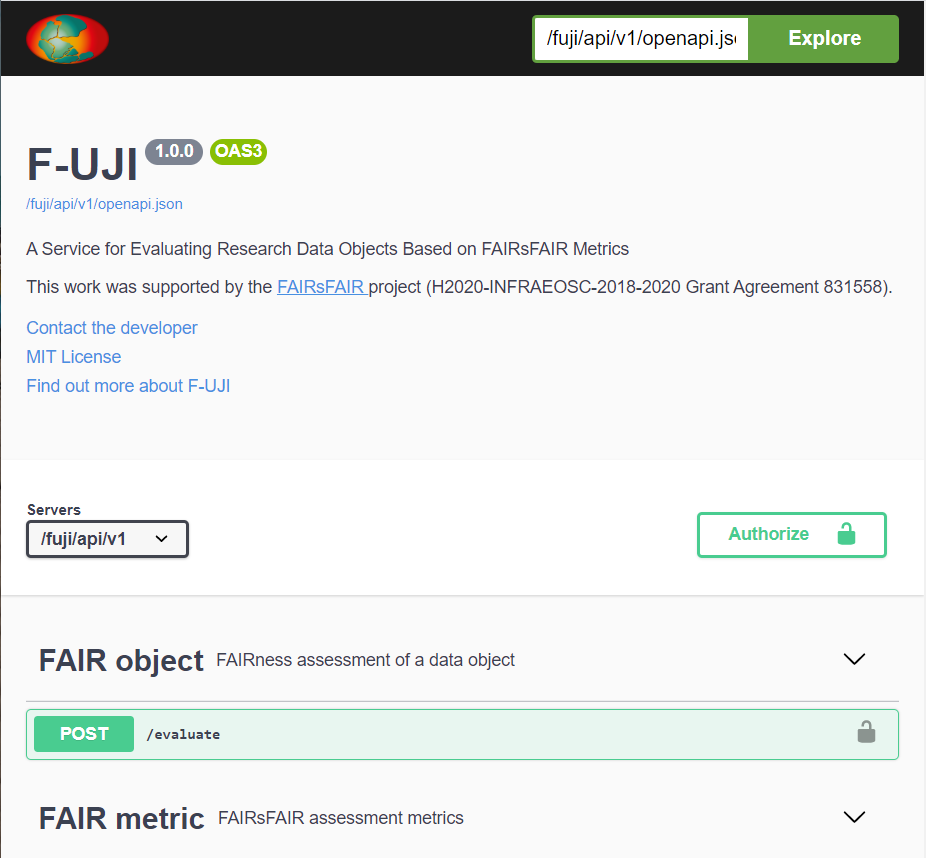
The OpenAPI user interface is then available at http://localhost:1071/fuji/api/v1/ui/.
Docker-based installation
bash
docker run -d -p 1071:1071 ghcr.io/pangaea-data-publisher/fuji
To access the OpenAPI user interface, open the URL below in the browser: http://localhost:1071/fuji/api/v1/ui/
Your OpenAPI definition lives here:
http://localhost:1071/fuji/api/v1/openapi.json
You can provide a different server config file this way:
bash
docker run -d -p 1071:1071 -v server.ini:/usr/src/app/fuji_server/config/server.ini ghcr.io/pangaea-data-publisher/fuji
You can also build the docker image from the source code:
bash
docker build -t <tag_name> .
docker run -d -p 1071:1071 <tag_name>
Notes
To avoid Tika startup warning message, set environment variable TIKA_LOG_PATH. For more information, see https://github.com/chrismattmann/tika-python
If you receive the exception urllib2.URLError: <urlopen error [SSL: CERTIFICATE_VERIFY_FAILED] on macOS, run the install command shipped with Python:
./Install\ Certificates.command.
F-UJI is using basic authentication, so username and password have to be provided for each REST call which can be configured in fuji_server/config/users.py.
GitHub API
F-UJI can optionally use the GitHub API to evaluate software repositories hosted on GitHub. Unauthorised requests to the GitHub API are subject to a very low rate limit however, so it's recommended to authenticate using a personal access token.
To create an access token, log into your GitHub account and navigate to https://github.com/settings/tokens, either by clicking on the link or through Settings -> Developer Settings -> Personal access tokens -> Tokens (classic). Next, click "Generate new token" and select "Generate new token (classic)" from the drop-down menu.
Write the purpose of the token into the "Note" field (for example, F-UJI deployment) and set a suitable expiration date. Leave all the checkboxes underneath unchecked.
Note: When the token expires, you will receive an e-mail asking you to renew it if you still need it. The e-mail will provide a link to do so, and you will only need to change the token in the f-uji configuration as described below to continue using it. Setting no expiration date for a token is thus not recommended.
When you click "Generate new token" at the bottom of the page, the new token will be displayed. Make a note of it now.
To use F-UJI with a single access token, open fuji_server/config/github.ini locally and set token to the token you just created. When F-UJI receives an evaluation request that uses the GitHub API, it will run this request authenticated as your account.
If you still run into rate limiting issues, you can use multiple GitHub API tokens.
These need to be generated by different GitHub accounts, as the rate limit applies to the user, not the token.
F-UJI will automatically switch to another token if the rate limit is near.
To do so, create a local file in fuji_server/data/, called e.g. github_api_tokens.txt. Put all API tokens in that file, one token on each line. Then, open fuji_server/config/github.ini locally and set token_file to the absolute path to your local API token file.
Note: If you push a change containing a GitHub API token, GitHub will usually recognise this and invalidate the token immediately. You will need to regenerate the token. Please take care not to publish your API tokens anywhere. Even though they have very limited scope if you leave all the checkboxes unchecked during creation, they can allow someone else to run a request in your name.
Development
First, make sure to read the contribution guidelines.
They include instructions on how to set up your environment with pre-commit and how to run the tests.
The repository includes a simple web client suitable for interacting with the API during development. One way to run it would be with a LEMP stack (Linux, Nginx, MySQL, PHP), which is described in the following.
First, install the necessary packages:
bash
sudo apt-get update
sudo apt-get install nginx
sudo ufw allow 'Nginx HTTP'
sudo service mysql start  # expects that mysql is already installed, if not run sudo apt install mysql-server
sudo service nginx start
sudo apt install php8.1-fpm php-mysql
sudo apt install php8.1-curl
sudo phpenmod curl
Next, configure the service by running sudo vim /etc/nginx/sites-available/fuji-dev and paste:
```php server { listen 9000; server_name fuji-dev; root /var/www/fuji-dev;
index index.php;

location / {
    try_files $uri $uri/ =404;
}

location ~ \.php$ {
    include snippets/fastcgi-php.conf;
    fastcgi_pass unix:/var/run/php/php8.1-fpm.sock;
    fastcgi_read_timeout 3600s;
 }

location ~ /\.ht {
    deny all;
}
} ```
Link simpleclient/index.php and simpleclient/icons/ to /var/www/fuji-dev by running sudo ln <path_to_fuji>/fuji/simpleclient/* /var/www/fuji-dev/. You might need to adjust the file permissions to allow non-root writes.
Next,
bash
sudo ln -s /etc/nginx/sites-available/fuji-dev /etc/nginx/sites-enabled/
sudo nginx -t
sudo service nginx reload
sudo service php8.1-fpm start
The web client should now be available at http://localhost:9000/. Make sure to adjust the username and password in simpleclient/index.php.
After a restart, it may be necessary to start the services again:
bash
sudo service php8.1-fpm start
sudo service nginx start
python -m fuji_server -c fuji_server/config/server.ini
Component interaction (walkthrough)
This walkthrough can guide you through the comprehensive codebase.
A good starting point is fair_object_controller/assess_by_id.
Here, we create a FAIRCheck object called ft.
This reads the metrics YAML file during initialisation and will provide all the check methods.
Next, several harvesting methods are called, first harvest_all_metadata, followed by harvest_re3_data (Datacite) and harvest_github and finally harvest_all_data.
The harvesters are implemented separately in harvester/, and each of them collects different kinds of data.
This is regardless of the defined metrics, the harvesters always run.
- The metadata harvester looks through HTML markup following schema.org, Dublincore etc., through signposting/typed links.
Ideally, it can find things like author information or license names that way.
- The data harvester is only run if the metadata harvester finds an object_content_identifier pointing at content files.
Then, the data harvester runs over the files and checks things like the file format.
- The Github harvester connects with the GitHub API to retrieve metadata and data from software repositories.
It relies on an access token being defined in config/github.cfg.
After harvesting, all evaluators are called.
Each specific evaluator, e.g. FAIREvaluatorLicense, is associated with a specific FsF and/or FAIR4RS metric.
Before the evaluator runs any checks on the harvested data, it asserts that its associated metric is listed in the metrics YAML file.
Only if it is, the evaluator runs through and computes a local score.
In the end, all scores are aggregated into F, A, I, R scores.
Adding support for new metrics
Start by adding a new metrics YAML file in yaml/.
Its name has to match the following regular expression: (metrics_v)?([0-9]+\.[0-9]+)(_[a-z]+)?(\.yaml),
and the content should be structured similarly to the existing metric files.
Metric names are tested for validity using regular expressions throughout the code. If your metric names do not match those, not all components of the tool will execute as expected, so make sure to adjust the expressions. Regular expression groups are also used for mapping to F, A, I, R categories for scoring, and debug messages are only displayed if they are associated with a valid metric.
Evaluators are mapped to metrics in their __init__ methods, so adjust existing evaluators to associate with your metric as well or define new evaluators if needed.
The multiple test methods within an evaluator also check whether their specific test is defined.
FAIREvaluatorLicense is an example of an evaluator corresponding to metrics from different sources.
For each metric, the maturity is determined as the maximum of the maturity associated with each passed test. This means that if a test indicating maturity 3 is passed and one indicating maturity 2 is not passed, the metric will still be shown to be fulfilled with maturity 3.
Community specific metrics
Some, not all, metrics can be configured using the following guidelines: Metrics configuration guide
Updates to the API
Making changes to the API requires re-generating parts of the code using Swagger.
First, edit fuji_server/yaml/openapi.yaml.
Then, use the Swagger Editor to generate a python-flask server.
The zipped files should be automatically downloaded.
Unzip it.
Next:
1. Place the files in swagger_server/models into fuji_server/models, except swagger_server/models/__init__.py.
2. Rename all occurrences of swagger_server to fuji_server.
3. Add the content of swagger_server/models/__init__.py into fuji_server/__init__.py.
Unfortunately, the Swagger Editor doesn't always produce code that is compliant with PEP standards.
Run pre-commit run (or try to commit) and fix any errors that cannot be automatically fixed.
License
This project is licensed under the MIT License; for more details, see the LICENSE file.
Acknowledgements
F-UJI is a result of the FAIRsFAIR Fostering FAIR Data Practices In Europe project which received funding from the European Unions Horizon 2020 project call H2020-INFRAEOSC-2018-2020 (grant agreement 831558).
The project was also supported through our contributors by the Helmholtz Metadata Collaboration (HMC), an incubator-platform of the Helmholtz Association within the framework of the Information and Data Science strategic initiative.
Owner
- Name: PANGAEA
- Login: pangaea-data-publisher
- Kind: organization
- Location: Bremen/Bremerhaven, Germany
- Website: https://www.pangaea.de/
- Twitter: PANGAEAdataPubl
- Repositories: 33
- Profile: https://github.com/pangaea-data-publisher
Data Publisher for Earth & Environmental Science
Citation (CITATION.cff)
cff-version: 1.2.0
title: F-UJI - An Automated FAIR Data Assessment Tool
message: Please cite this software using these metadata.
type: software
authors:
  - given-names: Anusuriya
    family-names: Devaraju
    email: anusuriya.devaraju@googlemail.com
    orcid: 'https://orcid.org/0000-0003-0870-3192'
  - given-names: Robert
    family-names: Huber
    email: rhuber@marum.de
    orcid: 'https://orcid.org/0000-0003-3000-0020'
identifiers:
  - type: doi
    value: 10.5281/zenodo.3934401
repository-code: 'https://github.com/pangaea-data-publisher/fuji'
url: >-
  https://www.fairsfair.eu/f-uji-automated-fair-data-assessment-tool
abstract: >-
  FAIRsFAIR has developed F-UJI, a service based on
  REST, and is piloting a programmatic assessment of
  the FAIRness of research datasets in five
  trustworthy data repositories.
keywords:
  - PANGAEA
  - FAIRsFAIR
  - FAIR Principles
  - Data Object Assessment
  - OpenAPI
  - FAIR
  - Research Data
  - FAIR data
  - Metadata harvesting
license: MIT
GitHub Events
Total
- Create event: 5
- Release event: 1
- Issues event: 26
- Watch event: 11
- Delete event: 1
- Issue comment event: 39
- Push event: 11
- Pull request event: 8
- Fork event: 4
Last Year
- Create event: 5
- Release event: 1
- Issues event: 26
- Watch event: 11
- Delete event: 1
- Issue comment event: 39
- Push event: 11
- Pull request event: 8
- Fork event: 4
Issues and Pull Requests
Last synced: 11 months ago
All Time
- Total issues: 77
- Total pull requests: 30
- Average time to close issues: 4 months
- Average time to close pull requests: about 18 hours
- Total issue authors: 8
- Total pull request authors: 3
- Average comments per issue: 2.39
- Average comments per pull request: 0.03
- Merged pull requests: 28
- Bot issues: 0
- Bot pull requests: 0
Past Year
- Issues: 4
- Pull requests: 1
- Average time to close issues: N/A
- Average time to close pull requests: N/A
- Issue authors: 2
- Pull request authors: 1
- Average comments per issue: 0.0
- Average comments per pull request: 0.0
- Merged pull requests: 0
- Bot issues: 0
- Bot pull requests: 0
Top Authors
Issue Authors
- huberrob (52)
- kitchenprinzessin3880 (26)
- ajaunsen (6)
- afuetterer (5)
- broeder-j (4)
- GonozalIX (4)
- kmexter (2)
- wilkos-dans (2)
- sfinkens (2)
- mateuszpawlik (2)
- ctmatsumoto (1)
- eduardo-caroli (1)
- Aydawka (1)
- TutasiCSUC (1)
- dependabot[bot] (1)
Pull Request Authors
- dependabot[bot] (27)
- huberrob (27)
- afuetterer (21)
- karacolada (2)
- kitchenprinzessin3880 (2)
- kmexter (1)
- keul (1)
- dfsp-spirit (1)
Top Labels
Issue Labels
Pull Request Labels
Dependencies
- Levenshtein ~0.12.0
- autosemver ~0.5.5
- beautifulsoup4 ~4.8.2
- bokeh ^2.4.1
- configparser ~5.0.2
- connexion ~2.9.0
- docutils >=0.14,<0.18
- extruct ~0.13.0
- feedparser ~6.0.8
- flask ~1.1.4
- flask-cors ~3.0.10
- flask-limiter <=2.0.0
- hashid ~3.1.4
- idutils ~1.1.5
- jmespath ~0.10.0
- jupyter ^1.0.0
- lxml ^4.7.1
- markupsafe ~2.0.1
- myst-parser ^0.16.1
- pandas ~1.3.5
- pre-commit ^2.6.0
- pyRdfa3 ~3.5.3
- pyld ~2.0.3
- pytest ^4.3.1
- pytest-cov ^3.0.0
- python ^3.7.1
- pyyaml ~5.4
- rapidfuzz ~0.9.1
- rdflib ~6.1.1
- requests ~2.24.0
- setuptools ~45.2.0
- six ~1.16.0
- sparqlwrapper ~1.8.5
- sphinx ^4.2.0
- sphinx-rtd-theme ^1.0.0
- tika ~1.24
- tldextract ~3.1.2
- urlextract ~1.2.0
- waitress ~2.0.0
- werkzeug <2.0, >1.0.0
- yapf ^0.30.0
- actions/cache v1 composite
- actions/checkout v2 composite
- actions/setup-python v2 composite
- actions/checkout v2 composite
- python 3 build
- ghcr.io/pangaea-data-publisher/fuji latest
- jupyter/minimal-notebook latest
- EnricoMi/publish-unit-test-result-action ca89ad036b5fcd524c1017287fb01b5139908408 composite
- dawidd6/action-download-artifact 268677152d06ba59fcec7a7f0b5d961b6ccd7e1e composite
- irongut/CodeCoverageSummary 51cc3a756ddcd398d447c044c02cb6aa83fdae95 composite
- marocchino/sticky-pull-request-comment efaaab3fd41a9c3de579aba759d2552635e590fd composite