mulimgviewer
OpenCas Mirror: MulimgViewer is a multi-image viewer that can open multiple images in one interface, which is convenient for image comparison and image stitching.MulimgViewer is a multi-image viewer that can open multiple images in one interface, which is convenient for image comparison and image stitching.
Science Score: 44.0%
This score indicates how likely this project is to be science-related based on various indicators:
-
✓CITATION.cff file
Found CITATION.cff file -
✓codemeta.json file
Found codemeta.json file -
✓.zenodo.json file
Found .zenodo.json file -
○DOI references
-
○Academic publication links
-
○Academic email domains
-
○Institutional organization owner
-
○JOSS paper metadata
-
○Scientific vocabulary similarity
Low similarity (7.4%) to scientific vocabulary
Repository
OpenCas Mirror: MulimgViewer is a multi-image viewer that can open multiple images in one interface, which is convenient for image comparison and image stitching.MulimgViewer is a multi-image viewer that can open multiple images in one interface, which is convenient for image comparison and image stitching.
Basic Info
Statistics
- Stars: 4
- Watchers: 1
- Forks: 0
- Open Issues: 0
- Releases: 0
Metadata Files
README.md




MulimgViewer
Doc: English Doc | 完整官网文档 | Wiki
Mirror: 国内gitee镜像项目 | 果壳OpenCas镜像项目
如果有一些超链接失效,请通过issue反馈。
介绍
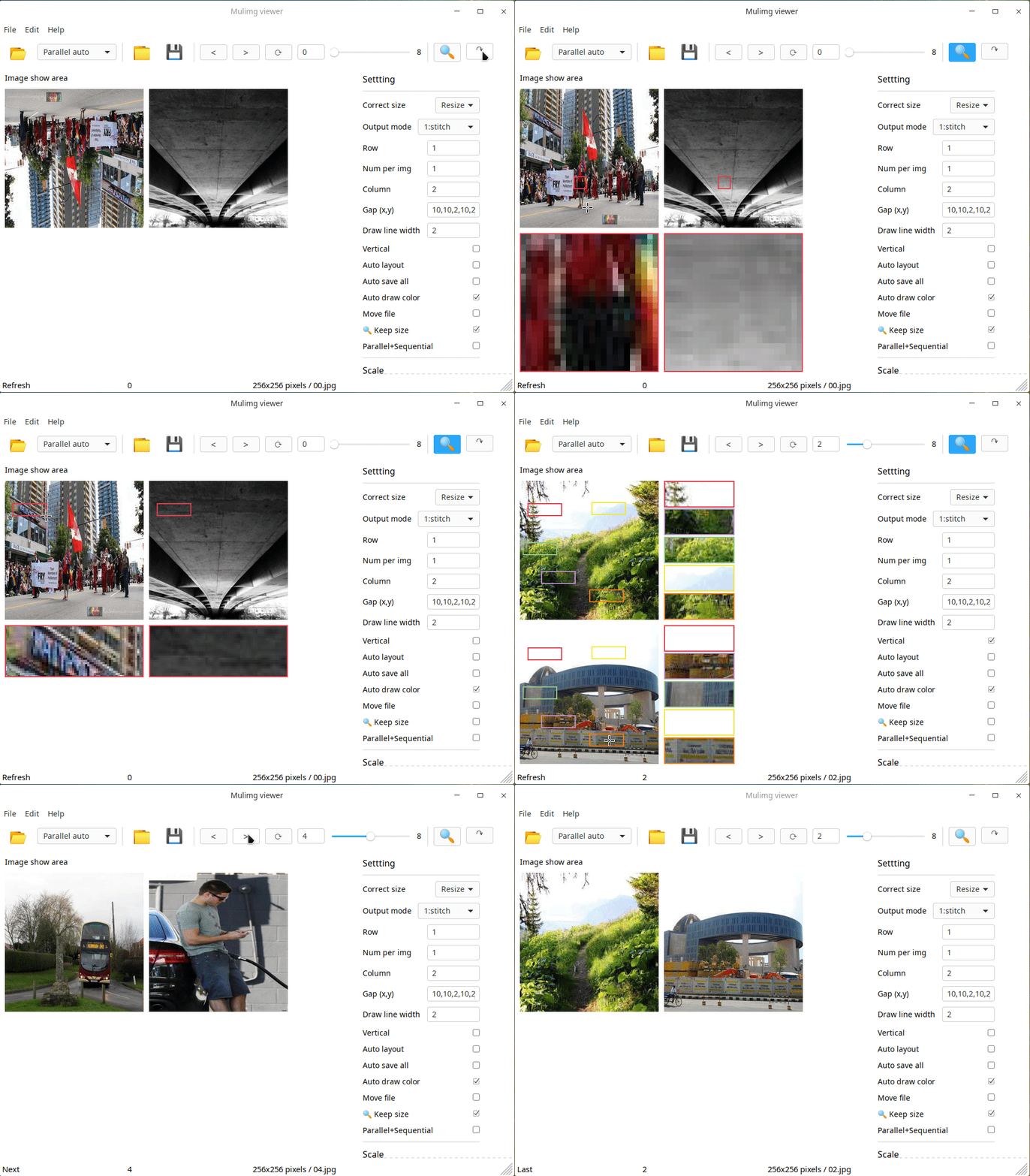
MulimgViewer多图像浏览器,在一个界面显示多个图像,方便图像的比较、筛选。 - 从多个文件夹加载图像并并排显示 - 同时放大多个区域
您的star是我开发完善该项目最大的支持! qq交流群:945669929

应用场景
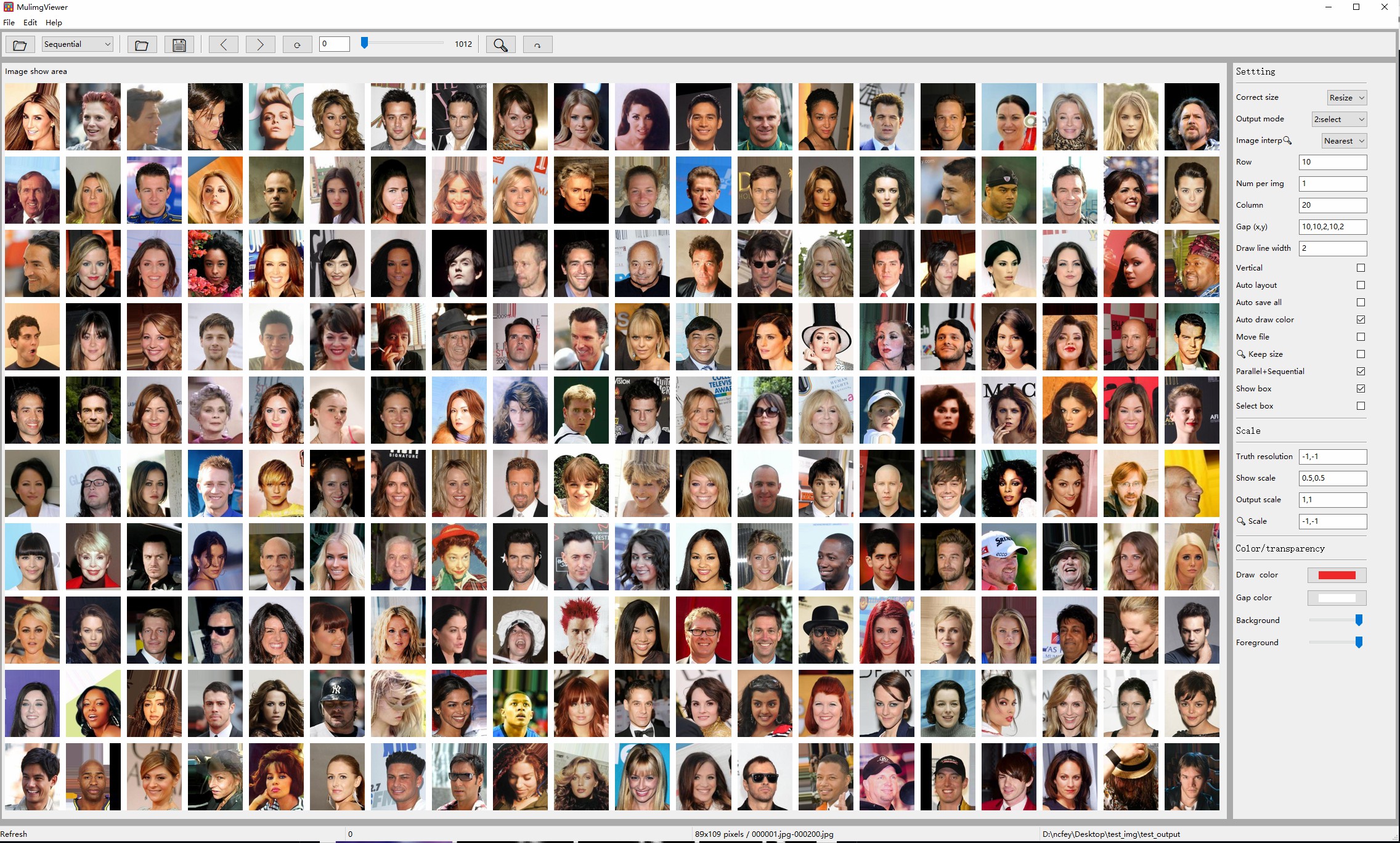
例1:多图像浏览
浏览202,599张图片的数据库CelebA,需要多长时间?一次显示1000张,只需点击200多次即可完成!
例2:并行挑选
以前你可能需要在多个窗口打开多个图像,逐个对比,再到文件夹找到对应的图像,复制到别的地方。
现在使用MulimgViewer多图像浏览器,输入各个需要对比的目录,一键保存需要对比的多张图像到本地!
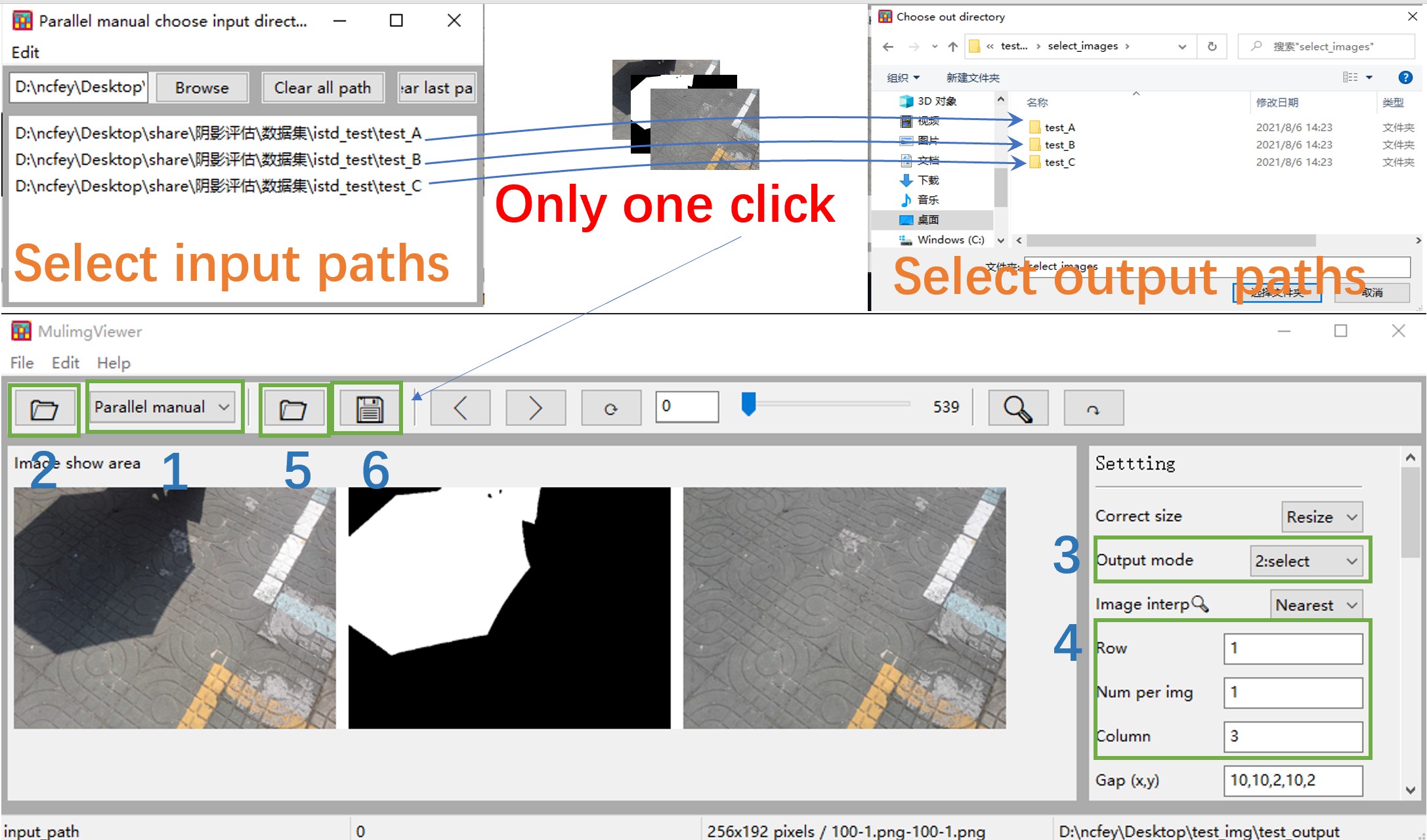
图片并行挑选:Parallel auto or Parallel manual,关闭Parallel+Sequential(默认使用复制,选中MoveFile为剪切)。
例3:并行放大
MulimgViewer可以轻松的完成纵向与横向的拼接,支持自动拼接保存,支持并行放大!
同时支持任意位置划框(鼠标左键按住移动),多框并行放大(鼠标右键点击,生成新的框)。详细见
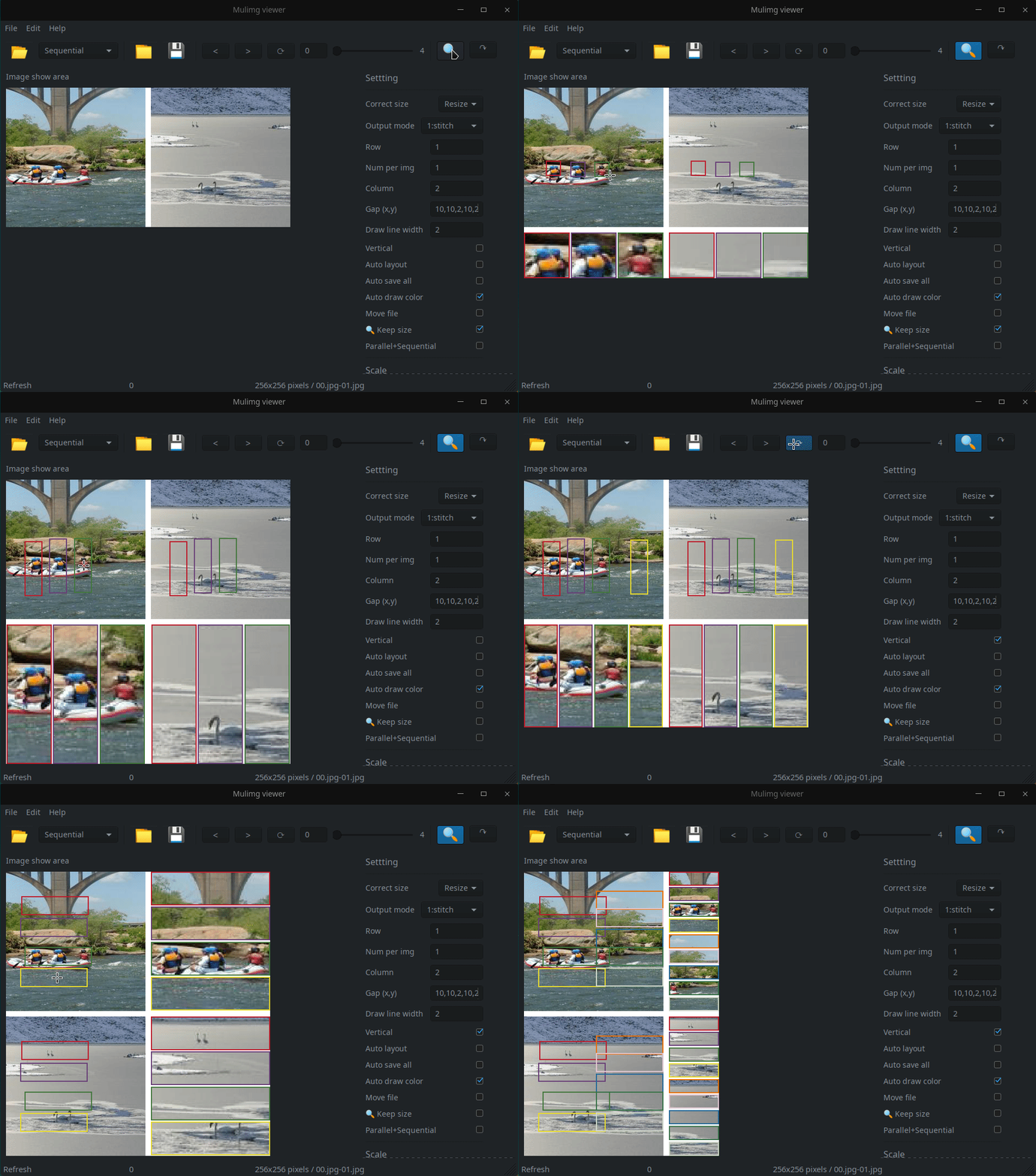
例4:成对数据浏览
MulimgViewer可以方便的进行成对的数据的浏览、比较。详细见
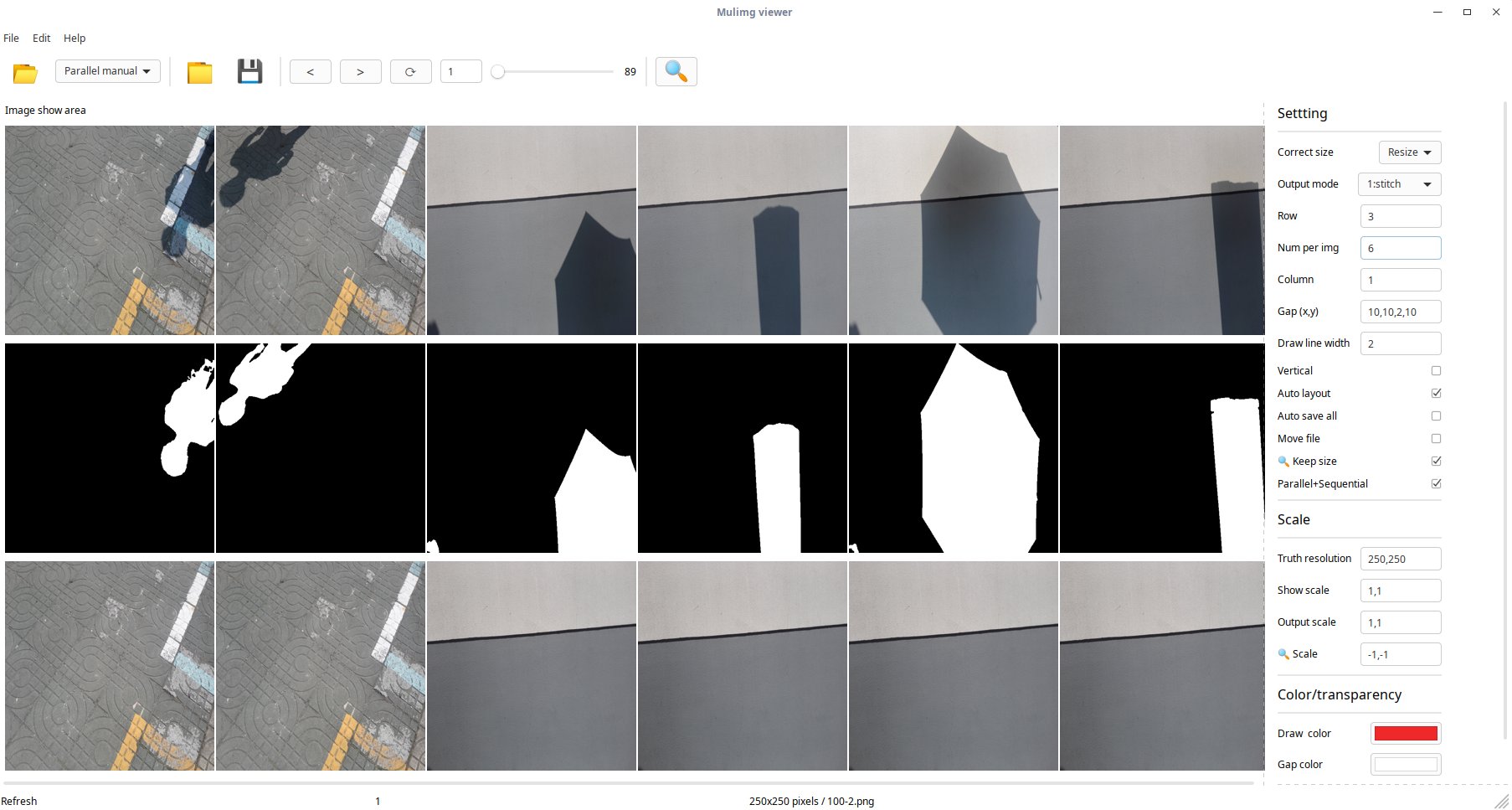
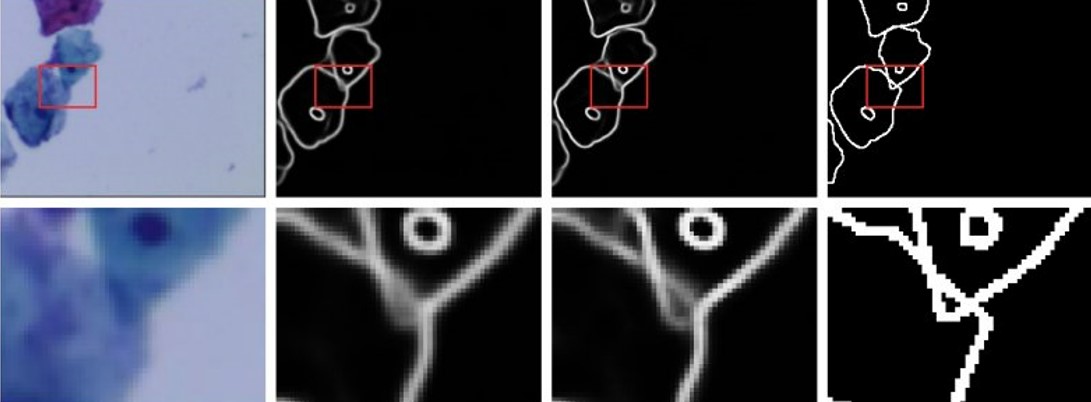
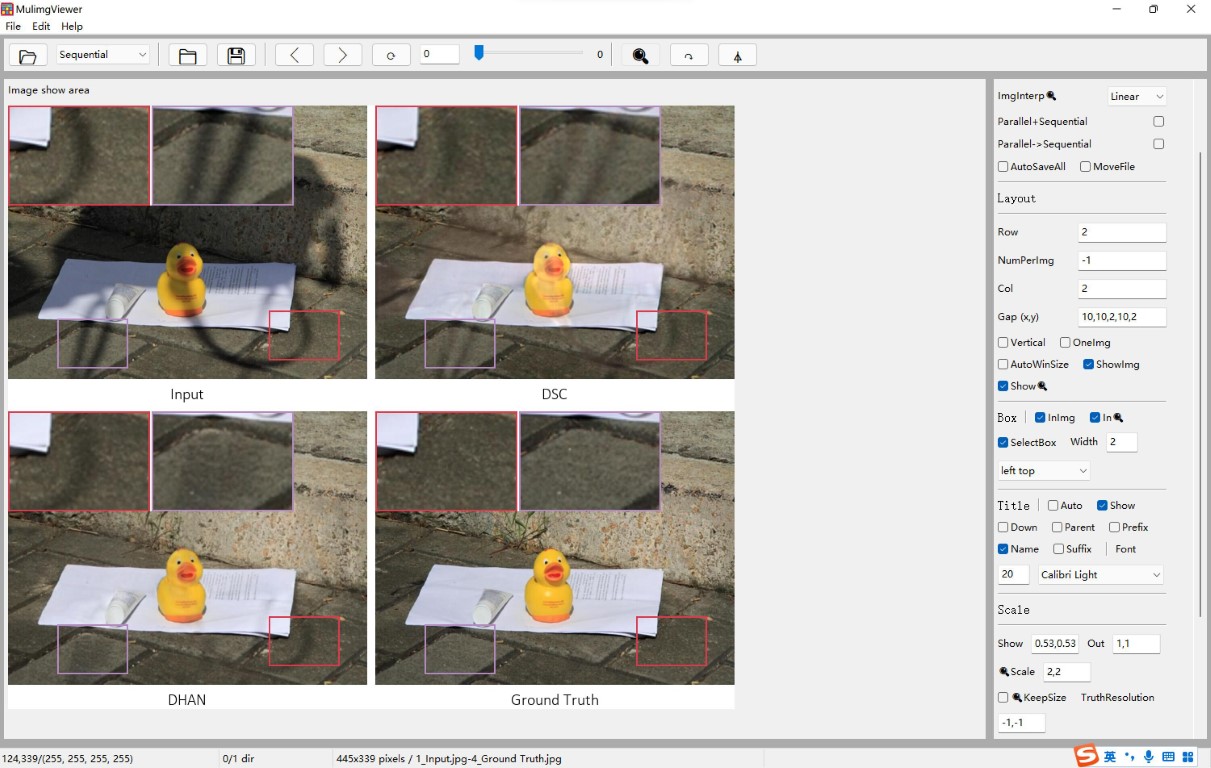
例5:一键生成论文对比图
支持显示标题,调整放大框的位置。放大框的位置选择middle bottom,建议🔍️Scale=-1,-1;如果选择其他位置,自行调节放大倍数,例如:🔍️Scale=1.5,1.5。详细见
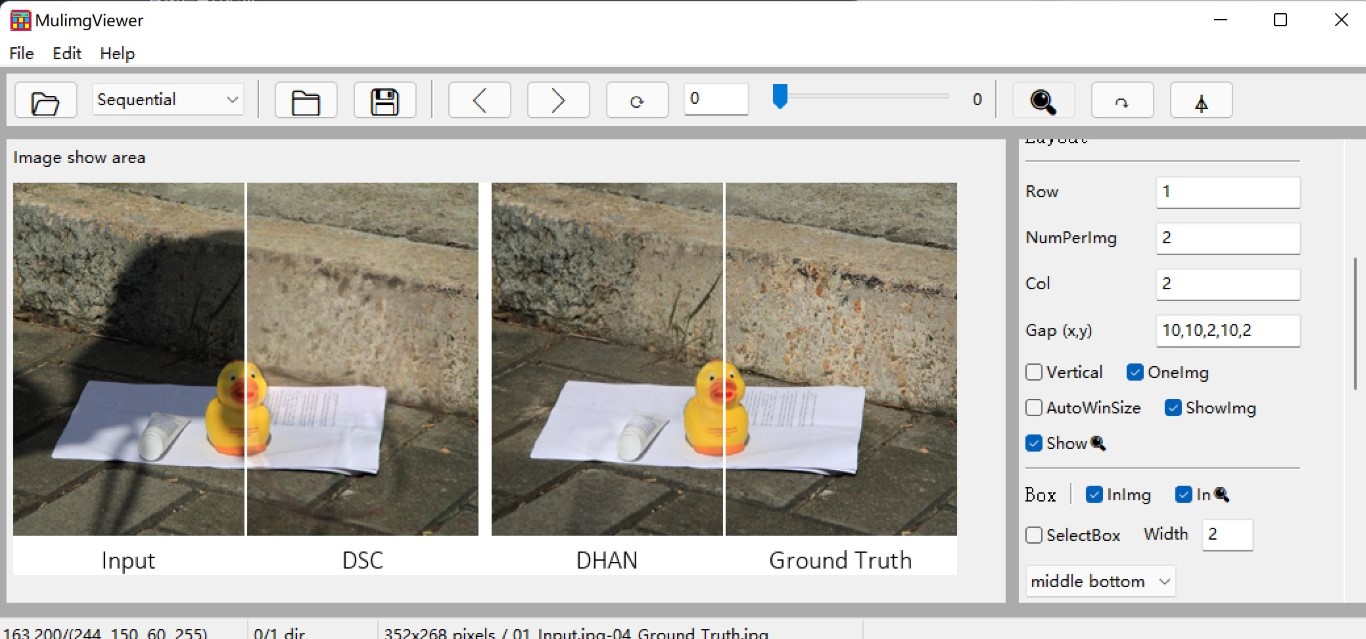
显示半张图像。勾选OneImg,使用NumPerimg控制几张图像合成一张图像。Gap(x,y)=*,*,0,*,*消除间距。
例6:支持远程挂载目录图片浏览
将远程服务器的目录挂载后,在MulimgViewer中选择目录即可,完成图片浏览。
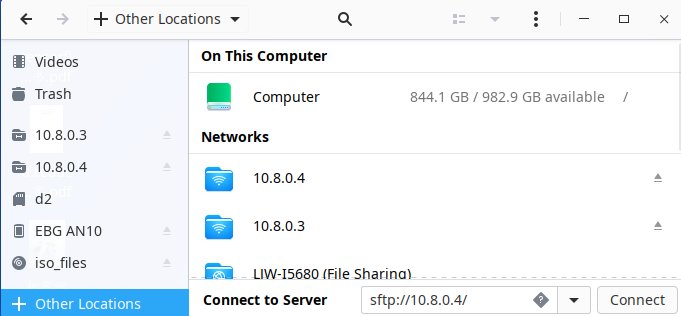
1. Ubuntu: 使用ubuntu的文件管理器nautilus,stfp://10.8.0.4连接到服务器。
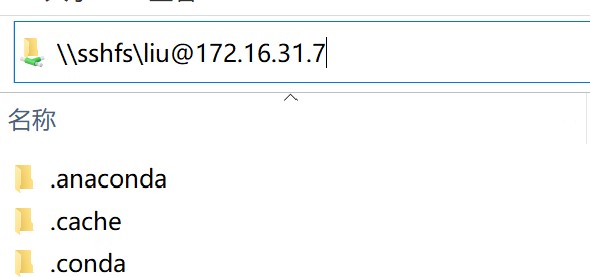
- win10: 安装WinFsp和SSHFS-Win之后,文件资源管理器中填写远程服务器ip,例如:
\\sshfs\user@ip!port
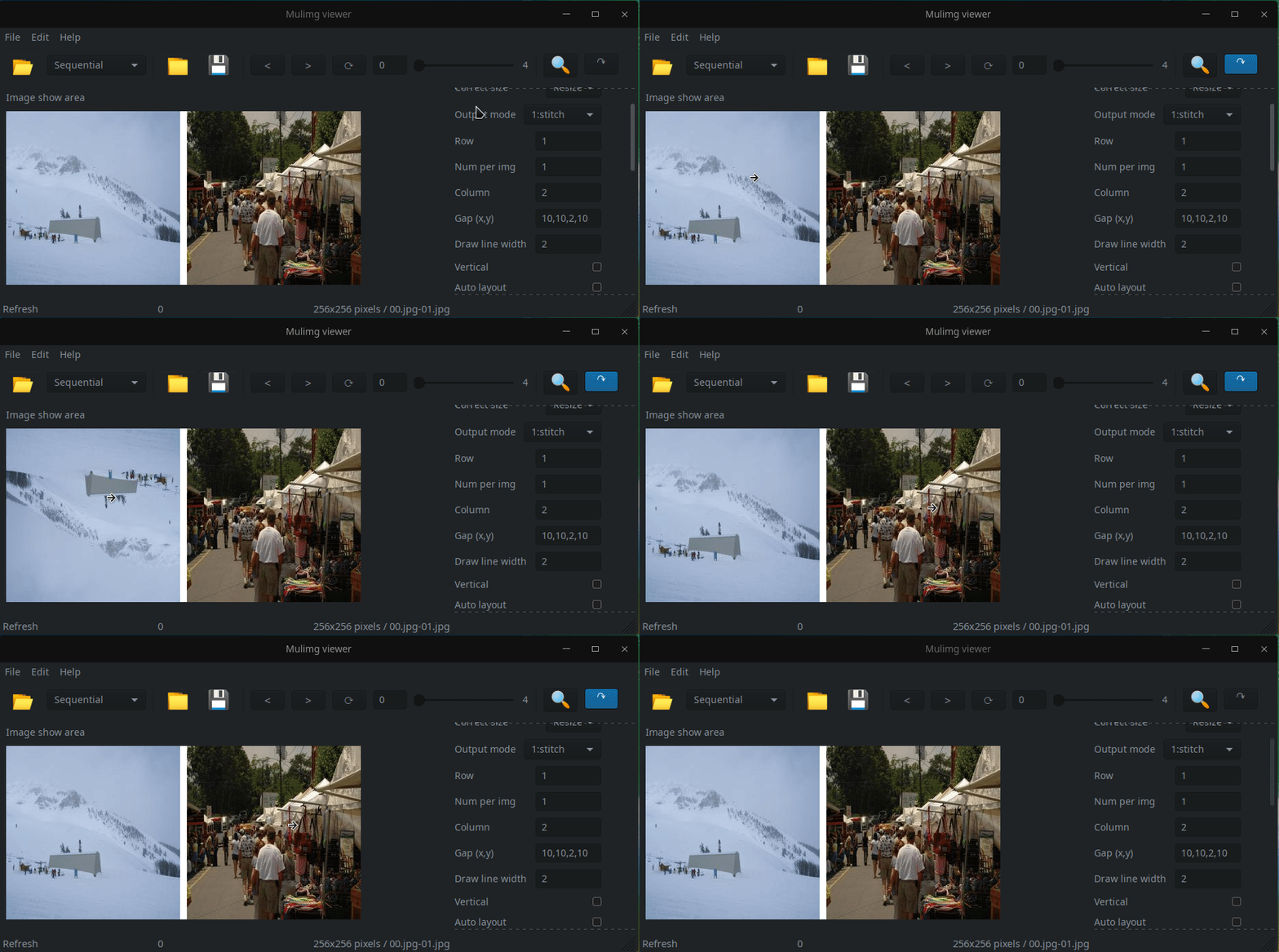
例7:支持点按旋转
显示多张图片的同时,鼠标左键点击即可完成图片旋转。
例8:批量化resize图片
利用自动保存功能,可以实现批量化resize图片。
操作:
1. 输入模式选择:Sequential,选择输入文件夹
2. 选择保存文件的输出目录
3. 勾选自动保存AutoSaveAll
4. 设置TruthResolution为固定的大小,例如:256,256
5. 点击保存💾️
引用
如果您在研究中使用此项目,请使用以下BibTeX条目。
bib
@software{MulimgViewer,
  author  = {Liu, Jiawei},
  license = {GPL-3},
  title   = {{MulimgViewer: A multi-image viewer for image comparison and image stitching}},
  url     = {https://github.com/nachifur/MulimgViewer}
}
使用条款
许可证
GPL-3.0 License:https://www.gnu.org/licenses/gpl-3.0.en.html
额外条款
- 允许个人使用
- 商业使用请联系 - liujiawei18@mails.ucas.ac.cn. ## Star 历史
Owner
- Name: OpenCAS
- Login: opencas
- Kind: organization
- Email: admin@opencas.org
- Location: China
- Website: https://opencas.github.io
- Repositories: 1
- Profile: https://github.com/opencas
中国科学院(大学)开源协会
Citation (CITATION.cff)
cff-version: 1.2.0
message: "If you use this software, please cite it as below."
authors:
- family-names: "Liu"
  given-names: "Jiawei"
  orcid: "https://orcid.org/0000-0002-7516-5008"
title: "MulimgViewer: A multi-image viewer for image comparison and image stitching"
url: "https://github.com/nachifur/MulimgViewer"
license: GPL-3
GitHub Events
Total
- Watch event: 1
- Push event: 1
Last Year
- Watch event: 1
- Push event: 1
Dependencies
- Freed-Wu/update-aur-package v1.0.8 composite
- actions/checkout v3 composite
- actions/setup-python v4 composite
- actions/upload-artifact v3 composite
- pypa/gh-action-pypi-publish release/v1 composite
- softprops/action-gh-release v1 composite
- myst-parser *
- sphinxcontrib-eval *
- pre-commit * development
- requests *
- piexif *
- pillow *
- wxpython *