https://github.com/dmetivie/pluto_export
Static export of my pluto notebooks and where I store other materials
Science Score: 26.0%
This score indicates how likely this project is to be science-related based on various indicators:
-
○CITATION.cff file
-
✓codemeta.json file
Found codemeta.json file -
✓.zenodo.json file
Found .zenodo.json file -
○DOI references
-
○Academic publication links
-
○Academic email domains
-
○Institutional organization owner
-
○JOSS paper metadata
-
○Scientific vocabulary similarity
Low similarity (11.7%) to scientific vocabulary
Keywords
Repository
Static export of my pluto notebooks and where I store other materials
Basic Info
- Host: GitHub
- Owner: dmetivie
- Language: Jupyter Notebook
- Default Branch: main
- Homepage: https://dmetivie.github.io/Pluto_export/
- Size: 4.03 MB
Statistics
- Stars: 0
- Watchers: 1
- Forks: 0
- Open Issues: 0
- Releases: 0
Topics
Metadata Files
README.md
static-export-template
This is a demo repository containing two Pluto notebooks that are automatically converted to HTML by a github action, and published to github pages! 🌝
See the github pages deployment of this repository: https://juliapluto.github.io/static-export-template/
How to use the template
👉 Step 1
Create a GitHub account, and click on "Use this template". Choose a new name!

You now have your own repository (take a look at the URL), containing a copy of the template files, including the file you are currently reading (README.md)!
👉 Step 2
Click on Add files (or +), and then Upload files. In the next page, upload your .jl notebook files.

Your notebooks will run on github every time that you update the files in this repository. To check the progress, go to the "Actions" page of your repository, you will find the workflow for the last commit.
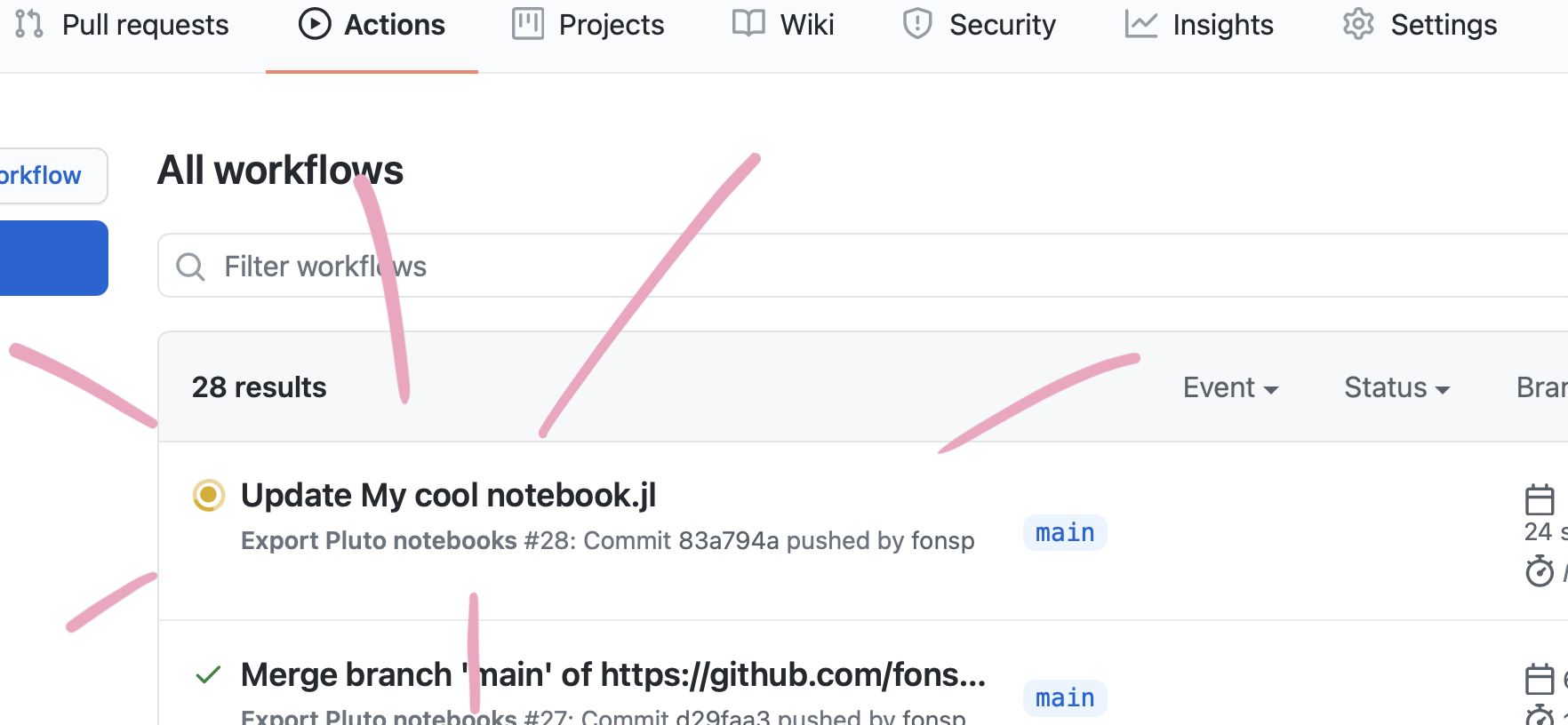
Wait for the Action to finish running your notebook.
👉 Step 3
Go to the "Settings" page of your repository, and go to the "Pages" section. For the "Source", choose gh-pages. Wait a minute for everything to initialize, and the URL to your web page will be shown!

Don't worry if it doesn't work immediately! It can take a while for the web page to be ready, even after your settings page says it's done. (Github pages says 20 minutes, but it can take even longer.)
Update notebook files
To update an existing notebook file, simply repeat Step 2 above! (You can also use Add files > Upload files to update upload a file that already exists on the repository.)
Alternative setup: add web pages to an existing repository
If you already have a github repository with some pluto notebooks in it, you may want to add a web view like the one for this repository. In that case, the steps are slightly different. In this case, I assume that you are familiar with adding files to a repository. If not, follow the steps above.
👉 Step 1
From this repository, download ExportPluto.yaml.
Save the file in your own repository, in the same location: make a folder .github in the main directory, within that a folder workflows, and add the file there, with the name ExportPluto.yaml. Commit the new file to your repository.
Note: The yaml file states that github should use the github notebooks in the main branch or master branch of your repository. If you changed the name of your default branch, or you want to use a different branch, change main in line 5 in the yaml file to the name of your favourite branch.
Your notebooks will run on github every time that you update the files in this repository. To check the progress, click on "Actions", you will find the workflow for the last commit.
👉 Step 2
Go to the "Settings" page of your repository, and go to the "Pages" section. For the "Source", choose gh-pages. Wait a minute for everything to initialize, and the URL to your web page will be shown!
Don't worry if it doesn't work immediately! It can take a while for the web page to be ready, even after your settings page says it's done. (Github pages says 20 minutes, but it can take even longer.)
💡Tips
Julia Packages
Because Pluto has a built-in package manager, packages will automatically work on the website!
Default files
This files README.md and My cool notebook.jl are example files, and you can safely edit or delete them! After you have set up your repository, you can remove these setup instructions from the README.md file, and write a description of your project.
Not working?
If your website is not automatically updating, then go to the "Actions" page of your repository, and take a look at the latest logs. If they show a ❌ symbol, then something went wrong. Click on it, and carefully read the error message. If you get stuck, be sure to ask for help: open an issue at https://github.com/JuliaPluto/static-export-template/issues/new and send us a link to your repository.
Homepage
If you go to the (GitHub Pages) URL of repository, you will see a small index of the notebooks in this repository. You can customize this page, two options are:
- Create your own
index.htmlorindex.mdfile, it will be used as the homepage. - Rename one of your notebooks to
index.jl, and it will be the default notebook!
License
This template repository is Unlicensed, which means that you can do anything you want with it! When you use this template, you are also free to remove this license message.
View license text
(This license applies to the template https://github.com/JuliaPluto/static-export-template, not necessarily to the user of the template.) ``` This is free and unencumbered software released into the public domain. Anyone is free to copy, modify, publish, use, compile, sell, or distribute this software, either in source code form or as a compiled binary, for any purpose, commercial or non-commercial, and by any means. In jurisdictions that recognize copyright laws, the author or authors of this software dedicate any and all copyright interest in the software to the public domain. We make this dedication for the benefit of the public at large and to the detriment of our heirs and successors. We intend this dedication to be an overt act of relinquishment in perpetuity of all present and future rights to this software under copyright law. THE SOFTWARE IS PROVIDED "AS IS", WITHOUT WARRANTY OF ANY KIND, EXPRESS OR IMPLIED, INCLUDING BUT NOT LIMITED TO THE WARRANTIES OF MERCHANTABILITY, FITNESS FOR A PARTICULAR PURPOSE AND NONINFRINGEMENT. IN NO EVENT SHALL THE AUTHORS BE LIABLE FOR ANY CLAIM, DAMAGES OR OTHER LIABILITY, WHETHER IN AN ACTION OF CONTRACT, TORT OR OTHERWISE, ARISING FROM, OUT OF OR IN CONNECTION WITH THE SOFTWARE OR THE USE OR OTHER DEALINGS IN THE SOFTWARE. For more information, please refer toOwner
- Name: David Métivier
- Login: dmetivie
- Kind: user
- Location: Montpellier, France
- Company: INRAe, MISTEA
- Website: http://www.cmap.polytechnique.fr/~david.metivier/
- Repositories: 5
- Profile: https://github.com/dmetivie
I am a research scientist with a physics background. Now, I do statistics to tackle environmental, and climate change problems. Julia enthusiast!
GitHub Events
Total
- Push event: 10
Last Year
- Push event: 10
Issues and Pull Requests
Last synced: over 1 year ago
All Time
- Total issues: 0
- Total pull requests: 0
- Average time to close issues: N/A
- Average time to close pull requests: N/A
- Total issue authors: 0
- Total pull request authors: 0
- Average comments per issue: 0
- Average comments per pull request: 0
- Merged pull requests: 0
- Bot issues: 0
- Bot pull requests: 0
Past Year
- Issues: 0
- Pull requests: 0
- Average time to close issues: N/A
- Average time to close pull requests: N/A
- Issue authors: 0
- Pull request authors: 0
- Average comments per issue: 0
- Average comments per pull request: 0
- Merged pull requests: 0
- Bot issues: 0
- Bot pull requests: 0
Top Authors
Issue Authors
Pull Request Authors
Top Labels
Issue Labels
Pull Request Labels
Dependencies
- JamesIves/github-pages-deploy-action releases/v4 composite
- actions/cache v3 composite
- actions/checkout v3 composite
- julia-actions/cache v1 composite
- julia-actions/setup-julia v1 composite