tintolib-documentation
Science Score: 67.0%
This score indicates how likely this project is to be science-related based on various indicators:
-
✓CITATION.cff file
Found CITATION.cff file -
✓codemeta.json file
Found codemeta.json file -
✓.zenodo.json file
Found .zenodo.json file -
✓DOI references
Found 20 DOI reference(s) in README -
✓Academic publication links
Links to: springer.com, ieee.org -
○Academic email domains
-
○Institutional organization owner
-
○JOSS paper metadata
-
○Scientific vocabulary similarity
Low similarity (10.7%) to scientific vocabulary
Repository
Basic Info
- Host: GitHub
- Owner: oeg-upm
- License: apache-2.0
- Language: Jupyter Notebook
- Default Branch: main
- Size: 3 MB
Statistics
- Stars: 4
- Watchers: 3
- Forks: 2
- Open Issues: 1
- Releases: 0
Metadata Files
Readme.md
TINTOlib: Python Library to convert Tabular Data into Synthetic Images






🎉 New Free Course on Udemy! (Spanish) 🎉
We’ve just launched a 100% free course on Udemy about using TINTOlib and developing Hybrid Neural Networks.
Learn how to turn tabular data into synthetic images and apply CNNs, ViTs, and hybrid architectures like a pro.

📺 VideoTutorial Course (English/Spanish)
🎥 Prefer not to register on Udemy or looking for the English version of the course? No worries — you can follow the full course directly on GitHub!
This hands-on tutorial includes bilingual videos (English/Spanish) and practical notebooks to help you learn how to use TINTOlib with deep learning models like CNNs, ViTs, and hybrid architectures.

🧠 Overview
TINTOlib is a state-of-the-art Python library that transforms tidy data (also known as tabular data) into synthetic images, enabling the application of advanced deep learning techniques, including Vision Transformers (ViTs) and Convolutional Neural Networks (CNNs), to traditionally structured data. This transformation bridges the gap between tabular data and powerful vision-based machine learning models, unlocking new possibilities for tackling regression, classification, and other complex tasks.
🔎 Explore TINTOlib with DeepWiki
TINTOlib has a dedicated space on DeepWiki, where you can explore semantic documentation, relevant links, bibliography, and answers to frequently asked questions about its use and application.
📚 Features
- Input formats: CSV or Pandas DataFrame
- Designed for tidy data (target column last)
- Output: grayscale images from reduction and transformation methods
- Compatible with Linux, Windows, macOS
- Requires Python 3.7+
🧪 Methods
TINTOlib includes a variety of methods for generating synthetic images. Below is a summary of the supported methods and their hyperparameters:
| Methods | Class | Hyperparameters |
|:----------------------------------------------------------------:|:------------:|:-------------------------------------------------------------------------------------------------------------------------------------------------------------------------------:|
| TINTO | TINTO() | problem normalize verbose pixels algorithm blur submatrix amplification distance steps option times train_m zoom random_seed |
| IGTD | IGTD() | problem normalize verbose scale fea_dist_method image_dist_method error max_step val_step switch_t min_gain zoom random_seed |
| REFINED | REFINED() | problem normalize verbose hcIterations n_processors zoom random_seed |
| BarGraph | BarGraph() | problem normalize verbose pixel_width gap zoom |
| DistanceMatrix | DistanceMatrix() | problem normalize verbose zoom |
| Combination | Combination() | problem normalize verbose zoom |
| SuperTML | SuperTML() | problem normalize verbose pixels feature_importance font_size random_seed |
| FeatureWrap | FeatureWrap() | problem normalize verbose size bins zoom |
| BIE | BIE() | problem normalize verbose precision zoom |
⚠️ Platform-Specific Requirements for Certain Transformation Methods
Some transformation methods in TINTOlib have specific system requirements or limitations when used on platforms such as Google Colab, Windows, Linux, or macOS.
REFINED
This method relies on mpi4py, which enables parallel computation using MPI (Message Passing Interface). However, mpi4py requires administrative permissions to utilize multiple processors, making it incompatible with platforms like Google Colab.
Linux: Ensure that the MPI environment is set up before installing
mpi4py. Run the following commands:bash sudo apt-get install python3 sudo apt install python3-pip sudo apt install python3-mpi4pyOnce MPI is installed:bash pip install mpi4pyMacOS / Windows: Direct installation is usually supported:
bash
  pip install mpi4py
SuperTML
The SuperTML method generates text-based synthetic images and requires the MS Sans Serif font.
- On Windows, this font is typically available by default.
- On Linux and macOS, it must be installed manually to avoid rendering issues.
Font Installation
Linux: Install Microsoft Core Fonts:
bash
  sudo apt install ttf-mscorefonts-installer
On Google Colab, installing additional fonts is not permitted due to administrative restrictions.
📄 Getting Started
- You can install TINTOlib using Pypi:
bash
  pip install TINTOlib
TINTOlib already includes all necessary dependencies, so there’s no need to install them individually.
However, if you prefer manual installation or want to explore the full environment:
- The repository includes a
requirements.txtfile listing the core dependencies required to use TINTOlib. You can directly run the TINTOlib-example.ipynb notebook located in the examples/ folder using the dependencies listed inrequirements.txt. - Other notebooks, which include training deep learning models on the generated images, require additional libraries. To run them, install the extended dependencies from
requirements-example.txt:
🧩 Importing a Specific Model
To use a specific image transformation model, import it directly. For example, to use TINTO:
python
  from TINTOlib.tinto import TINTO
To import a specific model use:
python
  from TINTOlib.tinto import TINTO
Create the model. If you don't set any hyperparameter, the model will use the default values, refer to the Models Section or the TINTO Documentation.
python
  model = TINTO(problem="supervised", blur=True)
🔧 Generating Synthetic Images
To generate synthetic images, use the following workflow with the fit, transform, and fit_transform methods:
Parameters: - data: A path to a CSV file or a Pandas DataFrame (target column must be the last column). - folder: Path to the folder where the synthetic images will be saved.
Sintaxis
The
fitmethod trains the model on the tabular data and prepares it for image generation.python model.fit(data)The
transformmethod generates and saves synthetic images in a specified folder. It requires the model to be fitted first.python model.transform(data, folder)The
fit_transformmethod combines the training and image generation steps. It fits the model to the data and generates synthetic images in one step.
python
    model.fit_transform(data, folder)
Notes:
- The model must be fitted before using the
transformmethod. If the model isn't fitted, aRuntimeErrorwill be raised.
📚 Documentation
To get started with TINTOlib, a dedicated Crash Course Repository is available. It includes videoturials, slides and Jupyter Notebooks that demonstrate how to apply state-of-the-art vision models like Vision Transformers (ViTs), Convolutional Neural Networks (CNNs) and Hybrid Neural Networks to problems. <!--It includes:
Slides and Jupyter notebooks demonstrating how to:
- Transform tabular data into images using TINTOlib.
- Apply state-of-the-art vision models like Vision Transformers (ViTs) and Convolutional Neural Networks (CNNs) to classification and regression problems.
Integration of Hybrid Neural Networks (HyNNs), where:
- One branch (MLP) processes the original tabular data.
- Another branch (CNN or ViT) processes synthetic images.
This architecture leverages the strengths of both tabular and image-based data representations, enabling improved performance on complex machine learning tasks. The repository is ideal for those looking to integrate image-based deep learning techniques into tabular data workflows. -->
For example, the following table shows a classic example of the IRIS CSV dataset as it should look like for the run:
| sepal length | sepal width | petal length | petal width | target | |--------------|-------------|--------------|-------------|--------| | 4.9 | 3.0 | 1.4 | 0.2 | 1 | | 7.0 | 3.2 | 4.7 | 1.4 | 2 | | 6.3 | 3.3 | 6.0 | 2.5 | 3 |
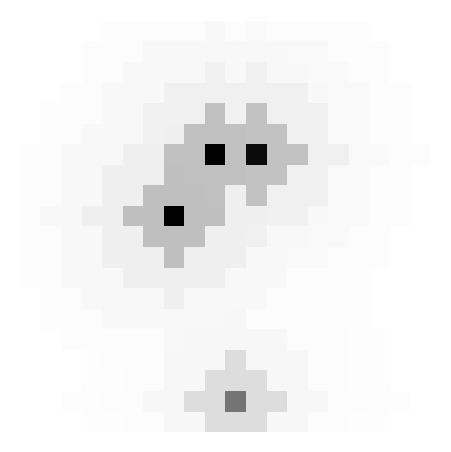
The following example shows how to execute TINTOlib using the TINTO method and then display the synthetic image generated for the first row:
python
  model = TINTO(problem="supervised", pixel=30, algorithm="t-SNE", steps=5, blur=True)
  model.fit_transform("iris.csv", "synthetic_images")
🚀 Vision-based Neural Network Architectures
Using synthetic images, experiment with either vision models like CNNs or ViTs, and explore hybrid models. Below are the architectures that will be presented, and the ones you will modify and use during the session:
Synthetic images using CNN

Synthetic images using Hybrid Neural Network with ViT (HyViT)

💬 More information
- For more detailed information, refer to the TINTOlib ReadTheDocs.
- PyPI: PyPI.
🧪 Citing TINTO:
If you used TINTOlib with Hybrid Neural Networks in your work, please cite the IEEE Journal of Selected Topics in Signal Processing:
bib
@ARTICLE{10946146,
  author={Castillo-Cara, Manuel and Martínez-Gómez, Jesus and Ballesteros-Jerez, Javier and García-Varea, Ismael and García-Castro, Raúl and Orozco-Barbosa, Luis},
  journal={IEEE Journal of Selected Topics in Signal Processing},
  title={MIMO-Based Indoor Localisation with Hybrid Neural Networks: Leveraging Synthetic Images from Tidy Data for Enhanced Deep Learning},
  year={2025},
  volume={},
  number={},
  pages={1-13},
  keywords={Location awareness;Accuracy;Neural networks;Measurement;Deep learning;Complexity theory;Antennas;Antenna measurements;Base stations;Signal processing algorithms;Massive MIMO;Deep Learning;Hybrid Neural Network;Synthetic Images;Positioning;Indoor Localisation},
  doi={10.1109/JSTSP.2025.3555067}}
If you used TINTO in your work, please cite the SoftwareX:
bib
@article{softwarex_TINTO,
    title = {TINTO: Converting Tidy Data into Image for Classification with 2-Dimensional Convolutional Neural Networks},
    journal = {SoftwareX},
    author = {Manuel Castillo-Cara and Reewos Talla-Chumpitaz and Raúl García-Castro and Luis Orozco-Barbosa},
    volume={22},
    pages={101391},
    year = {2023},
    issn = {2352-7110},
    doi = {https://doi.org/10.1016/j.softx.2023.101391}
}
And use-case developed in INFFUS Paper
bib
@article{inffus_TINTO,
    title = {A novel deep learning approach using blurring image techniques for Bluetooth-based indoor localisation},
    journal = {Information Fusion},
    author = {Reewos Talla-Chumpitaz and Manuel Castillo-Cara and Luis Orozco-Barbosa and Raúl García-Castro},
    volume = {91},
    pages = {173-186},
    year = {2023},
    issn = {1566-2535},
    doi = {https://doi.org/10.1016/j.inffus.2022.10.011}
}
🛡️ License
TINTOlib is available under the Apache License 2.0.
👥 Authors
🏛️ Contributors




Owner
- Name: Ontology Engineering Group (UPM)
- Login: oeg-upm
- Kind: organization
- Email: oeg-dev@delicias.dia.fi.upm.es
- Location: Boadilla del Monte, Madrid, Spain
- Website: https://oeg.fi.upm.es/
- Repositories: 294
- Profile: https://github.com/oeg-upm
Citation (CITATION.cff)
title: "TINTO: A Novel Framework to Convert Tidy Data into Image for Deep Learning with Convolutional Neural Networks"
license: Apache-2.0
authors:
  - family-names: "Castillo-Cara"
    given-names: "Manuel"
    affiliation: "Universidad Politécnica de Madrid"
    orcid: "https://orcid.org/0000-0002-2990-7090"
cff-version: 1.2.0
preferred-citation:
  authors:
    - family-names: "Talla-Chumpitaz"
      given-names: "Reewos"
      affiliation: "Universidad Nacional de Ingeniería"
    - family-names: "Castillo-Cara"
      given-names: "Manuel"
      affiliation: "Universidad Politécnica de Madrid"
      orcid: "https://orcid.org/0000-0002-2990-7090"
    - family-names: "Orozco-Barbosa"
      given-names: "Luis"
      affiliation: "Universidad de Castilla-La Mancha"
      orcid: "https://orcid.org/0000-0003-1510-1608"
    - family-names: "García-Castro"
      given-names: "Raúl"
      affiliation: "Universidad Politécnica de Madrid"
      orcid: "https://orcid.org/0000-0002-0421-452X"
  title: "A novel deep learning approach using blurring image techniques for Bluetooth-based indoor localisation"
  type: article
  journal: "Information Fusion"
  doi: 10.1016/j.inffus.2022.10.011
  year: 2023
identifiers:
  - description: "TINTO: A novel algorithm for converting tidy data into synthetic image"
    type: doi
    value: 10.5281/zenodo.7447366
GitHub Events
Total
- Watch event: 3
- Delete event: 2
- Push event: 57
- Pull request event: 12
- Create event: 5
Last Year
- Watch event: 3
- Delete event: 2
- Push event: 57
- Pull request event: 12
- Create event: 5
Issues and Pull Requests
Last synced: 10 months ago
All Time
- Total issues: 0
- Total pull requests: 5
- Average time to close issues: N/A
- Average time to close pull requests: 1 minute
- Total issue authors: 0
- Total pull request authors: 1
- Average comments per issue: 0
- Average comments per pull request: 0.0
- Merged pull requests: 5
- Bot issues: 0
- Bot pull requests: 0
Past Year
- Issues: 0
- Pull requests: 5
- Average time to close issues: N/A
- Average time to close pull requests: 1 minute
- Issue authors: 0
- Pull request authors: 1
- Average comments per issue: 0
- Average comments per pull request: 0.0
- Merged pull requests: 5
- Bot issues: 0
- Bot pull requests: 0
Top Authors
Issue Authors
Pull Request Authors
- DCY1117 (28)