tinykernel
Tiny Kernel is a work in progress Operating System kernel.
Science Score: 44.0%
This score indicates how likely this project is to be science-related based on various indicators:
-
✓CITATION.cff file
Found CITATION.cff file -
✓codemeta.json file
Found codemeta.json file -
✓.zenodo.json file
Found .zenodo.json file -
○DOI references
-
○Academic publication links
-
○Academic email domains
-
○Institutional organization owner
-
○JOSS paper metadata
-
○Scientific vocabulary similarity
Low similarity (10.8%) to scientific vocabulary
Keywords
Repository
Tiny Kernel is a work in progress Operating System kernel.
Basic Info
- Host: GitHub
- Owner: TinyKern
- License: apache-2.0
- Language: C
- Default Branch: master
- Homepage: https://TinyKern.github.io
- Size: 710 KB
Statistics
- Stars: 22
- Watchers: 4
- Forks: 4
- Open Issues: 0
- Releases: 2
Topics
Metadata Files
README.md






-->
<!--
-->
TinyKernel - 0.1.4
Tiny Kernel is a work in progress Operating System kernel.
By the end of the project, I hope to have a fully functional and working Kernel. Since System development is my prefered type of development, I thought it was time to finally create a project from the ground up, with its own x86 architecture and its own operating system to end up using the kernel.
Setup
Currently, there is too many files for people to just manually enter commands to run and build, therefor, you should really use the provided Makefile. just enter make into the commandline at the root of the project, & it will build the project for you. After, you can enter make run into the command line, & it will run the following project.
ISO
Debian/Ubuntu
Install Qemu:
- sudo apt-get install qemu qemu-system-x86
After installing Qemu, you can then run the Iso file, the command is:
- qemu-system-x86_64 -cdrom path/to/iso
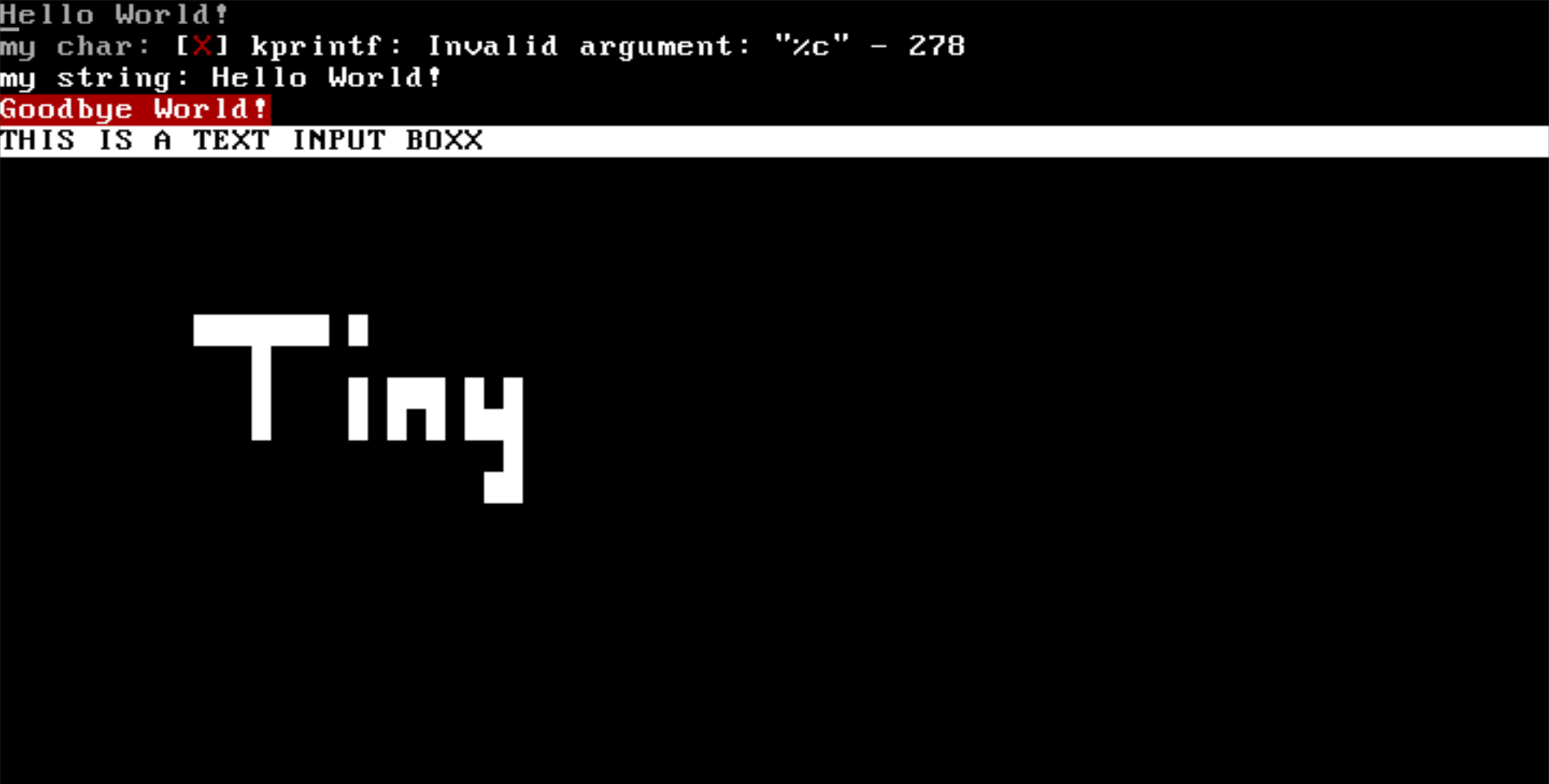
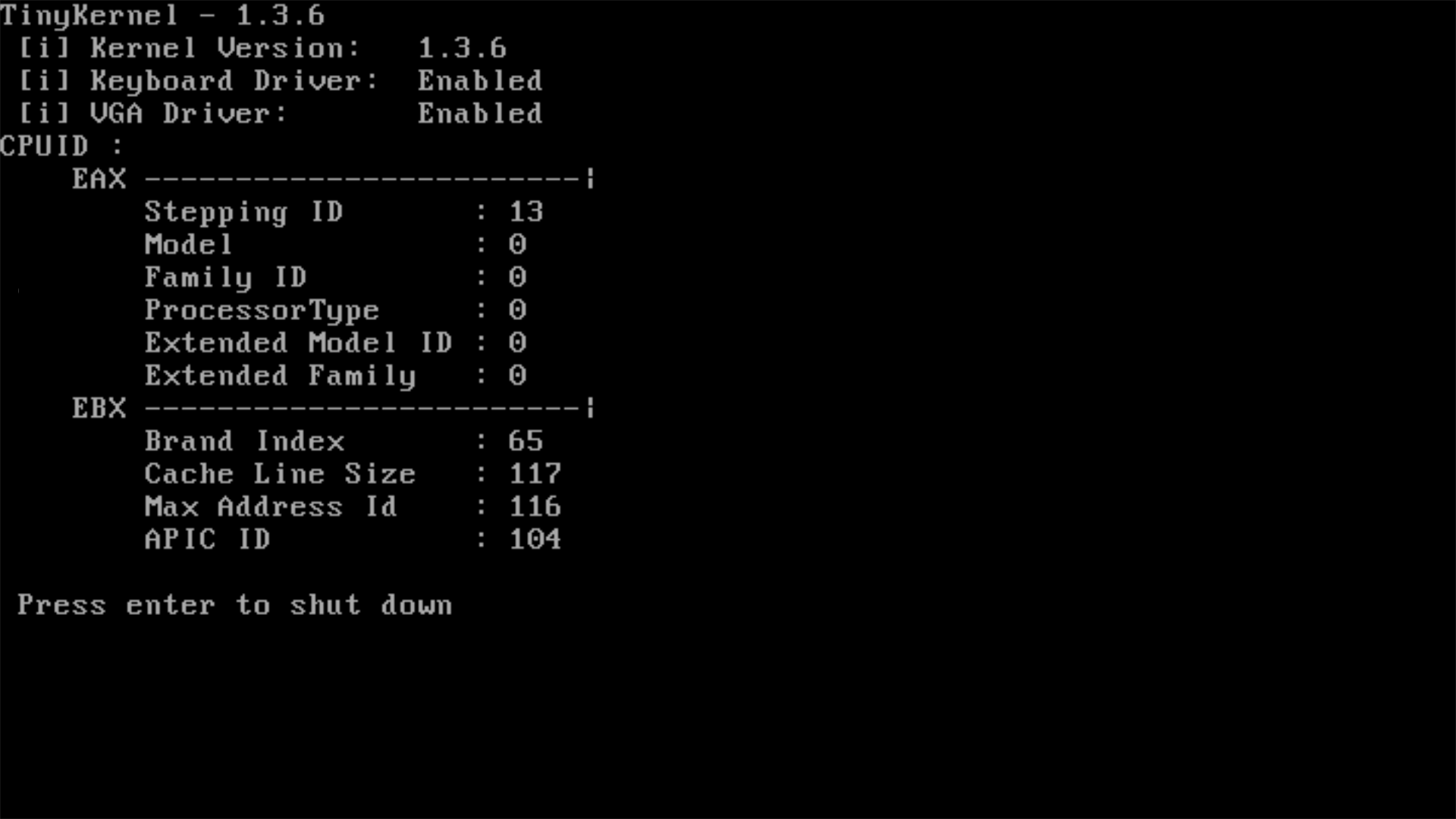
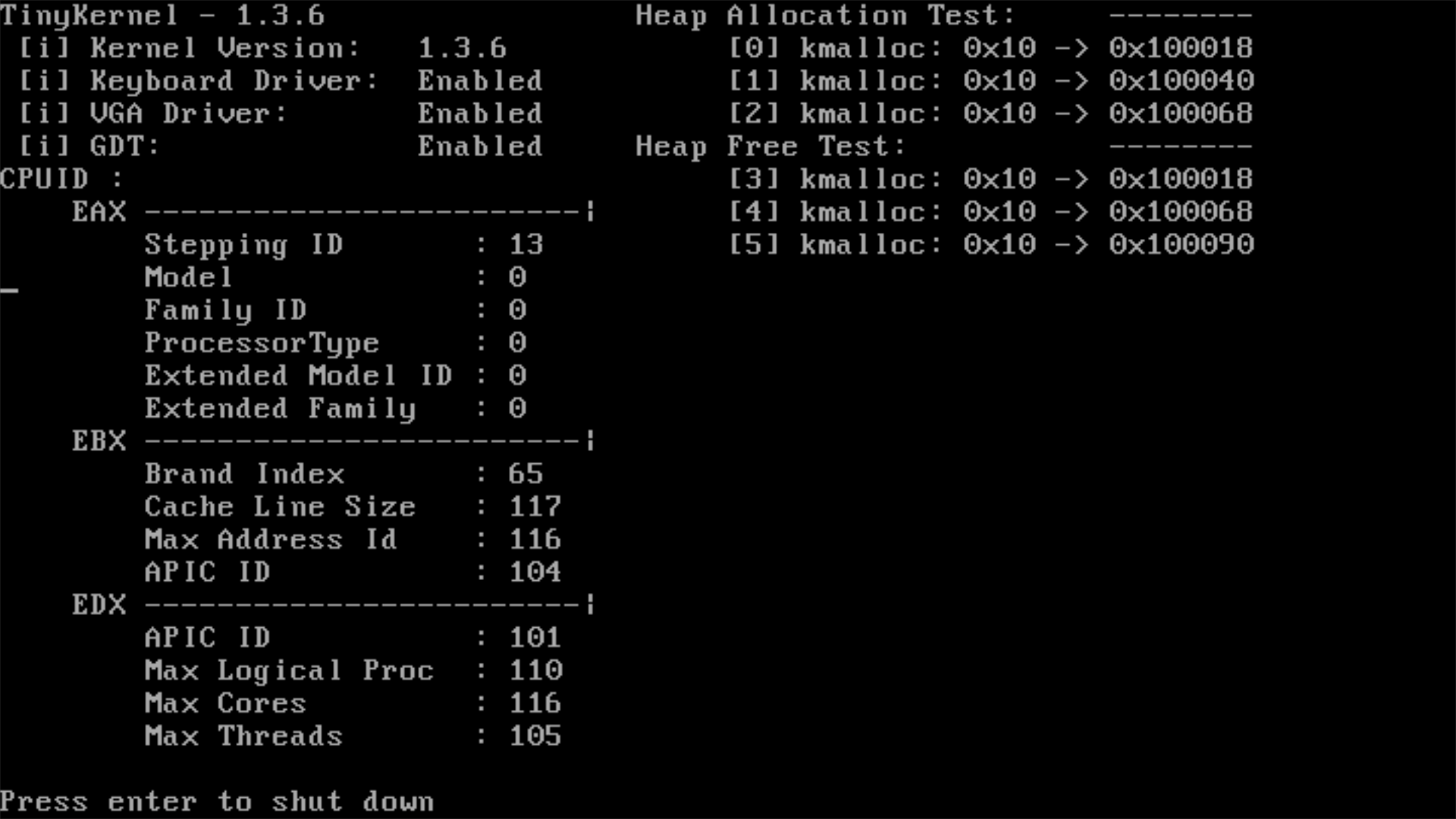
Screenshots
Date: 7/25/2021
Date: 8/11/2021
Date: 8/17/2021
Citation (CITATION.cff)
cff-version: "1.1.0"
license: "Apache-2.0"
message: "If you use this software, please cite it using these metadata."
url: "https://github.com/TinyKern/TinyKernel"
title: "TinyKernel"
version: "0.1.4"
authors:
  - affiliation: "Developer, Maintainer"
    family-names: Boreham
    given-names: Owen
    orcid: "https://orcid.org/0000-0003-4892-3843"
doi: 10.5281/zenodo.1234
date-released: 2021-07-06
keywords:
  - "TinyKernel"
  - "TinyKern"
  - "Bobrossrtx"
  - "Owen Boreham"
  - "Kernel"
  - "Operating System"
GitHub Events
Total
- Watch event: 3
- Issue comment event: 1
- Pull request review event: 2
- Pull request event: 2
Last Year
- Watch event: 3
- Issue comment event: 1
- Pull request review event: 2
- Pull request event: 2