cremmawiki-anonymizer
Image or Metadata anonymizer for the CREMMAWIKI corpus
Science Score: 44.0%
This score indicates how likely this project is to be science-related based on various indicators:
-
✓CITATION.cff file
Found CITATION.cff file -
✓codemeta.json file
Found codemeta.json file -
✓.zenodo.json file
Found .zenodo.json file -
○DOI references
-
○Academic publication links
-
○Academic email domains
-
○Institutional organization owner
-
○JOSS paper metadata
-
○Scientific vocabulary similarity
Low similarity (7.1%) to scientific vocabulary
Keywords
Repository
Image or Metadata anonymizer for the CREMMAWIKI corpus
Basic Info
Statistics
- Stars: 0
- Watchers: 1
- Forks: 0
- Open Issues: 1
- Releases: 1
Topics
Metadata Files
README.md
CREMMAWIKI_Anonymizer (CWA)
CWA is an anonymizer for the CREMMAWIKI corpus.
Set up
Create a virtual environment and use PiPy to install the dependencies (ex: pip install -r requirements.txt)
Run
run_cia.py and run_mi6.py show examples of how to use the CWA module, repectively for CremmawikiImageAnonymizer (CIA) and MetadataInSafeExposure (MI6).
You can clone this repository, replace the images in data with yours, set up an environment and execute run_cia.py.
If you want to change the path the source images, you can also change the value of:
- path_to_data in run_cia.py
- or path_to_conversion_table, path_to_metadata and/or path_to_new_metadata in run_mi6.py
The new files (image or csv) will be created within the source folder. They will be named such as my_source_img.png becomes my_source_img.out.png, or my_source.csv becomes public_my_source.csv. Which means that CWA will not overwrite your original images, except for the name conversion table (in MI6).
CIA example
| source | output |
| :----: | :----: |
|  |
| 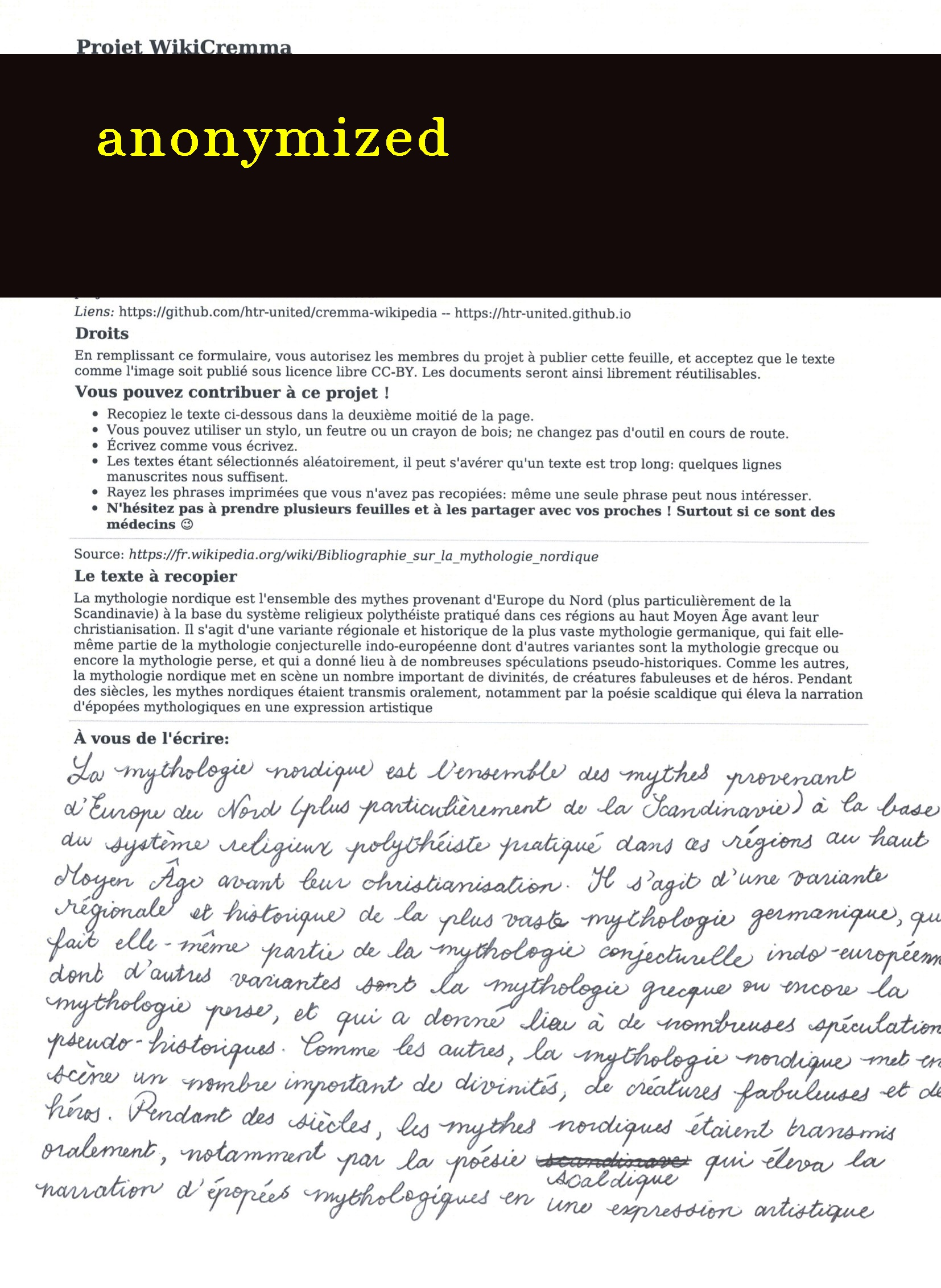 |
|
MI6 example
Before
metadata.csv(secret):
| col1 | col2 | writer_name | col3 | | :--: | :--: | :---------: | :--: | | bla | bli | James Bond | blo | | blu | bly | Q | ble |
After
public_metadata.csv:
| col1 | col2 | writer_name | col3 | | :--: | :--: | :---------: | :--: | | bla | bli | AW0007 | blo | | blu | bly | AW0001 | ble |
conversion_table.csv(secret):
txt
James Bond,AW0007
Q,AW0001
Owner
- Name: Alix Chagué
- Login: alix-tz
- Kind: user
- Company: Inria
- Website: http://alix-tz.github.io
- Twitter: Alix_Tz
- Repositories: 10
- Profile: https://github.com/alix-tz
PhD student in Digital Humanities @ Université de Montréal and Inria.
Citation (CITATION.cff)
cff-version: 1.2.0
message: "If you use this software, please cite it as below."
authors:
- family-names: "Chagué"
  given-names: "Alix"
  orcid: "https://orcid.org/0000-0002-0136-4434"
title: "CREMMAWIKI_Anonymizer"
version: 0.1.0
date-released: 2022-03-31
url: "https://github.com/alix-tz/CREMMAWIKI_Anonymizer"