https://github.com/ivis-at-bilkent/cytoscape.js-qtip
A Cytoscape.js extension that wraps the QTip jQuery library
Science Score: 18.0%
This score indicates how likely this project is to be science-related based on various indicators:
-
○CITATION.cff file
-
○codemeta.json file
-
○.zenodo.json file
-
○DOI references
-
✓Academic publication links
Links to: zenodo.org -
○Academic email domains
-
✓Institutional organization owner
Organization ivis-at-bilkent has institutional domain (www.cs.bilkent.edu.tr) -
○JOSS paper metadata
-
○Scientific vocabulary similarity
Low similarity (10.7%) to scientific vocabulary
Last synced: 8 months ago
·
JSON representation
Repository
A Cytoscape.js extension that wraps the QTip jQuery library
Basic Info
Statistics
- Stars: 0
- Watchers: 1
- Forks: 0
- Open Issues: 0
- Releases: 0
Fork of cytoscape/cytoscape.js-qtip
Created over 6 years ago
· Last pushed over 6 years ago
https://github.com/iVis-at-Bilkent/cytoscape.js-qtip/blob/master/
cytoscape-qtip
==============
[](https://zenodo.org/badge/latestdoi/6343804)
## Description
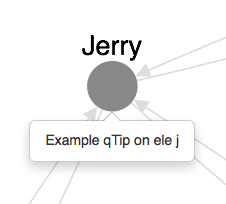
A Cytoscape.js extension that wraps the [qTip jQuery library](http://qtip2.com)
**It is recommended that, where possible, you use [`cytoscape-popper`](https://github.com/cytoscape/cytoscape.js-popper) with `tippy.js` instead of `cytoscape-qtip`.**
- The [`qtip2`](https://github.com/qTip2/qTip2) library that this extension wraps is no longer maintained by its author.
- `qtip2` does not have proper support for npm+webpack and npm+browserify, whereas `cytoscape-popper` does -- as do `popper.js` and `tippy.js`.
- `cytoscape-popper` does not require `jquery`.
- `qtip2` requires the use of `jquery@1` or `jquery@2`, which are both no longer maintained.
## Dependencies
* jQuery ^2.0 || ^1.10.0, as qTip requires it
* qTip ^3.0 || ^2.2.0
* Cytoscape.js ^2.2.0 || ^3.0.0
## Usage instructions
Download the library:
* via npm: `npm install cytoscape-qtip`,
* via bower: `bower install cytoscape-qtip`, or
* via direct download in the repository (probably from a tag).
`require()` the library as appropriate for your project:
CommonJS:
```js
var cytoscape = require('cytoscape');
var cyqtip = require('cytoscape-qtip');
cyqtip( cytoscape ); // register extension
```
AMD:
```js
require(['cytoscape', 'cytoscape-qtip', 'jquery'], function( cytoscape, cyqtip, jquery ){
cyqtip( cytoscape, jquery ); // register extension
});
```
Note that `jquery` must point to a jQuery object with `.qtip()` registered if AMD is used.
Plain HTML/JS has the extension registered for you automatically, because no `require()` is needed.
## API
This extension wraps the qTip API so it can be used on Cytoscape.js graph elements instead of HTML DOM elements.
You can call qTip on graph elements:
```js
eles.qtip({ /* options ... */ });
```
You can call qTip on the core:
```js
cy.qtip({ /* options ... */ });
```
See the [qTip API for details on configuration](http://qtip2.com/options).
If you want to access the qTip API for an element:
```js
var api = ele.qtip('api');
```
If you want to access the qTip API for the core:
```js
var api = cy.qtip('api');
```
See the [qTip docs for details on the API](http://qtip2.com/api). If you create more than one qTip on an element and use its API, you'll have to cache the `api` references after creating each qTip.
## API restrictions
You may not use `options.position.target`. If you require a different value, like `'body'` or `'mouse'`, you don't need this extenstion -- you can simply use the qTip APIs directly on a DOM element.
## API additions
These are additional options you can use for convenience. Remember: This extension is just a wrapper to qTip. If you require more complex behaviour, you should manually use the [qTip API](http://qtip2.com/api).
* `options.position.adjust.cyViewport` : When `true`, updates element qTip position on zoom and pan. Note you'll need your own mechanism to hide out-of-bounds qTips, such as customising the parent container.
* `options.show.cyBgOnly` : When `true`, shows core qTips only for events originated on the core (not bubbled). Useful for "background" events.
* `options.hide.cyBgOnly` : When `true`, hides core qTips only for events originated on the core (not bubbled). Useful for "background" events.
* `options.hide.cyViewport` : When `true`, hides qTips when the viewport is manipulated (i.e. zoom/pan).
## Publishing instructions
1. Set the version number env var: `export VERSION=1.2.3`
1. Publish: `gulp`
1. Make a release on GitHub to automatically register a new Zenodo DOI
Owner
- Name: i-Vis at Bilkent
- Login: iVis-at-Bilkent
- Kind: organization
- Website: http://www.cs.bilkent.edu.tr/~ivis/
- Twitter: iVisAtBilkent
- Repositories: 50
- Profile: https://github.com/iVis-at-Bilkent
i-Vis Research Lab at Bilkent University