---
output: github_document
---
```{r, include=FALSE}
knitr::opts_chunk$set(
collapse = TRUE,
comment = "#>",
fig.path = "man/figures/README-",
out.width = "100%"
)
```
# rixpress: Reproducible Analytical Pipelines with `Nix`
[](https://github.com/b-rodrigues/rixpress/actions/workflows/rhub.yaml/)
[](https://github.com/ropensci/software-review/issues/706)
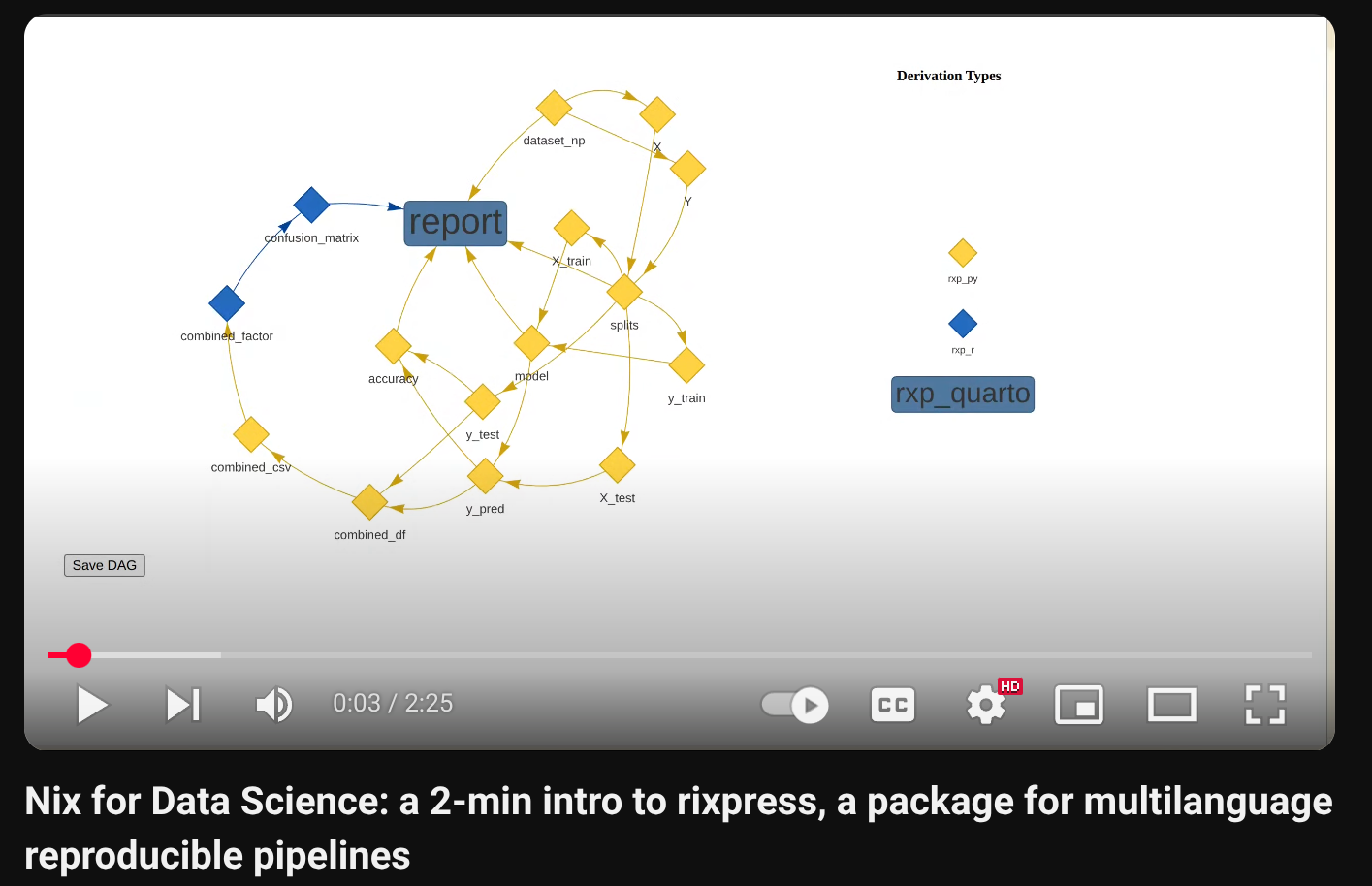
If you want to watch a 2-Minute video introduction, click the image
below:
`{rixpress}` provides a framework for building multilanguage reproducible
analytical pipelines by leveraging Nix’s build automation capabilities.
One of the design goals of `{rixpress}` is to mimic the user experience of
the `{targets}` package, and it is heavily inspired by that workflow. It
builds on the `{rix}` package, which provides helper functions to define
reproducible development environments as code using Nix, ensuring the
pipeline runs in a fully reproducible Nix-managed environment. `{rixpress}`
only requires users to write the pipeline using familiar R code.
`rixpress` focuses on “micropipelines”: pipelines executed on a single
machine for small-to-medium sized projects.
For example, this R script defines a list of *derivations* defined by
functions prefixed with `rxp_*()`, which is then passed to `rxp_populate()`:
```r
library(rixpress)
list(
rxp_r_file(
mtcars,
'mtcars.csv',
\(x) (read.csv(file = x, sep = "|"))
),
rxp_r(
mtcars_am,
filter(mtcars, am == 1)
),
rxp_r(
mtcars_head,
head(mtcars_am)
),
rxp_r(
mtcars_tail,
tail(mtcars_head)
),
rxp_r(
mtcars_mpg,
select(mtcars_tail, mpg)
),
rxp_qmd(
page,
"page.qmd"
)
) |>
rxp_populate()
```
Running `rxp_populate()` generates a `pipeline.nix` file, which contains
the build instructions for all derivations and final outputs expressed
as Nix code. You can define derivations that run Python or Julia code,
and objects can be exchanged between R and Python by using `rxp_py2r()`
and `rxp_r2py()`, or by serializing to a common format such as JSON.
By default, calling `rxp_populate()` also builds the pipeline, but it’s
possible to only generate the `pipeline.nix` file and build the pipeline
later using:
``` r
rxp_make()
```
The build process assumes the presence of a `default.nix` file that
defines the computational environment the pipeline runs in; this file
can be generated with the {rix} package. The `default.nix` typically
defines an environment with R and required R packages (and optionally
Python/Julia and their packages), Quarto, and any necessary system-level
dependencies pinned to a specific date to ensure reproducibility.
In the example above, the first derivation reads `mtcars.csv` (in the
example it’s pipe-separated, i.e. a `.psv` file). Each output (for
example, `mtcars`, `mtcars_am`, `mtcars_head`, `mtcars_tail`,
`mtcars_mpg`, `page`) is built by Nix within the environment defined by
`default.nix`. Concretely, {rix} makes using Nix as a package manager
easier for R users, and {rixpress} makes it easy to use Nix as a build
automation tool.
When you run `rxp_populate()`, a folder called `_rixpress/` is created
which contains a JSON representation of the pipeline’s DAG (Directed
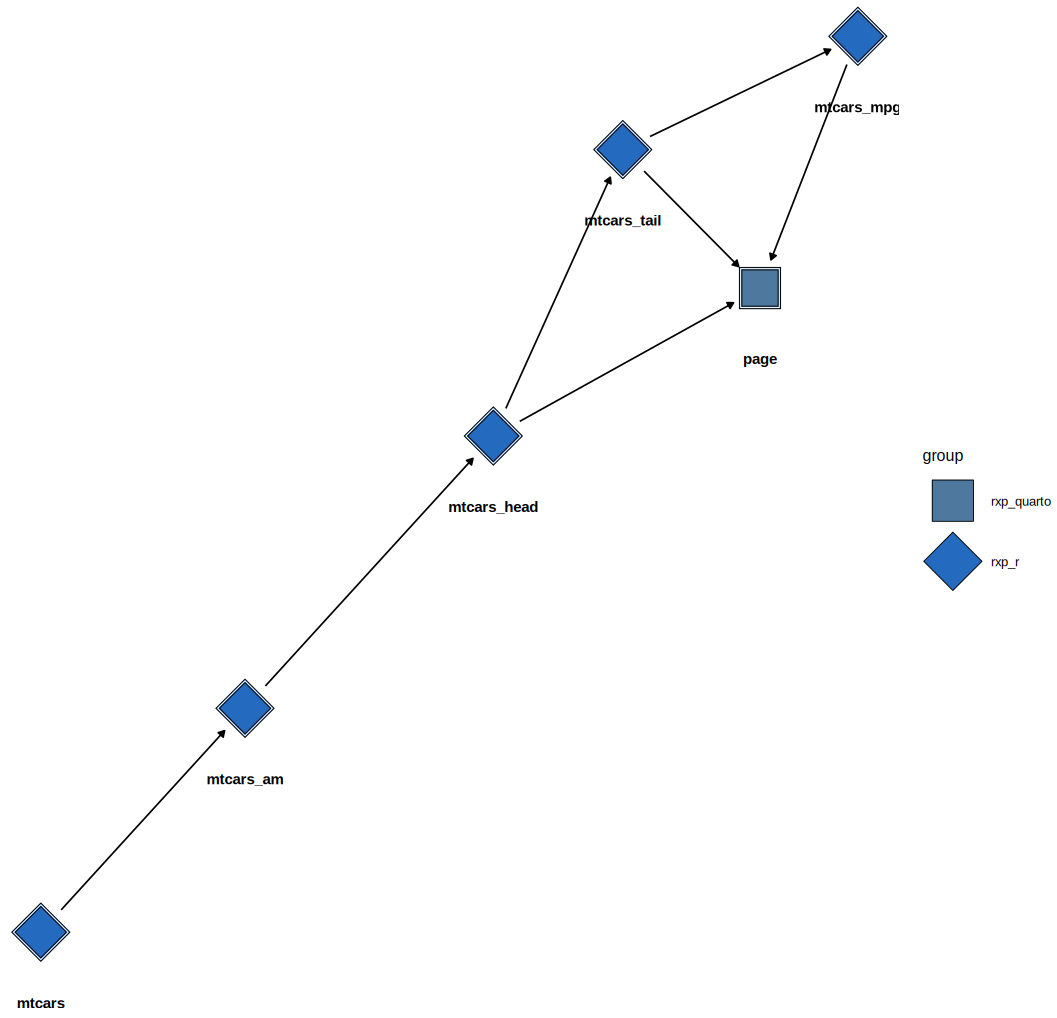
Acyclic Graph). You can visualize the pipeline using `rxp_ggdag()`:
``` r
rxp_ggdag()
```
DAG
Because the pipeline is built using Nix, outputs are stored in the Nix
store under `/nix/store/`. To make working with these outputs easier,
`{rixpress}` provides several helper functions:
- `rxp_read("mtcars_mpg")` — read the content of `mtcars_mpg` into R
(the return value depends on the derivation type: an R object, a file
path, etc.);
- `rxp_load("mtcars_mpg")` — load objects from the result into the
global environment;
- `rxp_copy("page")` — copy outputs (e.g. a generated document) from
the Nix store into the current working directory so you can open or
inspect them there.
For complex outputs such as documents (for example the Quarto document
`page` above), `rxp_read("page")` returns the output file path; you can
then open it with `browseURL()` or copy it into your working directory
with `rxp_copy()`.
You can export the cache into a file and import it on another machine
(or in CI) to avoid rebuilding everything from scratch using
`rxp_export_artifacts()` and `rxp_import_artifacts()` respectively.
`{rixpress}` is flexible; please consult the examples repository for
many different patterns and complete demos:
[https://github.com/b-rodrigues/rixpress_demos/tree/master](https://github.com/b-rodrigues/rixpress_demos/tree/master)
## Installation
### rix
`{rixpress}` builds on `{rix}`, so we highly recommend you start by learning and
using `{rix}` before trying your hand at `{rixpress}`. By learning how to use
`{rix}`, you'll learn more about `Nix`, how to install and use it, and will then
be ready to use `{rixpress}`!
To install Nix, we recommend using the installer from
[Determinate Systems](https://docs.determinate.systems/).
### Installing rixpress
Since there's little point in installing `{rixpress}` if you don't use `Nix`,
the ideal way to install `{rixpress}` is instead to use `{rix}` to set up a
reproducible environment that includes `{rixpress}` and the other required
dependencies for your project. Take a look at the `vignette("intro-concepts")`
and `vignette("core-functions")` to get started!
That being said, `{rixpress}` is a regular R package, so you can install it from
GitHub directly (while it's not on CRAN):
```r
# Install remotes if you don’t have it
if (!require("remotes")) install.packages("remotes")
# Install the package from GitHub
remotes::install_github("b-rodrigues/rixpress")
```
## Contributing
Pull requests are welcome. If you’re unsure whether to open one, feel
free to open an issue first to discuss your idea. For contributor
guidelines, see CONTRIBUTING.md.
If you plan to contribute documentation or vignettes, please:
- Add runnable, minimal examples.
- Prefer small datasets and short-running examples.
- Document required system dependencies for the example (through a `default.nix`).
## Scope
Please refer to the `vignette("scope")` to learn more
about what `{rixpress}` will and will not support.
 `{rixpress}` provides a framework for building multilanguage reproducible
analytical pipelines by leveraging Nix’s build automation capabilities.
One of the design goals of `{rixpress}` is to mimic the user experience of
the `{targets}` package, and it is heavily inspired by that workflow. It
builds on the `{rix}` package, which provides helper functions to define
reproducible development environments as code using Nix, ensuring the
pipeline runs in a fully reproducible Nix-managed environment. `{rixpress}`
only requires users to write the pipeline using familiar R code.
`rixpress` focuses on “micropipelines”: pipelines executed on a single
machine for small-to-medium sized projects.
For example, this R script defines a list of *derivations* defined by
functions prefixed with `rxp_*()`, which is then passed to `rxp_populate()`:
```r
library(rixpress)
list(
rxp_r_file(
mtcars,
'mtcars.csv',
\(x) (read.csv(file = x, sep = "|"))
),
rxp_r(
mtcars_am,
filter(mtcars, am == 1)
),
rxp_r(
mtcars_head,
head(mtcars_am)
),
rxp_r(
mtcars_tail,
tail(mtcars_head)
),
rxp_r(
mtcars_mpg,
select(mtcars_tail, mpg)
),
rxp_qmd(
page,
"page.qmd"
)
) |>
rxp_populate()
```
Running `rxp_populate()` generates a `pipeline.nix` file, which contains
the build instructions for all derivations and final outputs expressed
as Nix code. You can define derivations that run Python or Julia code,
and objects can be exchanged between R and Python by using `rxp_py2r()`
and `rxp_r2py()`, or by serializing to a common format such as JSON.
By default, calling `rxp_populate()` also builds the pipeline, but it’s
possible to only generate the `pipeline.nix` file and build the pipeline
later using:
``` r
rxp_make()
```
The build process assumes the presence of a `default.nix` file that
defines the computational environment the pipeline runs in; this file
can be generated with the {rix} package. The `default.nix` typically
defines an environment with R and required R packages (and optionally
Python/Julia and their packages), Quarto, and any necessary system-level
dependencies pinned to a specific date to ensure reproducibility.
In the example above, the first derivation reads `mtcars.csv` (in the
example it’s pipe-separated, i.e. a `.psv` file). Each output (for
example, `mtcars`, `mtcars_am`, `mtcars_head`, `mtcars_tail`,
`mtcars_mpg`, `page`) is built by Nix within the environment defined by
`default.nix`. Concretely, {rix} makes using Nix as a package manager
easier for R users, and {rixpress} makes it easy to use Nix as a build
automation tool.
When you run `rxp_populate()`, a folder called `_rixpress/` is created
which contains a JSON representation of the pipeline’s DAG (Directed
Acyclic Graph). You can visualize the pipeline using `rxp_ggdag()`:
``` r
rxp_ggdag()
```
`{rixpress}` provides a framework for building multilanguage reproducible
analytical pipelines by leveraging Nix’s build automation capabilities.
One of the design goals of `{rixpress}` is to mimic the user experience of
the `{targets}` package, and it is heavily inspired by that workflow. It
builds on the `{rix}` package, which provides helper functions to define
reproducible development environments as code using Nix, ensuring the
pipeline runs in a fully reproducible Nix-managed environment. `{rixpress}`
only requires users to write the pipeline using familiar R code.
`rixpress` focuses on “micropipelines”: pipelines executed on a single
machine for small-to-medium sized projects.
For example, this R script defines a list of *derivations* defined by
functions prefixed with `rxp_*()`, which is then passed to `rxp_populate()`:
```r
library(rixpress)
list(
rxp_r_file(
mtcars,
'mtcars.csv',
\(x) (read.csv(file = x, sep = "|"))
),
rxp_r(
mtcars_am,
filter(mtcars, am == 1)
),
rxp_r(
mtcars_head,
head(mtcars_am)
),
rxp_r(
mtcars_tail,
tail(mtcars_head)
),
rxp_r(
mtcars_mpg,
select(mtcars_tail, mpg)
),
rxp_qmd(
page,
"page.qmd"
)
) |>
rxp_populate()
```
Running `rxp_populate()` generates a `pipeline.nix` file, which contains
the build instructions for all derivations and final outputs expressed
as Nix code. You can define derivations that run Python or Julia code,
and objects can be exchanged between R and Python by using `rxp_py2r()`
and `rxp_r2py()`, or by serializing to a common format such as JSON.
By default, calling `rxp_populate()` also builds the pipeline, but it’s
possible to only generate the `pipeline.nix` file and build the pipeline
later using:
``` r
rxp_make()
```
The build process assumes the presence of a `default.nix` file that
defines the computational environment the pipeline runs in; this file
can be generated with the {rix} package. The `default.nix` typically
defines an environment with R and required R packages (and optionally
Python/Julia and their packages), Quarto, and any necessary system-level
dependencies pinned to a specific date to ensure reproducibility.
In the example above, the first derivation reads `mtcars.csv` (in the
example it’s pipe-separated, i.e. a `.psv` file). Each output (for
example, `mtcars`, `mtcars_am`, `mtcars_head`, `mtcars_tail`,
`mtcars_mpg`, `page`) is built by Nix within the environment defined by
`default.nix`. Concretely, {rix} makes using Nix as a package manager
easier for R users, and {rixpress} makes it easy to use Nix as a build
automation tool.
When you run `rxp_populate()`, a folder called `_rixpress/` is created
which contains a JSON representation of the pipeline’s DAG (Directed
Acyclic Graph). You can visualize the pipeline using `rxp_ggdag()`:
``` r
rxp_ggdag()
```