Science Score: 77.0%
This score indicates how likely this project is to be science-related based on various indicators:
-
✓CITATION.cff file
Found CITATION.cff file -
✓codemeta.json file
Found codemeta.json file -
✓.zenodo.json file
Found .zenodo.json file -
✓DOI references
Found 7 DOI reference(s) in README -
✓Academic publication links
Links to: zenodo.org -
✓Committers with academic emails
2 of 26 committers (7.7%) from academic institutions -
○Institutional organization owner
-
○JOSS paper metadata
-
○Scientific vocabulary similarity
Low similarity (14.5%) to scientific vocabulary
Keywords
Keywords from Contributors
Repository
Tool for live presentations using manim
Basic Info
- Host: GitHub
- Owner: jeertmans
- License: mit
- Language: Python
- Default Branch: main
- Homepage: https://manim-slides.eertmans.be
- Size: 6.45 MB
Statistics
- Stars: 673
- Watchers: 5
- Forks: 61
- Open Issues: 28
- Releases: 63
Topics
Metadata Files
README.md








Manim Slides
Tool for live presentations using either Manim (community edition) or ManimGL. Manim Slides will automatically detect the one you are using!
[!NOTE] This project extends the work of
manim-presentation, with a lot more features!
Installation
Manim Slides requires either Manim or ManimGL to be installed, along with their dependencies. Please checkout the documentation for detailed install instructions.
Usage
Using Manim Slides is a two-step process:
1. Render animations using Slide (resp. ThreeDSlide) as a base class instead
of Scene (resp. ThreeDScene), and add calls to self.next_slide()
every time you want to create a new slide.
2. Run manim-slides on rendered animations and display them like a
PowerPoint presentation.
The documentation is available online.
Basic Example
Call self.next_slide() every time you want to create a pause between
animations, and self.next_slide(loop=True) if you want the next slide to loop
over animations until the user presses continue:
```python from manim import * # or: from manimlib import *
from manim_slides import Slide
class BasicExample(Slide): def construct(self): circle = Circle(radius=3, color=BLUE) dot = Dot()
    self.play(GrowFromCenter(circle))
    self.next_slide()  # Waits user to press continue to go to the next slide

    self.next_slide(loop=True)  # Start loop
    self.play(MoveAlongPath(dot, circle), run_time=2, rate_func=linear)
    self.next_slide()  # This will start a new non-looping slide

    self.play(dot.animate.move_to(ORIGIN))
```
First, render the animation files:
```bash manim-slides render example.py BasicExample
or use ManimGL
manim-slides render --GL example.py BasicExample ``` <!-- end usage -->
[!NOTE] Using
manim-slides rendermakes sure to use themanim(ormanimlib) library that was installed in the same Python environment. Put simply, this is a wrapper aroundmanim render [ARGS]...(ormanimgl [ARGS]...).
To start the presentation using Scene1, Scene2 and so on, run:
bash
manim-slides [OPTIONS] Scene1 Scene2...
In our example:
bash
manim-slides BasicExample
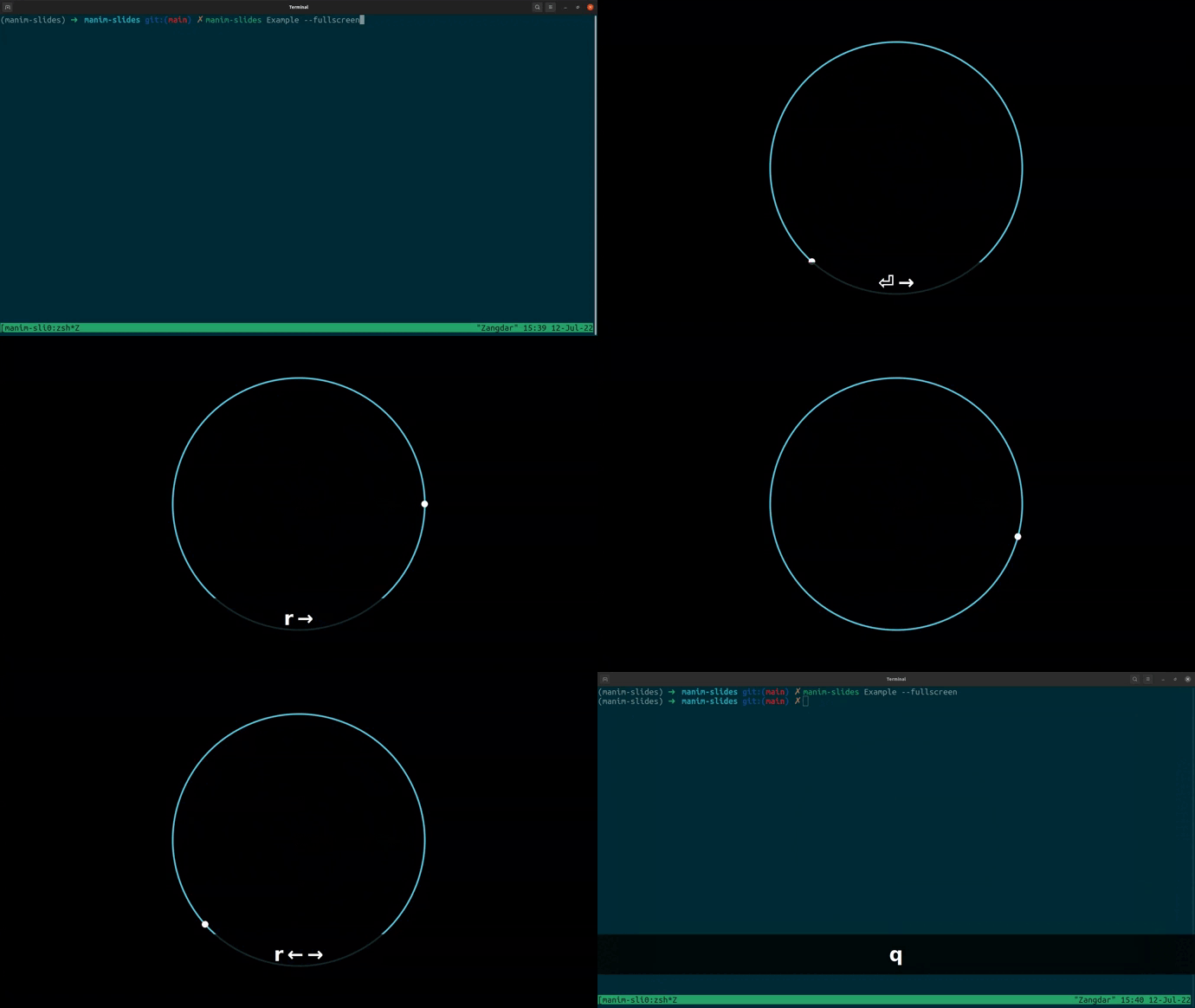
For detailed usage documentation, run manim-slides --help, or go to the
documentation.
Interactive Tutorial
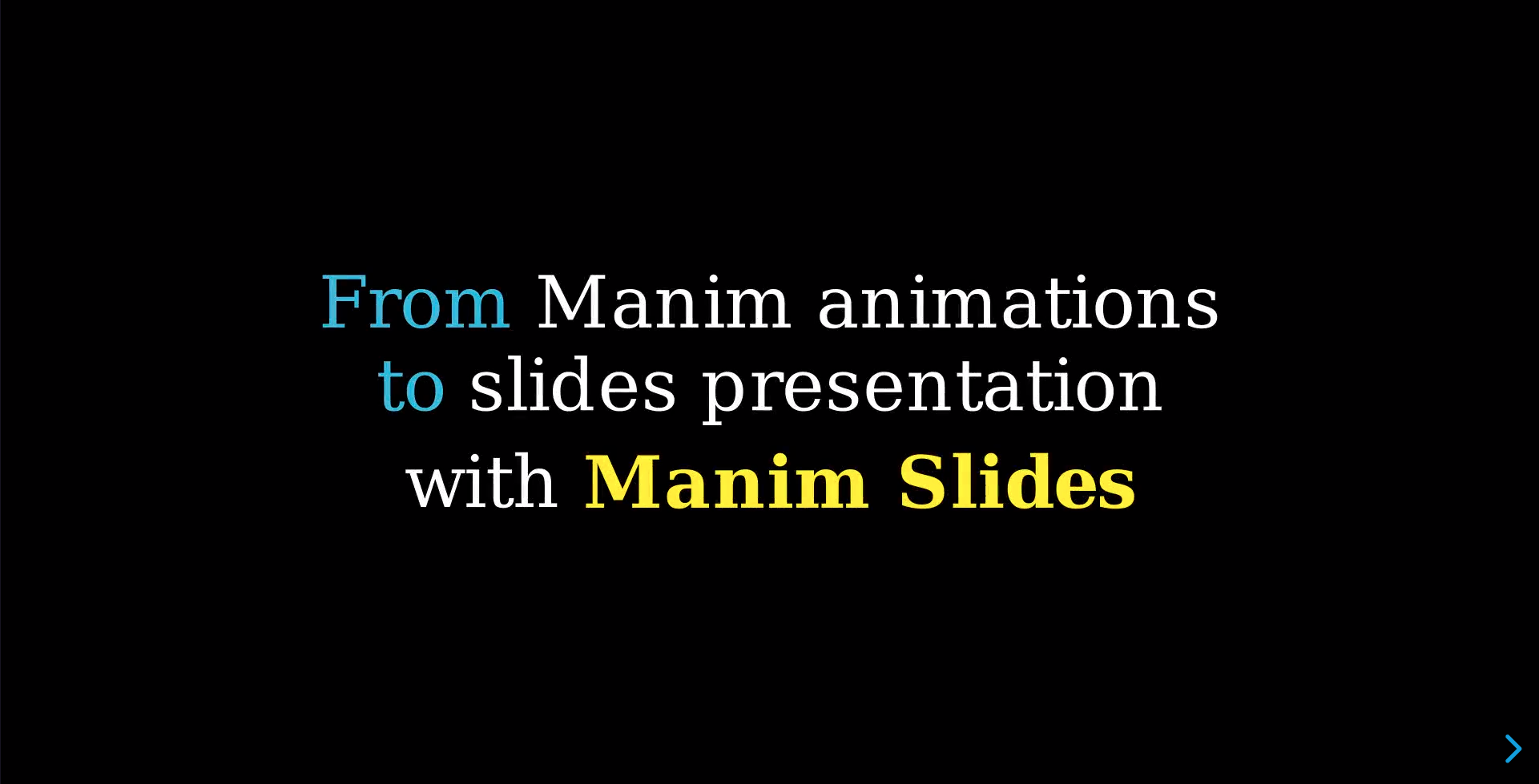
Click on the image to watch a slides presentation that explains to you how to use Manim Slides.
More Examples
More examples are available in the
example.py
file, if you downloaded the git repository.
Comparison with Similar Tools
There exists a variety of tools that allows to create slides presentations containing Manim animations.
Below is a comparison of the most used ones with Manim Slides:
| Project name | Manim Slides | Manim Presentation | Manim Editor | Jupyter Notebooks |
|:------------:|:------------:|:------------------:|:------------:|:-----------------:|
| Link | 






nbconvert to create slides from a Notebook |
| Support for ManimGL | Yes | No | No | No |
| Web Browser presentations | Yes | No | Yes | No |
| Offline presentations | Yes, with Qt, RevealJS (any web browser), or PowerPoint | Yes, with OpenCV | No | No
Citing
If you use this software, please cite it using as:
bibtex
@article{Jerome_Eertmans_Manim_Slides_A_2023,
    title   = {{Manim Slides: A Python package for presenting Manim content anywhere}},
    author  = {{Jérome Eertmans}},
    year    = 2023,
    month   = aug,
    journal = {Journal of Open Source Education},
    volume  = 6,
    doi     = {10.21105/jose.00206}
}
or by linking this GitHub repository at the end of your presentation.
Other citation formats can be obtained by clicking on the Cite this repository button on this page.
Contributing
Contributions are more than welcome! Please read through our contributing section.
Reporting an Issue
If you think you found a bug, an error in the documentation, or wish there was some feature that is currently missing, we would love to hear from you!
The best way to reach us is via the GitHub issues. If your problem is not covered by an already existing (closed or open) issue, then we suggest you create a new issue. You can choose from a list of templates, or open a blank issue if your issue does not fit one of the proposed topics.
The more precise you are in the description of your problem, the faster we will be able to help you!
Seeking for help
Sometimes, you may have a question about Manim Slides, not necessarily an issue.
First, make sure to read the F.A.Q to see if your question has already been answered. If not, please follow the recommendation (from that page) to reach us for questions.
Contact
Finally, if you do not have any GitHub account, or just wish to contact the author of Manim Slides, you can do so at: jeertmans@icloud.com.
Owner
- Name: Jérome Eertmans
- Login: jeertmans
- Kind: user
- Location: Belgium
- Company: UCLouvain
- Website: https://eertmans.be/
- Repositories: 115
- Profile: https://github.com/jeertmans
PhD student, with a Master in Electromechanical Engineering
Citation (CITATION.cff)
# This CITATION.cff file was generated with cffinit.
# Visit https://bit.ly/cffinit to generate yours today!

cff-version: 1.2.0
title: Manim Slides
message: >-
  If you use this software, please cite it using our article
  in the Journal of Open Source Education.
type: software
authors:
  - name: Jérome Eertmans
    orcid: 'https://orcid.org/0000-0002-5579-5360'
    website: 'https://eertmans.be'
doi: 10.5281/zenodo.7971360
repository-code: 'https://github.com/jeertmans/manim-slides'
url: 'https://eertmans.be/manim-slides'
abstract: >-
  Manim Slides is a Python package that makes presenting
  Manim animations straightforward. With minimal changes
  required to pre-existing code, one can slide through
  animations in a PowerPoint-like manner, or share its
  slides online using ReavealJS' power.
keywords:
  - Education
  - Math Animations
  - Presentation Tool
  - PowerPoint
  - Python
license: MIT
version: v5.5.2
preferred-citation:
  publisher:
    name: The Open Journal
  type: article
  authors:
    - name: Jérome Eertmans
      orcid: 'https://orcid.org/0000-0002-5579-5360'
  doi: 10.21105/jose.00206
  journal: Journal of Open Source Education
  month: 8
  year: 2023
  title: 'Manim Slides: A Python package for presenting Manim content anywhere'
  volume: 6
  number: 66
  pages: 206
GitHub Events
Total
- Create event: 40
- Issues event: 30
- Release event: 9
- Watch event: 198
- Delete event: 34
- Issue comment event: 169
- Push event: 168
- Pull request review comment event: 48
- Pull request review event: 40
- Pull request event: 93
- Fork event: 13
Last Year
- Create event: 40
- Issues event: 30
- Release event: 9
- Watch event: 198
- Delete event: 34
- Issue comment event: 169
- Push event: 168
- Pull request review comment event: 48
- Pull request review event: 40
- Pull request event: 93
- Fork event: 13
Committers
Last synced: about 1 year ago
Top Committers
| Name | Commits | |
|---|---|---|
| Jérome Eertmans | j****s@i****m | 439 |
| pre-commit-ci[bot] | 6****] | 84 |
| Federico Galatolo | g****o@g****m | 34 |
| dependabot[bot] | 4****] | 29 |
| Linus Heck | l****k@r****e | 6 |
| Rodrigo Martín | c****t@r****v | 4 |
| Ahmed Silat | 1****4 | 3 |
| PeculiarProgrammer | 1****r | 3 |
| Tomasz Dądela | 3****a | 3 |
| Harisaipravin | h****n@g****m | 2 |
| Fairlight8 | 3****8 | 2 |
| Si manglam | q****4@g****m | 2 |
| taiyeoguns | t****s@y****m | 2 |
| Christoph Jabs | 9****s | 1 |
| Bryan Weber | b****r@g****m | 1 |
| Dylan Madisetti | d****n@m****e | 1 |
| MikeGillotti | 3****i | 1 |
| Shane Crowley | 6****c | 1 |
| Wu Tingfeng | w****g@u****u | 1 |
| Wucheng Zhang | 4****8 | 1 |
| Yunus | 1****y | 1 |
| felipecocco | f****o@g****m | 1 |
| imgbot[bot] | 3****] | 1 |
| mateuszdrwal | me@m****m | 1 |
| robotboyfriend | 5****d | 1 |
| yang-fighter | y****h@g****m | 1 |
Committer Domains (Top 20 + Academic)
Packages
- Total packages: 1
-
Total downloads:
- pypi 1,130 last-month
- Total dependent packages: 0
- Total dependent repositories: 1
- Total versions: 66
- Total maintainers: 1
pypi.org: manim-slides
Tool for live presentations using manim
- Homepage: https://github.com/jeertmans/manim-slides
- Documentation: https://eertmans.be/manim-slides
- License: MIT License
-
Latest release: 5.5.2
published 11 months ago
Rankings
Maintainers (1)
Dependencies
- actions/checkout v3 composite
- github/codeql-action/analyze v2 composite
- github/codeql-action/autobuild v2 composite
- github/codeql-action/init v2 composite
- actions/checkout v1 composite
- reviewdog/action-languagetool v1 composite
- actions/cache/restore v3 composite
- actions/cache/save v3 composite
- actions/checkout v3 composite
- actions/configure-pages v2 composite
- actions/deploy-pages v1 composite
- actions/setup-python v4 composite
- actions/upload-pages-artifact v1 composite
- actions/checkout v2 composite
- actions/download-artifact v2 composite
- actions/setup-python v2 composite
- actions/upload-artifact v2 composite
- pypa/gh-action-pypi-publish master composite
- 122 dependencies
- click ^8.1.3
- click-default-group ^1.2.2
- numpy ^1.19
- opencv-python ^4.6.0.66
- pydantic ^1.10.2
- pyside6 ^6.4.1
- python >=3.8.1,<3.12
- requests ^2.28.1
- tqdm ^4.64.1
- actions/checkout v4 composite
- actions/checkout v4 composite
- actions/setup-python v4 composite
- codecov/codecov-action v3 composite
- actions/checkout v4 composite
- actions/upload-artifact v3 composite
- openjournals/openjournals-draft-action master composite
- actions/checkout v4 composite
- actions/setup-python v4 composite