fast_dash
Turn your Python functions into interactive apps! Fast Dash is an innovative way to deploy your Python code as interactive web apps with minimal changes.
Science Score: 44.0%
This score indicates how likely this project is to be science-related based on various indicators:
-
✓CITATION.cff file
Found CITATION.cff file -
✓codemeta.json file
Found codemeta.json file -
✓.zenodo.json file
Found .zenodo.json file -
○DOI references
-
○Academic publication links
-
○Committers with academic emails
-
○Institutional organization owner
-
○JOSS paper metadata
-
○Scientific vocabulary similarity
Low similarity (17.1%) to scientific vocabulary
Keywords
Repository
Turn your Python functions into interactive apps! Fast Dash is an innovative way to deploy your Python code as interactive web apps with minimal changes.
Basic Info
- Host: GitHub
- Owner: dkedar7
- License: mit
- Language: Python
- Default Branch: release
- Homepage: https://docs.fastdash.app/
- Size: 64.4 MB
Statistics
- Stars: 122
- Watchers: 3
- Forks: 17
- Open Issues: 0
- Releases: 21
Topics
Metadata Files
README.md

Open source, Python-based tool to build prototypes lightning fast ⚡






- Documentation: https://docs.fastdash.app
- Source code: github.com/dkedar7/fast_dash
- Installation:
pip install fast-dash
Fast Dash is a Python module that makes the development of web applications fast and easy. It can build web interfaces for Machine Learning models or to showcase any proof of concept without the hassle of developing UI from scratch.
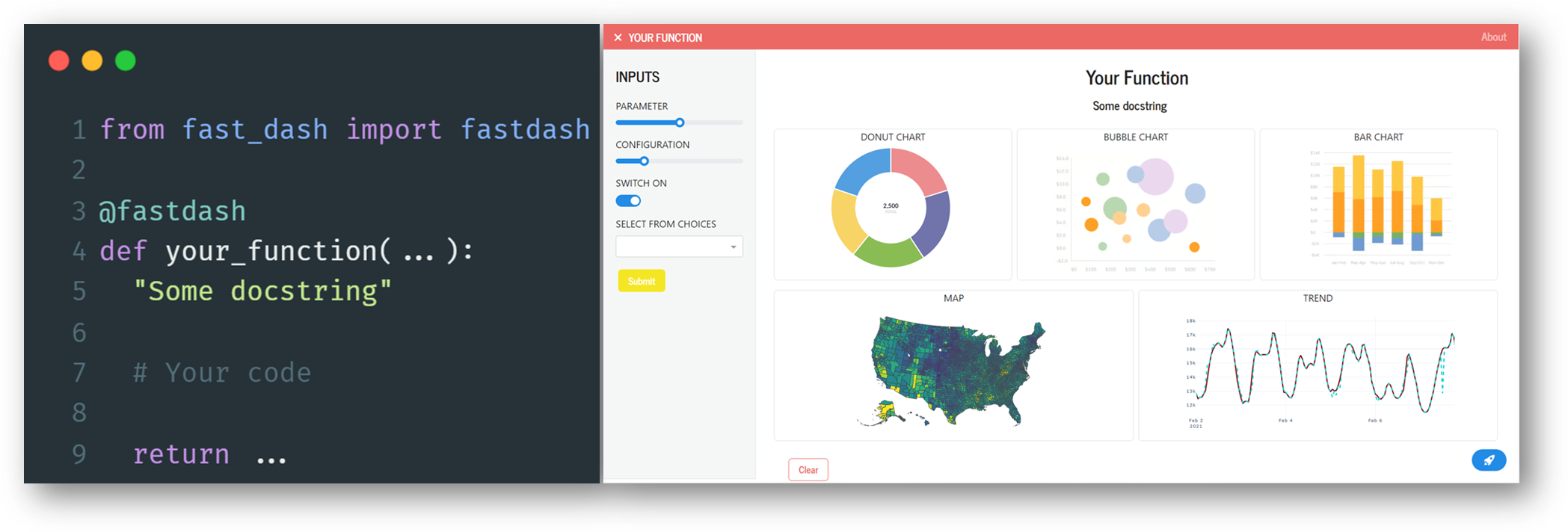
Examples
With Fast Dash's decorator @fastdash, it's a breeze to deploy any Python function as a web app. Here's how to use it to write your first Fast Dash app:
```python
from fast_dash import fastdash
@fastdash def texttotextfunction(inputtext): return input_text
* Running on http://127.0.0.1:8080/ (Press CTRL+C to quit)
```
And just like that, we have a completely functional interactive app!
Output:
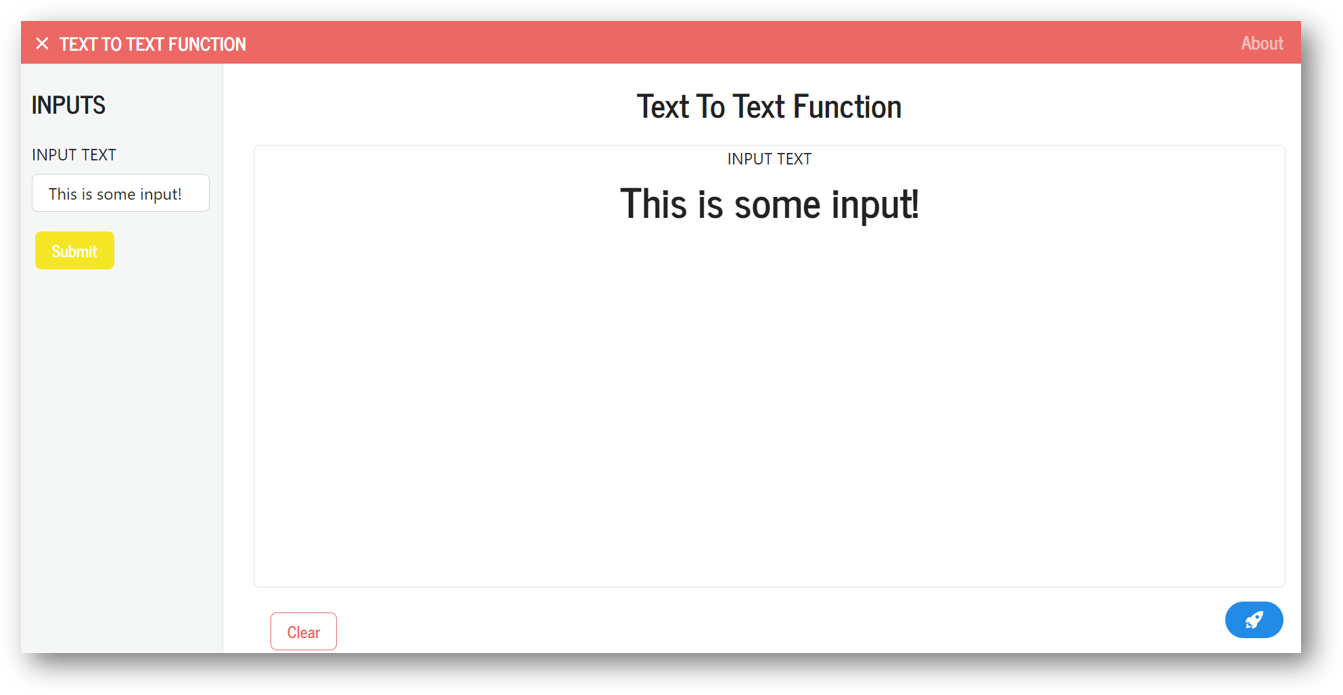
Fast Dash can read all the function details, like its name, input and output types, docstring, and uses this information to infer which components to use.
For example, here's how to deploy an app that takes a string and an integer as inputs and returns some text.
```python from fast_dash import fastdash
@fastdash def displayselectedtextandnumber(text: str, number: int) -> str: "Simply display the selected text and number"
processed_text = f'Selected text is {text} and the number is {number}.'

return processed_text
* Running on http://127.0.0.1:8080/ (Press CTRL+C to quit)
```
Output:
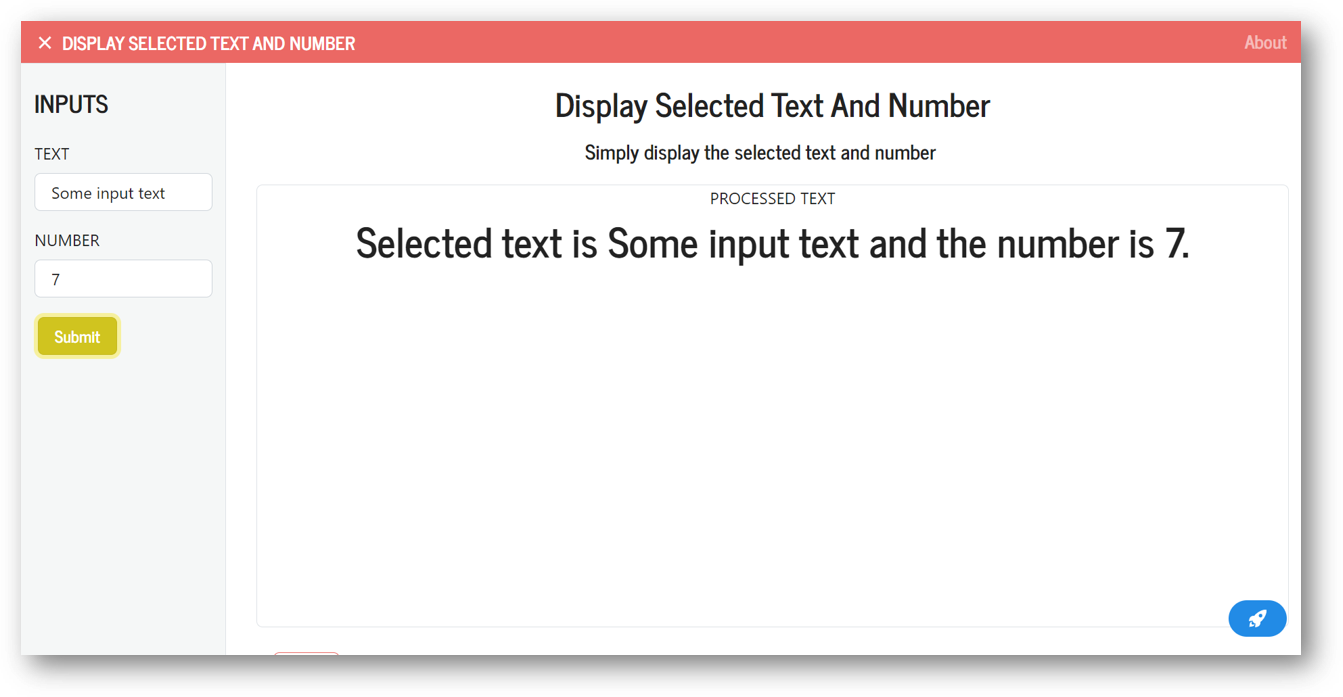
And with just a few more lines, we can add a title icon, subheader and other social branding details.
Output components can be arranged using a mosaic layout (ASCII art), inspired from Matplotlib's subplot_mosaic feature.
```python from fast_dash import fastdash, UploadImage, Graph import matplotlib.pyplot as plt
mosaic = """ AB AC """
@fastdash(mosaic=mosaic, theme="BOOTSTRAP") def multipleoutputcomponents(startdate: datetime.date, # Adds a date component uploadimage: UploadImage, # Adds an upload component fips: str = [List of FIPs]) # Adds a single select dropdown -> (Graph, plt.Figure, plt.Figure): # Output components are a Plotly graph, and two figure components
"Fast Dash allows using mosaic arrays to arrange output components"

choropleth_map = ...
histogram = ...
radar_chart = ...

return chloropleth_map, histogram, radar_chart
* Running on http://127.0.0.1:8080/ (Press CTRL+C to quit)
```
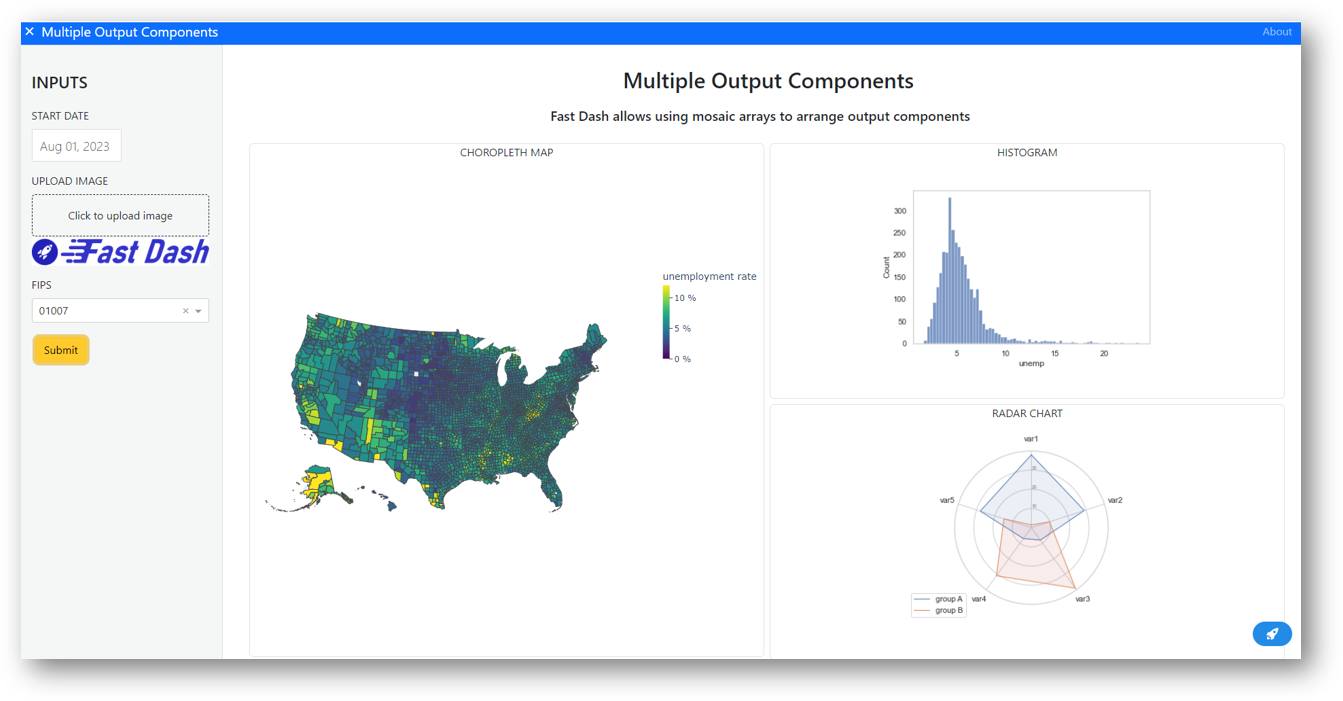
In just a few lines of code, you can also add a chat component.
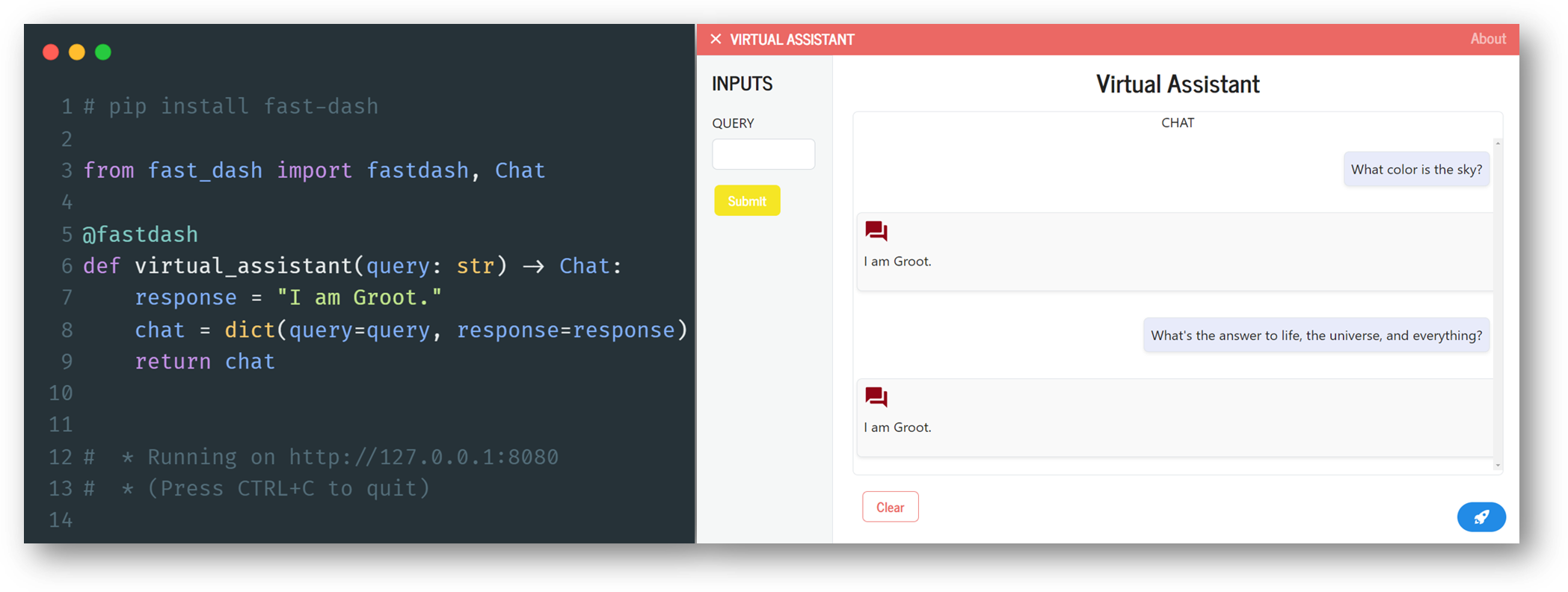
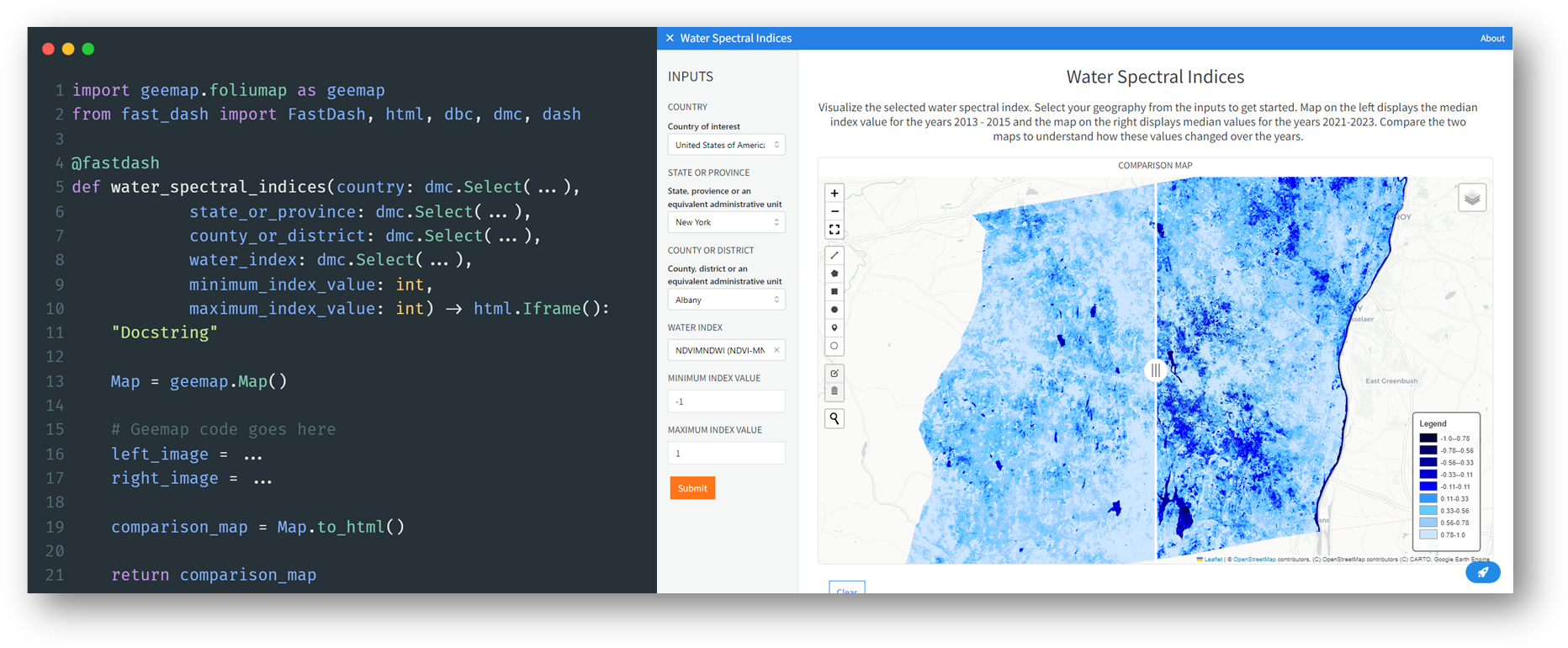
You can use your favorite Python libraries. Here's an example of an advanced geospatial application built using geemap and Google Earth Engine.
About
Read different ways to build Fast Dash apps and additional details by navigating to the project documentation.
Key features
Duild and deploy a web app by adding a decorator only. - Components are inferred from function type hints. Allows using Dash components as type hints. - Use multiple input and output components simultaneously. - Build fast, share and iterate.
Community
Fast Dash is built using Plotly Dash and it's completely open-source.
Owner
- Name: Kedar Dabhadkar
- Login: dkedar7
- Kind: user
- Location: Albany, NY
- Website: dkedar.com
- Twitter: dkedar7
- Repositories: 48
- Profile: https://github.com/dkedar7
Data scientist, Carnegie Mellon Grad. I like building end-to-end data-driven solutions and machine learning web applications.
Citation (CITATION.cff)
# This CITATION.cff file was generated with cffinit.
# Visit https://bit.ly/cffinit to generate yours today!

cff-version: 1.2.0
title: Fast Dash
message: >-
  If you use this software, please cite it using the
  metadata from this file.
type: software
authors:
  - given-names: Kedar Dabhadkar
    email: kedar@fastdash.app
    orcid: 'https://orcid.org/0000-0002-2778-0823'
GitHub Events
Total
- Create event: 21
- Issues event: 4
- Release event: 2
- Watch event: 27
- Delete event: 14
- Issue comment event: 1
- Push event: 63
- Pull request event: 25
- Fork event: 3
Last Year
- Create event: 21
- Issues event: 4
- Release event: 2
- Watch event: 27
- Delete event: 14
- Issue comment event: 1
- Push event: 63
- Pull request event: 25
- Fork event: 3
Committers
Last synced: over 3 years ago
All Time
- Total Commits: 126
- Total Committers: 1
- Avg Commits per committer: 126.0
- Development Distribution Score (DDS): 0.0
Top Committers
| Name | Commits | |
|---|---|---|
| Kedar Dabhadkar | k****r@g****m | 126 |
Issues and Pull Requests
Last synced: 10 months ago
All Time
- Total issues: 8
- Total pull requests: 73
- Average time to close issues: 3 months
- Average time to close pull requests: 6 days
- Total issue authors: 6
- Total pull request authors: 2
- Average comments per issue: 0.75
- Average comments per pull request: 0.26
- Merged pull requests: 69
- Bot issues: 0
- Bot pull requests: 0
Past Year
- Issues: 3
- Pull requests: 18
- Average time to close issues: N/A
- Average time to close pull requests: 4 days
- Issue authors: 1
- Pull request authors: 2
- Average comments per issue: 0.0
- Average comments per pull request: 0.0
- Merged pull requests: 14
- Bot issues: 0
- Bot pull requests: 0
Top Authors
Issue Authors
- dkedar7 (3)
- madiha1ahmed (1)
- andrew-hossack (1)
- e-wallace (1)
- rwblues (1)
- seanbearden (1)
Pull Request Authors
- dkedar7 (71)
- randyzwitch (2)
Top Labels
Issue Labels
Pull Request Labels
Dependencies
- actions/checkout v2 composite
- actions/setup-python v2 composite
- codecov/codecov-action v1 composite
- pypa/gh-action-pypi-publish master composite
- actions/checkout v2 composite
- actions/setup-python v2 composite
- peaceiris/actions-gh-pages v3 composite
- actions/checkout v2 composite
- actions/setup-python v2 composite
- heinrichreimer/github-changelog-generator-action v2.1.1 composite
- peaceiris/actions-gh-pages v3 composite
- pypa/gh-action-pypi-publish release/v1 composite
- softprops/action-gh-release v1 composite
- Flask ^2.0.2
- Pillow ^9.2.0
- dash >=2.11.0
- dash-bootstrap-components ^1.0.2
- dash-iconify ^0.1.2
- dash-mantine-components ^0.12.1
- docstring-parser ^0.15
- matplotlib <=3.7.1
- numpy <=1.25.0
- pandas <2.1.1
- plotly ^5.5.0
- python >=3.8,<3.12