025-fontdiffuser-one-shot-font-generation-via-denoising-diffusion-with-multi-scale-content-aggregat
Science Score: 23.0%
This score indicates how likely this project is to be science-related based on various indicators:
-
○CITATION.cff file
-
✓codemeta.json file
Found codemeta.json file -
○.zenodo.json file
-
○DOI references
-
✓Academic publication links
Links to: arxiv.org -
○Academic email domains
-
○Institutional organization owner
-
○JOSS paper metadata
-
○Scientific vocabulary similarity
Low similarity (8.8%) to scientific vocabulary
Scientific Fields
Artificial Intelligence and Machine Learning
Computer Science -
40% confidence
Last synced: 10 months ago
·
JSON representation
Repository
Basic Info
- Host: GitHub
- Owner: SZU-AdvTech-2024
- Default Branch: main
- Size: 0 Bytes
Statistics
- Stars: 0
- Watchers: 0
- Forks: 0
- Open Issues: 0
- Releases: 0
Created over 1 year ago
· Last pushed over 1 year ago
Metadata Files
Citation
https://github.com/SZU-AdvTech-2024/025-FontDiffuser-One-Shot-Font-Generation-via-Denoising-Diffusion-with-Multi-Scale-Content-Aggregat/blob/main/
# FontDiffuser: One-Shot Font Generation via Denoising Diffusion with Multi-Scale Content Aggregation and Style Contrastive Learning[](https://arxiv.org/abs/2312.12142) [](https://huggingface.co/spaces/yeungchenwa/FontDiffuser-Gradio) [](https://yeungchenwa.github.io/fontdiffuser-homepage/) [](https://github.com/yeungchenwa/FontDiffuser)Model Zoo Installation Training Sampling Run WebUI
## Highlights   + We propose **FontDiffuser**, which can generate unseen characters and styles and can be extended to cross-lingual generation, such as Chinese to Korean. + **FontDiffuser** excels in generating complex characters and handling large style variations. And it achieves state-of-the-art performance. + The generated results by **FontDiffuser** can be perfectly used for **InstructPix2Pix** for decoration, as shown in thr above figure. + We release the [Hugging Face Demo](https://huggingface.co/spaces/yeungchenwa/FontDiffuser-Gradio) online! Welcome to Try it Out! ## News - **2024.01.27**: The training of phase 2 is released. - **2023.12.20**: Our repository is public! - **2023.12.19**: The [Hugging Face Demo](https://huggingface.co/spaces/yeungchenwa/FontDiffuser-Gradio) is public! Welcome to try it out! - **2023.12.16**: The gradio app demo is released. - **2023.12.10**: Release source code with phase 1 training and sampling. - **2023.12.09**: Our [paper](https://arxiv.org/abs/2312.12142) is accepted by AAAI2024. - **Previously**: Our [Recommendations-of-Diffusion-for-Text-Image](https://github.com/yeungchenwa/Recommendations-Diffusion-Text-Image) repo is public, which contains a paper collection of recent diffusion models for text-image generation tasks. Welcome to check it out! ## Model Zoo | **Model** | **chekcpoint** | **status** | |----------------------------------------------|----------------|------------| | **FontDiffuer** | [GoogleDrive](https://drive.google.com/drive/folders/12hfuZ9MQvXqcteNuz7JQ2B_mUcTr-5jZ?usp=drive_link) / [BaiduYun:gexg](https://pan.baidu.com/s/19t1B7le8x8L2yFGaOvyyBQ) | Released | | **SCR** | [GoogleDrive](https://drive.google.com/drive/folders/12hfuZ9MQvXqcteNuz7JQ2B_mUcTr-5jZ?usp=drive_link) / [BaiduYun:gexg](https://pan.baidu.com/s/19t1B7le8x8L2yFGaOvyyBQ) | Released | ## TODO List - [x] Add phase 1 training and sampling script. - [x] Add WebUI demo. - [x] Push demo to Hugging Face. - [x] Add phase 2 training script and checkpoint. - [ ] Add the pre-training of SCR module. - [ ] Combined with InstructPix2Pix. ## Installation ### Prerequisites (Recommended) - Linux - Python 3.9 - Pytorch 1.13.1 - CUDA 11.7 ### Environment Setup Clone this repo: ```bash git clone https://github.com/yeungchenwa/FontDiffuser.git ``` **Step 0**: Download and install Miniconda from the [official website](https://docs.conda.io/en/latest/miniconda.html). **Step 1**: Create a conda environment and activate it. ```bash conda create -n fontdiffuser python=3.9 -y conda activate fontdiffuser ``` **Step 2**: Install related version Pytorch following [here](https://pytorch.org/get-started/previous-versions/). ```bash # Suggested pip install torch==1.13.1+cu117 torchvision==0.14.1+cu117 torchaudio==0.13.1 --extra-index-url https://download.pytorch.org/whl/cu117 ``` **Step 3**: Install the required packages. ```bash pip install -r requirements.txt ``` ## Training ### Data Construction The training data files tree should be (The data examples are shown in directory `data_examples/train/`): ``` data_examples train ContentImage char0.png char1.png char2.png ... TargetImage.png style0 style0+char0.png style0+char1.png ... style1 style1+char0.png style1+char1.png ... style2 style2+char0.png style2+char1.png ... ... ``` ### Training Configuration Before running the training script (including the following three modes), you should set the training configuration, such as distributed training, through: ```bash accelerate config ``` ### Training - Pretraining of SCR ```bash Coming Soon ... ``` ### Training - Phase 1 ```bash sh train_phase_1.sh ``` - `data_root`: The data root, as `./data_examples` - `output_dir`: The training output logs and checkpoints saving directory. - `resolution`: The resolution of the UNet in our diffusion model. - `style_image_size`: The resolution of the style image, can be different with `resolution`. - `content_image_size`: The resolution of the content image, should be the same as the `resolution`. - `channel_attn`: Whether to use the channel attention in the MCA block. - `train_batch_size`: The batch size in the training. - `max_train_steps`: The maximum of the training steps. - `learning_rate`: The learning rate when training. - `ckpt_interval`: The checkpoint saving interval when training. - `drop_prob`: The classifier-free guidance training probability. ### Training - Phase 2 After the phase 2 training, you should put the trained checkpoint files (`unet.pth`, `content_encoder.pth`, and `style_encoder.pth`) to the directory `phase_1_ckpt`. During phase 2, these parameters will be resumed. ```bash sh train_phase_2.sh ``` - `phase_2`: Tag to phase 2 training. - `phase_1_ckpt_dir`: The model checkpoints saving directory after phase 1 training. - `scr_ckpt_path`: The ckpt path of pre-trained SCR module. You can download it from above Model Zoo. - `sc_coefficient`: The coefficient of style contrastive loss for supervision. - `num_neg`: The number of negative samples, default to be `16`. ## Sampling ### Step 1 => Prepare the checkpoint Option (1) Download the checkpoint following [GoogleDrive](https://drive.google.com/drive/folders/12hfuZ9MQvXqcteNuz7JQ2B_mUcTr-5jZ?usp=drive_link) / [BaiduYun:gexg](https://pan.baidu.com/s/19t1B7le8x8L2yFGaOvyyBQ), then put the `ckpt` to the root directory, including the files `unet.pth`, `content_encoder.pth`, and `style_encoder.pth`. Option (2) Put your re-training checkpoint folder `ckpt` to the root directory, including the files `unet.pth`, `content_encoder.pth`, and `style_encoder.pth`. ### Step 2 => Run the script **(1) Sampling image from content image and reference image.** ```bash sh script/sample_content_image.sh ``` - `ckpt_dir`: The model checkpoints saving directory. - `content_image_path`: The content/source image path. - `style_image_path`: The style/reference image path. - `save_image`: set `True` if saving as images. - `save_image_dir`: The image saving directory, the saving files including an `out_single.png` and an `out_with_cs.png`. - `device`: The sampling device, recommended GPU acceleration. - `guidance_scale`: The classifier-free sampling guidance scale. - `num_inference_steps`: The inference step by DPM-Solver++. **(2) Sampling image from content character.** **Note** Maybe you need a ttf file that contains numerous Chinese characters, you can download it from [BaiduYun:wrth](https://pan.baidu.com/s/1LhcXG4tPcso9BLaUzU6KtQ). ```bash sh script/sample_content_character.sh ``` - `character_input`: If set `True`, use character string as content/source input. - `content_character`: The content/source content character string. - The other parameters are the same as the above option (1). ## Run WebUI ### (1) Sampling by FontDiffuser ```bash gradio gradio_app.py ``` **Example**:### (2) Sampling by FontDiffuser and Rendering by InstructPix2Pix ```bash Coming Soon ... ``` ## Gallery ### Characters of hard level of complexity  ### Characters of medium level of complexity  ### Characters of easy level of complexity  ### Cross-Lingual Generation (Chinese to Korean)  ## Acknowledgement - [diffusers](https://github.com/huggingface/diffusers) ## Copyright - This repository can only be used for non-commercial research purposes. - For commercial use, please contact Prof. Lianwen Jin (eelwjin@scut.edu.cn). - Copyright 2023, [Deep Learning and Vision Computing Lab (DLVC-Lab)](http://www.dlvc-lab.net), South China University of Technology. ## Citation ``` @inproceedings{yang2024fontdiffuser, title={FontDiffuser: One-Shot Font Generation via Denoising Diffusion with Multi-Scale Content Aggregation and Style Contrastive Learning}, author={Yang, Zhenhua and Peng, Dezhi and Kong, Yuxin and Zhang, Yuyi and Yao, Cong and Jin, Lianwen}, booktitle={Proceedings of the AAAI conference on artificial intelligence}, year={2024} } ``` ## Star Rising [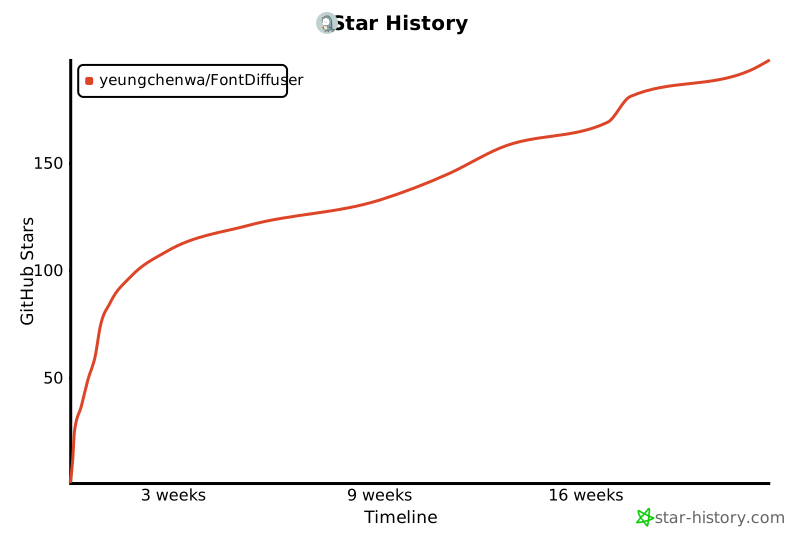](https://star-history.com/#yeungchenwa/FontDiffuser&Timeline)

Owner
- Name: SZU-AdvTech-2024
- Login: SZU-AdvTech-2024
- Kind: organization
- Repositories: 1
- Profile: https://github.com/SZU-AdvTech-2024
GitHub Events
Total
- Push event: 2
- Create event: 3
Last Year
- Push event: 2
- Create event: 3