pyceps
pyCEPS provides an interface to import, visualize and translate clinical mapping data
Science Score: 75.0%
This score indicates how likely this project is to be science-related based on various indicators:
-
✓CITATION.cff file
Found CITATION.cff file -
✓codemeta.json file
Found codemeta.json file -
✓.zenodo.json file
Found .zenodo.json file -
✓DOI references
Found 6 DOI reference(s) in README -
✓Academic publication links
Links to: zenodo.org -
○Academic email domains
-
✓Institutional organization owner
Organization medunigraz has institutional domain (www.medunigraz.at) -
○JOSS paper metadata
-
○Scientific vocabulary similarity
Low similarity (14.3%) to scientific vocabulary
Repository
pyCEPS provides an interface to import, visualize and translate clinical mapping data
Basic Info
- Host: GitHub
- Owner: medunigraz
- License: gpl-3.0
- Language: Python
- Default Branch: main
- Size: 44 MB
Statistics
- Stars: 10
- Watchers: 5
- Forks: 1
- Open Issues: 2
- Releases: 14
Metadata Files
README.md
pyCEPS


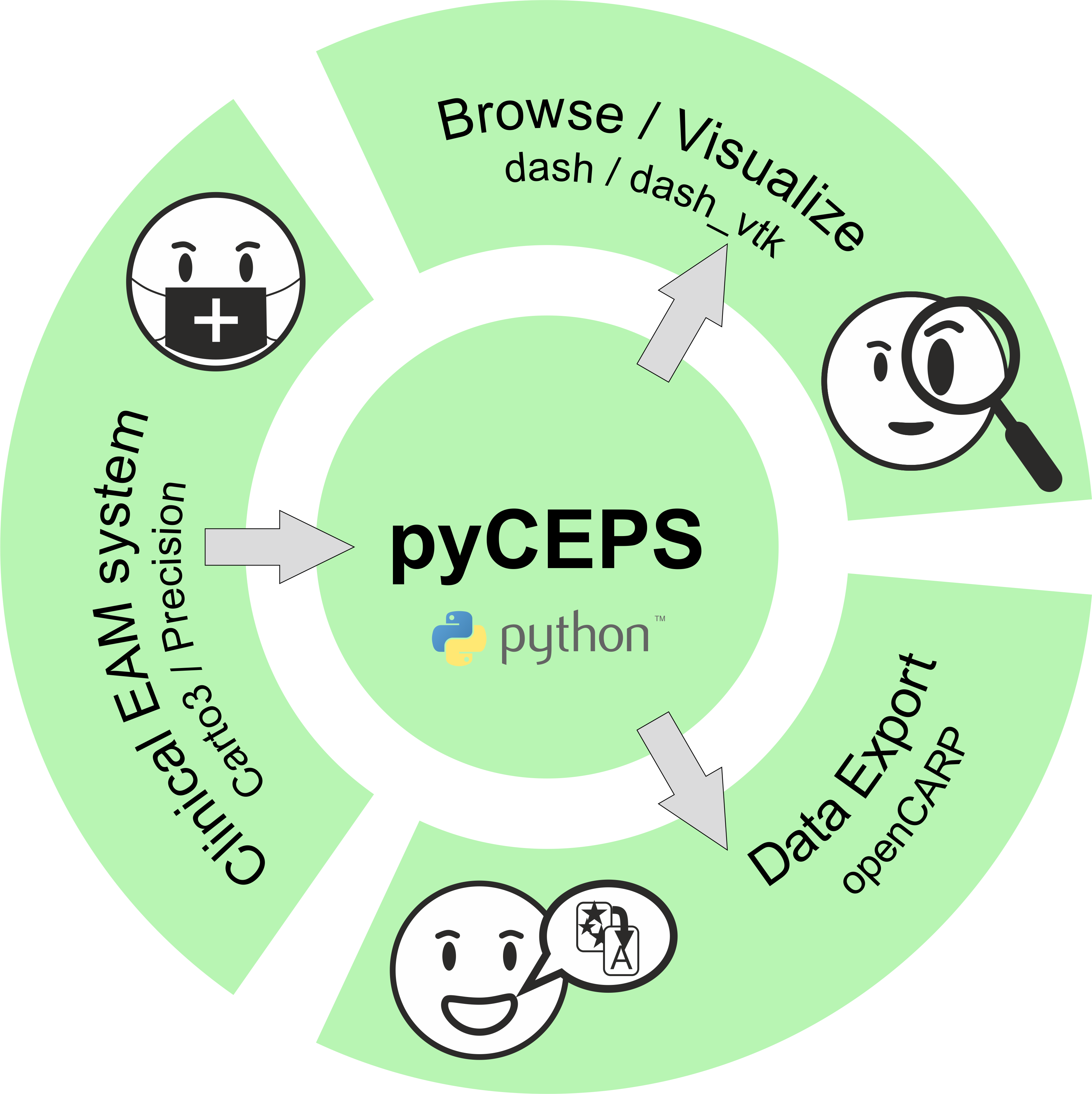
pyCEPS provides an interface to import, visualize and translate clinical mapping data (EAM data). Supported mapping systems are: CARTO®3 (Biosense Webster) and EnSite Precision™ (Abbot).
How To Cite
If you use this software, please consider citing:
@article{ArnoldpyCEPSAcross-platform2024, author = {Arnold, Robert and Prassl, Anton J. and Neic, Aurel and Thaler, Franz and Augustin, Christoph M. and Gsell, Matthias A.F. and Gillette, Karli and Manninger, Martin and Scherr, Daniel and Plank, Gernot}, doi = {10.1016/j.cmpb.2024.108299}, journal = {Computer Methods and Programs in Biomedicine}, title = {{pyCEPS: A cross-platform electroanatomic mapping data to computational model conversion platform for the calibration of digital twin models of cardiac electrophysiology}}, volume = {254}, year = {2024} }
@software{arnold202410606341, author = {Arnold, Robert and Prassl, Anton J and Plank, Gernot}, title = {{pyCEPS: A cross-platform Electroanatomic Mapping Data to Computational Model Conversion Platform for the Calibration of Digital Twin Models of Cardiac Electrophysiology}}, month = feb, year = 2024, publisher = {Zenodo}, doi = {10.5281/zenodo.10606340}, url = {https://doi.org/10.5281/zenodo.10606340} }
To cite a specific software version, visit Zenodo
Installation
Python 3.8 or higher is required. Just use pip to install:
shell
python3 -m pip install pyceps
This will install all necessary dependencies and add a CLI entry point. To test the installation run
shell
pyceps --help
Standard Workflow
Typically, a user wants to import and translate complete EAM data sets, save
a reduced version of the data set to disk, and visualize the data.
shell
pyceps --system "carto" --study-repository "path_to_repository" --convert --visualize --save-study
pyceps --system "precision" --study-repository "path_to_repository" --convert --visualize --save-study
--system specifies the EAM system used for data acquisition.
--study-repository points to a (valid) data location, e.g. a ZIP archive
(preferred), or a folder.
--convert automatically loads the data set in its entirety and exports all
data to openCARP compatible formats.
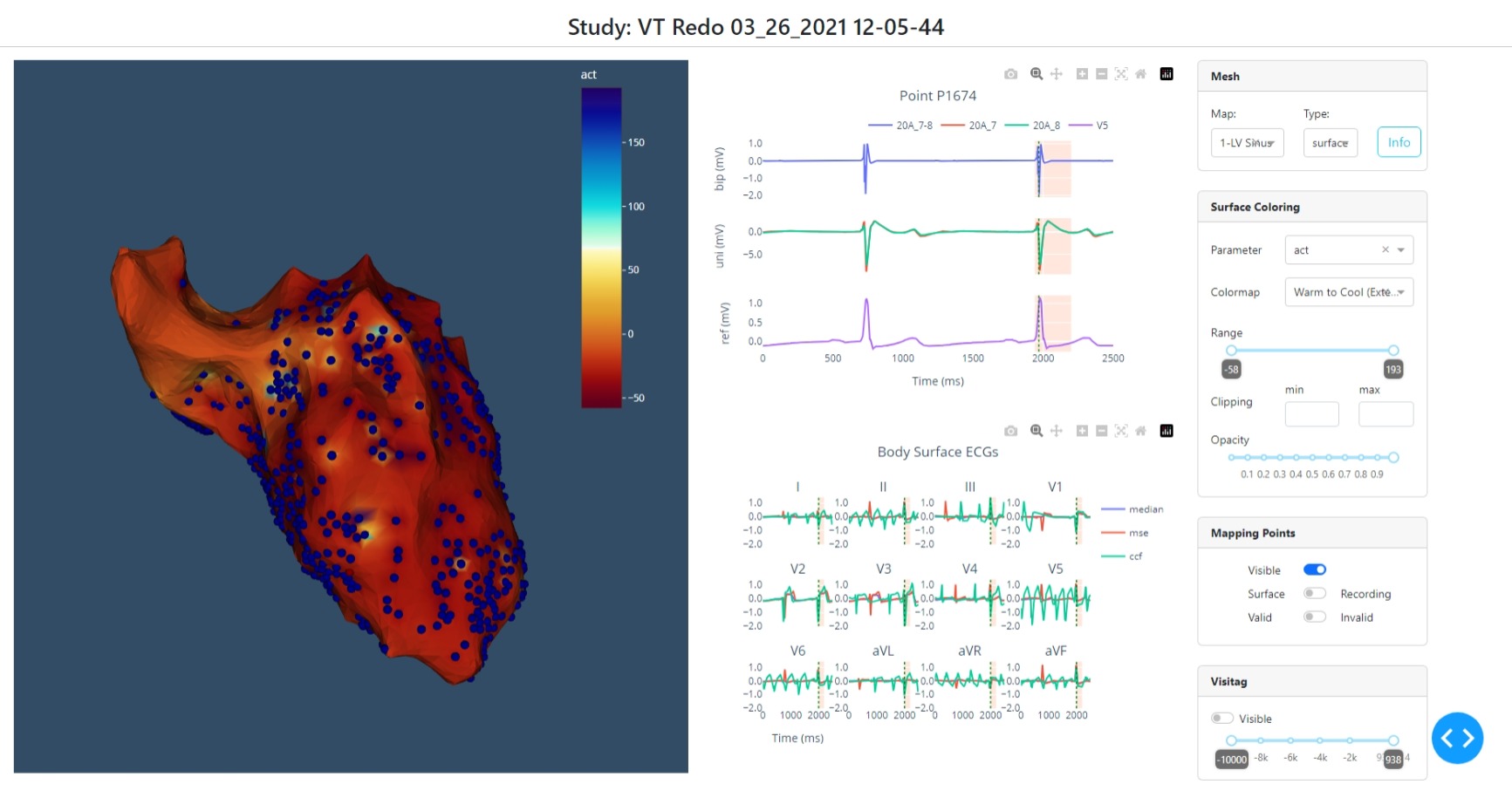
--visualize opens a local HTML site and interactively shows the EAM data.
--save-study saves the (reduced) EAM data set to disk as .pyceps file, which
can be used later (much faster than re-importing the EAM data).
To open and work with a previously generated .pyceps file use
shell
pyceps --study-file "path_to_file" --visualize ...
pyceps --study-file "path_to_file" --visualize ...
Quick preview of studies
EAM data sets can be quickly visualized to preview anatomical shells, recording
point locations, and ablation lesions:
shell
pyceps --system "carto" --study-repository "path_to_repository" --quick
Note: Any other input/output arguments will be ignored!
Saving a reduced version of EAM data
Upon import of EAM data, a data representation is built which can be saved to
disk for later usage.
This data object does not contain the entirety of data available in the EAM
data set (e.g. not all ECG and EGM data is read) but can therefore be loaded
very quickly.
To save the data representation in .pyceps format to disk use
shell
--save-study
The file is automatically saved in the folder above the repository path
(if EAM data resides in a folder), or in the same folder if data is imported
from ZIP archives.
Optionally, a different location can be given.
By default, any ECG data associated with recording points is not saved in the
output file.
If you wish to save ECG data as well for later usage and/or visualization you
can add the option
shell
--keep-ecg
Note: files will grow drastically in size if many recording points are present
Visualizing the data
Once a data set was imported/loaded it can be visualized using a local HTML
site to evaluate the quality of the data set:
shell
--visualize
Note: This will lock the console!
Advanced Import/Export
To control which data, i.e. mapping procedures, are imported from an EAM data set and which data are exported, the commands described below can be chained together. It is also possible to add data to an existing .pyceps file at a later point, if the study repository (original data) is still accessible. See usage of --change-root for details on how to change data location if needed.
Specifying the EAM system
shell
--system [carto, precision]
This is used only when importing data from an EAM data repository.
Specifying the data location
shell
--study-repository "path_to_repository"
--study-file "path_to_file"
Using these commands will gather basic information from the data set,
(i.e. name of the study, performed mapping procedures, etc.) and display this
information on the command line.
Specifying what to import
To import single mapping procedures the name of the mapping procedure can be
specified. Optional all can be used to import all mapping procedures (same as
using --convert).
shell
pyceps.py ... --import-map "map_name"
pyceps.py ... --import-map "all"
All information related to the mapping procedure is loaded, i.e.
anatomical shell, mapping points, ablation lesions, etc.
Specifying what to export
It is possible to export specific items from the data set.
This works only for single mapping procedures, therefore a mapping procedure
to work with has to be specified first using
shell
--map "map_name"
All following commands are then applied to this mapping procedure only.
shell
--dump-mesh
--dump-point-data
--dump-point-egms
--dump-point-ecgs
--dump-map-ecgs
--dump-surface-maps
--dump-lesions
Note: If --convert is used, this is obsolete since data is exported for all mapping procedures.
Note: Using --dump-point-ecgs needs access to EAM data repository to load ECG data!
See below how to set a valid path if necessary
Changing the location of original EAM data
When opening EAM data from previously generated .pyceps files, the original EAM
data set might not be accessible or the path might have changed (e.g. when
using mounted devices).
Information if the path stored in the .pyceps file is still valid is displayed
upon loading of a .pyceps file.
To change the path to an EAM data repository use
shell
--change-root "path_to_repository"
This will check if the new path is valid and set it accordingly.
For Experts
The data contained in exported data sets differs for different mapping systems. Exporting data via the CLI accesses only data common to every mapping system. To access the entirety of imported data, Python scripts have to be used.
```python from pyceps import CartoStudy
study = CartoStudy("pathtorepository", pwd='password', encoding='encoding') study.import_study()
import all available maps
study.import_maps(study.mapNames) ... ```
License
This software is made available under the terms of the GNU General Public License v3.0 (GPLv3+).
Whom Do I Talk To?
- R. Arnold
- A. Prassl
Owner
- Name: Medical University of Graz
- Login: medunigraz
- Kind: organization
- Email: o-it-ai@lists.medunigraz.at
- Location: Graz, Austria
- Website: https://www.medunigraz.at/
- Repositories: 100
- Profile: https://github.com/medunigraz
Citation (CITATION.cff)
cff-version: 1.2.0
message: If you use this software, please cite the paper describing it as below. Specific versions of the software can additionally be referenced using individual DOIs.
type: software
title: pyCEPS
abstract: pyCEPS provides an interface to import, visualize, and translate clinical mapping data.
doi: 10.5281/zenodo.10606340
url: https://github.com/medunigraz/pyCEPS
version: 1.0.3
date-released: "2025-05-20"
authors:
  - family-names: Arnold
    given-names: Robert
    orcid: https://orcid.org/0000-0002-0524-9812
  - family-names: Prassl
    given-names: Anton J.
    orcid: https://orcid.org/0000-0002-1920-1377
license: GPL-3.0
license-url: https://www.gnu.org/licenses/gpl-3.0.html.en
repository-code: https://github.com/medunigraz/pyCEPS
preferred-citation:
  type: article
  doi: 10.1016/j.cmpb.2024.108299
  title: "pyCEPS: A cross-platform electroanatomic mapping data to computational model conversion platform for the calibration of digital twin models of cardiac electrophysiology"
  journal: Computer Methods and Programs in Biomedicine
  volume: 254
  year: 2024
  pages: '108299'
  authors:
    - family-names: Arnold
      given-names: Robert
      orcid: https://orcid.org/0000-0002-0524-9812
    - family-names: Prassl
      given-names: Anton J.
      orcid: https://orcid.org/0000-0002-1920-1377
    - family-names: Neic
      given-names: Aurel
      orcid: https://orcid.org/0000-0002-5192-1307
    - family-names: Thaler
      given-names: Franz
      orcid: https://orcid.org/0000-0002-6589-6560
    - family-names: Augustin
      given-names: Christoph M.
      orcid: https://orcid.org/0000-0001-6341-4014
    - family-names: Gsell
      given-names: Matthias A.F.
      orcid: https://orcid.org/0000-0001-7742-8193
    - family-names: Gillette
      given-names: Karli
      orcid: https://orcid.org/0000-0002-0420-5375
    - family-names: Manninger
      given-names: Martin
      orcid: https://orcid.org/0000-0002-0545-4373
    - family-names: Scherr
      given-names: Daniel
      orcid: https://orcid.org/0000-0001-5868-5493
    - family-names: Plank
      given-names: Gernot
      orcid: https://orcid.org/0000-0002-7380-6908
identifiers:
  - description: This is the archived snapshot of pyCEPS
    type: doi
    value: 10.5281/zenodo.10606340
GitHub Events
Total
- Create event: 4
- Release event: 4
- Issues event: 4
- Watch event: 4
- Delete event: 1
- Issue comment event: 1
- Push event: 31
- Fork event: 1
Last Year
- Create event: 4
- Release event: 4
- Issues event: 4
- Watch event: 4
- Delete event: 1
- Issue comment event: 1
- Push event: 31
- Fork event: 1
Issues and Pull Requests
Last synced: 11 months ago
All Time
- Total issues: 2
- Total pull requests: 0
- Average time to close issues: about 1 month
- Average time to close pull requests: N/A
- Total issue authors: 2
- Total pull request authors: 0
- Average comments per issue: 0.5
- Average comments per pull request: 0
- Merged pull requests: 0
- Bot issues: 0
- Bot pull requests: 0
Past Year
- Issues: 2
- Pull requests: 0
- Average time to close issues: about 1 month
- Average time to close pull requests: N/A
- Issue authors: 2
- Pull request authors: 0
- Average comments per issue: 0.5
- Average comments per pull request: 0
- Merged pull requests: 0
- Bot issues: 0
- Bot pull requests: 0
Top Authors
Issue Authors
- DrRobsAT (4)
- j4vierb (1)
Pull Request Authors
- DrRobsAT (1)
Top Labels
Issue Labels
Pull Request Labels
Packages
- Total packages: 1
-
Total downloads:
- pypi 48 last-month
- Total dependent packages: 0
- Total dependent repositories: 0
- Total versions: 15
- Total maintainers: 1
pypi.org: pyceps
pyceps provides methods for importing EP studies from commercial Clinical Mapping Systems and to export data to openCARP compatible data formats.
- Homepage: https://github.com/medunigraz/pyCEPS
- Documentation: https://pyceps.readthedocs.io/
- License: GPLv3+
-
Latest release: 1.1.2
published about 1 year ago
Rankings
Maintainers (1)
Dependencies
- dash >=2.9.0
- dash_bootstrap_components >=1.4.2
- dash_vtk >=0.0.9
- numpy >=1.21.6,<1.27.0
- plotly >=5.16.1
- py7zr >=0.20.8
- scipy >=1.11.2
- actions/checkout v4 composite
- actions/download-artifact v4 composite
- actions/setup-python v5 composite
- actions/upload-artifact v4 composite
- pypa/gh-action-pypi-publish release/v1 composite
- actions/checkout v4 composite
- actions/download-artifact v4 composite
- actions/setup-python v5 composite
- actions/upload-artifact v4 composite
- pypa/gh-action-pypi-publish release/v1 composite
- sigstore/gh-action-sigstore-python v1.2.3 composite