pygwalker
PyGWalker: Turn your dataframe into an interactive UI for visual analysis
Science Score: 64.0%
This score indicates how likely this project is to be science-related based on various indicators:
-
✓CITATION.cff file
Found CITATION.cff file -
✓codemeta.json file
Found codemeta.json file -
✓.zenodo.json file
Found .zenodo.json file -
○DOI references
-
✓Academic publication links
Links to: arxiv.org -
✓Committers with academic emails
1 of 25 committers (4.0%) from academic institutions -
○Institutional organization owner
-
○JOSS paper metadata
-
○Scientific vocabulary similarity
Low similarity (9.3%) to scientific vocabulary
Keywords
Keywords from Contributors
Repository
PyGWalker: Turn your dataframe into an interactive UI for visual analysis
Basic Info
- Host: GitHub
- Owner: Kanaries
- License: apache-2.0
- Language: Python
- Default Branch: main
- Homepage: https://kanaries.net/pygwalker
- Size: 62.8 MB
Statistics
- Stars: 15,098
- Watchers: 88
- Forks: 806
- Open Issues: 69
- Releases: 65
Topics
Metadata Files
README.md
English | Español | Français | Deutsch | 中文 | Türkçe | 日本語 | 한국어 | Русский
PyGWalker: A Python Library for Exploratory Data Analysis with Visualization







PyGWalker can simplify your Jupyter Notebook data analysis and data visualization workflow, by turning your pandas dataframe into an interactive user interface for visual exploration.
PyGWalker (pronounced like "Pig Walker", just for fun) is named as an abbreviation of "Python binding of Graphic Walker". It integrates Jupyter Notebook with Graphic Walker, an open-source alternative to Tableau. It allows data scientists to visualize / clean / annotates the data with simple drag-and-drop operations and even natural language queries.
https://github.com/Kanaries/pygwalker/assets/22167673/2b940e11-cf8b-4cde-b7f6-190fb10ee44b
[!TIP] If you want more AI features, we also build runcell, an AI Code Agent in Jupyter that understands your code/data/cells and generate code, execute cells and take actions for you. It can be used in jupyter lab with
pip install runcell
https://github.com/user-attachments/assets/9ec64252-864d-4bd1-8755-83f9b0396d38
Visit Google Colab, Kaggle Code or Graphic Walker Online Demo to test it out!
If you prefer using R, check GWalkR, the R wrapper of Graphic Walker. If you prefer a Desktop App that can be used offline and without any coding, check out PyGWalker Desktop.
Features
PyGWalker is a Python library that simplifies data analysis and visualization workflows by turning pandas DataFrames into interactive visual interfaces. It offers a variety of features that make it a powerful tool for data exploration: - ##### Interactive Data Exploration: - Drag-and-drop interface for easy visualization creation. - Real-time updates as you make changes to the visualization. - Ability to zoom, pan, and filter the data. - ##### Data Cleaning and Transformation: - Visual data cleaning tools to identify and remove outliers or inconsistencies. - Ability to create new variables and features based on existing data. - ##### Advanced Visualization Capabilities: - Support for various chart types (bar charts, line charts, scatter plots, etc.). - Customization options for colors, labels, and other visual elements. - Interactive features like tooltips and drill-down capabilities. - ##### Integration with Jupyter Notebooks: - Seamless integration with Jupyter Notebooks for a smooth workflow. - ##### Open-Source and Free: - Available for free and allows for customization and extension.
Getting Started
Check our video tutorial about using pygwalker, pygwalker + streamlit and pygwalker + snowflake, How to explore data with PyGWalker in Python
| Run in Kaggle | Run in Colab |
|--------------------------------------------------------------|--------------------------------------------------------|
| 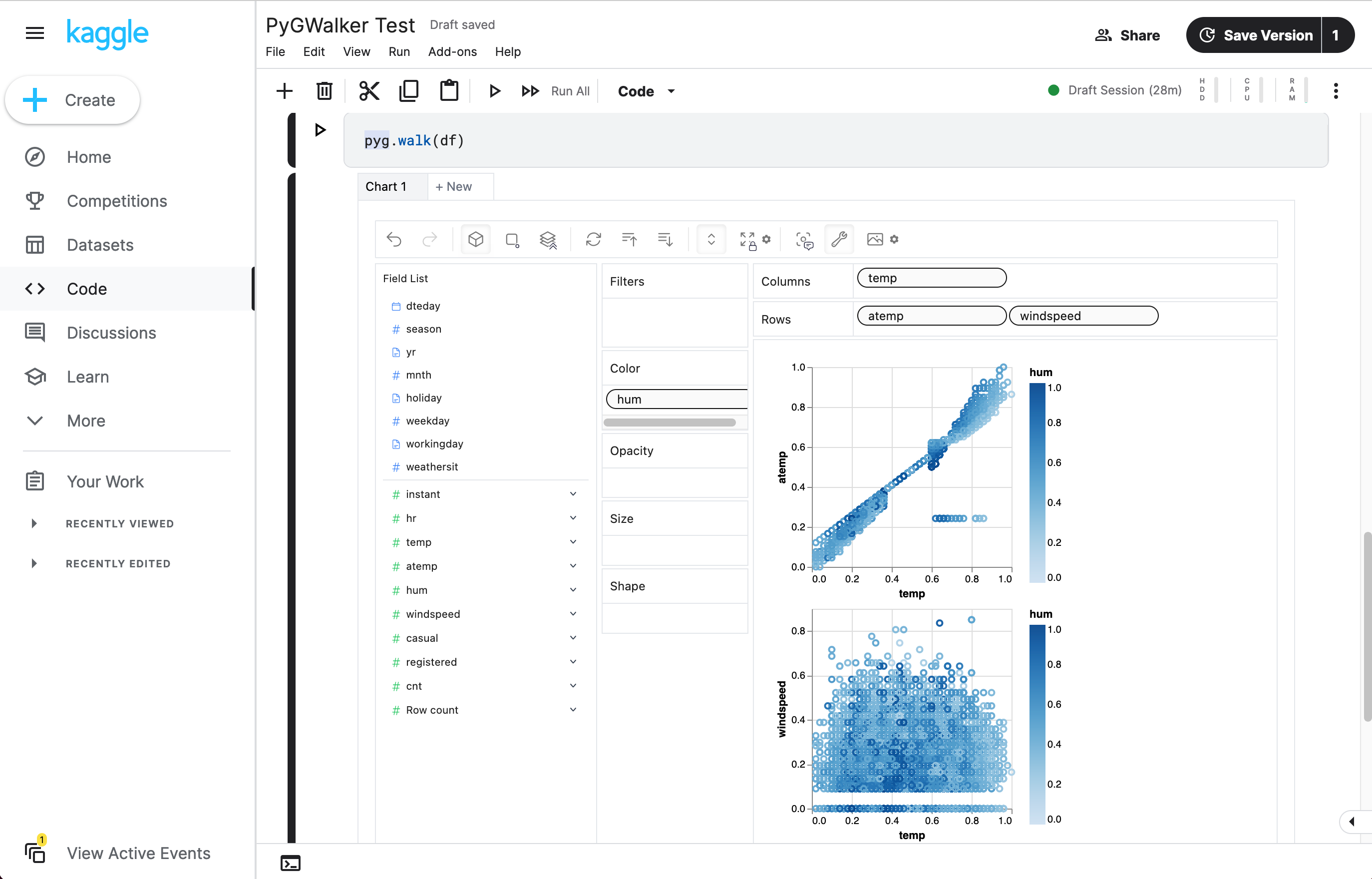 |
| 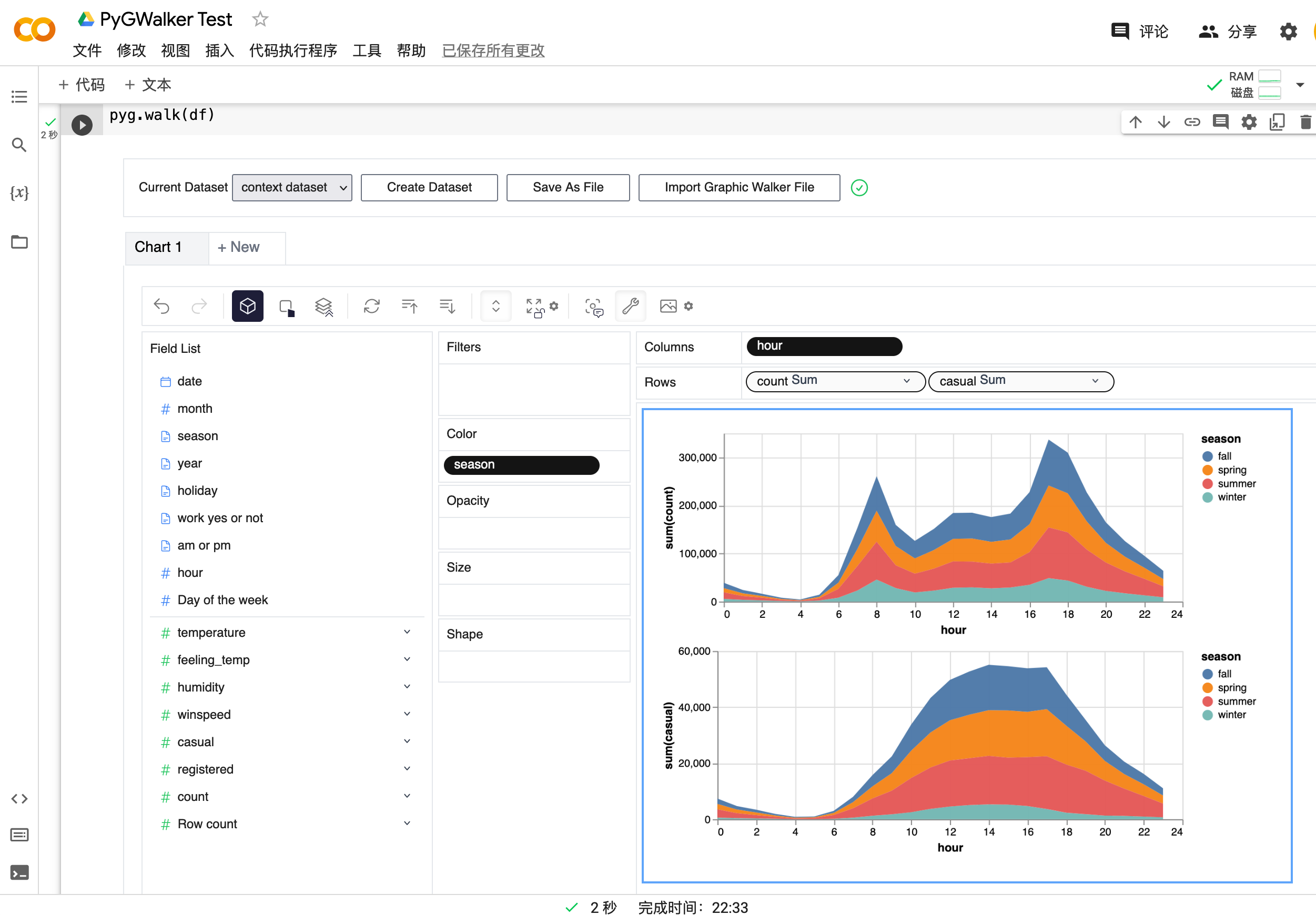 |
|
Setup pygwalker
Before using pygwalker, make sure to install the packages through the command line using pip or conda.
pip
bash
pip install pygwalker
Note
For an early trial, you can install with
pip install pygwalker --upgradeto keep your version up to date with the latest release or evenpip install pygwalker --upgrade --preto obtain latest features and bug-fixes.
Conda-forge
bash
conda install -c conda-forge pygwalker
or
bash
mamba install -c conda-forge pygwalker
See conda-forge feedstock for more help.
Use pygwalker in Jupyter Notebook
Quick Start
Import pygwalker and pandas to your Jupyter Notebook to get started.
python
import pandas as pd
import pygwalker as pyg
You can use pygwalker without breaking your existing workflow. For example, you can call up PyGWalker with the dataframe loaded in this way:
python
df = pd.read_csv('./bike_sharing_dc.csv')
walker = pyg.walk(df)
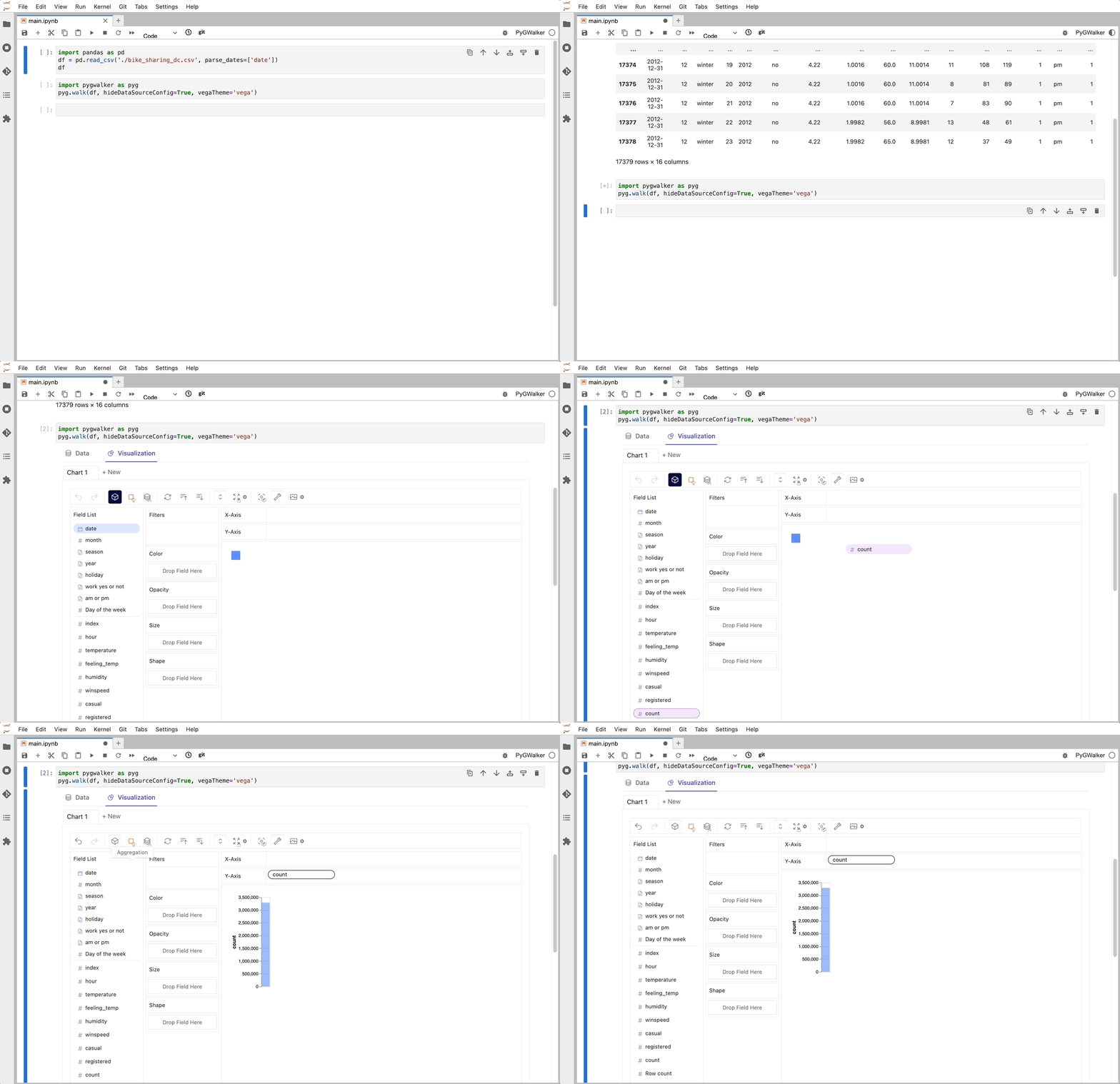
That's it. Now you have an interactive UI to analyze and visualize data with simple drag-and-drop operations.
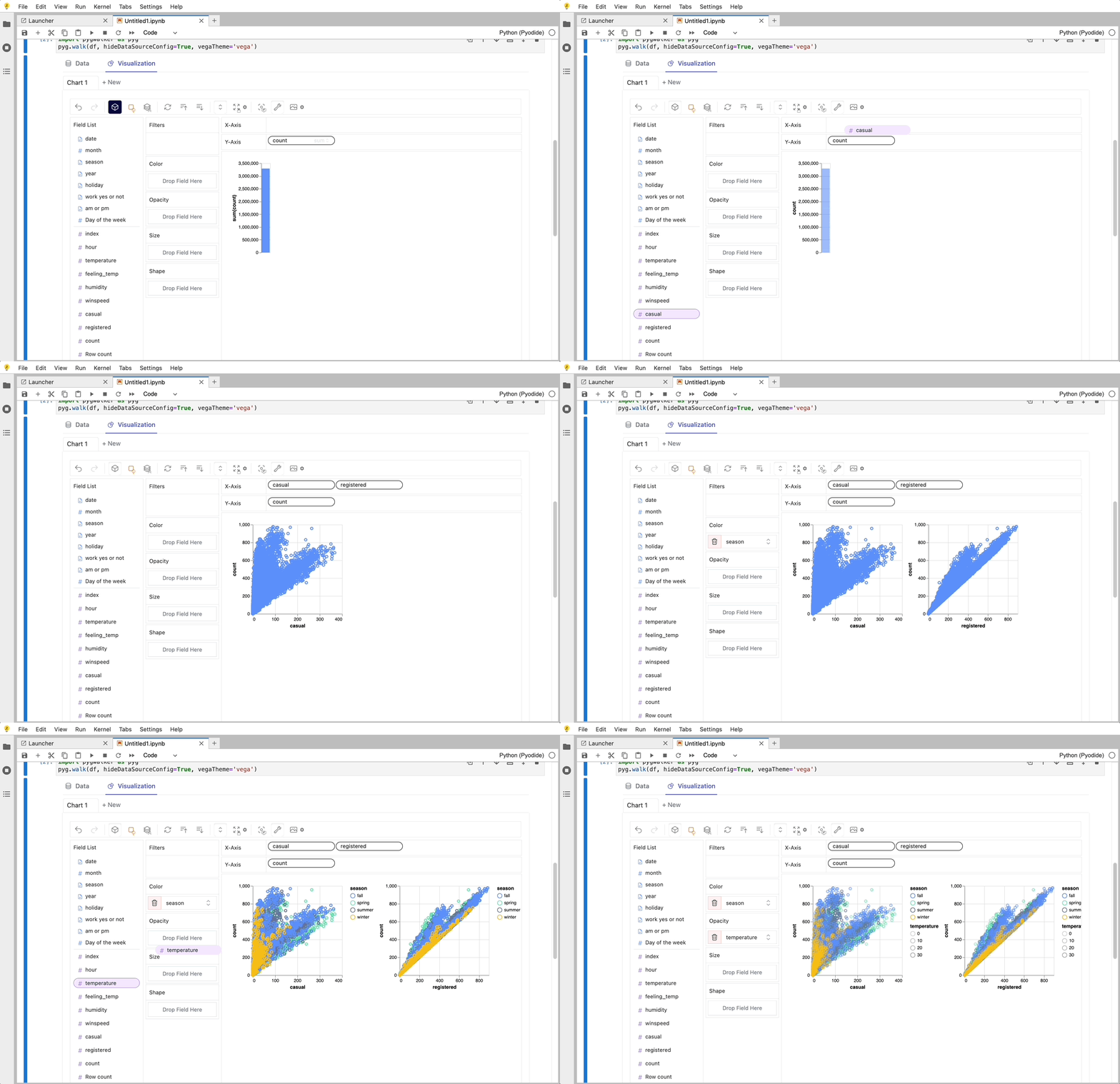
Cool things you can do with PyGwalker:
You can change the mark type into others to make different charts, for example, a line chart:

To compare different measures, you can create a concat view by adding more than one measure into rows/columns.

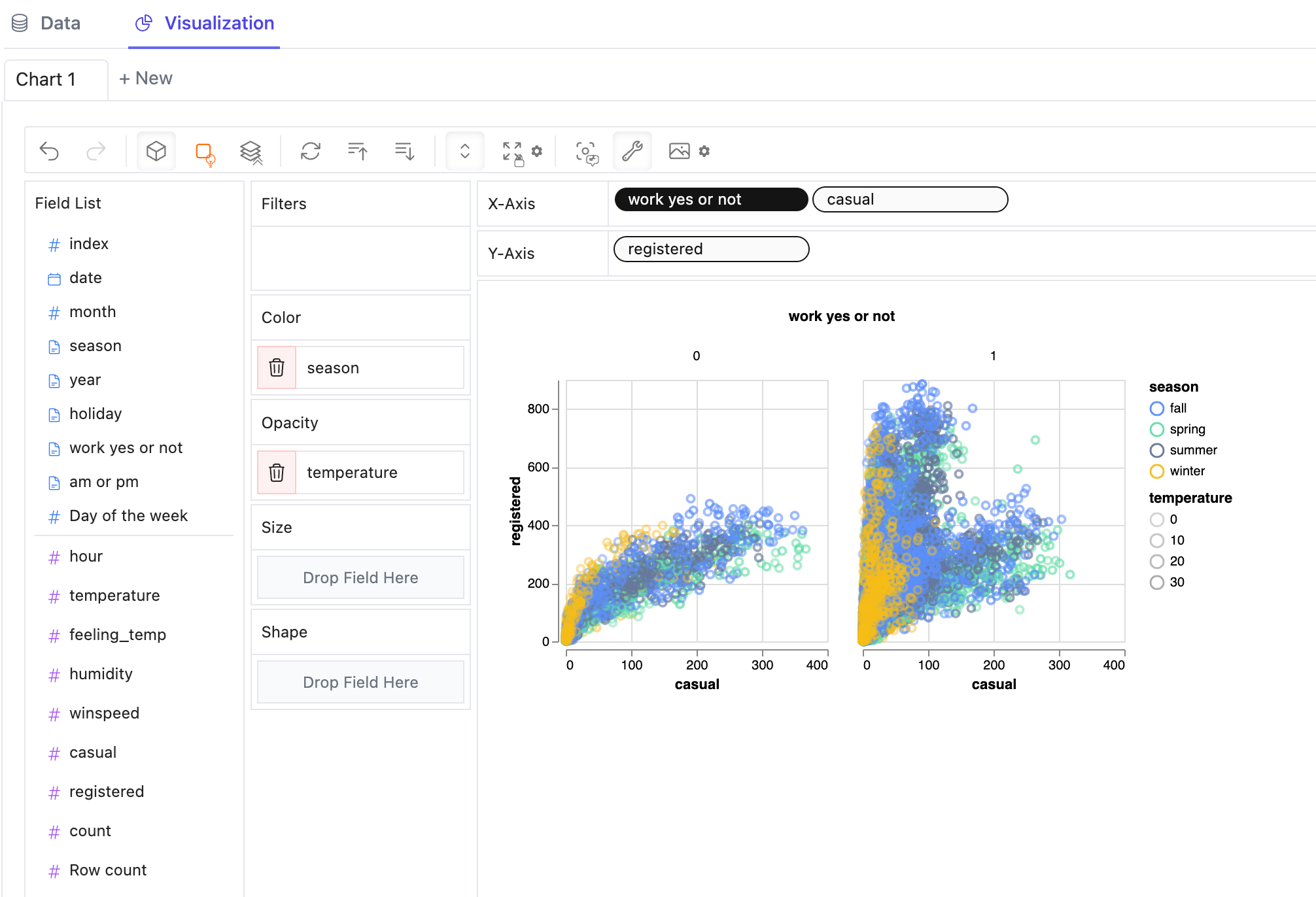
To make a facet view of several subviews divided by the value in dimension, put dimensions into rows or columns to make a facets view.
PyGWalker contains a powerful data table, which provides a quick view of data and its distribution, profiling. You can also add filters or change the data types in the table.
You can save the data exploration result to a local file
Better Practices
There are some important parameters you should know when using pygwalker:
spec: for save/load chart config (json string or file path)kernel_computation: for using duckdb as computing engine which allows you to handle larger dataset faster in your local machine.use_kernel_calc: Deprecated, usekernel_computationinstead.
python
df = pd.read_csv('./bike_sharing_dc.csv')
walker = pyg.walk(
    df,
    spec="./chart_meta_0.json",    # this json file will save your chart state, you need to click save button in ui mannual when you finish a chart, 'autosave' will be supported in the future.
    kernel_computation=True,          # set `kernel_computation=True`, pygwalker will use duckdb as computing engine, it support you explore bigger dataset(<=100GB).
)
Example in local notebook
- Notebook Code: Click Here
- Preview Notebook Html: Click Here
Example in cloud notebook
Programmatic Export of Charts
After saving a chart from the UI, you can retrieve the image directly from Python.
```python walker = pyg.walk(df, spec="./chartmeta0.json")
edit the chart in the UI and click the save button
walker.savecharttofile("Chart 1", "chart1.svg", savetype="svg") pngbytes = walker.exportchartpng("Chart 1") svgbytes = walker.exportchartsvg("Chart 1") ```
Use pygwalker in Streamlit
Streamlit allows you to host a web version of pygwalker without figuring out details of how web application works.
Here are some of the app examples build with pygwalker and streamlit: + PyGWalker + streamlit for Bike sharing dataset + Earthquake Dashboard

```python from pygwalker.api.streamlit import StreamlitRenderer import pandas as pd import streamlit as st
Adjust the width of the Streamlit page
st.setpageconfig( page_title="Use Pygwalker In Streamlit", layout="wide" )
Add Title
st.title("Use Pygwalker In Streamlit")
You should cache your pygwalker renderer, if you don't want your memory to explode
@st.cacheresource
def getpygrenderer() -> "StreamlitRenderer":
df = pd.readcsv("./bikesharingdc.csv")
# If you want to use feature of saving chart config, set spec_io_mode="rw"
return StreamlitRenderer(df, spec="./gwconfig.json", specio_mode="rw")
renderer = getpygrenderer()
renderer.explorer() ```
API Reference
pygwalker.walk
| Parameter | Type | Default | Description |
|------------------------|-----------------------------------------------------------|----------------------|--------------------------------------------------------------------------------------------------------------------------------------------------|
| dataset | Union[DataFrame, Connector] | - | The dataframe or connector to be used. |
| gid | Union[int, str] | None | ID for the GraphicWalker container div, formatted as 'gwalker-{gid}'. |
| env | Literal['Jupyter', 'JupyterWidget'] | 'JupyterWidget' | Environment using pygwalker. |
| fieldspecs | Optional[Dict[str, FieldSpec]] | None | Specifications of fields. Will be automatically inferred from dataset if not specified. |
| hidedatasourceconfig | bool | True | If True, hides DataSource import and export button. |
| themekey | Literal['vega', 'g2'] | 'g2' | Theme type for the GraphicWalker. |
| appearance | Literal['media', 'light', 'dark'] | 'media' | Theme setting. 'media' will auto-detect the OS theme. |
| spec | str | "" | Chart configuration data. Can be a configuration ID, JSON, or remote file URL. |
| usepreview | bool | True | If True, uses the preview function. |
| kernel_computation | bool | False | If True, uses kernel computation for data. |
| **kwargs | Any | - | Additional keyword arguments. |
Development
Refer it: local-development
Tested Environments
- [x] Jupyter Notebook
- [x] Google Colab
- [x] Kaggle Code
- [x] Jupyter Lab
- [x] Jupyter Lite
- [x] Databricks Notebook (Since version
0.1.4a0) - [x] Jupyter Extension for Visual Studio Code (Since version
0.1.4a0) - [x] Most web applications compatiable with IPython kernels. (Since version
0.1.4a0) - [x] Streamlit (Since version
0.1.4.9), enabled withpyg.walk(df, env='Streamlit') - [x] DataCamp Workspace (Since version
0.1.4a0) - [x] Panel. See panel-graphic-walker.
- [x] marimo (Since version
0.4.9.11) - [ ] Hex Projects
- [ ] ...feel free to raise an issue for more environments.
Configuration And Privacy Policy(pygwalker >= 0.3.10)
You can use pygwalker config to set your privacy configuration.
```bash $ pygwalker config --help
usage: pygwalker config [-h] [--set [key=value ...]] [--reset [key ...]] [--reset-all] [--list]
Modify configuration file. (default: ~/Library/Application Support/pygwalker/config.json) Available configurations:
privacy 'offline', 'update-only', 'events'. "offline": fully offline, no data is send or api is requested "update-only": only check whether this is a new version of pygwalker to update "events": share which events about which feature is used in pygwalker, it only contains events data about which feature you arrive for product optimization. No DATA YOU ANALYSIS IS SEND. Events data will bind with a unique id, which is generated by pygwalker when it is installed based on timestamp. We will not collect any other information about you.
kanaries_token 'your kanaries token'. your kanaries token, you can get it from https://kanaries.net. refer: https://space.kanaries.net/t/how-to-get-api-key-of-kanaries. by kanaries token, you can use kanaries service in pygwalker, such as share chart, share config.
options: -h, --help show this help message and exit --set [key=value ...] Set configuration. e.g. "pygwalker config --set privacy=update-only" --reset [key ...] Reset user configuration and use default values instead. e.g. "pygwalker config --reset privacy" --reset-all Reset all user configuration and use default values instead. e.g. "pygwalker config --reset-all" --list List current used configuration. ```
More details, refer it: How to set your privacy configuration?
License
Contribution Guideline
You are encouraged to contribute to PyGWalker in any way that suits your interests. This may include: - Answering questions and providing support - Sharing ideas for new features - Reporting bugs and glitches - Contributing code to the project - Offering suggestions for website improvements and better documentation
Resources
PyGWalker Cloud is released! You can now save your charts to cloud, publish the interactive cell as a web app and use advanced GPT-powered features. Check out the PyGWalker Cloud for more details.
- Check out more resources about PyGWalker on Kanaries PyGWalker
- PyGWalker Paper PyGWalker: On-the-fly Assistant for Exploratory Visual Data Analysis
- We are also working on RATH: an Open Source, Automate exploratory data analysis software that redefines the workflow of data wrangling, exploration and visualization with AI-powered automation. Check out the Kanaries website and RATH GitHub for more!
- Youtube: How to explore data with PyGWalker in Python
- Use pygwalker to build visual analysis app in streamlit
- Use panel-graphic-walker to build data visualization apps with Panel.
- If you encounter any issues and need support, please join our Discord channel or raise an issue on github.
- Share pygwalker on these social media platforms if you like it!





Owner
- Name: Kanaries
- Login: Kanaries
- Kind: organization
- Email: support@kanaries.org
- Website: https://kanaries.net
- Twitter: kanaries_data
- Repositories: 10
- Profile: https://github.com/Kanaries
Build data tools from the future
Citation (CITATION.cff)
# This CITATION.cff file was generated with cffinit.
# Visit https://bit.ly/cffinit to generate yours today!

cff-version: 1.2.0
title: PyGWalker
message: >-
  If you use this software, please cite it using the
  metadata from this file.
type: software
authors:
  - website: 'https://kanaries.net/'
    name: Kanaries Open Source Community
repository-code: 'https://github.com/Kanaries/pygwalker'
url: 'https://kanaries.net/pygwalker'
abstract: >-
  PyGWalker is a Python Library for Exploratory Data
  Analysis with Visualization that can simplify your Jupyter
  Notebook data analysis and data visualization workflow, by
  turning your pandas dataframe into an interactive user
  interface for visual exploration.
keywords:
  - Data Analysis
  - Exploratory Data Analysis
  - Data Visualization tools
  - Python Library
  - interactive
license: Apache-2.0
GitHub Events
Total
- Create event: 14
- Release event: 2
- Issues event: 45
- Watch event: 2,084
- Delete event: 2
- Issue comment event: 73
- Push event: 60
- Pull request review comment event: 2
- Pull request review event: 11
- Pull request event: 41
- Fork event: 159
Last Year
- Create event: 14
- Release event: 2
- Issues event: 45
- Watch event: 2,084
- Delete event: 2
- Issue comment event: 73
- Push event: 60
- Pull request review comment event: 2
- Pull request review event: 11
- Pull request event: 41
- Fork event: 159
Committers
Last synced: about 1 year ago
Top Committers
| Name | Commits | |
|---|---|---|
| longxiaofei | l****2@g****m | 433 |
| Asm.Def | w****n@z****n | 63 |
| observedobserver | 2****1@q****m | 54 |
| islxyqwe | i****3@g****m | 9 |
| rickhg12hs | 6****s | 8 |
| Bruk07 | a****6@g****m | 4 |
| Vignesh Skanda | a****a@g****m | 3 |
| ysj0226 | y****j@k****g | 3 |
| DeastinY | p****d@g****m | 2 |
| Srihari Thyagarajan | h****3@g****m | 2 |
| jojocys | y****y@g****m | 2 |
| 0warning0error | z****g@q****m | 1 |
| Abhinav | 6****p | 1 |
| Akshay Agrawal | a****7@g****m | 1 |
| BHznJNs | 6****s | 1 |
| Bernd Schrooten | b****n@d****m | 1 |
| Eduard | l****3@g****m | 1 |
| Ian Mayo | i****n@p****m | 1 |
| Julius Plehn | j****n@m****m | 1 |
| Marc Skov Madsen | m****a@o****m | 1 |
| RenChu Wang | p****g@g****m | 1 |
| Swapnil Patel | s****7@g****m | 1 |
| Viddesh | 6****1 | 1 |
| unknown | d****k@s****m | 1 |
| 蓝友和 | 3****2@q****m | 1 |
Committer Domains (Top 20 + Academic)
Issues and Pull Requests
Last synced: 10 months ago
All Time
- Total issues: 140
- Total pull requests: 140
- Average time to close issues: about 2 months
- Average time to close pull requests: 12 days
- Total issue authors: 114
- Total pull request authors: 22
- Average comments per issue: 2.54
- Average comments per pull request: 0.23
- Merged pull requests: 121
- Bot issues: 0
- Bot pull requests: 0
Past Year
- Issues: 48
- Pull requests: 48
- Average time to close issues: 28 days
- Average time to close pull requests: about 1 month
- Issue authors: 37
- Pull request authors: 12
- Average comments per issue: 1.63
- Average comments per pull request: 0.4
- Merged pull requests: 41
- Bot issues: 0
- Bot pull requests: 0
Top Authors
Issue Authors
- ObservedObserver (10)
- longxiaofei (6)
- vanbolin (6)
- relakuman (4)
- ilyanoskov (3)
- Asm-Def (3)
- JeevankumarDharmalingam (3)
- rotcx (3)
- DonYum (3)
- Julius-Plehn (3)
- MarcSkovMadsen (3)
- thienphuoc86 (2)
- dataxcount (2)
- dickhfchan (2)
- Json-Woo (2)
Pull Request Authors
- longxiaofei (196)
- Asm-Def (32)
- ObservedObserver (11)
- islxyqwe (11)
- vignesh1507 (10)
- blondon1 (9)
- ysj0226 (3)
- ikohu-66 (2)
- Haleshot (2)
- dwestjohn (2)
- thomasbs17 (2)
- BHznJNs (2)
- rickhg12hs (2)
- akshayka (2)
- MarcSkovMadsen (2)
Top Labels
Issue Labels
Pull Request Labels
Packages
- Total packages: 1
-
Total downloads:
- pypi 129,759 last-month
- Total docker downloads: 849
- Total dependent packages: 5
- Total dependent repositories: 10
- Total versions: 218
- Total maintainers: 1
pypi.org: pygwalker
pygwalker: turn your data into an interactive UI for data exploration and visualization
- Documentation: https://pygwalker.readthedocs.io/
- License: Apache Software License
-
Latest release: 0.4.9
published about 2 years ago
Rankings
Maintainers (1)
Dependencies
- ipython *
- jinja2 *
- pandas *
- python ^3.5
- actions/checkout v3 composite
- actions/download-artifact v3 composite
- actions/setup-node v3 composite
- actions/setup-python v4 composite
- actions/upload-artifact v3 composite
- actions/checkout v3 composite
- actions/download-artifact v3 composite
- actions/setup-node v3 composite
- actions/setup-python v4 composite
- actions/upload-artifact v3 composite
- pypa/gh-action-pypi-publish v1.8.5 composite
- @rollup/plugin-commonjs ^24.0.x development
- @rollup/plugin-replace ^5.0.x development
- @rollup/plugin-terser ^0.4.x development
- @rollup/plugin-typescript ^11.0.x development
- @types/react ^17.x development
- @types/react-dom ^17.x development
- @types/react-syntax-highlighter ^15.5.7 development
- @types/styled-components ^5.1.26 development
- @vitejs/plugin-react ^3.1.x development
- typescript ^4.9.5 development
- vite ^4.1.4 development
- vite-plugin-wasm ^3.2.2 development
- @headlessui/react ^1.7.14
- @heroicons/react ^2.0.8
- @kanaries-temp/gw-dsl-parser 0.1.3
- @kanaries/graphic-walker 0.4.12
- autoprefixer ^10.3.5
- buffer ^6.0.3
- html-to-image ^1.11.11
- mobx ^6.9.0
- mobx-react-lite ^3.4.3
- postcss ^8.3.7
- react ^17.x
- react-dom ^17.x
- react-syntax-highlighter ^15.5.0
- styled-components ^5.3.6
- tailwindcss ^3.2.4
- 419 dependencies
- pygwalker >=0.1