ml-treatment-effects
This is a repository of the master thesis on Casual Machine Learning for Heterogeneous Treatment Effects: An Empirical Application on Optimal Treatment Assignment.
Science Score: 44.0%
This score indicates how likely this project is to be science-related based on various indicators:
-
✓CITATION.cff file
Found CITATION.cff file -
✓codemeta.json file
Found codemeta.json file -
✓.zenodo.json file
Found .zenodo.json file -
○DOI references
-
○Academic publication links
-
○Academic email domains
-
○Institutional organization owner
-
○JOSS paper metadata
-
○Scientific vocabulary similarity
Low similarity (13.5%) to scientific vocabulary
Keywords
Repository
This is a repository of the master thesis on Casual Machine Learning for Heterogeneous Treatment Effects: An Empirical Application on Optimal Treatment Assignment.
Basic Info
Statistics
- Stars: 0
- Watchers: 1
- Forks: 0
- Open Issues: 0
- Releases: 0
Topics
Metadata Files
README.md
Casual Machine Learning for Heterogeneous Treatment Effects: An Empirical Application on Optimal Treatment Assignment
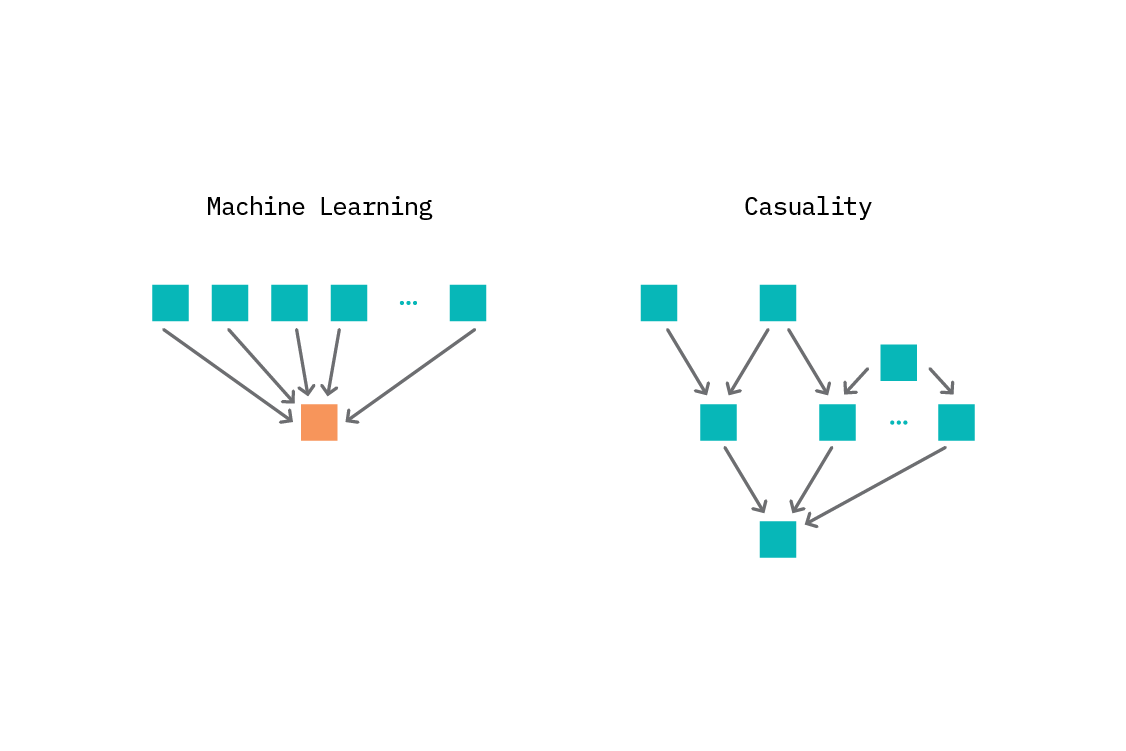 Master Thesis Paper, submitted and presented at CERGE-EI.


Introduction
This repository contains the code, data, and documentation for my Master Thesis, titled Casual Machine Learning for Heterogeneous Treatment Effects: An Empirical Application on Optimal Treatment Assignment. The thesis explores the utilization of machine learning for improved causal inference. Included are all the necessary scripts and resources to reproduce the results, as well as detailed explanations of the methodologies used. Feel free to explore the materials and reach out if you have any questions or feedback!
Main configurations:
Ran on:
- Windows 11
- Python 3.9.13
- tensoflow==2.10.0
- protobuf==3.11.3
How to set up the virtual environment using venv
- You can install venv to your host Python by running this command in your terminal:
console
pip install virtualenv
2. To use venv in your project, in your terminal, cd to the project folder in your terminal, and run the following command:
console
git clone git@github.com:klaushajdaraj/ml-treatment-effects.git
cd ml-treatment-effects
python3.9.13 -m venv env
3. To activate your virtual environment:
On Mac:
console
source env/bin/activate
On Windows:
console
env/Scripts/activate.bat //In CMD
env/Scripts/Activate.ps1 //In Powershel
- Install the packages and libraries:
console
pip install -r requirements.txt
- To deactivate your virtual environment:
console
~ deactivate
How to set up the virtual environment using conda (Mac)
```console conda create -n mltreatmentsenv python=3.9.13
conda activate mltreatmentsenv
pip install -r requirements.txt ```
Files
requirements.txt
The file contains the required packages, libraries and dependencies. To install the requirements, run in the terminal:
pip install -r requirements.txt
repetitions_subsettreatments.joblib
Contains the CV_Results (see mlmethods) saved from the hundred times performed three-folded cross validation Hitsch Matching for two ML-Methods. Only treatments 1, 2, 4 and 5 were considered.
repetitions_alltreatments.joblib
Contains the CV_Results (see mlmethods) saved from the hundred times performed three-folded cross validation Hitsch Matching for two ML-Methods. All treatments were considered.
plots.py
Code for creating plots used in the Analytics.ipynb which is the main Jupyter notebook for evaluating the results.
mlmethods.py
Main script with two ML-Method classes and the code for Hitsch Matching. It is only used for importing on the main script, empty main().
expdata.csv
Raw data of the experiment from Opitz et al. (2024).
cv_script.py
Script for hyper-parameter tuning of the two ML-Methods.
exploratory_data_analysis.ipynb
The main Jupyter notebook for creating descriptional statistics, result tables and figures.
misramatching_script.py
Performs the Hitsch Matching with the two ML methods. Adjust the used_treatments list for the subset of treatments. In addition, there can be found the dictionary with used hyperparameters.
IMPORTANT
Please note that the paths in the python scripts have to be adjusted to the user's working directory! Therefore, it is necessary to change the paths according to your local directories.
To change the paths, follow the steps:
- Create a file named
config.yamlin the same working directory. - Inside the config file, set the paths as it follows:
yaml
paths:
  documents: Paste the path to the directory containing the joblib files for full and sub- treatment set.
  data: Paste the path to the directory containing the data file: `expdata.csv`.
  params: Paste the path to the directory containing the parameters.
"# machine-learning-treatment-effects" "# ml-treatment-effects"
Owner
- Name: Klaus Hajdaraj
- Login: klaushajdaraj
- Kind: user
- Location: Prague, Czech Republic
- Website: https://www.linkedin.com/in/klaus-hajdaraj-a85933198/
- Repositories: 1
- Profile: https://github.com/klaushajdaraj
Data Scientist, Intern
Citation (CITATION.cff)
cff-version: 1.2.0
message: "If you use this material, please cite it as below."
authors:
  - family-names: "Klaus"
    given-names: "Hajdaraj"
title: "Casual Machine Learning for Heterogeneous Treatment Effects: An Empirical Application on Optimal Treatment Assignment"
version: 1.0.0
date-released: 2025
url: "https://github.com/klaushajdaraj/ml-treatment-effects"
preferred-citation:
  type: article
  authors:
    - family-names: "Klaus"
      given-names: "Hajdaraj"
  journal: "Univerzita Karlova, Fakulta sociálních věd"
  month: 01
  title: "Casual Machine Learning for Heterogeneous Treatment Effects: An Empirical Application on Optimal Treatment Assignment"
  year: 2025
GitHub Events
Total
- Delete event: 2
- Push event: 5
- Public event: 2
- Pull request event: 3
- Create event: 2
Last Year
- Delete event: 2
- Push event: 5
- Public event: 2
- Pull request event: 3
- Create event: 2
Dependencies
- numpy *
- tensorflow >=2.4.0
- tensorflow *
- numpy *
- tensorflow >=2.4.0
- Jinja2 ==3.1.4
- PyYAML ==6.0.2
- astunparse ==1.6.3
- backcall ==0.2.0
- beautifulsoup4 ==4.12.3
- bleach ==6.2.0
- cloudpickle ==3.1.0
- contourpy ==1.3.0
- cycler ==0.12.1
- defusedxml ==0.7.1
- docopt ==0.6.2
- econml ==0.15.1
- fastjsonschema ==2.21.0
- fonttools ==4.55.0
- idna ==3.10
- importlib_resources ==6.4.5
- ipython ==8.12.3
- joblib ==1.4.2
- jsonschema ==4.23.0
- jsonschema-specifications ==2024.10.1
- jupyterlab_pygments ==0.3.0
- kiwisolver ==1.4.7
- libclang ==18.1.1
- lightgbm ==4.5.0
- llvmlite ==0.43.0
- markdown-it-py ==3.0.0
- matplotlib ==3.9.3
- mdurl ==0.1.2
- mistune ==3.0.2
- ml-dtypes ==0.4.1
- namex ==0.0.8
- nbclient ==0.10.1
- nbconvert ==7.16.4
- nbformat ==5.10.4
- numba ==0.60.0
- optree ==0.13.1
- pandas ==2.2.3
- pandocfilters ==1.5.1
- patsy ==1.0.1
- pillow ==11.0.0
- pipreqs ==0.5.0
- protobuf ==3.11.3
- pyasn1-modules ==0.2.8
- pyparsing ==3.2.0
- pytz ==2024.2
- referencing ==0.35.1
- rich ==13.9.4
- rpds-py ==0.21.0
- scikit-learn ==1.5.2
- seaborn ==0.13.2
- shap ==0.43.0
- slicer ==0.0.7
- soupsieve ==2.6
- sparse ==0.15.4
- statsmodels ==0.14.4
- tensorflow-io-gcs-filesystem ==0.37.1
- threadpoolctl ==3.5.0
- tinycss2 ==1.4.0
- tqdm ==4.67.1
- tzdata ==2024.2
- webencodings ==0.5.1
- yarg ==0.1.9