io.github.jyrkioraskari:IFCtoLBD
IFCtoLBD converts IFC (Industry Foundation Classes STEP formatted files into the Linked Building Data ontologies.
Science Score: 26.0%
This score indicates how likely this project is to be science-related based on various indicators:
-
○CITATION.cff file
-
✓codemeta.json file
Found codemeta.json file -
✓.zenodo.json file
Found .zenodo.json file -
○DOI references
-
○Academic publication links
-
○Academic email domains
-
○Institutional organization owner
-
○JOSS paper metadata
-
○Scientific vocabulary similarity
Low similarity (16.0%) to scientific vocabulary
Repository
IFCtoLBD converts IFC (Industry Foundation Classes STEP formatted files into the Linked Building Data ontologies.
Basic Info
Statistics
- Stars: 88
- Watchers: 16
- Forks: 24
- Open Issues: 20
- Releases: 0
Metadata Files
README.md
IFCtoLBD
Version 2.44.3 Free for all of us, forever.
The IFCtoLBD converter transforms Industry Foundation Classes (IFC) files in STEP format into Resource Description Framework (RDF) triples. These RDF triples adhere to the ontologies created by the World Wide Web Consortium (W3C) Linked Building Data Community Group (W3C LBD-CG: https://github.com/w3c-lbd-cg/).
What is IFC?
IFC is a vendor-neutral data format created by buildingSMART. It helps different software in architecture, engineering, and construction (AEC) work together by sharing detailed information about building parts and their connections. You can find sample models here: buildingSMART/Sample-Test-Files. Tools like Solibri Anywhere, BIMcollab ZOOM, FZKViewer, Tekla BIMsight, or BIM Vision can be used to view the files.
What is RDF?
RDF is a web standard by the W3C. It organizes data into triples (subject, predicate, object) to make it easy to share and reuse information across different applications and combine large datasets from various sources. (see Verborgh, The Semantic Web & Linked Data)
Proceedings of the 6th Linked Data in Architecture and Construction Workshop: The IFC to Linked Building Data Converter - Current Status.
It is recommended to use OpenJDK 21 (it is the modt current Long-Term Support version). Java 17 is supported. OpenJava can be downloaded from (https://docs.microsoft.com/en-us/java/openjdk/download). On a Windows system, download the MSI file that matches your processor type (usually x64 aka Intel), and run it to install Java.
Precompiled binaries
Precompiled applications are available in the published release. https://github.com/jyrkioraskari/IFCtoLBD/releases
- Desktop application: IFCtoLBD-Desktop Use Java 21 for compiling the converter and the desktop app. For the OpenAPI interface, it is recommended to use Java 21.
These are runnable JAR files. If the Java installation is fine, the file can be run by clicking it.
When converting large files, run.bat can be used. It is also faster since it allows the program to use more memory for the calculation.
Also, Windows 10/11 installations are available. The zip files contain script files to run the program neatly in the windows operating system.
If the program does not start, try the following command at the command line: java -jar IFCtoLBD-Desktop.jar.

Source Code Documentation
Java programming examples can be found here .
The desktop user interface was created using Java FXML, a scripting language defining the user interface in Java applications. You can download the editor from Gluon Scene Builder (see https://gluonhq.com/products/scene-builder/). In the editor, import the org.openjfx:javafx-graphics and org.openjfx:javafx-controls libraries to get the editor working using the library manager.
Compiling the code
The converter can be compiled using Maven and the Java JDK. Maven is a build automation tool for managing a projects build. You can download Maven from Apache Maven from https://maven.apache.org/download.cgi.
First, make sure that the JAVA_HOME environment variable point to the JAVA JDK directory. JRE is not enough. Then run the following commands:
- In Eclipse, select first Maven Update project for all projects. ``` cd IFCtoRDF call mvn clean install cd ..
cd IFCtoLBD_Geometry call mvn clean install cd ..
cd IFCtoLBD call mvn clean install cd ..
cd IFCtoLBD_Desktop call mvn clean install cd ..
cd IFCtoLBD_OpenAPI call mvn clean install call mvn enunciate:docs install cd ..
When done as shown above by using the command line, copy the files in your app folder <app> (can be any) and run the conversion.
copy IFCtoRDF/target/ifc-to-lbd--jar-with-dependencies.jar
java -cp * org.linkedbuildingdata.ifc2lbd.IFCtoLBDConverter http://lbd.example.com/
```
- Note: If you have problems compiling the sources, remove the module-info.java files (they expect to find the JAR files of the Maven-referred libraries of older Java versions).
OLD instruction was:
cd IFCtoLBD_OpenAPI
call mvn clean install
set MAVEN_OPTS=--add-exports jdk.compiler/com.sun.tools.javac.api=ALL-UNNAMED --add-exports jdk.compiler/com.sun.tools.javac.util=ALL-UNNAMED
call mvn enunciate:docs install
cd ..
Then, the best way to create a runnable Java 19 program is to 1. Use an Eclipse (https://www.eclipse.org/) installation, 2. Open org.linkedbuildingdata.ifc2lbd.Main class on the Eclipse editor 3. Select from the menu /Run/Run 4. Select the /File/Export:Java/Runnabe Jar file/Next 5. Launch configuration: -Select the created Main runtime configuration-, Package resource libraries into generated JAR 6. Select destination file and Finish.
An example command line usage of the program is:
java -jar IFCtoLBD.jar Duplex_A_20110505.ifc http://uribase out.ttl
Maven
The Maven library was published on the 16th of January, 2024.
```
IFCtoLBD Python Implementation
The example implementation can be found in the IFCtoLBD_Python subfolder
Installation:
pip install JPype1
pip install rdflib
```
!/usr/bin/env python3
import pprint
import jpype from rdflib import Graph, Literal, RDF, URIRef
Enable Java imports
import jpype.imports
Pull in types
from jpype.types import *
jpype.startJVM(classpath=['jars/*'])
IFCtoLBDConverter = jpype.JClass("org.linkedbuildingdata.ifc2lbd.IFCtoLBDConverter")
Convert the IFC file into LBD level 3 model
lbdconverter = IFCtoLBDConverter("https://example.domain.de/", 3)
model = lbdconverter.convert("DuplexA20110505.ifc"); statements = model.listStatements();
g = Graph()
Copy triples to the Python rdflib library
Apache Jena operations:
-------------------
while statements.hasNext(): triple = statements.next() rdfsubject = URIRef(triple.getSubject().toString()) rdfpredicate = URIRef(triple.getPredicate().toString()) if triple.getObject().isLiteral(): rdfobject = Literal(triple.getObject().toString()) else: rdfobject = URIRef(triple.getObject().toString()) g.add((rdfsubject, rdfpredicate, rdf_object))
rdflib operations:
-------------------
for stmt in g: pprint.pprint(stmt) jpype.shutdownJVM()
```
More Python examples and detailed description can be found here .
Docker for the Open API interface
Install Docker Desktop: https://www.docker.com/get-started
Command-line commands needed to start the server at your computer; ``` docker pull jyrkioraskari/ifc2lbdopenapi:latest
docker container run -it --publish 8081:8080 jyrkioraskari/ifc2lbdopenapi
``` Then the software can be accessed from the local web address: http://localhost:8081/IFCtoLBD_OpenAPI
Command line usage
```
Usage: IFCtoLBDCLI [-bhpV] [-be] [--hasGeolocation] [--hasGeometry]
[--hasSeparateBuildingElementsModel]
[--hasSeparatePropertiesModel] [--hasTriG] [--hasUnits]
[--ifcOWL] [-l=
```
Examples of the use:
java  -Xms16G -Xmx16G -jar IFCtoLBD_CLI.jar Duplex_A_20110907.ifc
java  -Xms16G -Xmx16G -jar IFCtoLBD_CLI.jar Duplex_A_20110907.ifc --target_file output.ttl
java  -jar IFCtoLBD_CLI.jar Duplex_A_20110907.ifc --level 1 --target_file output.ttl
IFCtoLBD BimBot service plugin for BIMserver
jyrkioraskari/IFCtoLBD_BIMBot-Plugin
Contributors
Jyrki Oraskari, Mathias Bonduel, Kris McGlinn, Anna Wagner, Pieter Pauwels, Ville Kukkonen, Simon Steyskaland, Joel Lehtonen, Maxime Lefranois, and Lewis John McGibbney. Thanks also to Vladimir Alexiev and Kathrin Dentler for their valuable comments.
License
This project is released under the open source Apache License, Version 2.0
How to cite
``` @software{jyrkioraskari2024_7636217, author = {Jyrki Oraskari and Mathias Bonduel and Kris McGlinn and Pieter Pauwels and Freddy Priyatna and Anna Wagner and Ville Kukkonen and Simon Steyskaland and Joel Lehtonen and Maxime Lefranois }, title = {IFCtoLBD: IFCtoLBD v 2.44.0}, month = aug, year = 2024, publisher = {GitHub}, version = {2.44.0}, url = {https://github.com/jyrkioraskari/IFCtoLBD} }
```
Blog
April 9, 2025
Added a small example in the Scala language. It depends on the maven compilation of the Java code shown above.
February 20, 2025
A small LLM example was added in Python.
January 10, 2025
A short example to list properties by elements was added. here .
September 20, 2024
I wrote a Python program to demonstrate how the interfaces can be used to infer which door to use to
enter a space.

The short example code can be found here.
September 19, 2024
While its still in the preliminary stages and requires thorough testing, a source code for our bounding box-based interface generation is now available. The code quality is being tested, and we are gearing up for the next pre-compiled release soon. If you encounter any bugs, please let me know.
March 14, 2024
Just in case you have a path problem in a MacBook when writing Python:
-- It is recommended yo use absolute path names for the Java library files (macOS). You can use a text editor Search&Replace to fix there ysour configuration at the line of code:
jpype.startJVM(classpath = ['...
A short example code of relative names can be found here.
March 11, 2024
The Python examples were rewritten so that the import error in some JPype versions should not appear. Also, instructions to copy the jars folder was added.
February 21, 2024
2D linegraph splits from the model
 The short example code can be found here.
The same with doors and windows, and, finally,spaces.

January 30, 2024
Simple graph plot with Python. Source code is here .

January 26, 2024
Python visualization demo code available here .

January 02, 2024
The recommendations was changed to encourage to use one of the last two performant Long-Term Support version of Java (17 or 21).
November 13, 2023
The new user Java 17 (and above) compatible OpenAPI is now in the source code. Earlier Java versions are not supported as the current Enuciate package has that limitation.
June 21, 2023
The new user interface is in the testing phase. This is not the final version yet. I still test how the filtering can be made smarter.
 (updated 21st Feb, 2024).
March 1, 2023
Tested and update the Python interface.
February 13, 2023
The geometry tests are finished. The converter now exports OBJ formatted geometry for the building elements. The ifcZip format support is implemented but needs still some more testing.
June 07, 2022
Support for xsd:decimal.
May 16, 2022
Support for multi-character Unicode sequences.
April 19, 2022
Added unlinked elements and those that have no LBD type. It allows using the converter when there are no BOT elements connected to the interested in elements.
March 18, 2022 "This application requires a Java Runtime Environment"
The Windows executable bundle for the Open JDK was fixed to contain the Java version.
December 15, 2021 Log4J
Last Sunday the software was patched to contain Log4J version 2.15 and today version 2.16 was added. The OpenAPI installation was shortly tested under Apache Tomcat 9.0.54 and updated to the current IFCtoLBD release. The Docker image is also updated.
December 9, 2021 Command line converter tool
Example usage: java -jar IFCtoLBDJava15.jar http://lbd.example.com/ c:\IFC\DuplexA20110505.ifc c:\IFC\DuplexA20110505.ttl
December 7, 2021, The degree sign character
The Unicode notation of the degree sign character caused Jena to stop reading the raw ifcOWL output. This is fixed now.
September 6, 2021, Java 15
Java 8 is more than seven years old now, which means that not all libraries are supporting that old Java variant anymore. To keep the software secure, it is preferred to deprecate the version of the code in the long run. Currently, a separate Java 8 branch is kept in case only Java 8 can be used.
April 6, 2021 Support for European languages
The program code was modified so that the default backslash notation for UTF-8 characters is removed. should be human-readable.
October 13, 2020, Testing the software
The software was tested to function with https://jdk.java.net/15/
October 5, 2020, Testing the software
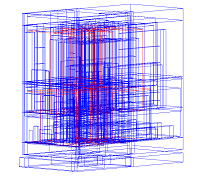
Testing the correctness of the created bounding boxes.
Frequently asked questions
- What does it mean when IFCtoLBD says Java heap space?
- This error typically occurs when converting a large file. It indicates the program has run out of memory allocated for the Java heap. To resolve this, try starting the program using run.bat
- Why does the program say: "Error: Cannot determine which IFC version the model it is: [IFC2X2_FINAL]"
- IFC 2x2 Final was published as early as 2003, 14 years ago. There are still some test files that are generated using this version. Support for this may be added. Currently, the supported IFC versions are IFC2x3TC1, FC2x3FINAL, IFC4, IFC4 ADD1, and IFC4 ADD2.
- Nothing happens when I start the program.
Check that Java 15 is installed, open a command prompt, from the releases list, and download the precompiled binaries, then at the directory where IFCtoLBD-DesktopJava15.ja is located. Run the following command:
java -jar IFCtoLBD-Desktop_Java_15.jar- If any further problems, under the Windows 10 operating system, you can also try to use the
the bundled version of the converter: IFCtoLBD_Java15.exe
- If any further problems, under the Windows 10 operating system, you can also try to use the
the bundled version of the converter: IFCtoLBD_Java15.exe
I have a problem running the OpenAPI interface under Apache Tomcat 9:
- Check that the JAVA_HOME environmental variable at your computer points to Java version 15 or newer. The older versions of Java are not supported anymore (If you must use it for some reason, an older release of the converter can be used), since the used libraries don't support them anymore.
In Windows, I cannot open the program by double-clicking the file
- Open a command prompt as admin
- Run the following commands:
   assoc .jar=jarfile
   type jarfile="your java installation directory\bin\javaw.exe" -jar "%1" %*
where your java installation directory is the base directory where your Java runtime is installed.
How to disable the missing project natures in Eclipse prompt
- open Eclipse.
- go to Window > Preferences.
- navigate to General > Project Natures.
There, you can disable the option for discovering missing project natures and marketplace entries.
Eclipse build takes forever to complete
- Disable Project/Build Automatically, and build the all with Maven Install. Enable the option after.
- eclipse -clean -clearPersistedState // It resets Eclipse perspectives, too.
Acknowledgements
The research was funded by the EU through the H2020 project BIM4REN.
https://dc.rwth-aachen.de/de/forschung/bim4ren
Owner
- Name: Jyrki Oraskari
- Login: jyrkioraskari
- Kind: user
- Location: Aachen
- Company: RWTH Aachen
- Website: https://dc.rwth-aachen.de/de/team/staff/jyrki-oraskari
- Twitter: jyrki_o
- Repositories: 8
- Profile: https://github.com/jyrkioraskari
GitHub Events
Total
- Watch event: 5
- Push event: 37
- Fork event: 2
Last Year
- Watch event: 5
- Push event: 37
- Fork event: 2
Issues and Pull Requests
Last synced: 10 months ago
All Time
- Total issues: 19
- Total pull requests: 26
- Average time to close issues: 12 months
- Average time to close pull requests: 4 days
- Total issue authors: 7
- Total pull request authors: 5
- Average comments per issue: 1.26
- Average comments per pull request: 0.19
- Merged pull requests: 23
- Bot issues: 0
- Bot pull requests: 11
Past Year
- Issues: 0
- Pull requests: 0
- Average time to close issues: N/A
- Average time to close pull requests: N/A
- Issue authors: 0
- Pull request authors: 0
- Average comments per issue: 0
- Average comments per pull request: 0
- Merged pull requests: 0
- Bot issues: 0
- Bot pull requests: 0
Top Authors
Issue Authors
- VladimirAlexiev (9)
- pipauwel (6)
- mathib (6)
- jyrkioraskari (3)
- simonstey (2)
- aibba19 (1)
- vijoc (1)
- AJAY31797 (1)
- wojciechteclaw (1)
- kathrinrin (1)
- ar-chad (1)
- k----n (1)
Pull Request Authors
- jyrkioraskari (23)
- dependabot[bot] (13)
- pipauwel (1)
- zouppen (1)
- VladimirAlexiev (1)
- fpriyatna (1)
Top Labels
Issue Labels
Pull Request Labels
Packages
- Total packages: 1
- Total downloads: unknown
- Total dependent packages: 0
- Total dependent repositories: 1
- Total versions: 1
repo1.maven.org: io.github.jyrkioraskari:IFCtoLBD
Converter to convert Industry Foundation Classes (IFC) STEP formatted files into Resource Description Framework (RDF) triples that follow the small ontologies devised in the World Wide Web Consortium (W3C) Linked Building Data Community Group (W3C LBD-CG) (https://github.com/w3c-lbd-cg/).
- Homepage: https://github.com/jyrkioraskari/IFCtoLBD
- Documentation: https://appdoc.app/artifact/io.github.jyrkioraskari/IFCtoLBD/
- License: Apache License, Version 2.0
-
Latest release: 1.88
published about 6 years ago
Rankings
Dependencies
- com.vaadin:vaadin-bom 8.14.1 import
- javax.servlet:javax.servlet-api 3.0.1 provided
- com.google.guava:guava [24.1.1,)
- com.vaadin:vaadin-client-compiled 8.14.1
- com.vaadin:vaadin-push 8.14.1
- com.vaadin:vaadin-server 8.14.1
- com.vaadin:vaadin-themes 8.14.1
- io.github.jyrkioraskari:IFCtoLBD 2.38.0
- org.apache.poi:poi 5.2.1
- org.apache.poi:poi-ooxml 5.2.1
- org.apache.poi:poi-ooxml-lite 5.2.2
- com.github.davidmoten:rtree-multi 0.1-RC1
- com.google.guava:guava [30.0-jre,)
- com.thoughtworks.xstream:xstream [1.4.14-jdk7,)
- commons-codec:commons-codec 1.15
- de.rwth-aachen.dc.lbd:IFCtoLBD_Geometry 2.38.0
- io.github.jyrkioraskari:IFC2RDF 1.2.9
- org.apache.commons:commons-lang3 3.12.0
- org.apache.jena:apache-jena-libs [4.2.0,)
- org.junit.jupiter:junit-jupiter-api 5.8.0 test
- org.junit.jupiter:junit-jupiter-engine 5.8.0 test
- org.junit.platform:junit-platform-launcher 1.4.2 test
- de.gsi.chart:chartfx-chart 11.2.7
- io.github.jyrkioraskari:IFCtoLBD 2.38.0
- org.controlsfx:controlsfx 11.1.1
- org.openjfx:javafx-base 19-ea+6
- org.openjfx:javafx-controls 19-ea+6
- org.openjfx:javafx-fxml 19-ea+6
- org.openjfx:javafx-graphics 19-ea+6
- com.google.guava:guava [30.0-jre,)
- commons-io:commons-io 2.11.0
- javax.vecmath:vecmath 1.5.2
- org.opensourcebim:ifcplugins 0.0.99
- org.opensourcebim:pluginbase 1.5.163
- org.slf4j:slf4j-api 2.0.0-alpha5