
Don't forget to give a if you found this helpful.
Revolutionizing website internal linking by leveraging cutting-edge data processing techniques, vector embeddings, and graph-based link prediction algorithms. By combining these advanced technologies and methodologies, the project aims to create an intelligent solution that optimizes internal link structures, enhancing both SEO performance and user navigation.
We're enabling **the first publicly available and transparent research for academic and industry purposes in the field of end-to-end SEO and technical marketing on a global level**. This initiative opens the door to innovation and collaboration, setting a new standard for how large-scale websites can manage and improve their internal linking strategies using AI-powered, reproducible methods. **A scientific paper is in progress and will follow.**
**Note:** Weve implemented clearer separation between frontend, backend, testing, and data logic, and are now conducting **rigorous stress tests** with the SEO community.
## TO-DOs
- [x] Manual testing confirms module stability
- [x] Initial test cases are provided
- [ ] Implement deep test automation
---
Quick Tour
---
# Project Structure
The project is organized into a modular structure to promote maintainability, reusability, and clear separation of concerns. This is the current folder layout but can change over time:
```
WebKnoGraph/ (Your project root)
assets/ # Project assets (images, etc.)
01_crawler.png
02_embeddings.png
03_link_graph.png
04_graphsage_01.png
04_graphsage_02.png
06_HITS_PageRank_Sorted_URLs.png
WL_logo.png
fcse_logo.png
kalicube.com.png
data/ # (This directory should typically be empty in the repo, used for runtime output)
link_graph_edges.csv # Example of existing data files
prediction_model/
model_metadata.json # Example of existing data files
url_analysis_results.csv # Example of existing data files
notebooks/ # Jupyter notebooks, each acting as a UI entry point
crawler_ui.ipynb # UI for Content Crawler
embeddings_ui.ipynb # UI for Embeddings Pipeline
link_crawler_ui.ipynb # UI for Link Graph Extractor
link_prediction_ui.ipynb # UI for GNN Link Prediction & Recommendation
pagerank_ui.ipynb # UI for PageRank & HITS Analysis (Newly added)
src/ # Core source code for the application
backend/ # Backend logic for various functionalities
__init__.py
config/ # Configuration settings for each module
__init__.py
crawler_config.py
embeddings_config.py
link_crawler_config.py
link_prediction_config.py
pagerank_config.py
data/ # Data loading, saving, and state management components
__init__.py
repositories.py # For Content Crawler state (SQLite)
embeddings_loader.py
embeddings_saver.py
embedding_state_manager.py
graph_dataloader.py # For Link Prediction data loading
graph_processor.py # For Link Prediction data processing
link_graph_repository.py # For Link Graph Extractor state (SQLite) & CSV saving
graph/ # Graph-specific algorithms and analysis
__init__.py
analyzer.py
models/ # Machine learning model definitions
__init__.py
graph_models.py # For GNN Link Prediction (GraphSAGE)
services/ # Orchestrators and core business logic for each module
__init__.py
crawler_service.py
embeddings_service.py
graph_training_service.py
link_crawler_service.py
pagerank_service.py
recommendation_engine.py
utils/ # General utility functions
__init__.py
http.py # HTTP client utilities (reusable)
url.py # URL filtering/extraction for Content Crawler
link_url.py # URL filtering/extraction for Link Graph Extractor
strategies.py # Crawling strategies (BFS/DFS), generalized for both crawlers
text_processing.py # Text extraction from HTML
embedding_generation.py # Embedding model loading & generation
url_processing.py # URL path processing (e.g., folder depth)
shared/ # Components shared across frontend and backend
__init__.py
interfaces.py # Abstract interfaces (e.g., ILogger)
logging_config.py # Standardized logging setup
tests/ # Top-level directory for all unit tests
backend/ # Mirrors src/backend
services/ # Mirrors src/backend/services
test_crawler_service.py # Unit tests for crawler_service
test_embeddings_service.py # Unit tests for embeddings_service
test_link_crawler_service.py # Unit tests for link_crawler_service
test_graph_training_service.py # Unit tests for graph_training_service
test_pagerank_service.py # Unit tests for pagerank_service (Newly added)
__init__.py # Makes 'services' a Python package
__init__.py # Makes 'backend' a Python package
.github/
workflows/
python_tests.yaml # GitHub Actions workflow for automated tests
LICENSE
README.md
requirements.txt
technical_report/ # Placeholder for documentation
WebKnoGraph_Technical_Report.pdf
```
## Starting a Fresh Crawl
To begin a new crawl for a different website, delete the entire `data/` folder. This directory stores all intermediate and final outputs from the previous crawl session. Removing it ensures a clean start without residual data interfering.
### Contents of the `data/` Directory
| Path | Description |
|------|-------------|
| `data/` | Root folder for all crawl-related data and model artifacts. |
| `data/link_graph_edges.csv` | Stores inter-page hyperlinks, forming the basis of the internal link graph. |
| `data/url_analysis_results.csv` | Contains extracted structural features such as PageRank and folder depth per URL. |
| `data/crawled_data_parquet/` | Directory for the raw HTML content captured by the crawler in Parquet format. |
| `data/crawler_state.db` | SQLite database that maintains the crawl state to support resume capability. |
| `data/url_embeddings/` | Holds vector embeddings representing the semantic content of each URL. |
| `data/prediction_model/` | Includes the trained GraphSAGE model and metadata for link prediction. |
For additional details about how this fits into the full project workflow, refer to the [Project Structure](#-project-structure) section of the README.
---
# Sponsors
We are incredibly grateful to our sponsors for their continued support in making this project possible. Their contributions have been vital in pushing the boundaries of what can be achieved through data-driven internal linking solutions.
- **WordLift.io**: We extend our deepest gratitude to [WordLift.io](https://wordlift.io/) for their generous sponsorship and for sharing insights and data that were essential for this project's success.
- **Kalicube.com**: Special thanks to [Kalicube.com](https://kalicube.com/) for providing invaluable data, resources, and continuous encouragement. Your support has greatly enhanced the scope and impact of WebKnoGraph.
- **Faculty of Computer Science and Engineering (FCSE) Skopje**: A heartfelt thanks to [FCSE Skopje professors, PhD Georgina Mircheva and PhD Miroslav Mirchev](https://www.finki.ukim.mk/en) for their innovative ideas and technical suggestions. Their expertise and advisory during this were a key component in shaping the direction of WebKnoGraph.
Without the contributions from these amazing sponsors, WebKnoGraph would not have been possible. Thank you for believing in the vision and supporting the evolution of this groundbreaking project.


---
# App UIs
The project is composed of six modules, illustrated in the images below.
## 1. WebKnoGraph Crawler

## 2. Embeddings Generator

## 3. LinkGraph Extractor

## 4. HITS and PageRank URL Sorter

## 5. GNN Model Trainer

## 6. Link Prediction Engine
### Delete runtime and re-run the script from step 5

---
We welcome more sponsors and partners who are passionate about driving innovation in SEO and website optimization. If you're interested in collaborating or sponsoring, feel free to reach out!
---
# Who is WebKnoGraph for?
WebKnoGraph is created for companies where content plays a central role in business growth. It is suited for mid to large-sized organizations that manage high volumes of content, often exceeding 1,000 unique pages within each structured folder, such as a blog, help center, or product documentation section.
These organizations publish regularly, with dedicated editorial workflows that add new content across folders, subdomains, or language versions. Internal linking is a key part of their SEO and content strategies. However, maintaining these links manually becomes increasingly difficult as the content volume grows.
WebKnoGraph addresses this challenge by offering AI-driven link prediction workflows. It supports teams that already work with technical SEO, semantic search, or structured content planning. It fits well into environments where companies prefer to maintain direct control over their data, models, and optimization logic rather than relying on opaque external services.
The tool is especially relevant for the following types of companies:
1. **Media and Publishing Groups**:
Teams operating large-scale news websites, online magazines, or niche vertical content hubs.
2. **B2B SaaS Providers**:
Companies managing growing knowledge bases, release notes, changelogs, and resource libraries.
3. **Ecommerce Brands and Marketplaces**:
Organizations that handle thousands of product pages, category overviews, and search-optimized content.
4. **Enterprise Knowledge Platforms**:
Firms supporting complex internal documentation across departments or in multiple languages.
WebKnoGraph empowers these organizations to scale internal linking with precision, consistency, and clarity, while keeping full control over their infrastructure.
---
# Target Reading Audience
WebKnoGraph is designed for **tech-savvy marketers and marketing engineers** with a strong understanding of advanced data analytics and data-driven marketing strategies. Our ideal users are professionals who have experience with Python or have access to development support within their teams.
These individuals are skilled in interpreting and utilizing data, as well as working with technical tools to optimize internal linking structures, improve SEO performance, and enhance overall website navigation. Whether directly coding or collaborating with developers, they are adept at leveraging data and technology to streamline marketing operations, increase customer engagement, and drive business growth.
If you're a data-driven marketer comfortable with using cutting-edge tools to push the boundaries of SEO, WebKnoGraph is built for you.
---
# Getting Started
To explore and utilize WebKnoGraph, follow the instructions below to get started with the code, data, and documentation provided in the repository:
- **Code**: The core code for this project is located in the `src` folder, organized into `backend` and `shared` modules. The `notebooks` folder contains the Jupyter notebooks that serve as interactive Gradio UIs for each application.
- **Data**: The data used for analysis and testing, as well as generated outputs (like crawled content, embeddings, and link graphs), are stored within the `data` folder (though this folder is typically empty in the repository and populated at runtime).
- **Technical Report**: For a comprehensive understanding of the project, including the methodology, algorithms, and results, refer to the detailed technical report provided in the `technical_report/WebKnoGraph_Technical_Report.pdf` file. This document gives an in-depth coverage of the concepts and the execution of the solution.
By following these resources, you will gain full access to the materials and insights needed to experiment with and extend WebKnoGraph.
---
# Setup and Running
This project is designed to be easily runnable in a Google Colab environment, leveraging Google Drive for persistent data storage.
## 1. Prerequisites
* **Google Account:** Required for Google Colab and Google Drive.
* **Python 3.8+**
## 2. Clone/Upload the Repository
1. **Clone (if using Git locally):**
```bash
git clone https://github.com/martech-engineer/WebKnoGraph.git
cd WebKnoGraph
```
Then, upload this `WebKnoGraph` folder to your Google Drive.
2. **Upload (if directly from Colab):**
* Download the entire `WebKnoGraph` folder as a ZIP from the repository.
* Unzip it.
* Upload the `WebKnoGraph` folder directly to your Google Drive (e.g., into `My Drive/`). Ensure the internal folder structure is preserved exactly as shown in the [Project Structure](#-project-structure) section.
## 3. Google Drive Mounting
All notebooks assume your `WebKnoGraph` project is located at `/content/drive/My Drive/WebKnoGraph/` after Google Drive is mounted. This path is explicitly set in each notebook.
Each notebook's first cell contains the necessary Python code to mount your Google Drive. You will be prompted to authenticate.
```python
# Part of the first cell in each notebook
from google.colab import drive
drive.mount("/content/drive", force_remount=True)
```
## 4. Install Dependencies
Each notebook's first cell also contains commented-out `!pip install` commands. It's recommended to:
1. Open any of the notebooks (e.g., `notebooks/crawler_ui.ipynb`).
2. Uncomment the `!pip install ...` lines in the first cell.
3. Run that first cell. This will install all necessary libraries into your Colab environment for the current session. Alternatively, you can manually run `!pip install -r requirements.txt` in a Colab cell, ensuring your requirements.txt is up to date.
5. Running the Applications (Gradio UIs)
Each module has its own dedicated Gradio UI notebook. It's recommended to run them in the following order as outputs from one serve as inputs for the next.
General Steps for Each Notebook:
* Open the desired `*.ipynb` file in Google Colab.
* Go to `Runtime` -> `Disconnect and delete runtime` (This is **CRUCIAL** for a clean start and to pick up any code changes).
* Go to `Runtime` -> `Run all cells`.
* After the cells finish executing, a Gradio UI link (local and/or public `ngrok.io` link) will appear in the output of the last cell. Click this link to interact with the application.
5.1. Content Crawler
* **Notebook:** `notebooks/crawler_ui.ipynb`
* **Purpose:** Crawl a website and save content as Parquet files.
* **Default Output:** `/content/drive/My Drive/WebKnoGraph/data/crawled_data_parquet/`
5.2. Embeddings Pipeline
* **Notebook:** `notebooks/embeddings_ui.ipynb`
* **Purpose:** Generate embeddings for crawled URLs.
* **Requires:** Output from the Content Crawler (`crawled_data_parquet/`).
* **Default Output:** `/content/drive/My Drive/WebKnoGraph/data/url_embeddings/`
5.3. Link Graph Extractor
* **Notebook:** `notebooks/link_crawler_ui.ipynb`
* **Purpose:** Extract internal FROM, TO links and save as a CSV edge list.
* **Default Output:** `/content/drive/My Drive/WebKnoGraph/data/link_graph_edges.csv`
5.4. GNN Link Prediction & Recommendation Engine
* **Notebook:** `notebooks/link_prediction_ui.ipynb`
* **Purpose:** Train a GNN model on the link graph and embeddings, then get link recommendations.
* **Requires:**
* Output from Link Graph Extractor (`link_graph_edges.csv`).
* Output from Embeddings Pipeline (`url_embeddings/`).
* **Default Output:** `/content/drive/My Drive/WebKnoGraph/data/prediction_model/`
* **Important Note:** After training, you must select a specific URL from the dropdown in the "Get Link Recommendations" tab for recommendations to be generated. Do not use the placeholder message.
5.5. PageRank & HITS Analysis
* **Notebook:** `notebooks/pagerank_ui.ipynb`
* **Purpose:** Calculate PageRank and HITS scores for URLs based on the link graph, and analyze folder depths.
* **Requires:** Output from the Link Graph Extractor (`link_graph_edges.csv`). (It also generates `url_analysis_results.csv` which is then used internally for HITS analysis).
* **Default Output:** `/content/drive/My Drive/WebKnoGraph/data/url_analysis_results.csv`
**Important Note:** After training, you must select a specific URL from the dropdown in the "Get Link Recommendations" tab for recommendations to be generated. Do not use the placeholder message.
## 6. Running All Tests in Your Project
To execute all unit tests located within the tests/backend/services/ directory and its subdirectories, navigate to the root of your WebKnoGraph project in your terminal. Once there, you can use Python's built-in unittest module with its discover command:
```bash
python -m unittest discover tests/backend/services/
```
### Understanding the Output
* **python -m unittest**: This part invokes the unittest module as a script.
* **discover**: This command tells unittest to search for and load all test cases.
* **tests/backend/services/**: This specifies the starting directory for the test discovery process. unittest will look for any file whose name begins with test (e.g., test\_crawler\_service.py, test\_pagerank\_service.py) within this directory and any subdirectories, and then run all test methods found within the unittest.TestCase classes in those files.
A successful test run will typically show a series of dots (.) indicating passed tests. If any tests fail (F) or encounter errors (E), they will be clearly marked, and a summary of the failures/errors will be provided at the end of the output.
### Example of Successful Test Output


This output confirms that all tests in the tests/backend/services/ directory were found and executed, and the final summary will indicate if all of them passed successfully.
---
# Troubleshooting Tips
## ModuleNotFoundError: No module named 'src':
- Ensure your `WebKnoGraph` folder is directly under `/content/drive/My Drive/`.
- Verify that `src` directory exists within `WebKnoGraph` and contains `backend/` and `shared/`.
- Make sure the `project_root` variable in the first cell of your notebook exactly matches the absolute path to your `WebKnoGraph` folder on Google Drive.
- Always perform a **Runtime -> Disconnect and delete runtime** before re-running.
## ModuleNotFoundError: No module named 'src.backend.data.some_module' (or similar):
- Check your file paths (`!ls -R "/content/drive/My Drive/WebKnoGraph"`) to ensure the module file (`some_module.py`) is physically located at the path implied by the import (`src/backend/data/`).
- Ensure there's an `__init__.py` file (even if empty) in every directory along the import path (e.g., `src/backend/__init__.py`, `src/backend/data/__init__.py`).
- Verify the exact case-sensitivity of folder and file names.
- Confirm you have copy-pasted the entire content into the file and saved it correctly. An empty or syntax-error-laden file will also cause this.
- Always perform a **Runtime -> Disconnect and delete runtime** before re-running.
## ImportError: generic_type: type "ExplainType" is already registered!" (for duckdb):
- This typically indicates a conflict from multiple installations or an unclean session.
- Perform a **Runtime -> Disconnect and delete runtime** and then run all cells from scratch. Ensure the `!pip install` commands run in the very first cell before any other imports.
## KeyError in RecommendationEngine / Dropdown Issues:
- Ensure the model training pipeline completes successfully first.
- After training, manually select a valid URL from the dropdown for recommendations. The dropdown might initially show a placeholder if artifacts don't exist.
- If retraining, ensure old output artifacts are cleared or overwritten.
---
# Product Roadmap
This roadmap outlines the planned feature development and research milestones for WebKnoGraph across upcoming quarters. It is organized around key strategic themes: algorithmic enhancements, deployment, testing, user interface customization, and research paper work. Each milestone reflects a step toward building a robust, AI-driven system for optimizing internal linking at scale.

---
# Contributing
WebKnoGraph invites contributions from developers, researchers, marketers, and anyone driven by curiosity and purpose. This project evolves through collaboration.
You can contribute by improving the codebase, refining documentation, testing workflows, or proposing new use cases. Every pull request, idea, and experiment helps shape a more open and intelligent future for SEO and internal linking.
Clone the repo, start a branch, and share your expertise. Progress happens when people build together.
---
# License
WebKnoGraph is released under the **Apache License 2.0**.
This license allows open use, adaptation, and distribution. You can integrate the project into your own workflows, extend its functionality, or build on top of it. The license ensures the project remains accessible and reusable for individuals, teams, and institutions working at the intersection of SEO, AI, and web infrastructure.
Use the code. Improve the methods. Share what you learn.
---
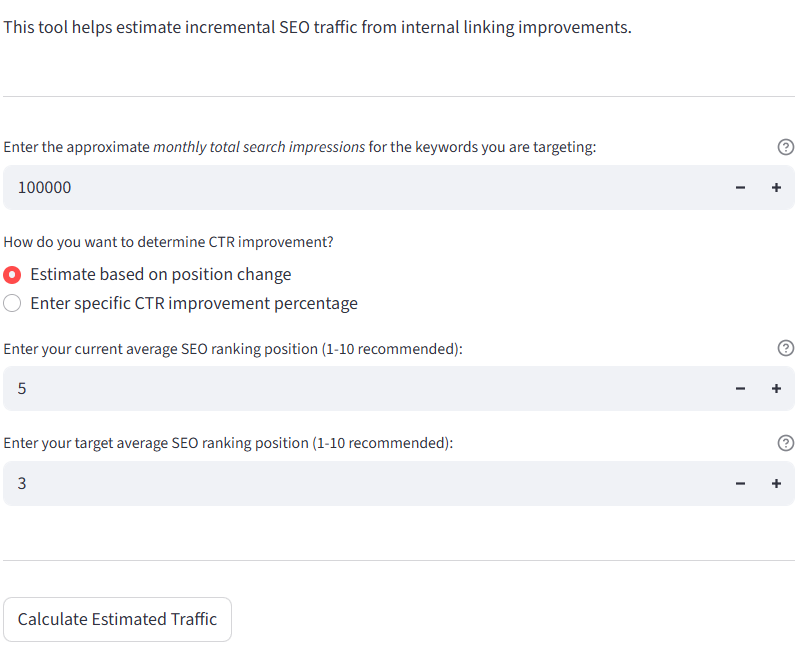
# Internal Linking Calculator
This interactive calculator estimates the potential **cost savings and ROI** from optimizing internal links, based on your keyword data, CPC benchmarks, and click-through assumptions.
[](https://huggingface.co/spaces/Em4e/internal-linking-seo-roi-calculator)
---
# About the Creator
[**Emilija Gjorgjevska**](https://www.linkedin.com/in/emilijagjorgjevska/) brings a rare blend of technical depth, product strategy, and marketing insight to the development of **WebKnoGraph**. She operates at the intersection of applied AI, SEO engineering, and knowledge representation, crafting solutions that are performant and deeply aligned with the real-world needs of digital platforms.
Beyond code, Emilijas background in marketing technology and ontology engineering empowers her to translate abstract research into actionable tooling for SEO professionals, SaaS teams, and content-heavy enterprises. She is a strong advocate for cross-disciplinary collaboration, and her leadership in the WebKnoGraph project signals a new paradigm in how we architect, evaluate, and scale intelligent linking systems, anchored in open science, responsible automation, and strategic real-world value.
In her free time, Emilija co-leads [**Women in AI & Digital DACH**](https://www.linkedin.com/company/womeninaianddigital/), a community committed to increasing visibility and opportunity for women shaping the future of AI and digital work across the DACH region.


# Support Future Work
If this project sparked ideas or saved you time, consider buying me a coffee to support future work:
