Science Score: 44.0%
This score indicates how likely this project is to be science-related based on various indicators:
-
✓CITATION.cff file
Found CITATION.cff file -
✓codemeta.json file
Found codemeta.json file -
✓.zenodo.json file
Found .zenodo.json file -
○DOI references
-
○Academic publication links
-
○Academic email domains
-
○Institutional organization owner
-
○JOSS paper metadata
-
○Scientific vocabulary similarity
Low similarity (15.5%) to scientific vocabulary
Repository
Python plotting program for Tristan-MP
Basic Info
- Host: GitHub
- Owner: PrincetonUniversity
- License: gpl-3.0
- Language: Python
- Default Branch: master
- Homepage: https://princetonuniversity.github.io/Iseult/
- Size: 16.5 MB
Statistics
- Stars: 6
- Watchers: 5
- Forks: 7
- Open Issues: 3
- Releases: 0
Metadata Files
README.md
Iseult
A TKinter based python GUI for visualizing Tristan-MP plots. A work in progress.
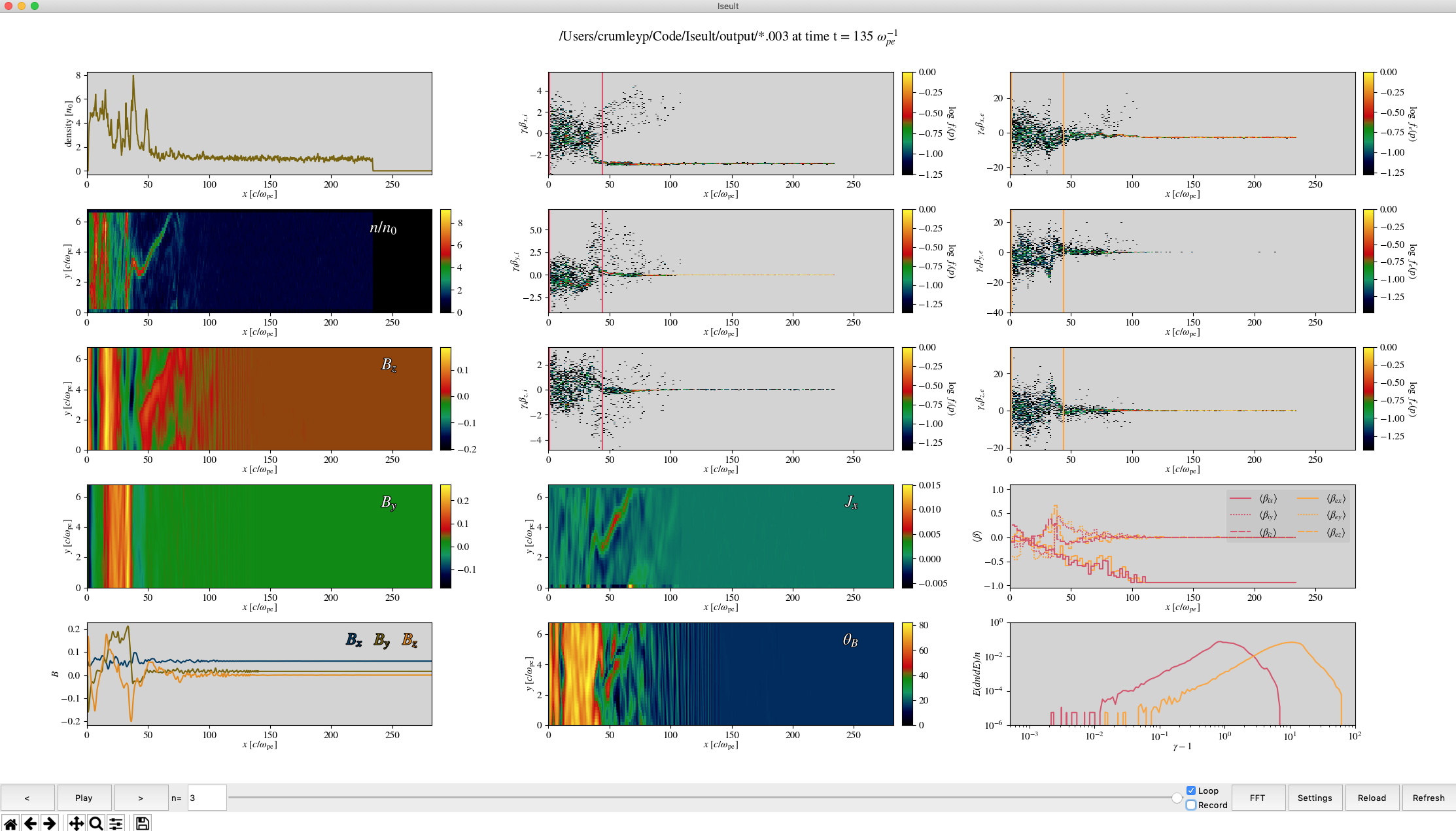 An example visualization of a Tristan-MP simulation.
Written by:
- Patrick Crumley, patrick.crumley@gmail.com, based on Jaehong's Tristan analysis IDL script.
- Robert Caddy, rcaddy@princeton.edu
UPDATES:
July 2024: Ported to Python 3.11, see environment.yml for details on all dependencies. Added support for Tristan v2 data.
May 8th 2019: Ported code to python 3.7.x & Matplotlib 3.0.x There may be a few bugs here and there, but I think it is working.
The code is now it's beta phase. See the implemented column for what has already been implemented.
Dependencies:
Python packages required: See the environment.yml file
To use the movie saving feature: ffmpeg & xterm.
Iseult should work on Windows, MacOS & Linux.
Setup & Running
There are two different methods to setup what you need for Iseult to run. The recommended method is to setup a python environment with conda, pyenv, etc and a conda environment.yml file is provided. The other method for those with access to the Stellar cluster at Princeton is to simply load the proper Anaconda module.
Recommended Method
```bash
Recommended setup
If on Stellar
$ module load anaconda3/2024.6 # or the latest version
If not on Stellar then install/load Anaconda
$ cd /path/to/Iseult/ $ conda env create $ conda activate iseult $ chmod +x ./iseult.py
After initial setup
make sure the proper environment is activated
$ conda activate iseult
Then run iseult. This method opens a GUI to allow you to search for the data you want to open
$ cd /path/to/Iseult/ $ ./iseult.py
Or if you want to open data directly
$ cd /directory/that/contains/data # usually the output directory
$ /path/to/iseult.py # you can append an ampersand (&) to open iseult in the background
```
Stellar Only Method
The previous method is still recommended on Stellar, this secondary method is simplier but potentially less reliable if the software stack on Stellar is changed.
```bash
Setup
$ module load anaconda3/2023.3 $ cd /path/to/Iseult/ $ chmod +x ./iseult.py
After initial setup
$ module load anaconda3/2023.3
Then run iseult. This method opens a GUI to allow you to search for the data you want to open
$ cd /path/to/Iseult/ $ ./iseult.py
Or if you want to open data directly
$ cd /directory/that/contains/data # usually the output directory
$ /path/to/iseult.py # you can append an ampersand (&) to open iseult in the background
```
When Iseult is started, it checks to see if Tristan-MP data is located at the current path, if it isn't Iseult prompts you to select the directory of where your Tristan-MP data is saved. To edit/change any of the plots, just right click on the subplot directly. You can also change the number of columns, the colormap, and other general settings by clicking the settings button. The measure button allows you to take measurements like Ti, Te, measure spectra, take 1-D FFTs, etc. The matplotlib interactive toolbar is beneath the playbar, it allows you to save the figure, use your mouse to zoom around, etc.
If you get a set-up you like, you can go to file menu and choose Save Iseult State. It will give you an option to name the 'view.' To replace the default state of Iseult, name the view Default. The views are saved as .cfg files in .iseult_configs folder. You must restart Iseult to see the saved config in the preset views menu.
Enjoy!
| Implemented: | | ------------ | | Time stepping | | Movie (without recording) | | Basic plotting | | ability to modularly change plots. | | plot control panels to edit things about indv. plots | | shock-finding | | figure saving | | Ability to take measurements | | ability to save Iseult settings in a config file| | zooming |
| Left to Implement:| | ------------------ | | gifs/movies | | Longer term goals (???)|
Resources:
| Useful links | | ----------------------- | | http://python.org | | http://effbot.org/tkinterbook/ | | http://matplotlib.org | | http://matplotlib.org/users/navigation_toolbar.html | | http://h5py.org |
Owner
- Name: PrincetonUniversity
- Login: PrincetonUniversity
- Kind: organization
- Repositories: 215
- Profile: https://github.com/PrincetonUniversity
Citation (CITATION.cff)
# This CITATION.cff file was generated with cffinit.
# Visit https://bit.ly/cffinit to generate yours today!

cff-version: 1.2.0
title: Iseult
message: >-
  If you use this software, please cite it using the
  metadata from this file.
type: software
authors:
  - given-names: Patrick
    family-names: Crumley
    email: patrick.crumley@gmail.com
    orcid: 'https://orcid.org/0000-0002-5355-7158'
  - given-names: Robert
    family-names: Caddy
    email: rcaddy@princeton.edu
    affiliation: Princeton University
    orcid: 'https://orcid.org/0000-0002-4475-3181'
  - given-names: Anatoly
    family-names: Spitkovsky
    orcid: 'https://orcid.org/0000-0001-9179-9054'
    affiliation: Princeton University
    email: anatoly@astro.princeton.edu
repository-code: 'https://github.com/PrincetonUniversity/Iseult'
abstract: Python plotting program for Tristan-MP v1 & v2 data.
license: GPL-3.0
GitHub Events
Total
- Issues event: 7
- Issue comment event: 30
- Push event: 5
- Pull request review event: 1
- Pull request event: 9
Last Year
- Issues event: 7
- Issue comment event: 30
- Push event: 5
- Pull request review event: 1
- Pull request event: 9
Issues and Pull Requests
Last synced: 11 months ago
All Time
- Total issues: 24
- Total pull requests: 25
- Average time to close issues: about 1 month
- Average time to close pull requests: 4 days
- Total issue authors: 6
- Total pull request authors: 3
- Average comments per issue: 2.92
- Average comments per pull request: 0.52
- Merged pull requests: 25
- Bot issues: 0
- Bot pull requests: 0
Past Year
- Issues: 9
- Pull requests: 8
- Average time to close issues: 1 day
- Average time to close pull requests: 4 days
- Issue authors: 5
- Pull request authors: 1
- Average comments per issue: 3.44
- Average comments per pull request: 0.0
- Merged pull requests: 8
- Bot issues: 0
- Bot pull requests: 0
Top Authors
Issue Authors
- ntoles (10)
- adamtrobbins (7)
- bcaddy (4)
- pcrumley (2)
- rwcmm (1)
- vtsiolis (1)
Pull Request Authors
- bcaddy (35)
- pcrumley (3)
- ntoles (1)
- coleholcomb (1)