SpmImageTycoonInstaller
Installer for SpmImage Tycoon
Science Score: 67.0%
This score indicates how likely this project is to be science-related based on various indicators:
-
✓CITATION.cff file
Found CITATION.cff file -
✓codemeta.json file
Found codemeta.json file -
✓.zenodo.json file
Found .zenodo.json file -
✓DOI references
Found 6 DOI reference(s) in README -
✓Academic publication links
Links to: joss.theoj.org -
○Academic email domains
-
○Institutional organization owner
-
○JOSS paper metadata
-
○Scientific vocabulary similarity
Low similarity (18.8%) to scientific vocabulary
Repository
Installer for SpmImage Tycoon
Basic Info
- Host: GitHub
- Owner: alexriss
- License: gpl-3.0
- Language: Julia
- Default Branch: main
- Size: 129 KB
Statistics
- Stars: 2
- Watchers: 2
- Forks: 0
- Open Issues: 2
- Releases: 15
Metadata Files
README.md

Installer for SpmImage Tycoon


Installer for the world-famous SpmImage Tycoon - a cross-platform app to manage and edit scanning probe microscopy images and spectra.
Screenshot

Use
Please only use the app if you read the disclaimer on the SpmImage Tycoon project page.
Usage is simple:
- Install Julia
- Start Julia and type the following two commands:
julia
using Pkg
Pkg.add("SpmImageTycoonInstaller")
using SpmImageTycoonInstaller
install()
This will install a compiled version of SpmImage Tycoon. The installation will typically take 10 to 20 minutes and take up around 1 GB of space. The same procedure can be used to update to the latest version.
The compiled version will start fast, even on the first run.
Tested on Windows, Linux, and MacOS. However, so far, on MacOS no shortcuts/aliases are created.
Demo
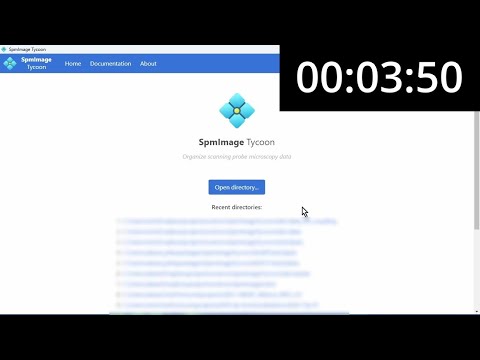
|
| Startup of compiled version (YouTube) |
Known issues
Please make sure to use Julia 1.10 or 1.11. I have tested the installer on Windows 11, Ubuntu/WSL, Manjaro 22, as well as macOS x86. Installations worked well, except for certain configurations of Manjaro Linux. Here, the package compilation errored, likely related to this bug. As a workaround, install Julia via the official binaries (instead of via the distro's package manager).
Cite
If you use SpmImage Tycoon for your scientific work, please consider citing it:

bibtex
@article{Riss_JOSS_2022,
  doi = {10.21105/joss.04644},
  url = {https://doi.org/10.21105/joss.04644},
  year = {2022},
  publisher = {The Open Journal},
  volume = {7},
  number = {77},
  pages = {4644},
  author = {Alexander Riss},
  title = {SpmImage Tycoon: Organize and analyze scanning probe microscopy data},
  journal = {Journal of Open Source Software}
}
Tips and tricks
To get rid of the console window under Windows, you can install AutoHotkey. This will be automatically detected and extra Start Menu and Desktop will be made that start the app without the console window.
You do not need to run the whole installation procedure again. It is enough to re-create the shortcuts:
julia
using SpmImageTycoonInstaller
install(shortcuts_only=true)
Get in touch and contribute
Please post issues, suggestions, and pull requests on github.
Follow me on twitter for updates and more information about this project:

Related projects
- SpmImageTycoon.jl: App to organize SPM images and spectra.
- SpmImages.jl: Julia library to read and display SPM images.
- SpmSpectroscopy.jl: Julia library to read and analyze SPM spectra.
- SpmGrids.jl: Julia library to read and analyze SPM grid spectroscopy.
- imagex: Python scripts to analyze scanning probe images.
- gridex: Python scripts to analyze 3D grid data.
Owner
- Name: Alex Riss
- Login: alexriss
- Kind: user
- Location: Munich, Germany
- Company: Technical University of Munich
- Website: http://alex.lifecocktail.org
- Twitter: 00alexx
- Repositories: 25
- Profile: https://github.com/alexriss
Scientist (Physics, Chemistry, Scanning Probe Microscopy), Data, Visualization, Health/Fitness/Bio, Photography
Citation (CITATION.cff)
cff-version: 1.2.0
message: "If you use this software, please cite it as below."
authors:
- family-names: "Riss"
  given-names: "Alexander"
  orcid: "https://orcid.org/0000-0002-3212-7925"
title: "SpmImage Tycoon: Organize and analyze scanning probe microscopy data"
doi: "10.21105/joss.04644"
url: "https://doi.org/10.21105/joss.04644"
preferred-citation:
  type: article
  authors:
  - family-names: "Riss"
    given-names: "Alexander"
    orcid: "https://orcid.org/0000-0002-3212-7925"
  doi: "10.21105/joss.04644"
  journal: "Journal of Open Source Software"
  start: 4644
  title: "SpmImage Tycoon: Organize and analyze scanning probe microscopy data"
  issue: 77
  volume: 7
  year: 2022
GitHub Events
Total
- Release event: 1
- Watch event: 1
- Issue comment event: 7
- Push event: 4
- Create event: 1
Last Year
- Release event: 1
- Watch event: 1
- Issue comment event: 7
- Push event: 4
- Create event: 1
Issues and Pull Requests
Last synced: 11 months ago
All Time
- Total issues: 2
- Total pull requests: 0
- Average time to close issues: less than a minute
- Average time to close pull requests: N/A
- Total issue authors: 2
- Total pull request authors: 0
- Average comments per issue: 26.0
- Average comments per pull request: 0
- Merged pull requests: 0
- Bot issues: 0
- Bot pull requests: 0
Past Year
- Issues: 0
- Pull requests: 0
- Average time to close issues: N/A
- Average time to close pull requests: N/A
- Issue authors: 0
- Pull request authors: 0
- Average comments per issue: 0
- Average comments per pull request: 0
- Merged pull requests: 0
- Bot issues: 0
- Bot pull requests: 0
Top Authors
Issue Authors
- alexriss (1)
- JuliaTagBot (1)
Pull Request Authors
Top Labels
Issue Labels
Pull Request Labels
Packages
- Total packages: 1
-
Total downloads:
- julia 11 total
- Total dependent packages: 0
- Total dependent repositories: 0
- Total versions: 15
juliahub.com: SpmImageTycoonInstaller
Installer for SpmImage Tycoon
- Documentation: https://docs.juliahub.com/General/SpmImageTycoonInstaller/stable/
- License: GPL-3.0
-
Latest release: 0.4.9
published over 1 year ago