Science Score: 13.0%
This score indicates how likely this project is to be science-related based on various indicators:
-
○CITATION.cff file
-
✓codemeta.json file
Found codemeta.json file -
○.zenodo.json file
-
○DOI references
-
○Academic publication links
-
○Academic email domains
-
○Institutional organization owner
-
○JOSS paper metadata
-
○Scientific vocabulary similarity
Low similarity (15.4%) to scientific vocabulary
Keywords
Repository
Python support package for DEX visualization
Basic Info
- Host: GitHub
- Owner: MSeal
- License: mit
- Language: Python
- Default Branch: main
- Homepage: https://noteable-io.github.io/dx/
- Size: 12.8 MB
Statistics
- Stars: 21
- Watchers: 6
- Forks: 7
- Open Issues: 32
- Releases: 8
Topics
Metadata Files
README.md
dx
This package provides convenient formatting and IPython display formatter registration for tabular data and DEX media types.






A Pythonic Data Explorer, open sourced with ❤️ by Noteable, a collaborative notebook platform that enables teams to use and visualize data, together.
Requirements
Python 3.8+
Installation
Poetry
shell
poetry add dx
Then import the package:
python
import dx
Pip
shell
pip install dx
Then import the package:
python
import dx
Usage
The dx library currently enables DEX media type visualization of pandas DataFrame and Series objects, as well as numpy ndarray objects. This can be handled in two ways:
- explicit dx.display() calls
- setting the display_mode to update the IPython display formatter for a session
With dx.display()
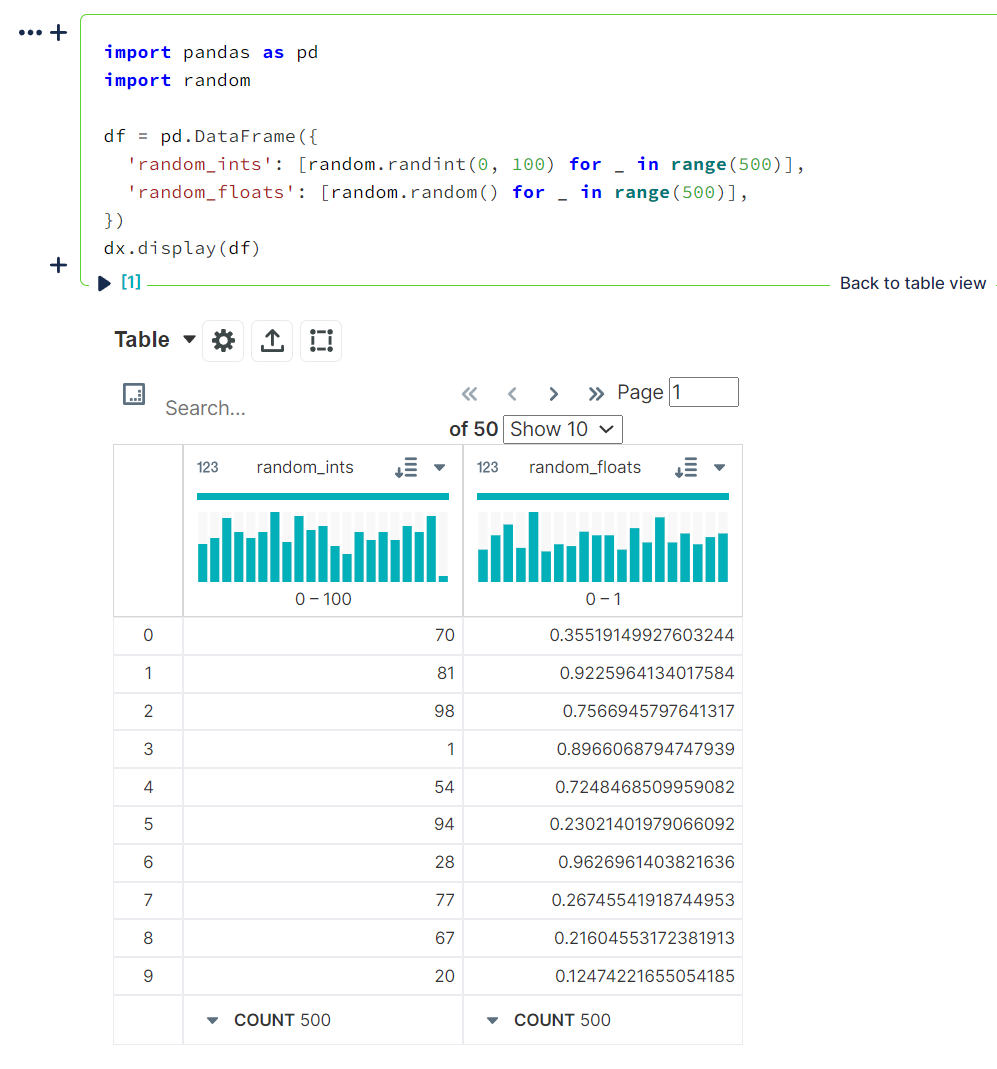
dx.display() will display a single dataset using the DEX media type. It currently supports:
- pandas DataFrame objects
```python
import pandas as pd
import random
df = pd.DataFrame({
'randomints': [random.randint(0, 100) for _ in range(500)],
'randomfloats': [random.random() for _ in range(500)],
})
dx.display(df)
```
tabular data as
dictorlisttypespython dx.display([ [1, 5, 10, 20, 500], [1, 2, 3, 4, 5], [0, 0, 0, 0, 1] ])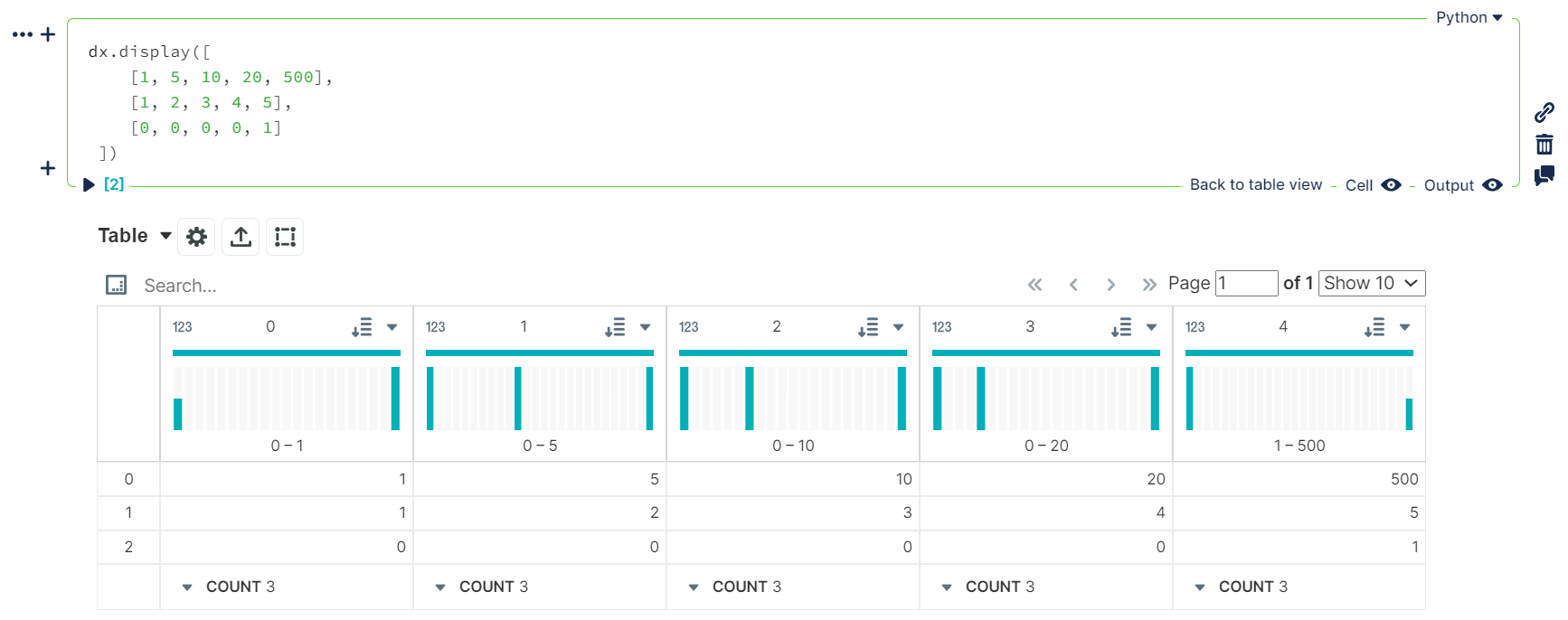
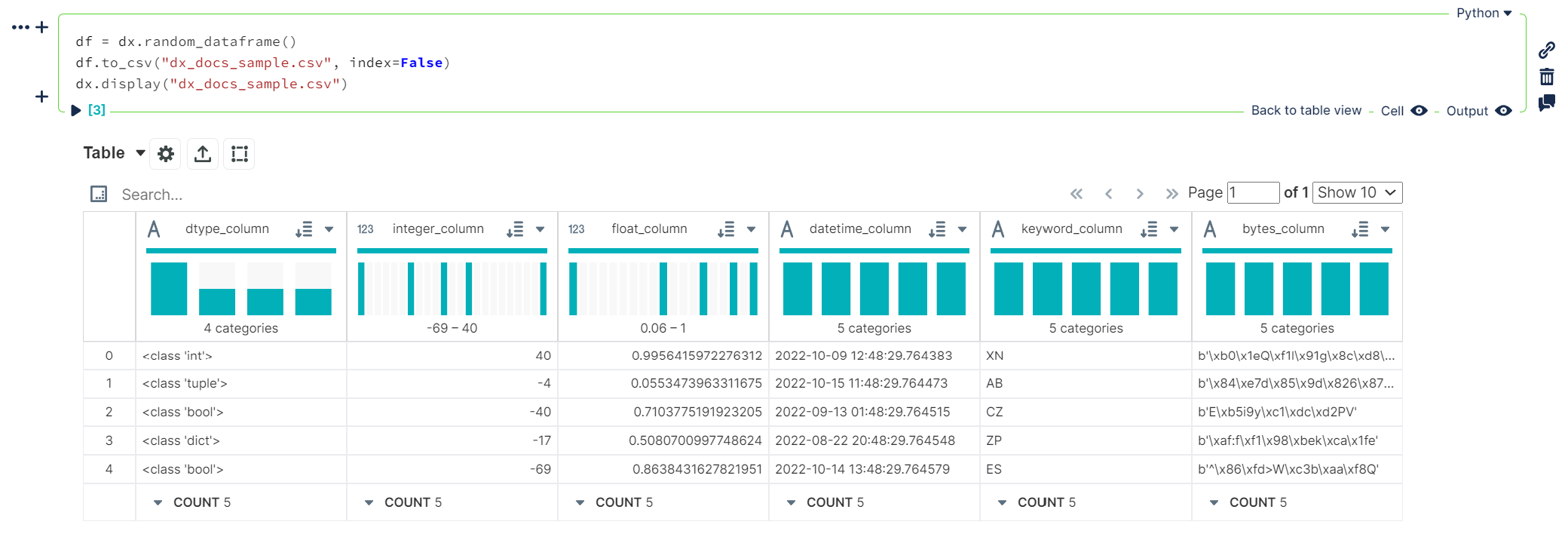
.csvor.jsonfilepaths ```python df = dx.randomdataframe() df.tocsv("dxdocssample.csv", index=False)
dx.display("dxdocssample.csv")
```
With dx.set_display_mode()
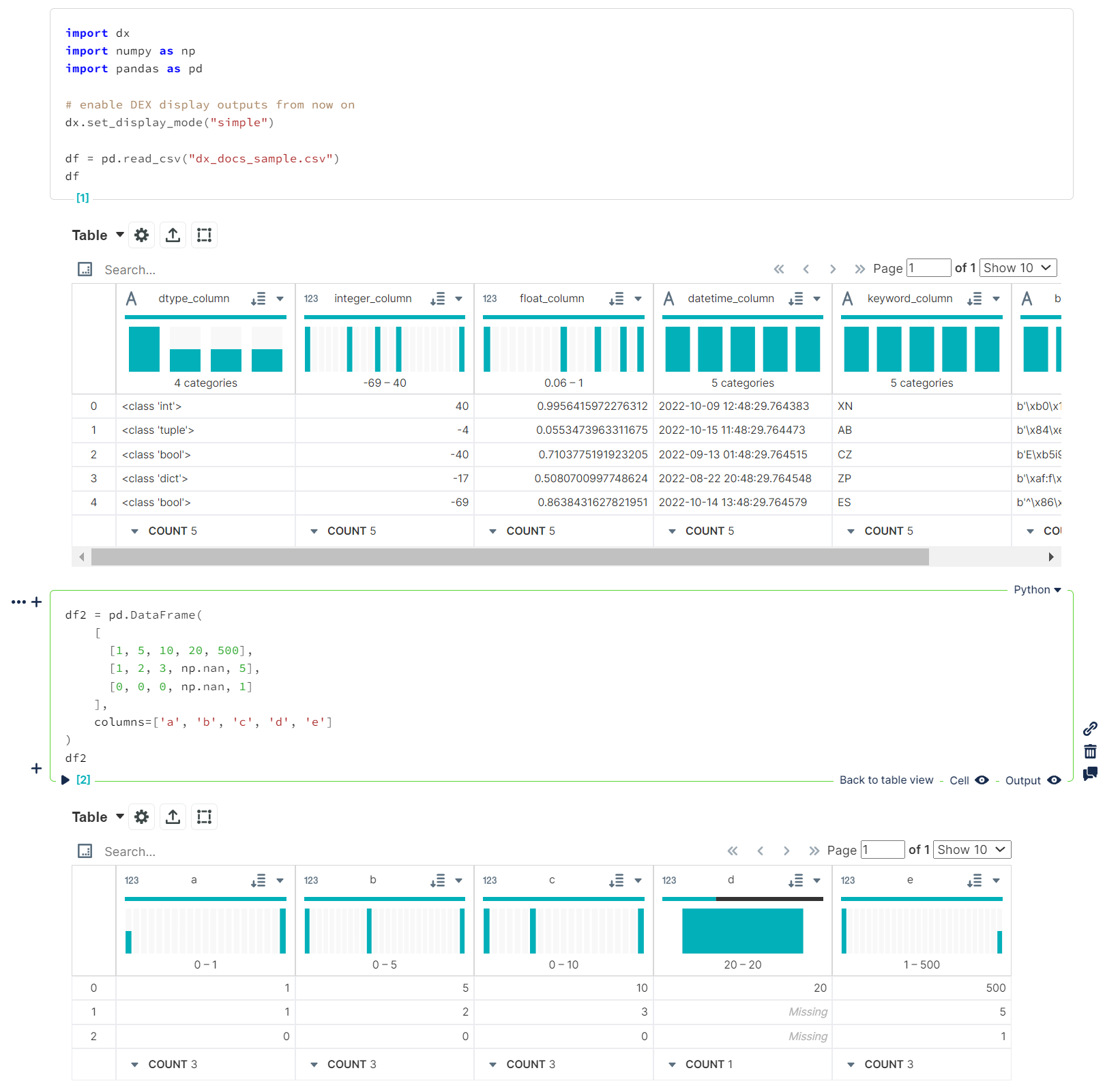
Using either "simple" or "enhanced" display modes will allow dx will update the current IPython display formatters to allow DEX media type visualization of pandas DataFrame objects for an entire notebook / kernel session instead of the default DataFrame display output.
Details
This will adjust pandas options to: - increasing the number of rows displayed to `50000` from pandas default of `60` - increasing the number of columns displayed to `50` from pandas default of `20` - enabling `html.table_schema` (`False` by default in pandas) This will also handle some basic column cleaning and generate a schema for the `DataFrame` using `pandas.io.json.build_table_schema`. Depending on the display mode, the data will be transformed into either a list of dictionaries or list of lists of columnar values. - `"simple"` - list of dictionaries - `"enhanced"` - list of listsNOTE: Unlike
dx.display(), this only affects pandas DataFrames (or any types set insettings.RENDERABLE_TYPES); it does not affect the display of.csv/.jsonfile data, ordict/listoutputs
dx.set_display_mode("simple")
```python import dx import numpy as np import pandas as pd
# enable DEX display outputs from now on dx.setdisplaymode("simple")
df = pd.readcsv("dxdocs_sample.csv")
df
python
df2 = pd.DataFrame(
[
[1, 5, 10, 20, 500],
[1, 2, 3, np.nan, 5],
[0, 0, 0, np.nan, 1]
],
columns=['a', 'b', 'c', 'd', 'e']
)
df2
```
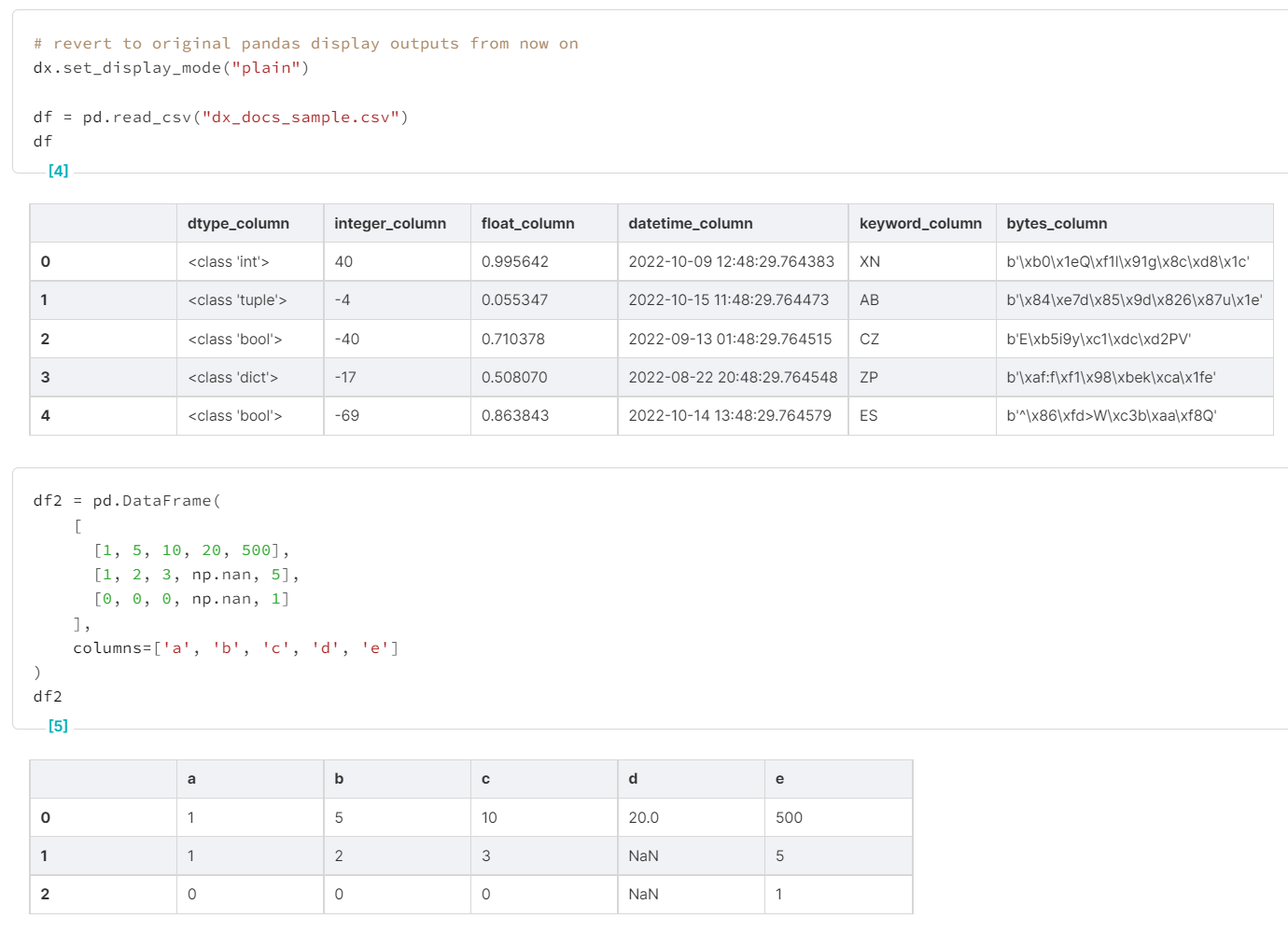
If, at any point, you want to go back to the default display formatting (vanilla pandas output), use the "plain" display mode. This will revert the IPython display format update to its original state and put the pandas options back to their default values.
dx.set_display_mode("plain")```python # revert to original pandas display outputs from now on dx.setdisplaymode("plain")
df = pd.readcsv("dxdocs_sample.csv")
df
python
df2 = pd.DataFrame(
[
[1, 5, 10, 20, 500],
[1, 2, 3, np.nan, 5],
[0, 0, 0, np.nan, 1]
],
columns=['a', 'b', 'c', 'd', 'e']
)
df2
```
Custom Settings
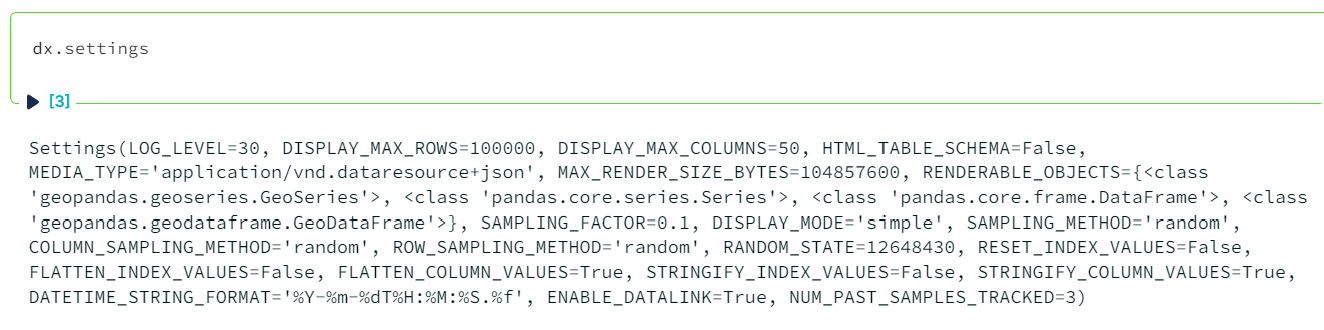
Default settings for dx can be found by calling dx.settings:
Each can be set using dx.set_option():
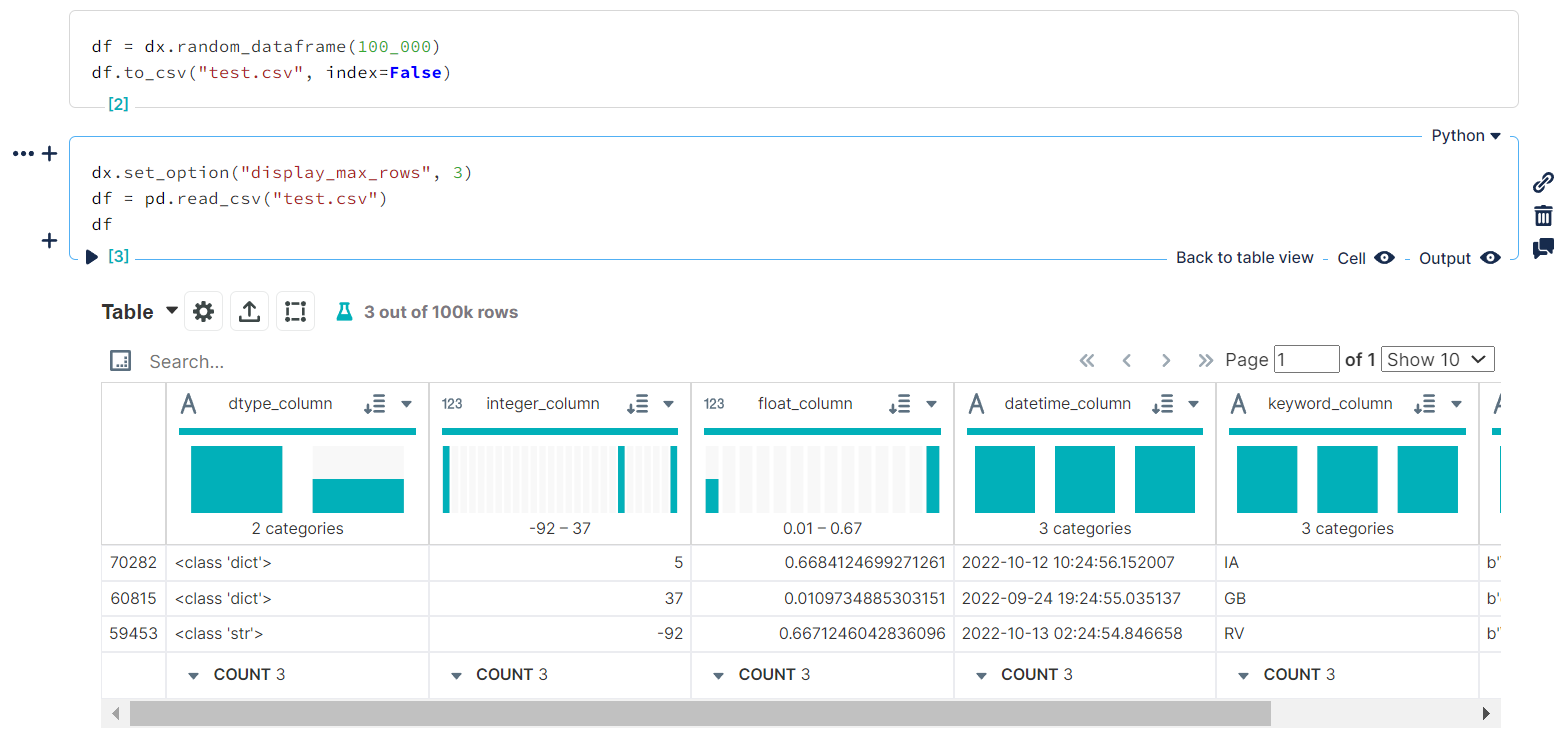 Setting `DISPLAYMAXROWS
to3` for the current session
...or with the dx.settings_context() context manager:
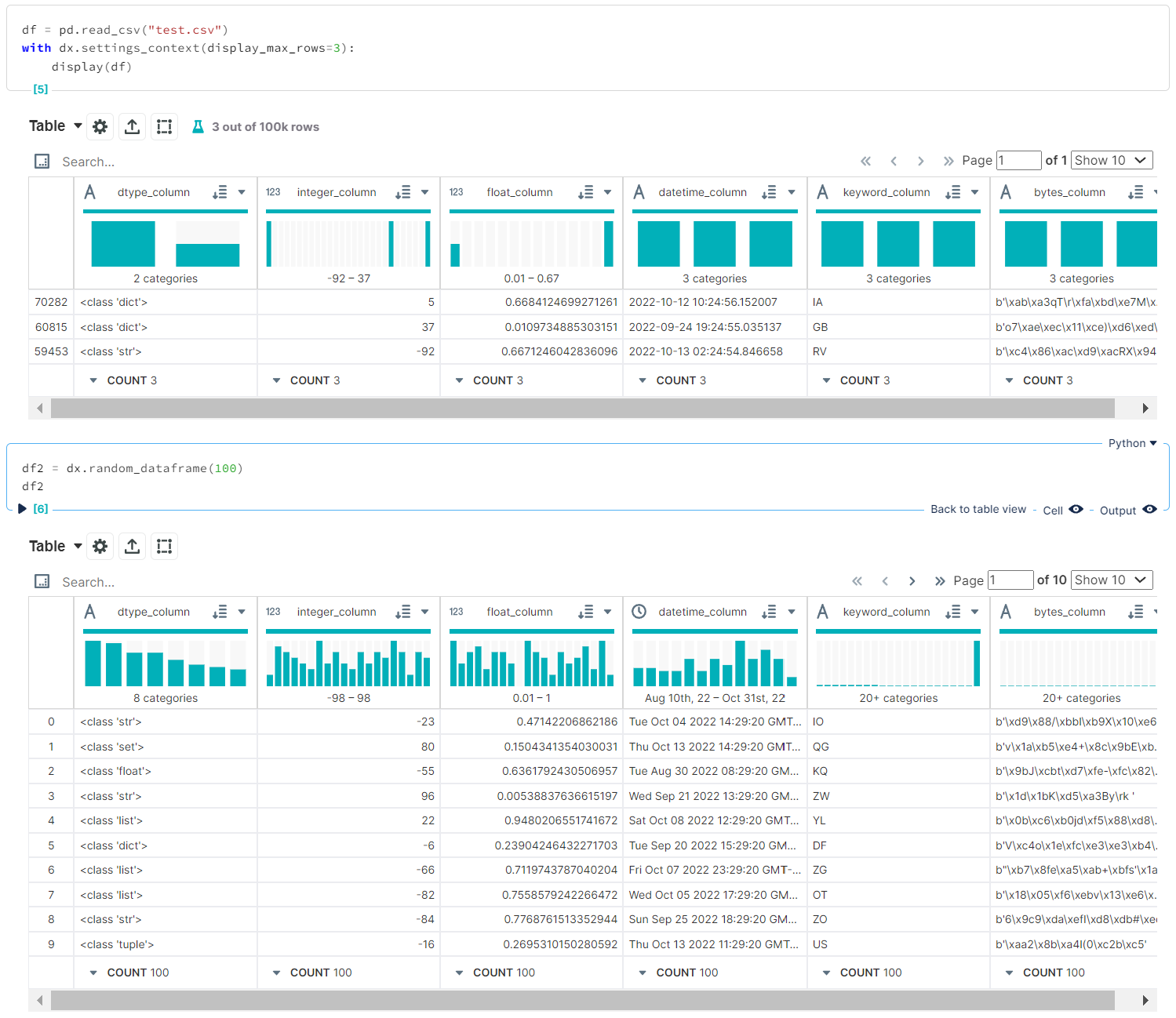 Setting `DISPLAYMAXROWS
to3` within the current context, leaving options for the rest of the session alone
Generating Sample Data
Documentation coming soon!
Usage Outside of Noteable
If using this package in a notebook environment outside of Noteable, the frontend should support the following media types:
- application/vnd.dataresource+json for "simple" display mode
- application/vnd.dex.v1+json for "enhanced" display mode
Contributing
See CONTRIBUTING.md.
Code of Conduct
We follow the noteable.io code of conduct.
LICENSE
See LICENSE.md.
Open sourced with ❤️ by Noteable for the community.

Owner
- Name: Matthew Seal
- Login: MSeal
- Kind: user
- Company: @noteable-io
- Repositories: 73
- Profile: https://github.com/MSeal
GitHub Events
Total
Last Year
Issues and Pull Requests
Last synced: 11 months ago
All Time
- Total issues: 28
- Total pull requests: 116
- Average time to close issues: about 1 month
- Average time to close pull requests: 4 days
- Total issue authors: 3
- Total pull request authors: 4
- Average comments per issue: 0.64
- Average comments per pull request: 0.22
- Merged pull requests: 107
- Bot issues: 0
- Bot pull requests: 54
Past Year
- Issues: 0
- Pull requests: 0
- Average time to close issues: N/A
- Average time to close pull requests: N/A
- Issue authors: 0
- Pull request authors: 0
- Average comments per issue: 0
- Average comments per pull request: 0
- Merged pull requests: 0
- Bot issues: 0
- Bot pull requests: 0
Top Authors
Issue Authors
- shouples (17)
- willingc (2)
- rgbkrk (1)
Pull Request Authors
- dependabot[bot] (58)
- shouples (37)
- MSeal (1)
- rgbkrk (1)
Top Labels
Issue Labels
Pull Request Labels
Dependencies
- atomicwrites 1.4.1 develop
- attrs 22.1.0 develop
- black 22.6.0 develop
- certifi 2022.6.15 develop
- click 8.1.3 develop
- click-plugins 1.1.1 develop
- cligj 0.7.2 develop
- faker 14.1.0 develop
- fiona 1.8.21 develop
- flake8 4.0.1 develop
- geopandas 0.11.1 develop
- iniconfig 1.1.1 develop
- isort 5.10.1 develop
- mccabe 0.6.1 develop
- munch 2.5.0 develop
- mypy-extensions 0.4.3 develop
- packaging 21.3 develop
- pathspec 0.9.0 develop
- platformdirs 2.5.2 develop
- pluggy 1.0.0 develop
- py 1.11.0 develop
- pycodestyle 2.8.0 develop
- pyflakes 2.4.0 develop
- pyparsing 3.0.9 develop
- pyproj 3.3.1 develop
- pytest 7.1.2 develop
- shapely 1.8.4 develop
- tomli 2.0.1 develop
- appnope 0.1.3
- asttokens 2.0.8
- backcall 0.2.0
- colorama 0.4.5
- decorator 5.1.1
- executing 0.10.0
- greenlet 1.1.2
- ipython 8.4.0
- jedi 0.18.1
- matplotlib-inline 0.1.6
- numpy 1.23.2
- pandas 1.4.3
- parso 0.8.3
- pexpect 4.8.0
- pickleshare 0.7.5
- prompt-toolkit 3.0.30
- ptyprocess 0.7.0
- pure-eval 0.2.2
- pydantic 1.9.2
- pygments 2.13.0
- python-dateutil 2.8.2
- pytz 2022.2.1
- six 1.16.0
- sqlalchemy 1.4.40
- stack-data 0.4.0
- structlog 22.1.0
- traitlets 5.3.0
- typing-extensions 4.3.0
- wcwidth 0.2.5
- Faker ^14.1.0 develop
- black ^22.6.0 develop
- flake8 ^4.0.1 develop
- geopandas ^0.11.1 develop
- isort ^5.10.1 develop
- pytest ^7.1.2 develop
- SQLAlchemy ^1.4.40
- ipython >=7.31.1
- pandas ^1.3.5
- pydantic ^1.9.1
- python ^3.8
- structlog ^22.1.0
- mkdocs *
- mkdocs-glightbox *
- mkdocs-jupyter *
- mkdocs-material *
- mkdocstrings *
- mkdocstrings-python *
- dependabot/fetch-metadata v1.3.6 composite
- actions/checkout v3 composite
- github/super-linter v4 composite
- Gr1N/setup-poetry v8 composite
- actions/checkout v3 composite
- codecov/codecov-action v3 composite
- daisylb/setup-nox v2.1.0 composite
- actions/checkout v3 composite
- actions/setup-python v4 composite
- JRubics/poetry-publish v1.16 composite
- actions/checkout v3 composite