Science Score: 26.0%
This score indicates how likely this project is to be science-related based on various indicators:
-
○CITATION.cff file
-
✓codemeta.json file
Found codemeta.json file -
✓.zenodo.json file
Found .zenodo.json file -
○DOI references
-
○Academic publication links
-
○Committers with academic emails
-
○Institutional organization owner
-
○JOSS paper metadata
-
○Scientific vocabulary similarity
Low similarity (11.6%) to scientific vocabulary
Keywords
Keywords from Contributors
Repository
Convert Jupyter Notebooks to Web Apps
Basic Info
- Host: GitHub
- Owner: mljar
- License: agpl-3.0
- Language: Python
- Default Branch: main
- Homepage: https://RunMercury.com
- Size: 5.31 MB
Statistics
- Stars: 4,210
- Watchers: 47
- Forks: 272
- Open Issues: 94
- Releases: 45
Topics
Metadata Files
README.md




Convert Jupyter Notebook to Web App
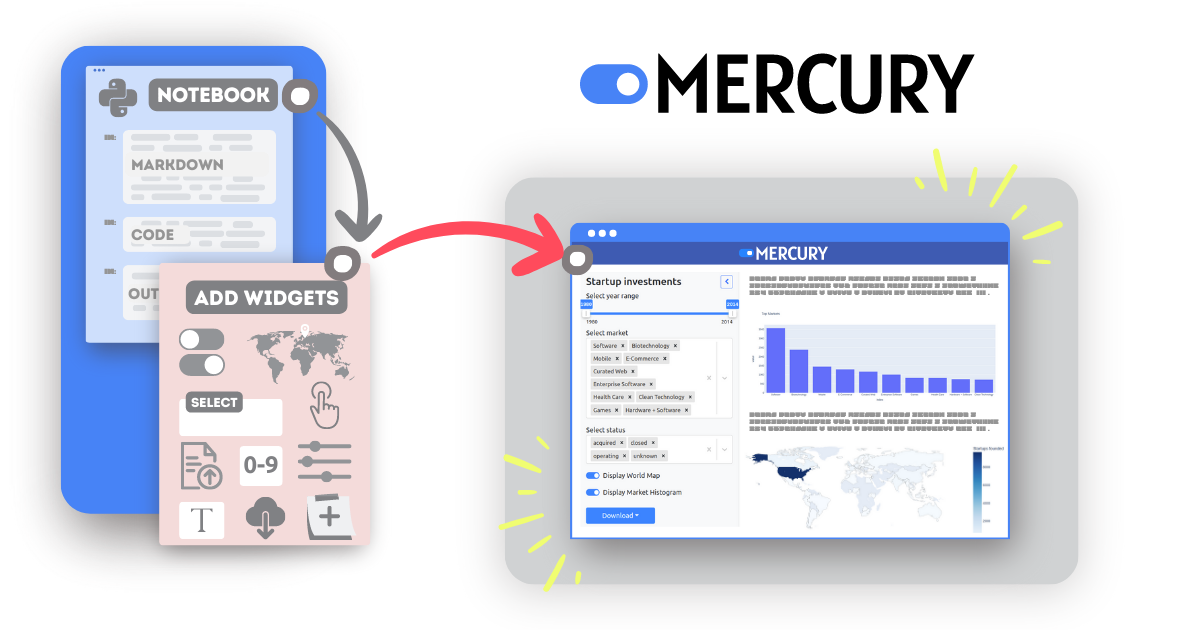
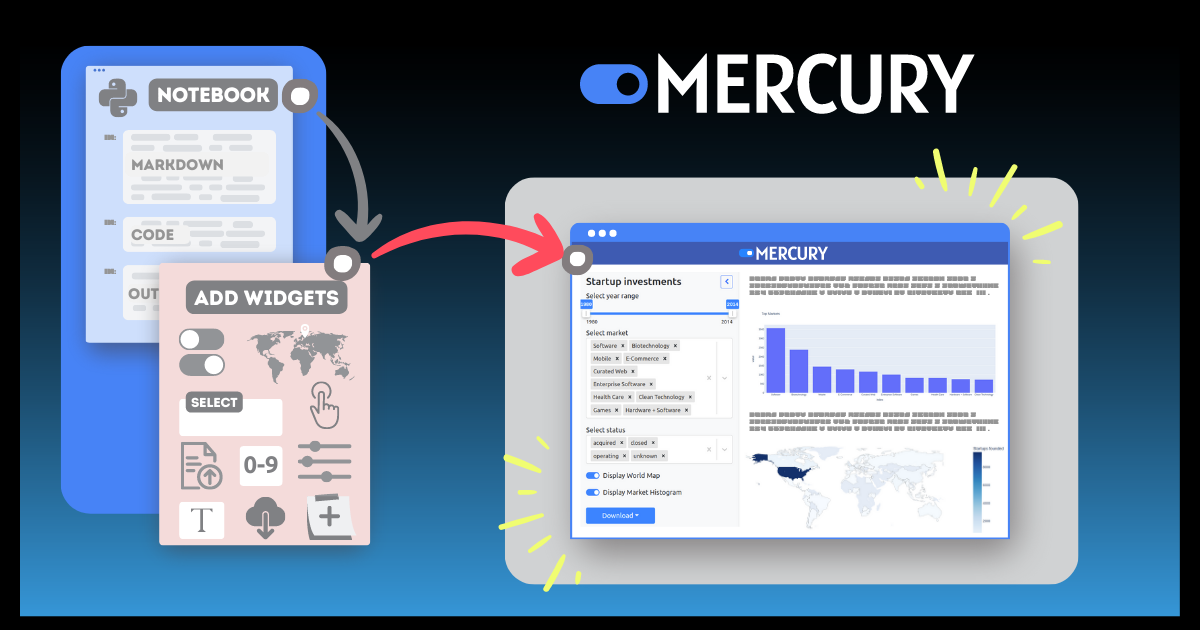
Mercury allows you to add interactive widgets in Python notebooks, so you can share notebooks as web applications. Forget about rewriting notebooks to web frameworks just to share your results. Mercury offers a set of widgets with simple re-execution of cells.
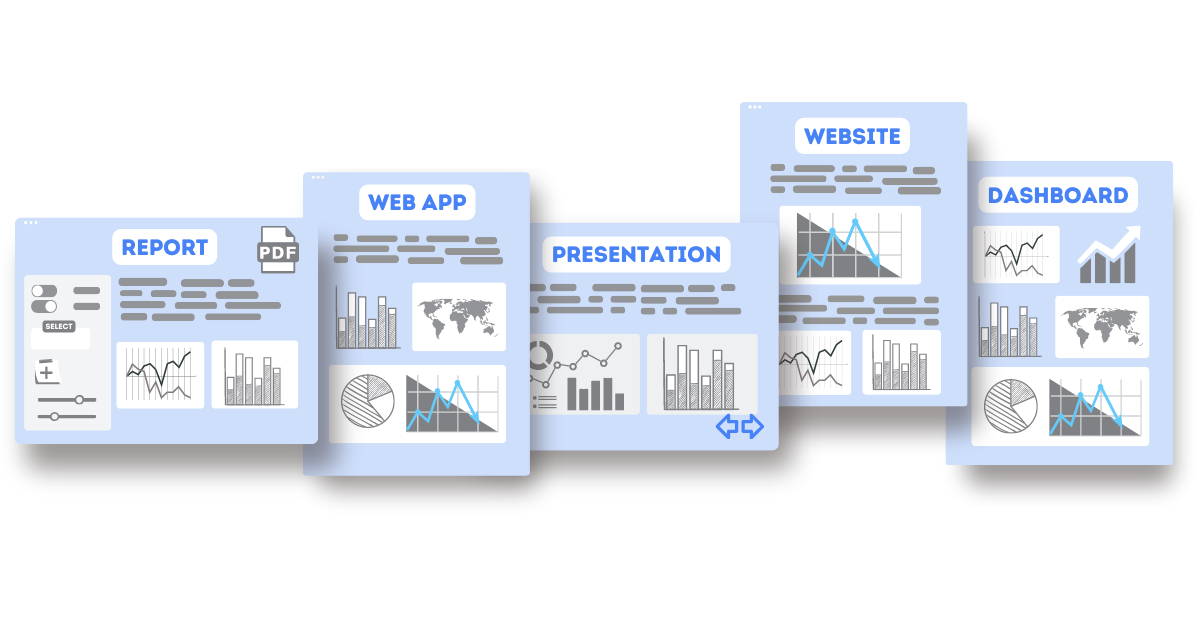
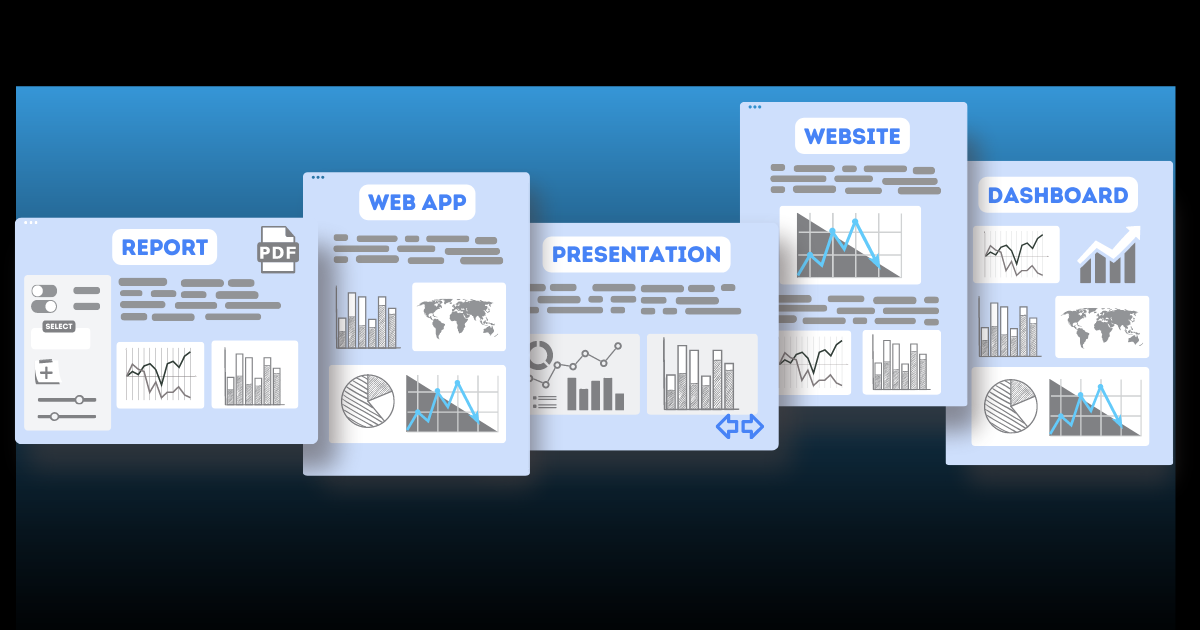
You can build with Mercury: - Turn your notebook into beautiful Web Apps, - Create interactive Presentations with widgets, you can recompute slides during the show, - Share notebooks as static Websites,
- Build data-rich Dashboards with widgets,
- Create Reports with PDF exports, automatic scheduling, and email notifications (coming soon),
- Serve Python notebooks as REST API endpoints (coming soon).
Mercury features: - add widgets with Python code - no frontend experience needed! - hide or show the notebook's code, - export executed notebook to PDF or HTML, - share multiple notebooks - no limits! - embed notebook on any website, - easy file upload and download from the notebook, - add authentication to notebooks (coming soon), - schedule automatic notebook execution (coming soon).
Widgets
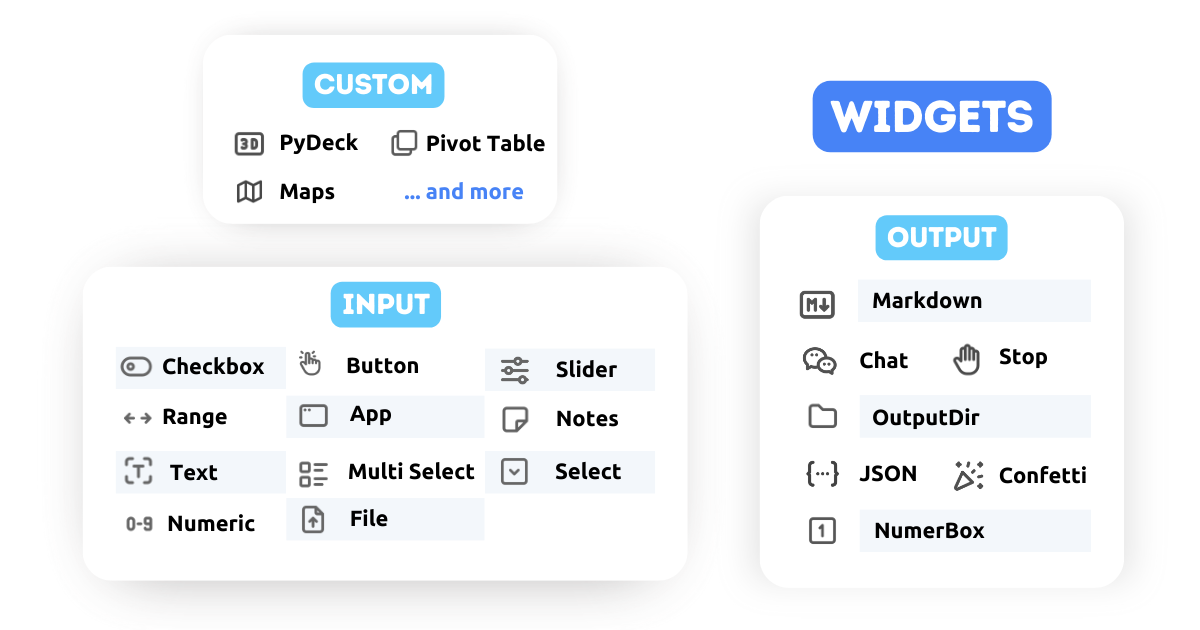
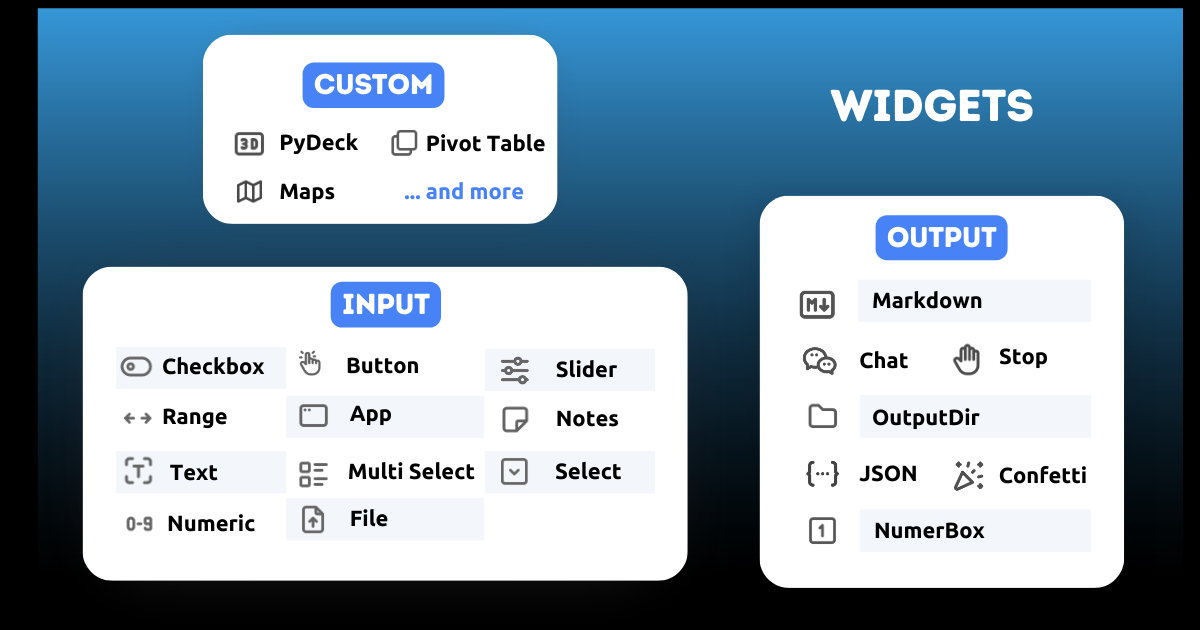
Mercury provides multiple widgets. There are 3 types of widgets:
- Input widgets are components that will appear in the sidebar when running the notebook in Mercury. They can be used to provide user input or trigger action in the notebook.
- Output widgets help present notebook results to the user and control execution flow.
- Custom Widgets - you can use many custom widgets, for example, PyDeck, and Pivot Tables.
Integrations
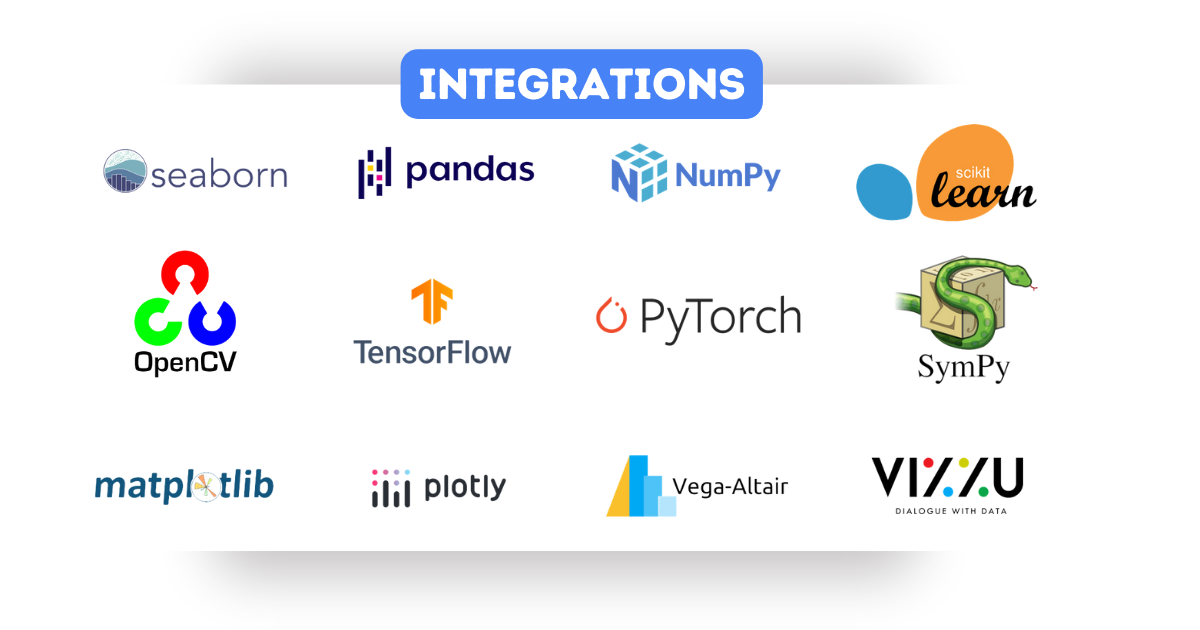
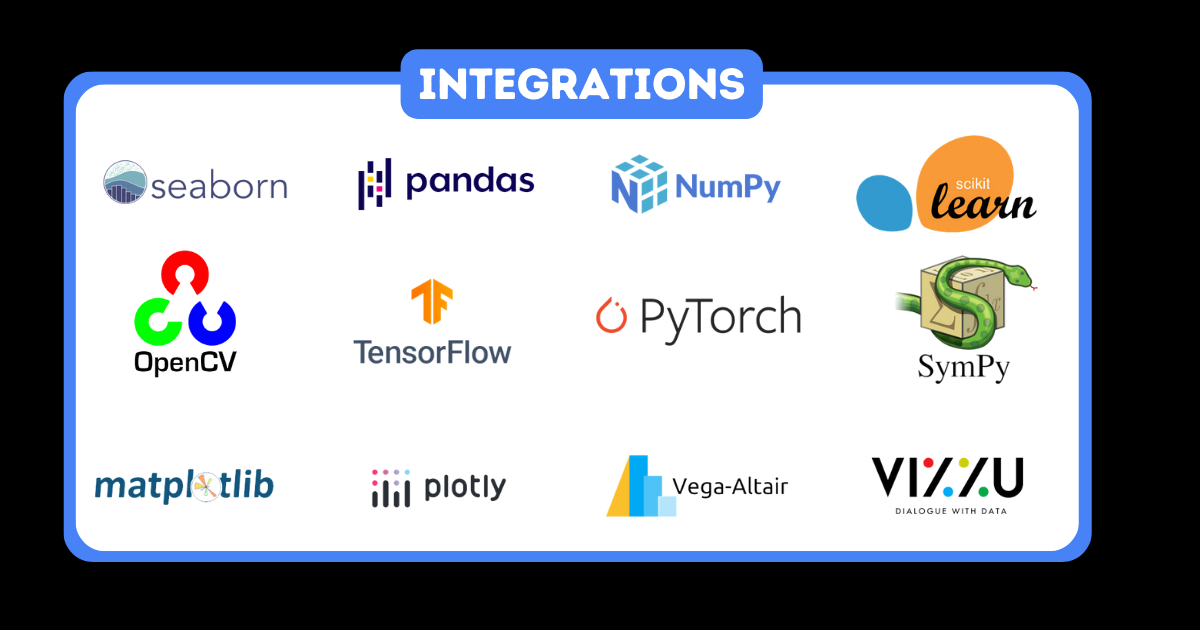
Mercury works with virtually every Python package!
Among the most important are machine learning libraries such as Scikit-Learn, Pandas, and Seaborn or visualization libraries: Plotly, matplotlib, Vega-Altair, and Ipyvizzu.
Example
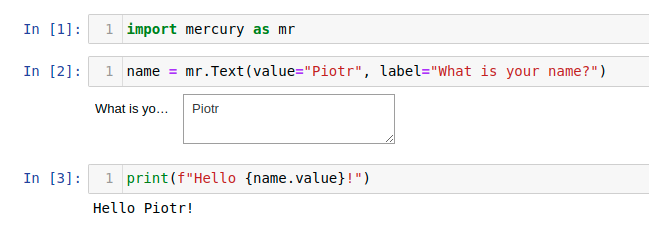
Simple code example that creates a widget and displays its value. You can interact with a widget in the Jupyter Notebook. Its value will be updated. However, to see the update in other cells you need to manually execute them.
Import package:
python
import mercury as mr
Create a Text widget:
python
name = mr.Text(value="Piotr", label="What is your name?")
Print widget value:
python
print(f"Hello {name.value}")
Code in Jupyter Notebook
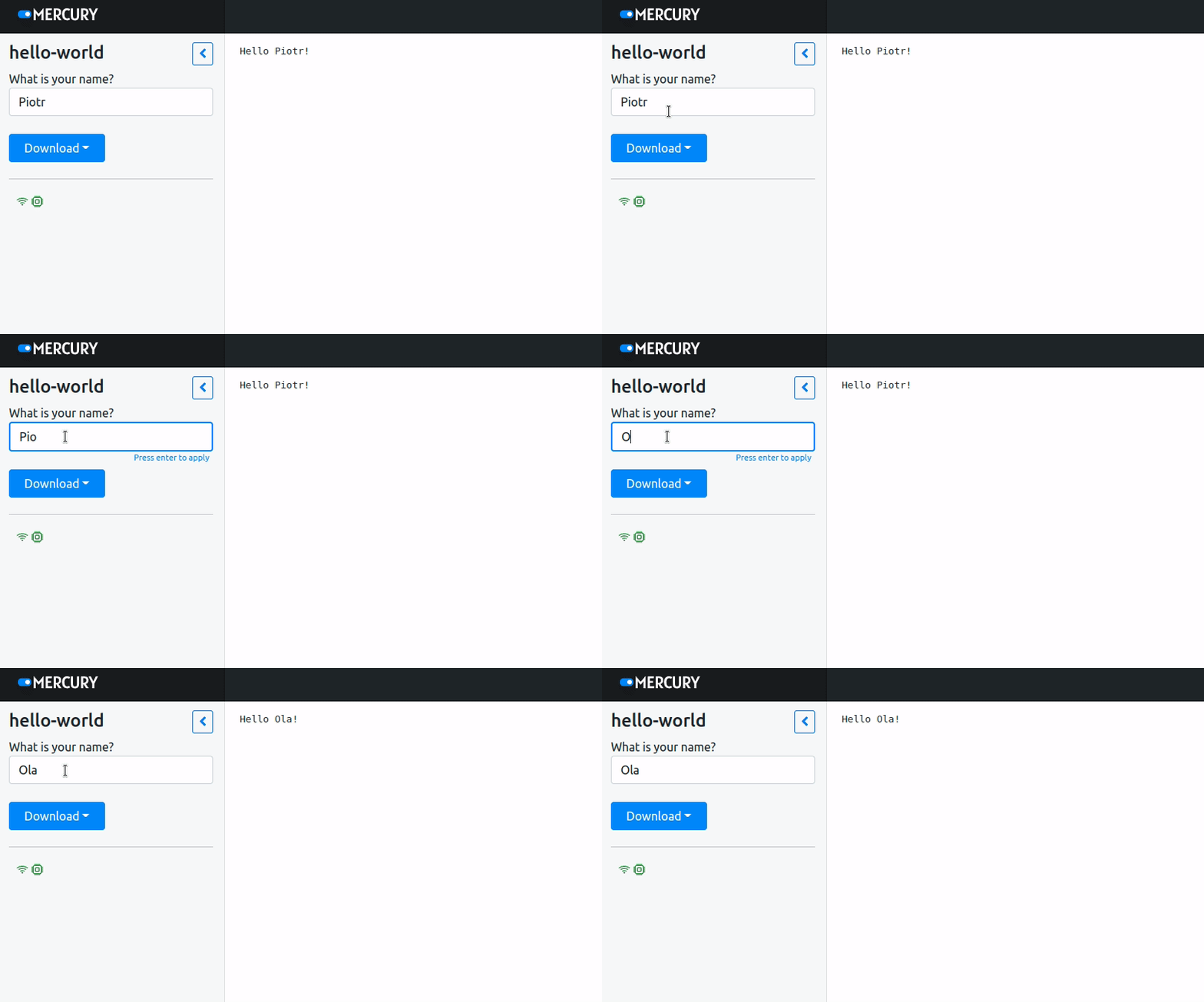
Mercury App
Use Mercury to run notebook as web application. Cells are automatically re-executed after widget change. Mercury re-executes only cells with widget definition and below it. In the example, cells 2 and 3 are re-executed after widget update.
Documentation
📚 Read more about Mercury on RunMercury.com.
Installation
Compatible with Python 3.7 and higher.
Install with pip:
pip install mercury
Install with conda:
conda install -c conda-forge mercury
Demo
Run Mercury with demo notebooks.
mercury run demo
Please check 127.0.0.1:8000 to see demo notebooks.
Deployment
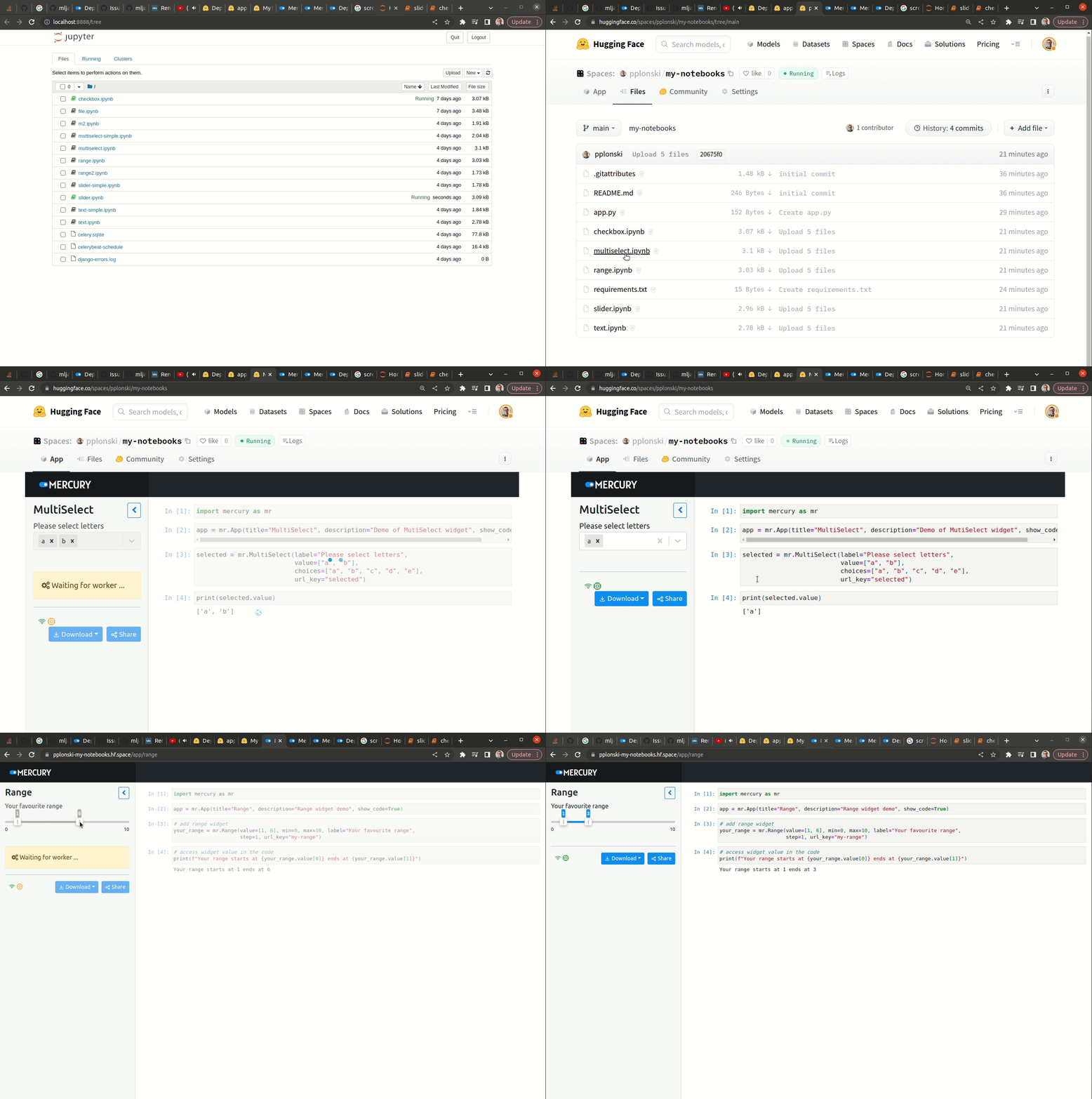
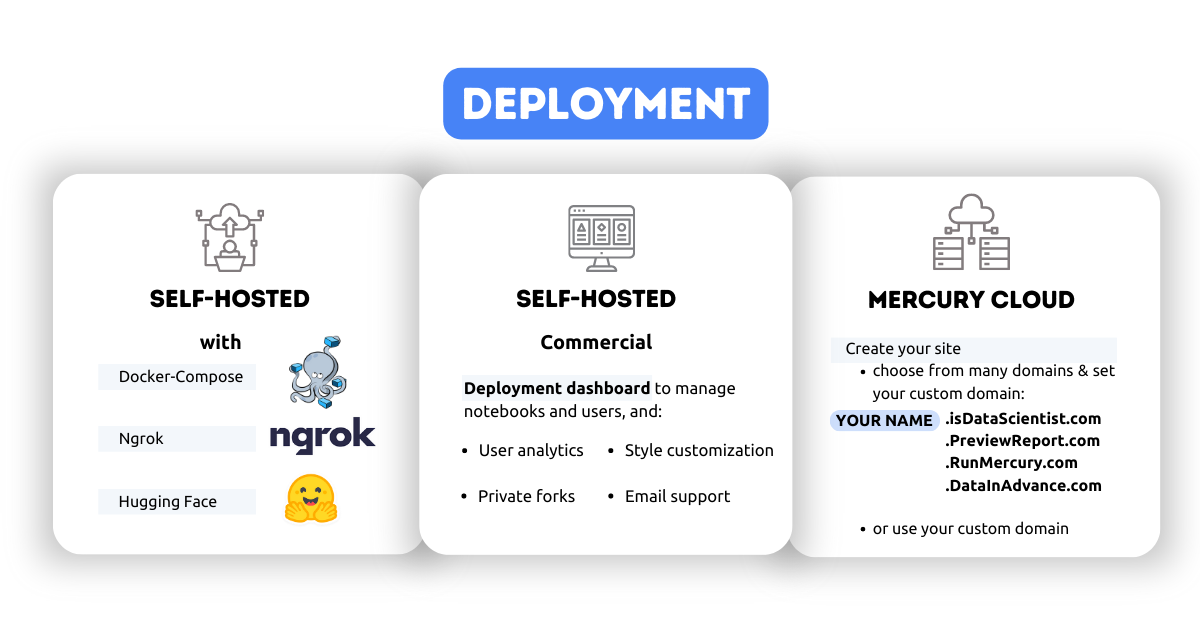
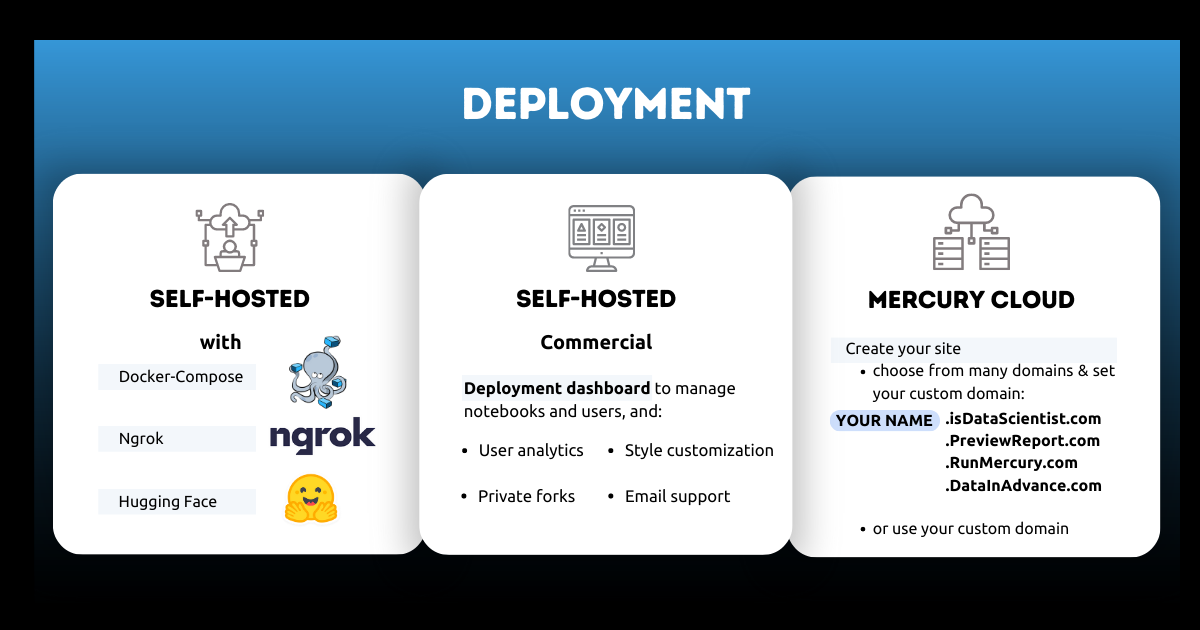
You have several options to deploy the notebook. You can use the self-hosted option where you use docker-compose on a VPS machine or use ngrok. There's also a possibility to use Hugging Face Spaces.
Another option is a Self-hosted commercial where you get access to the deployment dashboard where you manage notebooks and user access. In addition, you have access to user analytics; you can freely customize the style of your application. You benefit from private forks and email support.
The third option is to use Mercury Cloud. It's the easiest way to share notebooks online. You will be able to create a website with a few clicks.
Mercury with your notebooks
To run Mercury with your notebook, please execute the following:
mercury run
The command should be run in the same directory as notebooks. You can change code in Jupyter Notebook, and Mercury will instantly update web app.
Mercury License
Mercury is released with AGPL v3 license.
Looking for dedicated support, a commercial-friendly license, and more features? The Mercury Pro is for you. Please see the details at our website.
Owner
- Name: MLJAR
- Login: mljar
- Kind: organization
- Email: contact@mljar.com
- Location: Poland
- Website: https://mljar.com
- Twitter: MLJARofficial
- Repositories: 30
- Profile: https://github.com/mljar
Outstanding Data Science Tools
GitHub Events
Total
- Issues event: 15
- Watch event: 251
- Issue comment event: 38
- Push event: 3
- Pull request event: 5
- Fork event: 22
Last Year
- Issues event: 15
- Watch event: 251
- Issue comment event: 38
- Push event: 3
- Pull request event: 5
- Fork event: 22
Committers
Last synced: almost 2 years ago
Top Committers
| Name | Commits | |
|---|---|---|
| Piotr | p****6@g****m | 763 |
| Aleksandra | 6****a | 12 |
| apjanusz | j****6@g****m | 5 |
| Retiago Drago | 3****d | 5 |
| Simon Pamies | s****h@g****m | 3 |
| Michael A. Smith | m****l@s****m | 2 |
| ramprakashram | c****h@g****m | 2 |
| AshifulBhuiyan | 1****n | 2 |
| Savannah Ostrowski | s****i@g****m | 1 |
| conlacda | p****7@g****m | 1 |
| sheetcoder | 1 | |
| Alejandro Sophila | 5****a | 1 |
| Artem Fitiskin | a****n@g****m | 1 |
| Kapil Yedidi | k****y | 1 |
| RichardScottOZ | 7****Z | 1 |
| Robert Elles | 4****s | 1 |
Committer Domains (Top 20 + Academic)
Issues and Pull Requests
Last synced: 10 months ago
All Time
- Total issues: 298
- Total pull requests: 26
- Average time to close issues: about 1 month
- Average time to close pull requests: 2 days
- Total issue authors: 129
- Total pull request authors: 16
- Average comments per issue: 3.09
- Average comments per pull request: 1.69
- Merged pull requests: 15
- Bot issues: 0
- Bot pull requests: 0
Past Year
- Issues: 24
- Pull requests: 6
- Average time to close issues: 6 days
- Average time to close pull requests: about 5 hours
- Issue authors: 17
- Pull request authors: 4
- Average comments per issue: 0.96
- Average comments per pull request: 1.33
- Merged pull requests: 2
- Bot issues: 0
- Bot pull requests: 0
Top Authors
Issue Authors
- pplonski (77)
- kapily (24)
- gmouawad (9)
- apjanusz (5)
- kboom (5)
- stametsm (4)
- kriyanshishah (4)
- wentzlau (4)
- zenz (3)
- erjonhub (3)
- aplonska (3)
- fightpf (3)
- max-poltora (3)
- robert-elles (3)
- hmanz (3)
Pull Request Authors
- apjanusz (9)
- kojiromike (4)
- kapily (4)
- ranggakd (2)
- skruger189 (2)
- spamsch (2)
- Carreau (2)
- Koech01 (1)
- asophila (1)
- robert-elles (1)
- pavansai018 (1)
- Zhreyu (1)
- AshifulBhuiyan (1)
- rmkolany (1)
- conlacda (1)
Top Labels
Issue Labels
Pull Request Labels
Packages
- Total packages: 7
-
Total downloads:
- pypi 8,067 last-month
-
Total dependent packages: 1
(may contain duplicates) -
Total dependent repositories: 34
(may contain duplicates) - Total versions: 186
- Total maintainers: 1
pypi.org: mljar-mercury
Convert Python Notebook to web app and share with non-technical users
- Homepage: https://github.com/mljar/mercury
- Documentation: https://mljar-mercury.readthedocs.io/
- License: agpl-3.0
-
Latest release: 1.1.6
published almost 4 years ago
Rankings
Maintainers (1)
pypi.org: mercury
Turn Jupyter Notebook to Web App and share with non-technical users
- Homepage: https://github.com/mljar/mercury
- Documentation: https://mercury.readthedocs.io/
- License: agpl-3.0
-
Latest release: 2.4.3
published about 2 years ago
Rankings
Maintainers (1)
proxy.golang.org: github.com/mljar/mercury
- Documentation: https://pkg.go.dev/github.com/mljar/mercury#section-documentation
- License: agpl-3.0
-
Latest release: v2.4.2+incompatible
published about 2 years ago
Rankings
pypi.org: mljar-mercury-private
Convert Python Notebook to web app and share with others
- Homepage: https://github.com/mljar/mercury
- Documentation: https://mljar-mercury-private.readthedocs.io/
- License: other
-
Latest release: 1.0.4
published about 4 years ago
Rankings
pypi.org: mljar-mercury-fork
Convert Python Notebook to web app and share with others
- Homepage: https://github.com/mljar/mercury
- Documentation: https://mljar-mercury-fork.readthedocs.io/
- License: other
-
Latest release: 0.0.16
published over 4 years ago
Rankings
pypi.org: mercury-dev
Turn Jupyter Notebook to Web App and share with non-technical users
- Homepage: https://github.com/mljar/mercury
- Documentation: https://mercury-dev.readthedocs.io/
- License: agpl-3.0
-
Latest release: 2.3.11
published almost 3 years ago
Rankings
Maintainers (1)
conda-forge.org: mljar-mercury
- Homepage: https://github.com/mljar/mercury
- License: AGPL-3.0
-
Latest release: 0.5.1
published over 4 years ago
Rankings
Dependencies
- conda-incubator/setup-miniconda v2 composite
- actions/checkout v2 composite
- actions/setup-python v2 composite
- ubuntu 20.04 build
- nginx stable-alpine build
- node 14.16.0-alpine build
- certbot/certbot latest
- postgres 13.0-alpine
- postgres 13.0-alpine
- @popperjs/core ^2.11.0
- @reduxjs/toolkit ^1.6.2
- @testing-library/jest-dom ^5.11.4
- @testing-library/react ^11.1.0
- @testing-library/user-event ^12.1.10
- @types/jest ^26.0.15
- @types/node ^12.0.0
- @types/react ^17.0.0
- @types/react-dom ^17.0.0
- @types/react-numeric-input ^2.2.4
- @types/react-router-dom ^5.3.2
- axios ^1.3.4
- bootstrap ^5.1.3
- dangerously-set-html-content ^1.0.12
- filepond ^4.30.3
- filepond-plugin-file-validate-size ^2.2.5
- filepond-plugin-image-exif-orientation ^1.0.11
- filepond-plugin-image-preview ^4.6.10
- font-awesome ^4.7.0
- history ^5.1.0
- js-file-download ^0.4.12
- popper ^1.0.1
- react ^17.0.2
- react-block-ui ^1.3.5
- react-dom ^17.0.2
- react-filepond ^7.1.1
- react-hot-loader 4.13.0
- react-markdown ^8.0.0
- react-range ^1.8.11
- react-redux ^7.2.6
- react-router-dom 6.8.1
- react-scripts 4.0.3
- react-select ^5.2.1
- react-toastify ^8.1.1
- react-use-websocket ^4.2.0
- redux ^4.1.2
- redux-thunk ^2.4.1
- rehype-highlight ^5.0.2
- rehype-raw ^6.1.1
- remark-emoji ^3.0.2
- remark-gfm ^3.0.1
- typescript ^4.1.2
- uuidv4 ^6.2.12
- web-vitals ^1.0.1
- 1906 dependencies
- jinja2 ==3.0.0
- mkdocs ==1.2.3
- bleach >=6.0.0
- boto3 ==1.26.83
- celery >=5.1.2
- channels >=4.0.0
- croniter >=1.3.5
- cryptography *
- dj-rest-auth ==3.0.0
- django ==4.2.2
- django-cors-headers ==3.10.1
- django-drf-filepond ==0.4.1
- django-filter ==21.1
- djangorestframework ==3.14.0
- execnb *
- gevent *
- ipykernel >=6.6.0
- ipython >=7.30.1
- ipython_genutils *
- ipywidgets ==8.0.3
- markdown ==3.3.6
- nbconvert >=7.8.0
- psutil >=5.8.0
- pyopenssl >=23.1.1
- pyppeteer ==1.0.2
- python-dotenv >=0.19.2
- pyyaml ==6.0
- sqlalchemy ==1.4.27
- websocket-client >=1.4.2
- whitenoise >=5.3.0