gcamreport
gcamreport: An R tool to process and standardize GCAM outputs - Published in JOSS (2024)
Science Score: 95.0%
This score indicates how likely this project is to be science-related based on various indicators:
-
○CITATION.cff file
-
✓codemeta.json file
Found codemeta.json file -
✓.zenodo.json file
Found .zenodo.json file -
✓DOI references
Found 4 DOI reference(s) in README and JOSS metadata -
✓Academic publication links
Links to: joss.theoj.org, zenodo.org -
✓Committers with academic emails
2 of 8 committers (25.0%) from academic institutions -
○Institutional organization owner
-
✓JOSS paper metadata
Published in Journal of Open Source Software
Repository
Package to process GCAM results and standardize the format
Basic Info
- Host: GitHub
- Owner: bc3LC
- License: mit
- Language: R
- Default Branch: gcam-core
- Homepage: https://bc3lc.github.io/gcamreport/
- Size: 663 MB
Statistics
- Stars: 3
- Watchers: 1
- Forks: 7
- Open Issues: 4
- Releases: 6
Metadata Files
README.md
gcamreport










Contents
Introduction
gcamreport is a tool designed to generate consistent datasets from any scenario run by the Global Change Analysis Model (GCAM), ensuring they meet the reporting standards of the Integrated Assessment Modeling Consortium (IAMC) defined in the Common Definitions repository. In addition, gcamreport features an interactive user interface that allows users to create and download plots in real time and export reduced, formatted datasets in spreadsheet format. The tool is currently compatible with GCAM-core versions 6.0, 7.0, 7.1, and 7.2. Moreover, we support the 2015 and 2021 GCAM base years. Check the version guide to see how to run your version! :rocket:
Installation Guide
There are multiple equivalent ways to install this package:
With R
There are two ways to install the gcamreport package through R. The light mode installation requires only R as it installs the gcamreport package directly from the GitHub repository. It is suitable for general use of the package but not compatible with the user interface. The full mode installation requires R, Rstudio and cloning the GitHub repository. It is suitable for general use of the package and allows you to launch the user interface. It is also the best option if you are actively developing or modifying the gcamreport package, as it allows you to modify the mappings and functions to create suitable versions for your GCAM model.
Light mode installation
- Requirements
- R (to download, click [here](https://www.r-project.org/))
- Open R and install the
gcamreportpackage:
r
install.packages('devtools')
devtools::install_github('bc3LC/gcamreport')
Now gcamreport package is fully loaded. Enjoy! :smile:
Full mode installation
- Requirements
-   R (to download, click [here](https://www.r-project.org/))

-   Rstudio (to download, click [here](https://www.rstudio.com/))

-   Git (to download, click [here](https://git-scm.com/downloads/))
- Open git bash in the folder where you want to clone the repository and clone it:
bash
git clone https://github.com/bc3LC/gcamreport.git
- Load the
gcamreportpackage: Open thegcamreportfolder you just cloned and double-click thegcamreport.Rprojfile. RStudio should open the project. Load the library:
r
install.packages('devtools')
devtools::load_all(".", reset = TRUE)
Now gcamreport package is fully loaded. Enjoy! :smile:
With Docker
This installation method allows you not to worry about the R libraries and dependencies. Docker provides you with an already updated environment suitable for running the gcamreport package.
- Requirements
-   Docker Desktop (to download, click [here](https://docs.docker.com/get-docker/))

-   Git (to download, click [here](https://git-scm.com/downloads))
- Open git bash in the folder where you want to clone the repository and clone it:
bash
git clone https://github.com/bc3LC/gcamreport.git
Open Docker Desktop (double-click the icon on your computer) and leave it running in the background.
Inside a terminal (bash or cmd) pull the docker image:
bash
docker pull claudiarodes/gcamreport_docker:gcam-v7.0-v2
Note:exclamation:: This step requires 13.5GB of free space in your computer.
- Run the Docker container using your full path to the
gcamreportfolder:
bash
docker run -v /path/to/gcamreport:/app -p 4000:3838 -it claudiarodes/gcamreport_docker:gcam-v7.0-v2
This should prompt an R console in your terminal.
- Install the
gcamreportpackage in the new R console:
r
remotes::install_github("bc3LC/gcamreport") #you can skip all updates in case you are asked
library(gcamreport)
Now gcamreport package is fully loaded. Enjoy! :smile:
Note:exclamation:: To access local files, you should place them in the gcamreport folder, which is now considered the root of the R session. Inside the R session it is referred to as /app.
Note:exclamation:: To reuse the docker image, you can simply perform steps 3, 5, and 6, since the docker image is already on your computer.
Note:exclamation:: If you followed the Docker installation, to open the user interface (UI) once it has been launched, either go to the Docker Desktop and type the last port started, or type http://localhost:4000 in your browser.

Getting Started
The gcamreport package consists of a set of functions divided into two different blocks:
Dataset generation: It creates or loads an existing project and automatically saves the generated dataset that meets the reporting requirements of the IAMC following the naming conventions, definitions, and units established by the Common Definitions repository. Main function:
generate_report(). For more information, see this tutorial or type??generate_reportin your R console. If you get any warning or error messages, you might want to look at the Warnings and Error Messages section.Interactive user block: it launches an interactive widget that displays the dataset in tabular form, with the ability to filter, reorder and download live. It also displays plots and allows them to be downloaded, aggregated by variables, regions and scenarios. Main function:
launch_gcamreport_ui(). For more information see this tutorial or type??launch_gcamreport_uiin your R console. If you get any warning or error messages, it might be useful to have a look at the Top common Warnings and Error Messages section.
The package also includes some default input files (.Rda) that are read by the different functions. These can be changed by the user as detailed in this tutorial.
Top common Warnings and Error Messages
Some typical and already-known errors that can be easily solved! :bulb:
:computer: Error on "generatereport(prjname = "path/to/your/data/myData.dat")"
In your R console, you might see this error:
  > generate_report("path/to/your/data/myData.dat")
  Loading project...
  Loading data, performing checks, and saving output...

  [1] "ag_demand_clean"
  Error in rgcam::getQuery(prj, "demand balances by crop commodity") :
    getQuery: Query demand balances by crop commodity is not in any scenarios in the data set.
**Possible solution**
This problem is due to a wrong path specification. Thus, make sure that you specified correctly the path. In addition: - In case you are using `gcamreport` package following the [R installation](#with-r), try to copy the whole path to your data, for instance `C:\Users\username\Documents\path\to\your\data\myData.dat` if you are using a Windows distribution. - In case you are using `gcamreport` package following the [Docker installation](#with-docker): a) make sure that your data is inside the `gcamreport` folder. b) make sure that you type correctly the path to your `gcamreport` folder when running the docker image (5th step in the [Docker section](#with-docker)) c) make sure that you are pointing correctly to your data. For example, if in the `gcamreport` folder you have a folder called `amazingData` with your dataset `myData.dat`, you should refer to it as ``` r # option 1: full path generate_report("/app/amazingData/myData.dat") # option 2: partial path generate_report("amazingData/myData.dat") ```:computer: Error on "generate_report(...)"
In your R console, you might see this error:
  > generate_report(...)
  Loading project...
  Loading data, performing checks, and saving output...
  [1] "ag_demand_clean"

  Error in left_join_strict(., filter_variables(get(paste("ag_demand_map", :
    Error: Some rows in the left dataset do not have matching keys in the right dataset.
**Possible solution**
This problem is due to a mismatch in the `ag_demand_map` map. Thus, make sure that you specified correctly the `GCAM_verions` parameter in the `generate_report` function. If the error persists, have a look at this [tutorial](https://bc3lc.github.io/gcamreport/articles/Modify_Mapping_Template_Tutorial.html#example-1-step-by-step-to-adapt-current-mappings-to-your-GCAM-version).:computer: Wired message when launching the UI when using the Docker installation.
After using the functions generate_report() or launch_gcamreport_ui() to launch the UI, you might get this message:
  Listening on http://0.0.0.0:3838
  /usr/bin/xdg-open: 882: www-browser: not found
  /usr/bin/xdg-open: 882: links2: not found
  /usr/bin/xdg-open: 882: elinks: not found
  /usr/bin/xdg-open: 882: links: not found
  /usr/bin/xdg-open: 882: lynx: not found
  /usr/bin/xdg-open: 882: w3m: not found
  xdg-open: no method available for opening 'http://127.0.0.1:3838'
**Possible solution**
This is not an error! You simply need to either go to your Docker Desktop program and click the last started port
or open this url :computer: Error when using the UI through Docker installation.
When oppening your localhost, you might see this error:
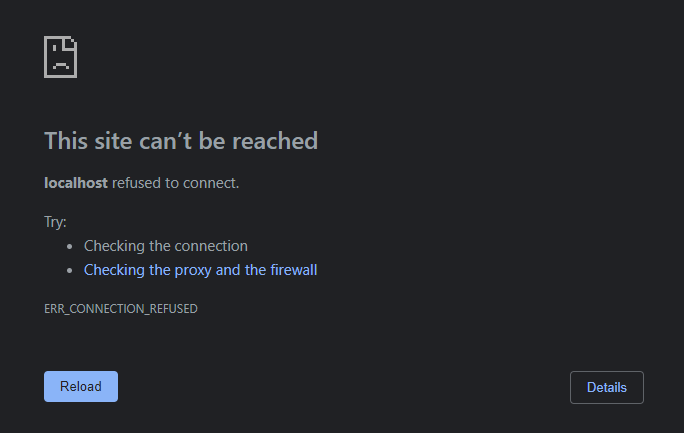
**Possible solution**
Your UI is not running. Try to either use the `generate_report()` function or the `launch_gcamreport_ui()`.:computer: Error related to system when using the Docker installation.
Once the R console is opened, you might see this message after introducing any command:
  System has not been booted with systemd as init system (PID 1). Can't operate.
  Failed to connect to bus: Host is down
  Warning message:
  In system("timedatectl", intern = TRUE) :
     running command 'timedatectl' had status 1
**Possible solution**
Simply type `Ctrl+C` and run your command again.Note::boom: For other errors, please check the troubleshooting sections of the generate_report function or the user interface widget. If your error is not listed, please open an Issue on the GitHub page with all the information to reproduce the crash.
Owner
- Name: BC3 Low Carbon department
- Login: bc3LC
- Kind: organization
- Location: Spain
JOSS Publication
gcamreport: An R tool to process and standardize GCAM outputs
Authors

Basque Centre for Climate Change (BC3), Leioa, Spain
Basque Centre for Climate Change (BC3), Leioa, Spain
Basque Centre for Climate Change (BC3), Leioa, Spain
Basque Centre for Climate Change (BC3), Leioa, Spain
Center for Global Sustainability, School of Public Policy, University of Maryland, College Park, MD, USA
Center for Global Sustainability, School of Public Policy, University of Maryland, College Park, MD, USA
Center for Global Sustainability, School of Public Policy, University of Maryland, College Park, MD, USA
Abt; Abt Global, 6130 Executive Blvd, Rockville, MD 20852, Joint Global Change Research Institute, Pacific Northwest National Laboratory, 5825 University Research Ct, College Park, MD 20740, USA
Editor
Martin Fleischmann
Tags
analysis IAMC GCAMGitHub Events
Total
- Issues event: 10
- Watch event: 2
- Delete event: 11
- Issue comment event: 36
- Push event: 336
- Pull request event: 46
- Fork event: 5
- Create event: 7
Last Year
- Issues event: 10
- Watch event: 2
- Delete event: 11
- Issue comment event: 36
- Push event: 336
- Pull request event: 46
- Fork event: 5
- Create event: 7
Committers
Last synced: over 1 year ago
Top Committers
| Name | Commits | |
|---|---|---|
| klau506 | c****s@b****g | 600 |
| Jon Sampedro | j****o@b****t | 16 |
| Andy M | a****1@g****m | 14 |
| christophbertram | b****m@p****e | 1 |
| Zhao, Xin | x****o@p****v | 1 |
| russellhz | h****l@g****m | 1 |
| XiangwenFu | x****7@u****u | 1 |
| Rongqi Zhu | z****4@1****m | 1 |
Committer Domains (Top 20 + Academic)
Issues and Pull Requests
Last synced: 11 months ago
All Time
- Total issues: 16
- Total pull requests: 46
- Average time to close issues: about 1 month
- Average time to close pull requests: 1 day
- Total issue authors: 10
- Total pull request authors: 3
- Average comments per issue: 1.63
- Average comments per pull request: 0.5
- Merged pull requests: 31
- Bot issues: 0
- Bot pull requests: 0
Past Year
- Issues: 9
- Pull requests: 43
- Average time to close issues: 3 days
- Average time to close pull requests: 1 day
- Issue authors: 6
- Pull request authors: 3
- Average comments per issue: 0.78
- Average comments per pull request: 0.53
- Merged pull requests: 30
- Bot issues: 0
- Bot pull requests: 0
Top Authors
Issue Authors
- rongqizhu (4)
- d3y419 (3)
- bpbond (2)
- Kofimoley (1)
- MengQ6364 (1)
- andym331 (1)
- ibarraespinosa (1)
- jayfuhrman (1)
- christophbertram (1)
- choiHenry (1)
Pull Request Authors
- andym331 (39)
- klau506 (6)
- rongqizhu (1)
Top Labels
Issue Labels
Pull Request Labels
Dependencies
- actions/checkout v1 composite
- r-lib/actions/setup-pandoc v2-branch composite
- r-lib/actions/setup-r v2-branch composite
- r-lib/actions/setup-tinytex v2-branch composite
- actions/checkout v2 composite
- docker/build-push-action v2 composite
- docker/login-action v1 composite
- actions/checkout v2 composite
- r-lib/actions/setup-pandoc v2 composite
- r-lib/actions/setup-r v2 composite
- actions/cache v1 composite
- actions/checkout v2 composite
- actions/download-artifact v2 composite
- codecov/codecov-action v3 composite
- r-lib/actions/setup-pandoc v2-branch composite
- r-lib/actions/setup-r v2-branch composite
- r-lib/actions/setup-tinytex v2-branch composite
- R >= 2.10 depends
- data.table * imports
- dplyr * imports
- ggplot2 * imports
- here * imports
- knitr * imports
- magrittr * imports
- markdown * imports
- readr * imports
- readxl * imports
- rgcam * imports
- rlang * imports
- rrapply >= 1.2.6 imports
- shiny * imports
- shinyTree * imports
- shinyWidgets * imports
- shinydashboard * imports
- shinyjs * imports
- stringi * imports
- stringr * imports
- tidyr * imports
- usethis * imports
- writexl * imports
- xml2 * imports
- rmarkdown * suggests
- rprojroot * suggests
- testthat >= 3.0.0 suggests
- rocker/r-base 4.1.0 build