https://github.com/apexcharts/ng-apexcharts
ng-apexcharts is an implementation of apexcharts for angular. It comes with one simple component that enables you to use apexcharts in an angular project.
Science Score: 26.0%
This score indicates how likely this project is to be science-related based on various indicators:
-
○CITATION.cff file
-
✓codemeta.json file
Found codemeta.json file -
✓.zenodo.json file
Found .zenodo.json file -
○DOI references
-
○Academic publication links
-
○Committers with academic emails
-
○Institutional organization owner
-
○JOSS paper metadata
-
○Scientific vocabulary similarity
Low similarity (13.1%) to scientific vocabulary
Keywords
Keywords from Contributors
Repository
ng-apexcharts is an implementation of apexcharts for angular. It comes with one simple component that enables you to use apexcharts in an angular project.
Basic Info
Statistics
- Stars: 349
- Watchers: 5
- Forks: 86
- Open Issues: 22
- Releases: 3
Topics
Metadata Files
README.md



Angular wrapper for ApexCharts to build interactive visualizations in Angular 7+.
Examples
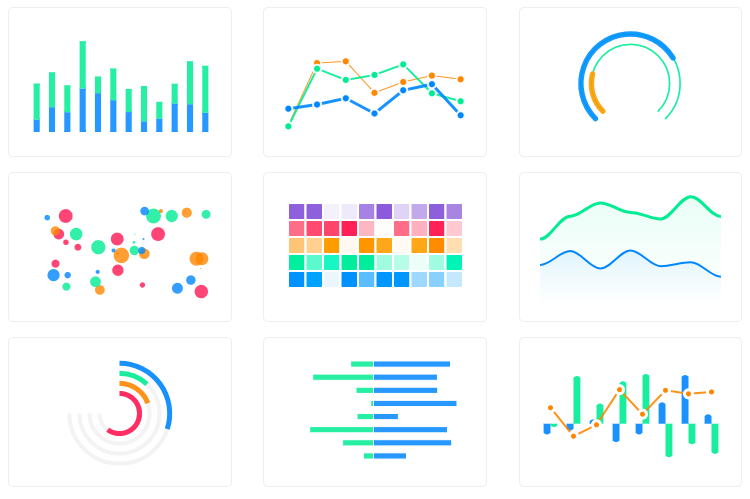
More than 80+ examples of all the chart types with sample codes can be found on the Angular Demos page of the website. Here's a basic line chart example built in codesandbox.
Download and Installation
Use the Angular CLI's install schematics to set up ngx-apexcharts by running the following command:
bash
ng add ng-apexcharts
if you don't like the above way, the following is also supported.
- Install using npm:
ts
npm install apexcharts ng-apexcharts --save
- Open angular.json and under scripts add:
ts
"scripts": [
  "node_modules/apexcharts/dist/apexcharts.min.js"
]
- Add ng-apexcharts-module to imports
```ts import { NgApexchartsModule } from "ng-apexcharts";
...
imports: [ BrowserModule, FormsModule, ReactiveFormsModule, NgApexchartsModule, ... ] ```
Usage
In any component you can use the chart using:
html
<apx-chart [series]="series" [chart]="chart" [title]="title"></apx-chart>
You need to provide at least the series and chart attribute to make sure the chart can get created.
You can also use any other attribute from the following options.
Options
All options of the chart can be inserted using the attributes. This is a list of all available attributes:
ts
@Input() chart: ApexChart;
@Input() annotations: ApexAnnotations;
@Input() colors: string[];
@Input() dataLabels: ApexDataLabels;
@Input() series: ApexAxisChartSeries | ApexNonAxisChartSeries;
@Input() stroke: ApexStroke;
@Input() labels: string[];
@Input() legend: ApexLegend;
@Input() fill: ApexFill;
@Input() tooltip: ApexTooltip;
@Input() plotOptions: ApexPlotOptions;
@Input() responsive: ApexResponsive[];
@Input() xaxis: ApexXAxis;
@Input() yaxis: ApexYAxis | ApexYAxis[];
@Input() grid: ApexGrid;
@Input() states: ApexStates;
@Input() title: ApexTitleSubtitle;
@Input() subtitle: ApexTitleSubtitle;
@Input() theme: ApexTheme;
@Output() chartReady;
You can visit the docs to read more about all the options listed above.
Updating the chart
Changing the attributes will automatically call the relevant update methods of ApexCharts and re-render it.
Calling core ApexCharts methods
You don't actually need to call updateSeries() or updateOptions() manually. Changing the props will automatically update the chart. But, in certain cases you may need to call these methods, so here's the reference.
| Method | Description | | ---------------------------------------------------------------------------------------- | -------------------------------------------------------------------------------------------------- | | updateSeries | Allows you to update the series array overriding the existing one | | updateOptions | Allows you to update the configuration object | | toggleSeries | Allows you to toggle the visibility of series programatically. Useful when you have custom legend. | | appendData | Allows you to append new data to the series array. | | addText | The addText() method can be used to draw text after chart is rendered. | | addXaxisAnnotation | Draw x-axis annotations after chart is rendered. | | addYaxisAnnotation | Draw y-axis annotations after chart is rendered. | | addPointAnnotation | Draw point (xy) annotations after chart is rendered. |
All the methods are proxied through the component so that you dont need to access the DOM by yourself.
Just reference the component as a ViewChild in your Component by using:
ts
@ViewChild('chartObj') chart: ChartComponent;
and changing the template to this:
html
<apx-chart #chartObj></apx-chart>
Now you're able to call methods from your Component.
javascript
this.chart.toggleSeries("series-1");
How to call the methods of ApexCharts without referencing the chart component?
Sometimes, you may want to call methods of the core ApexCharts library from some other place, and you can do so on this.$apexcharts global variable directly. You need to target the chart by chart.id while calling this method
Example
js
window.ApexCharts.exec("ng-chart-example", "updateSeries", [
  {
    data: [40, 55, 65, 11, 23, 44, 54, 33],
  },
]);
In the above method, ng-chart-example is the ID of chart, updateSeries is the name of the method you want to call and the third parameter is the new Series you want to update.
More info on the .exec() method can be found here
All other methods of ApexCharts can be called the same way.
Turning off auto update of the series
With the attribute autoUpdateSeries you can control if the chart component should call the updateSeries function automatically if the series attribute is changed. It is set to true by default, but in a mixed/combo chart, set this attribute to false if you are using and changing the type property in your series. This only has the effect that the whole chart rerenders even if only the series changes.
Owner
- Name: ApexCharts
- Login: apexcharts
- Kind: organization
- Email: info@apexcharts.com
- Website: https://apexcharts.com
- Repositories: 9
- Profile: https://github.com/apexcharts
GitHub Events
Total
- Create event: 19
- Release event: 2
- Issues event: 57
- Watch event: 28
- Delete event: 16
- Issue comment event: 92
- Push event: 40
- Pull request review event: 4
- Pull request event: 39
- Fork event: 5
Last Year
- Create event: 19
- Release event: 2
- Issues event: 57
- Watch event: 28
- Delete event: 16
- Issue comment event: 92
- Push event: 40
- Pull request review event: 4
- Pull request event: 39
- Fork event: 5
Committers
Last synced: about 1 year ago
Top Committers
| Name | Commits | |
|---|---|---|
| Juned Chhipa | j****a@g****m | 171 |
| dependabot[bot] | 4****] | 68 |
| Arthur Ming | g****g@p****m | 21 |
| Morris Janatzek | m****j@l****e | 11 |
| zip-fa | 6****a | 9 |
| sp90 | s****n@c****m | 4 |
| David Márquez Fàbrega | 3****F | 4 |
| Landon Tetreault | l****t@v****m | 3 |
| Konstantin Penzin | k****d@i****m | 3 |
| mledour | m****r@b****m | 2 |
| Korian Edeline | k****e@u****e | 2 |
| Michael Denny | m****y@g****m | 2 |
| Morris Janatzek | m****k@b****e | 2 |
| arturovt | a****h@g****m | 2 |
| Roman Skurikhin | r****n@c****m | 1 |
| Andrey Mokeev | a****y@m****u | 1 |
| phhetz | 8****z | 1 |
| kamleshkoringa | k****a@g****m | 1 |
| coder-shanks | 3****s | 1 |
| Patrick Shields | p****s@g****m | 1 |
| Nilesh Bhagwat | n****t@g****m | 1 |
| Matthias Beerens | 3****e | 1 |
| Matt Doyle | 1****o | 1 |
| Lorenzo | l****i@g****m | 1 |
| Konrad Cerny | i****o@k****z | 1 |
| Kentaro Tanaka | k****1@g****m | 1 |
| KYDronePilot | 3****t | 1 |
| Fouad J | f****j@l****r | 1 |
| Ed Pelc | ed@f****m | 1 |
| Dayana | d****f@g****m | 1 |
| and 2 more... | ||
Committer Domains (Top 20 + Academic)
Issues and Pull Requests
Last synced: 10 months ago
All Time
- Total issues: 197
- Total pull requests: 91
- Average time to close issues: almost 2 years
- Average time to close pull requests: about 1 month
- Total issue authors: 182
- Total pull request authors: 17
- Average comments per issue: 2.69
- Average comments per pull request: 0.71
- Merged pull requests: 70
- Bot issues: 1
- Bot pull requests: 63
Past Year
- Issues: 24
- Pull requests: 26
- Average time to close issues: about 1 month
- Average time to close pull requests: 6 days
- Issue authors: 24
- Pull request authors: 5
- Average comments per issue: 1.79
- Average comments per pull request: 0.54
- Merged pull requests: 19
- Bot issues: 1
- Bot pull requests: 20
Top Authors
Issue Authors
- damingerdai (6)
- Nurech (2)
- IgnatG (2)
- AntoSaba92 (2)
- ltetreault-va (2)
- subash01 (2)
- sidharth-shridhar (2)
- HoseinGhanbari (2)
- marianatuma (2)
- b0raG (2)
- johannagere (2)
- Carniatto (2)
- tarastmb (2)
- naisMichi (1)
- jkljkll (1)
Pull Request Authors
- dependabot[bot] (94)
- damingerdai (12)
- arturovt (4)
- fouad-j (2)
- DavidMarquezF (2)
- junedchhipa (2)
- kamleshkoringa (2)
- ottopic (2)
- dangrussell (2)
- ltetreault-va (2)
- zip-fa (2)
- Matthiee (1)
- nileshbhagwat (1)
- epelc (1)
- phhetz (1)
Top Labels
Issue Labels
Pull Request Labels
Dependencies
- 1066 dependencies
- @angular-devkit/build-angular ^14.0.0 development
- @angular-eslint/builder 13.0.1 development
- @angular-eslint/eslint-plugin 13.0.1 development
- @angular-eslint/eslint-plugin-template 13.0.1 development
- @angular-eslint/schematics 13.0.1 development
- @angular-eslint/template-parser 13.0.1 development
- @angular/cli ^14.0.0 development
- @angular/compiler-cli ^14.0.0 development
- @angular/language-service ^14.0.0 development
- @types/jasmine ~3.5.10 development
- @types/jasminewd2 ~2.0.3 development
- @types/node ~14.0.4 development
- @typescript-eslint/eslint-plugin 5.3.0 development
- @typescript-eslint/parser 5.3.0 development
- eslint ^8.2.0 development
- jasmine-core ~3.5.0 development
- jasmine-spec-reporter ~5.0.0 development
- karma ~6.3.16 development
- karma-chrome-launcher ~3.1.0 development
- karma-coverage ^2.0.3 development
- karma-jasmine ~4.0.0 development
- karma-jasmine-html-reporter ~1.5.0 development
- ng-packagr ^14.0.0 development
- protractor ~7.0.0 development
- ts-node ~8.10.1 development
- typescript ~4.7.2 development
- @angular/animations ^14.0.0
- @angular/common ^14.0.0
- @angular/compiler ^14.0.0
- @angular/core ^14.0.0
- @angular/forms ^14.0.0
- @angular/platform-browser ^14.0.0
- @angular/platform-browser-dynamic ^14.0.0
- @angular/router ^14.0.0
- apexcharts ^3.30.0
- rxjs ~6.5.5
- tslib ^2.0.0
- zone.js ~0.11.4
- tslib ^2.0.0
- 1173 dependencies