Stellarium-A-Space-Odyssey-VR-star-system
Stellarium is a virtual reality project developed in Unity for the CAVE 2 system. It features over 107,000 stars and various constellations accurately placed as seen from Earth. Users can navigate space, explore constellations, and observe stellar movements over time. The project also includes informative presentations on select constellations.
https://github.com/PranavMishra17/Stellarium-A-Space-Odyssey-VR-star-system
Science Score: 26.0%
This score indicates how likely this project is to be science-related based on various indicators:
-
○CITATION.cff file
-
✓codemeta.json file
Found codemeta.json file -
✓.zenodo.json file
Found .zenodo.json file -
○DOI references
-
○Academic publication links
-
○Academic email domains
-
○Institutional organization owner
-
○JOSS paper metadata
-
○Scientific vocabulary similarity
Low similarity (10.7%) to scientific vocabulary
Keywords
Repository
Stellarium is a virtual reality project developed in Unity for the CAVE 2 system. It features over 107,000 stars and various constellations accurately placed as seen from Earth. Users can navigate space, explore constellations, and observe stellar movements over time. The project also includes informative presentations on select constellations.
Basic Info
- Host: GitHub
- Owner: PranavMishra17
- Language: C#
- Default Branch: main
- Homepage: https://pranavgamedev17.wixsite.com/stellariumaso
- Size: 147 MB
Statistics
- Stars: 0
- Watchers: 1
- Forks: 1
- Open Issues: 0
- Releases: 0
Topics
Metadata Files
README.md
Stellarium-A Space Odyssey
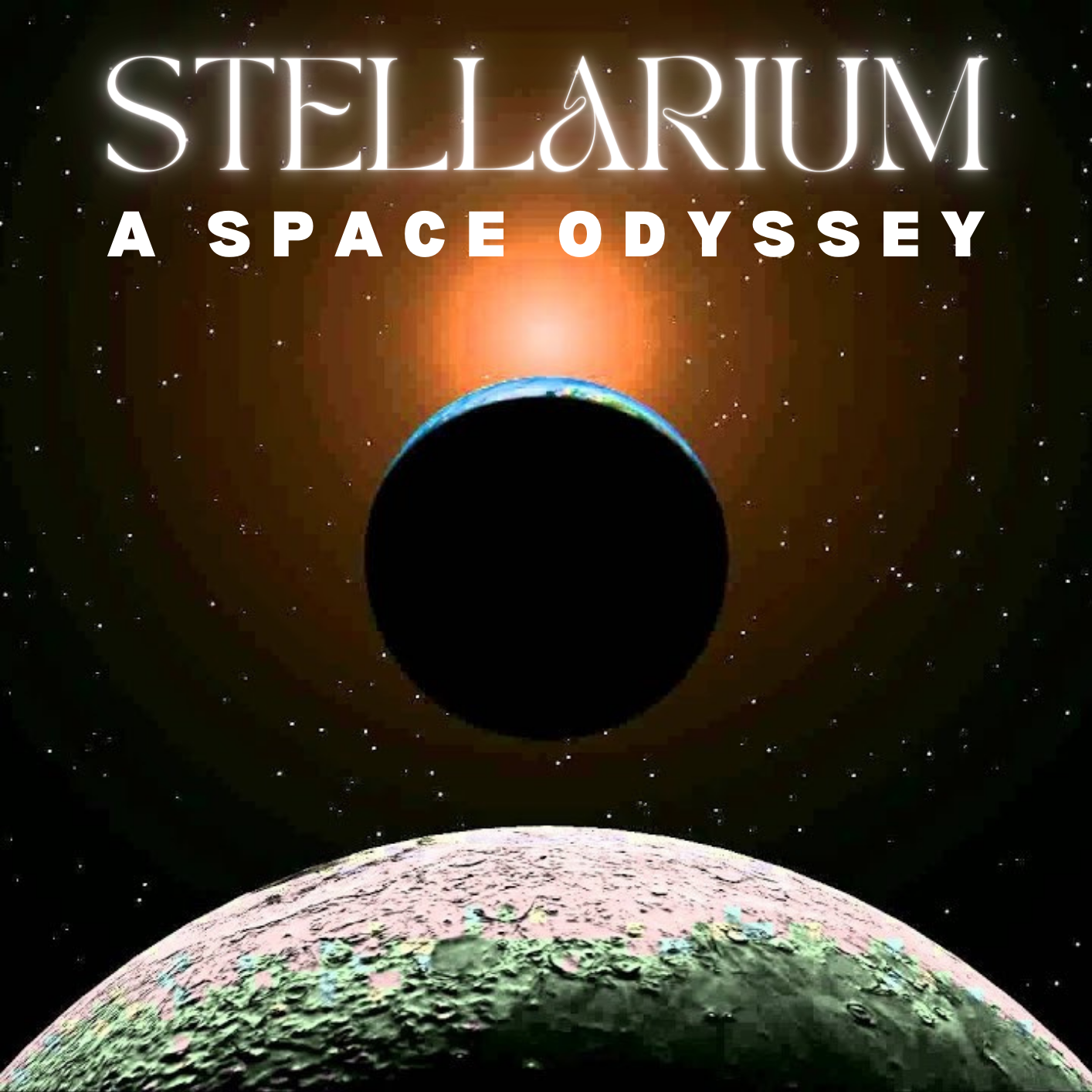
Stellarium is a virtual reality project developed in Unity for the CAVE 2 system, primarily aimed at the CS528 VR class at UIC. It features over 107,000 stars and various constellations accurately placed as seen from Earth. Users can navigate space, explore constellations, and observe stellar movements over time, adjusted by user input. The project includes informative presentations on select constellations, detailing their history and significance. Designed for educational purposes, Stellarium leverages CAVE 2's immersive environment to offer a hands-on learning experience about the universe.
GAMEPLAY
WEBSITE
https://pranavgamedev17.wixsite.com/stellariumaso
HOW TO INSTALL
Clone the repo in your system.
Add the project to your Unity Hub.
Open it with Unity 2019.2.11f1.
No data file is missing, as all readable resource files are under 100 mb. So this should work seamlessly.
Build files
The PC build of this application is available here https://drive.google.com/drive/u/0/folders/1ZHQTVIyrYIxtChqs85wib8Jrg0IWLtHG
Download and extract the zip file.
Run the executable to play.
Running the Game [UNITY EDITOR]
After opening the project in Unity, select the main scene called 'TryOut' (in the Assets folder itself). This scene is designed for the CAVE 2 simulator.
Press the 'Play' button in the Unity Editor to start the game.
Wait for it to load, and then explore the scene using the defined controls to move around and interact with the star field and constellations.
Controls: How to move (FOR CAVE 2)
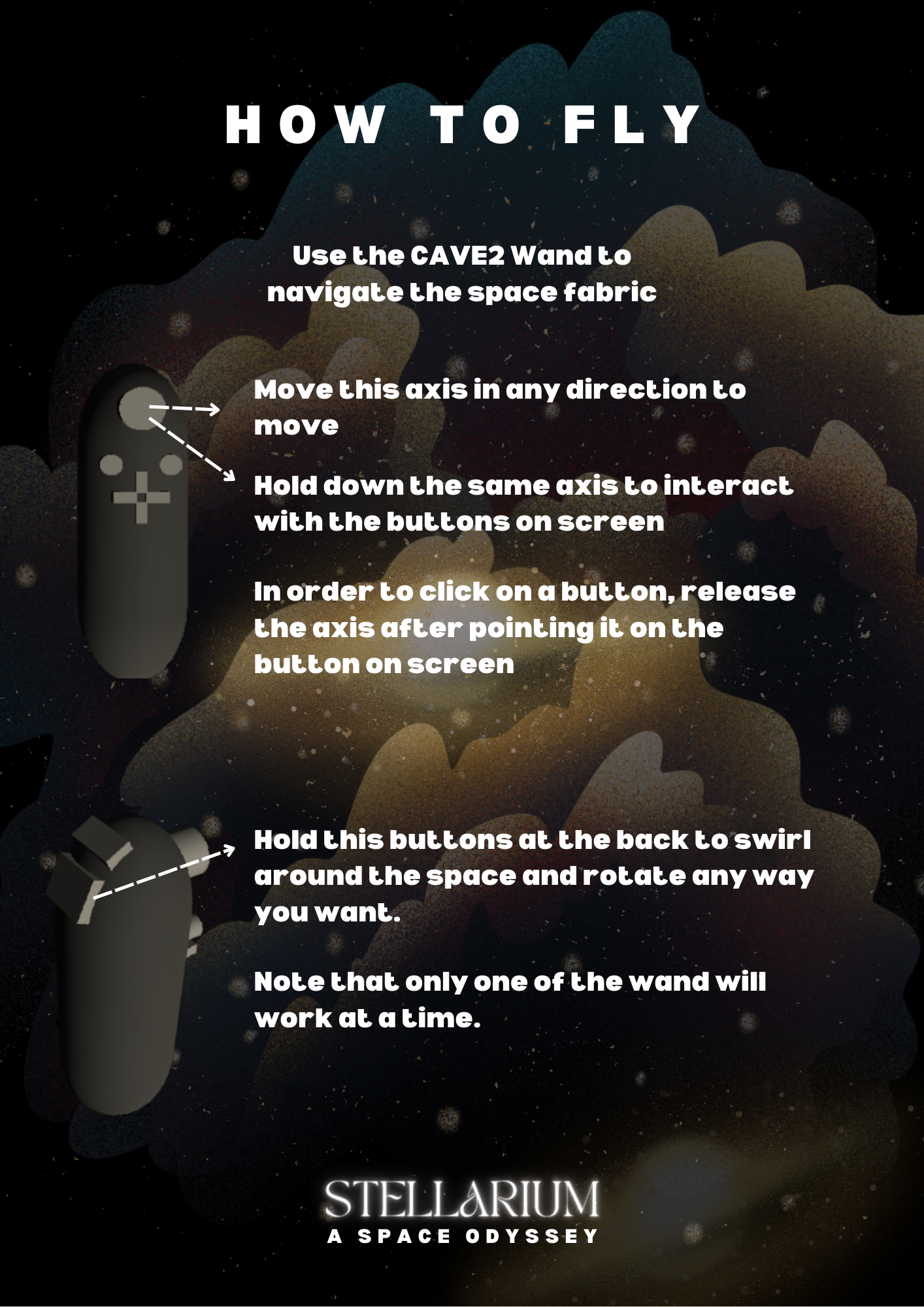
More instructions can be found in the folder here: https://github.com/PranavMishra17/VRAssignment1CS528UIC/tree/main/INSTRUCTIONS
Controls: How to move (FOR UNITY EDITOR & PC)
WASD: Move the player/camera forward, left, backward, and right.
Q-E: Rotate the camera/view direction.
Hold Space: Hold space and move the mouse to swirl and look around in any direction.
Left Arrow/Right Arrow: Toggle through constellations sequentially.
Middle Mouse button: Hold this button to point at buttons in the scene. Release the middle mouse button if you want to press the buttons in the scene
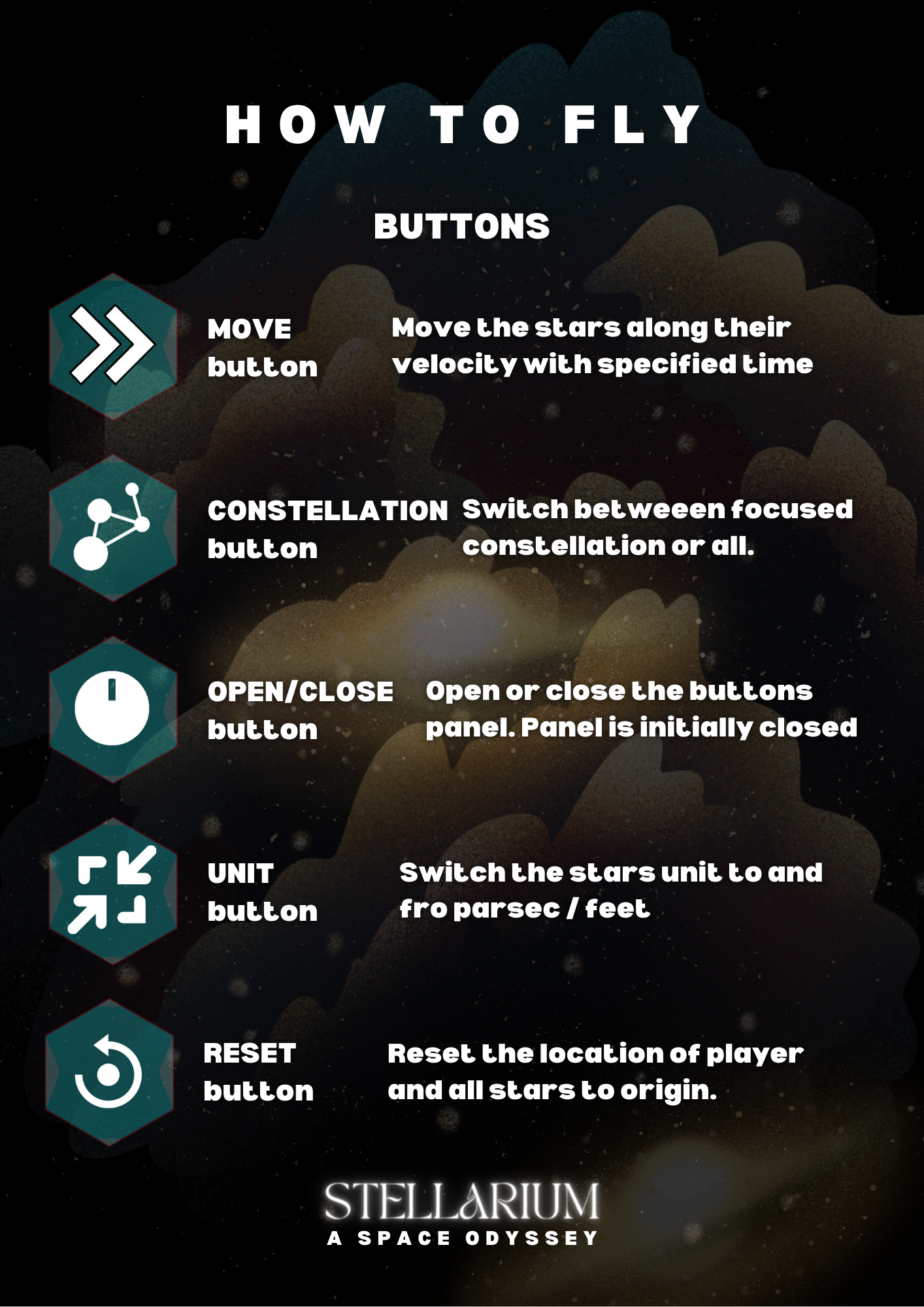
More instructions can be found in the folder here: https://github.com/PranavMishra17/VRAssignment1CS528UIC/tree/main/INSTRUCTIONS
Owner
- Name: Pranav Mishra
- Login: PranavMishra17
- Kind: user
- Company: Paranoid Games
- Website: https://www.linkedin.com/in/pranavmishrabarca
- Repositories: 1
- Profile: https://github.com/PranavMishra17
Student BE in CSE [2019-present] Dayananda Sagar College of Engineering
GitHub Events
Total
- Push event: 1
Last Year
- Push event: 1