https://github.com/adithya-s-k/omniparse
Ingest, parse, and optimize any data format ➡️ from documents to multimedia ➡️ for enhanced compatibility with GenAI frameworks
Science Score: 13.0%
This score indicates how likely this project is to be science-related based on various indicators:
-
○CITATION.cff file
-
✓codemeta.json file
Found codemeta.json file -
○.zenodo.json file
-
○DOI references
-
○Academic publication links
-
○Committers with academic emails
-
○Institutional organization owner
-
○JOSS paper metadata
-
○Scientific vocabulary similarity
Low similarity (13.6%) to scientific vocabulary
Keywords
Repository
Ingest, parse, and optimize any data format ➡️ from documents to multimedia ➡️ for enhanced compatibility with GenAI frameworks
Basic Info
- Host: GitHub
- Owner: adithya-s-k
- License: gpl-3.0
- Language: Python
- Default Branch: main
- Homepage: https://omniparse.cognitivelab.in/
- Size: 592 KB
Statistics
- Stars: 6,543
- Watchers: 42
- Forks: 527
- Open Issues: 67
- Releases: 0
Topics
Metadata Files
README.md
OmniParse




[!IMPORTANT]
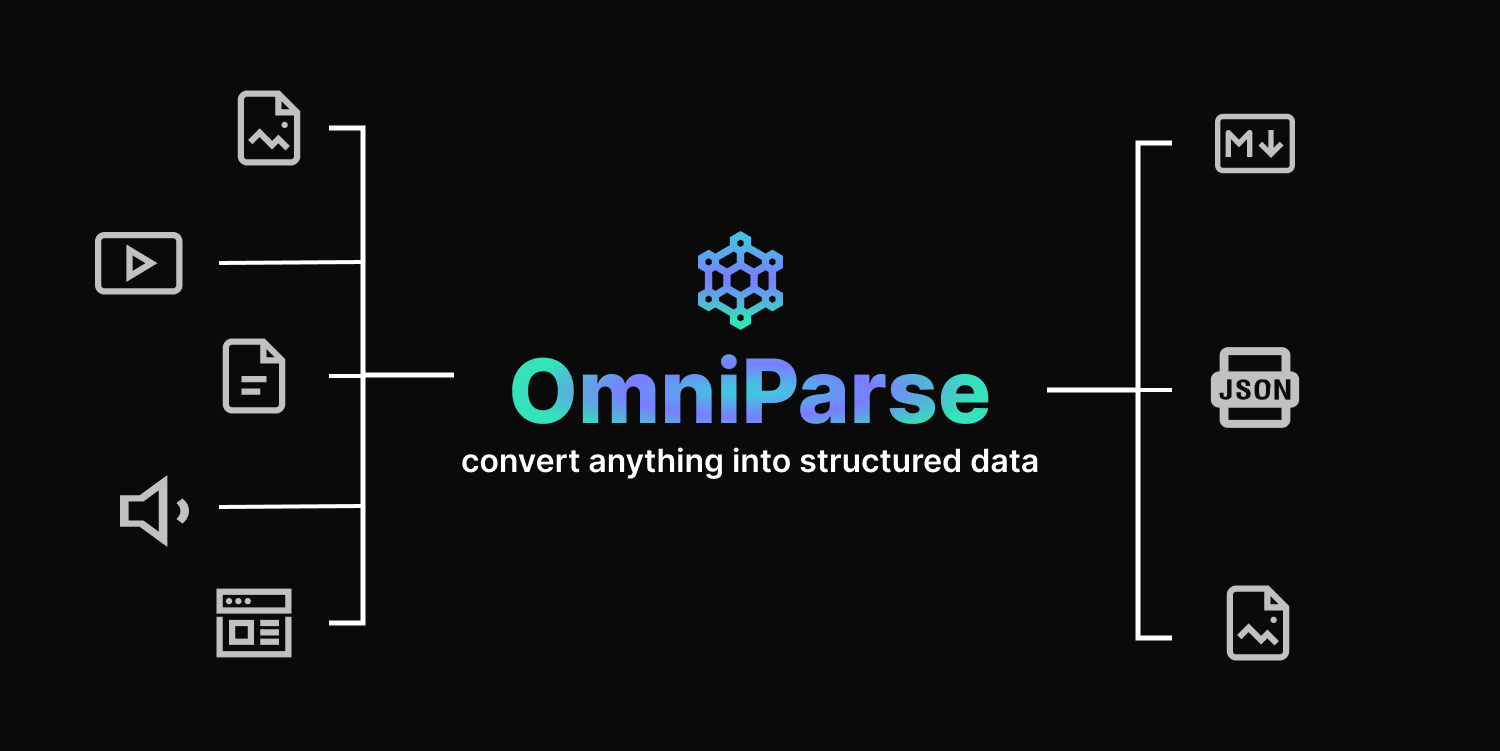
OmniParse is a platform that ingests and parses any unstructured data into structured, actionable data optimized for GenAI (LLM) applications. Whether you are working with documents, tables, images, videos, audio files, or web pages, OmniParse prepares your data to be clean, structured, and ready for AI applications such as RAG, fine-tuning, and more
Try it out

Intro
https://github.com/adithya-s-k/omniparse/assets/27956426/457d8b5b-9573-44da-8bcf-616000651a13
Features
✅ Completely local, no external APIs \ ✅ Fits in a T4 GPU \ ✅ Supports ~20 file types \ ✅ Convert documents, multimedia, and web pages to high-quality structured markdown \ ✅ Table extraction, image extraction/captioning, audio/video transcription, web page crawling \ ✅ Easily deployable using Docker and Skypilot \ ✅ Colab friendly \ ✅ Interative UI powered by Gradio
Why OmniParse ?
It's challenging to process data as it comes in different shapes and sizes. OmniParse aims to be an ingestion/parsing platform where you can ingest any type of data, such as documents, images, audio, video, and web content, and get the most structured and actionable output that is GenAI (LLM) friendly.
Installation
[!IMPORTANT] The server only works on Linux-based systems. This is due to certain dependencies and system-specific configurations that are not compatible with Windows or macOS.
bash
git clone https://github.com/adithya-s-k/omniparse
cd omniparse
Create a Virtual Environment:
bash
conda create -n omniparse-venv python=3.10
conda activate omniparse-venv
Install Dependencies:
```bash poetry install
or
pip install -e .
or
pip install -r pyproject.toml ```
🛳️ Docker
To use OmniParse with Docker, execute the following commands:
- Pull the OmniParse API Docker image from Docker Hub:
- Run the Docker container, exposing port 8000:
👉🏼Docker Image
bash
docker pull savatar101/omniparse:0.1
# if you are running on a gpu
docker run --gpus all -p 8000:8000 savatar101/omniparse:0.1
# else
docker run -p 8000:8000 savatar101/omniparse:0.1
Alternatively, if you prefer to build the Docker image locally: Then, run the Docker container as follows:
```bash docker build -t omniparse .
if you are running on a gpu
docker run --gpus all -p 8000:8000 omniparse
else
docker run -p 8000:8000 omniparse
```
Usage
Run the Server:
bash
python server.py --host 0.0.0.0 --port 8000 --documents --media --web
--documents: Load in all the models that help you parse and ingest documents (Surya OCR series of models and Florence-2).--media: Load in Whisper model to transcribe audio and video files.--web: Set up selenium crawler.
Download Models: If you want to download the models before starting the server
bash
python download.py --documents --media --web
--documents: Load in all the models that help you parse and ingest documents (Surya OCR series of models and Florence-2).--media: Load in Whisper model to transcribe audio and video files.--web: Set up selenium crawler.
Supported Data Types
| Type | Supported Extensions |
|-----------|-----------------------------------------------------|
| Documents | .doc, .docx, .pdf, .ppt, .pptx |
| Images | .png, .jpg, .jpeg, .tiff, .bmp, .heic |
| Video | .mp4, .mkv, .avi, .mov |
| Audio | .mp3, .wav, .aac |
| Web | dynamic webpages, http://
API Endpoints
> Client library compatible with Langchain, llamaindex, and haystack integrations coming soon.
- [API Endpoints](#api-endpoints)
- [Document Parsing](#document-parsing)
- [Parse Any Document](#parse-any-document)
- [Parse PDF](#parse-pdf)
- [Parse PowerPoint](#parse-powerpoint)
- [Parse Word Document](#parse-word-document)
- [Media Parsing](#media-parsing)
- [Parse Any Media](#parse-any-media)
- [Parse Image](#parse-image)
- [Process Image](#process-image)
- [Parse Video](#parse-video)
- [Parse Audio](#parse-audio)
- [Website Parsing](#website-parsing)
- [Parse Website](#parse-website)
### Document Parsing
#### Parse Any Document
Endpoint: `/parse_document`
Method: POST
Parses PDF, PowerPoint, or Word documents.
Curl command:
```
curl -X POST -F "file=@/path/to/document" http://localhost:8000/parse_document
```
#### Parse PDF
Endpoint: `/parse_document/pdf`
Method: POST
Parses PDF documents.
Curl command:
```
curl -X POST -F "file=@/path/to/document.pdf" http://localhost:8000/parse_document/pdf
```
#### Parse PowerPoint
Endpoint: `/parse_document/ppt`
Method: POST
Parses PowerPoint presentations.
Curl command:
```
curl -X POST -F "file=@/path/to/presentation.ppt" http://localhost:8000/parse_document/ppt
```
#### Parse Word Document
Endpoint: `/parse_document/docs`
Method: POST
Parses Word documents.
Curl command:
```
curl -X POST -F "file=@/path/to/document.docx" http://localhost:8000/parse_document/docs
```
### Media Parsing
#### Parse Image
Endpoint: `/parse_image/image`
Method: POST
Parses image files (PNG, JPEG, JPG, TIFF, WEBP).
Curl command:
```
curl -X POST -F "file=@/path/to/image.jpg" http://localhost:8000/parse_media/image
```
#### Process Image
Endpoint: `/parse_image/process_image`
Method: POST
Processes an image with a specific task.
Possible task inputs:
`OCR | OCR with Region | Caption | Detailed Caption | More Detailed Caption | Object Detection | Dense Region Caption | Region Proposal`
Curl command:
```
curl -X POST -F "image=@/path/to/image.jpg" -F "task=Caption" -F "prompt=Optional prompt" http://localhost:8000/parse_media/process_image
```
Arguments:
- `image`: The image file
- `task`: The processing task (e.g., Caption, Object Detection)
- `prompt`: Optional prompt for certain tasks
#### Parse Video
Endpoint: `/parse_media/video`
Method: POST
Parses video files (MP4, AVI, MOV, MKV).
Curl command:
```
curl -X POST -F "file=@/path/to/video.mp4" http://localhost:8000/parse_media/video
```
#### Parse Audio
Endpoint: `/parse_media/audio`
Method: POST
Parses audio files (MP3, WAV, FLAC).
Curl command:
```
curl -X POST -F "file=@/path/to/audio.mp3" http://localhost:8000/parse_media/audio
```
### Website Parsing
#### Parse Website
Endpoint: `/parse_website/parse`
Method: POST
Parses a website given its URL.
Curl command:
```
curl -X POST -H "Content-Type: application/json" -d '{"url": "https://example.com"}' http://localhost:8000/parse_website
```
Arguments:
- `url`: The URL of the website to parse
Coming Soon/ RoadMap
🦙 LlamaIndex | Langchain | Haystack integrations coming soon
📚 Batch processing data
⭐ Dynamic chunking and structured data extraction based on specified Schema
🛠️ One magic API: just feed in your file prompt what you want, and we will take care of the rest
🔧 Dynamic model selection and support for external APIs
📄 Batch processing for handling multiple files at once
📦 New open-source model to replace Surya OCR and Marker
Final goal: replace all the different models currently being used with a single MultiModel Model to parse any type of data and get the data you need.
Limitations
There is a need for a GPU with 8~10 GB minimum VRAM as we are using deep learning models. \
Document Parsing Limitations \ - Marker which is the underlying PDF parser will not convert 100% of equations to LaTeX because it has to detect and then convert them. - It is good at parsing english but might struggle for languages such as Chinese - Tables are not always formatted 100% correctly; text can be in the wrong column. - Whitespace and indentations are not always respected. - Not all lines/spans will be joined properly. - This works best on digital PDFs that won't require a lot of OCR. It's optimized for speed, and limited OCR is used to fix errors. - To fit all the models in the GPU, we are using the smallest variants, which might not offer the best-in-class performance.
License
OmniParse is licensed under the GPL-3.0 license. See LICENSE for more information.
The project uses Marker under the hood, which has a commercial license that needs to be followed. Here are the details:
Commercial Usage
Marker and Surya OCR Models are designed to be as widely accessible as possible while still funding development and training costs. Research and personal usage are always allowed, but there are some restrictions on commercial usage. The weights for the models are licensed under cc-by-nc-sa-4.0. However, this restriction is waived for any organization with less than $5M USD in gross revenue in the most recent 12-month period AND less than $5M in lifetime VC/angel funding raised. To remove the GPL license requirements (dual-license) and/or use the weights commercially over the revenue limit, check out the options provided. Please refer to Marker for more Information about the License of the Model weights
Acknowledgements
This project builds upon the remarkable Marker project created by Vik Paruchuri. We express our gratitude for the inspiration and foundation provided by this project. Special thanks to Surya-OCR and Texify for the OCR models extensively used in this project, and to Crawl4AI for their contributions.
Models being used: - Surya OCR, Detect, Layout, Order, and Texify - Florence-2 base - Whisper Small
Thank you to the authors for their contributions to these models.
Contact
For any inquiries, please contact us at adithyaskolavi@gmail.com
Owner
- Name: Adithya S K
- Login: adithya-s-k
- Kind: user
- Location: Indian
- Company: Cognitivelab
- Website: https://adithyask.com/
- Twitter: adithya_s_k
- Repositories: 60
- Profile: https://github.com/adithya-s-k
Exploring Generative AI • Google DSC Lead'23 • Cloud & Full Stack Engineer • Drones & IoT • FOSS Contributor
GitHub Events
Total
- Issues event: 10
- Watch event: 1,451
- Issue comment event: 18
- Push event: 3
- Pull request event: 5
- Fork event: 102
- Create event: 2
Last Year
- Issues event: 10
- Watch event: 1,451
- Issue comment event: 18
- Push event: 3
- Pull request event: 5
- Fork event: 102
- Create event: 2
Committers
Last synced: about 1 year ago
Top Committers
| Name | Commits | |
|---|---|---|
| Adithya S K | a****i@g****m | 112 |
| 陆逊 | l****y@a****m | 1 |
| hillkim | h****m@p****e | 1 |
| Michael Yang | f****9@g****m | 1 |
| ASWANTH C M | a****1@g****m | 1 |
Committer Domains (Top 20 + Academic)
Issues and Pull Requests
Last synced: 10 months ago
All Time
- Total issues: 83
- Total pull requests: 16
- Average time to close issues: 13 days
- Average time to close pull requests: 1 day
- Total issue authors: 73
- Total pull request authors: 15
- Average comments per issue: 1.47
- Average comments per pull request: 0.44
- Merged pull requests: 5
- Bot issues: 0
- Bot pull requests: 0
Past Year
- Issues: 13
- Pull requests: 4
- Average time to close issues: 2 days
- Average time to close pull requests: about 1 hour
- Issue authors: 13
- Pull request authors: 4
- Average comments per issue: 0.15
- Average comments per pull request: 0.25
- Merged pull requests: 1
- Bot issues: 0
- Bot pull requests: 0
Top Authors
Issue Authors
- ipv6ok (3)
- GLambard (3)
- Lu0Key (2)
- mxm-web-develop (2)
- yxkj1515 (2)
- lonly197 (2)
- diaojunxian (2)
- zzk2021 (2)
- 857420437 (2)
- leaf-ee (2)
- linnnff (2)
- unizhu (1)
- plutosherry (1)
- yinnicocheng (1)
- arsaboo (1)
Pull Request Authors
- AswanthManoj (4)
- ili16 (2)
- qyou (2)
- moria97 (2)
- tungsten106 (2)
- dargmuesli (2)
- tyaga001 (2)
- simoma02 (2)
- samarth777 (2)
- gituserpawan (2)
- hillkim (2)
- rohankokkulabito (2)
- yangfuhai (2)
- adithya-s-k (1)
- VyoJ (1)
Top Labels
Issue Labels
Pull Request Labels
Dependencies
- Pillow ^10.1.0
- fastapi ^0.111.0
- filetype ^1.2.0
- ftfy ^6.1.1
- grpcio ^1.63.0
- numpy ^1.26.1
- pdftext ^0.3.10
- pydantic ^2.4.2
- pydantic-settings ^2.0.3
- pypdfium2 ^4.30.0
- python >=3.10
- python-dotenv ^1.0.0
- rapidfuzz ^3.8.1
- regex ^2024.4.28
- scikit-learn ^1.3.2
- surya-ocr ^0.4.3
- tabulate ^0.9.0
- texify ^0.1.8
- torch ^2.2.2
- tqdm ^4.66.1
- transformers ^4.36.2
- uvicorn ^0.29.0
- pillow ^10.3.0
- python ^3.10
- requests ^2.32.3