group-handbook-template
Template for creating a lab group handbook with Quarto
Science Score: 75.0%
This score indicates how likely this project is to be science-related based on various indicators:
-
✓CITATION.cff file
Found CITATION.cff file -
✓codemeta.json file
Found codemeta.json file -
✓.zenodo.json file
Found .zenodo.json file -
✓DOI references
Found 7 DOI reference(s) in README -
✓Academic publication links
Links to: zenodo.org -
○Academic email domains
-
✓Institutional organization owner
Organization cct-datascience has institutional domain (datascience.cals.arizona.edu) -
○JOSS paper metadata
-
○Scientific vocabulary similarity
Low similarity (12.9%) to scientific vocabulary
Repository
Template for creating a lab group handbook with Quarto
Basic Info
Statistics
- Stars: 5
- Watchers: 1
- Forks: 2
- Open Issues: 0
- Releases: 3
Metadata Files
README.md
Lab Group Handbook Template


This repo provides a template for a wiki-like lab group handbook built as a Quarto book. A lab group handbook is a document that conveys a lab's ethos, policies, and procedures to group members (Tendler et al., 2023). Some of the content is University of Arizona specific (e.g. links in the code of conduct), but it is intended for use by anyone with any kind of lab group (or other group) to adopt!
Features
- Write content as Quarto documents (.qmd), markdown (.md), RMarkdown (.Rmd), or even jupyter notebooks (.ipynb)
- Built-in search bar
- Each page has a link to create a GitHub pull request to make an edit or to open an issue suggesting edits
- Automatic deployment to GitHub pages with GitHub actions
- A "research best practices" page with our group's suggestions for creating reproducible research compendia
- A Code of Conduct with links to University of Arizona policies and reporting forms
- All the features of Quarto!
Tutorial
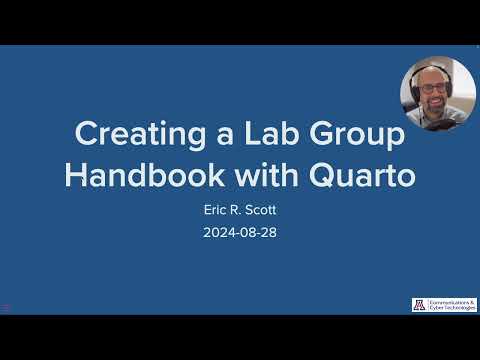
I ran a workshop on using this template at University of Arizona. You can watch the video or check out the slides.
Inspiration
Zipkin lab policies: https://github.com/zipkinlab/Policies/tree/master
Bahlai lab policies: https://github.com/BahlaiLab/Policies
Tendler, B.C., Welland, M., Miller, K.L., The WIN Handbook Team, 2023. Why every lab needs a handbook. eLife 12, e88853. https://doi.org/10.7554/eLife.88853
There is a growing list of open lab group handbooks that you can get inspiration from (with proper credit of course!)
How to use this template
- Use this template—click the green "Use this template" button on this page to create a copy in your own GitHub organization (or personal account)
- Clone your new repository to your computer (e.g. by creating a new RStudio project)
- Preview your book by running
quarto previewin the terminal - Edit the
_quarto.ymlconfiguration file to customize it to your group (see below) - Edit the
.qmdfiles to customize it to your group (see below) - Delete these instructions from your
README.md(and please credit this template!) - Commit your changes and push to GitHub
- Publish to GitHub Pages by running
quarto publish gh-pages(see below)
See Get started with Quarto and the Quarto book documentation for more on customizing this template.
Things to edit
In README.md
- Edit this to be about your book, rather than about how to use the template
In _quarto.yml
book: title:book: repo-url:should point to the GitHub repo of your copy of this template on your GitHub organization or accountbook: author:Edit the authors information in_quarto.yml(e.g. name and ORCID) and potentially add authorsPotentially add, remove, or re-order chapters by editing the
chapters:key in_quarto.yml
In the various .qmd files
Do a find and replace everywhere (cmd + shift + F in RStudio) for the following: "GROUPNAME", "PINAME", and "PI_EMAIL".
Red callout boxes titled "Group Edit" hold suggestions for what content to include on that page/section. These should be deleted once the edits happen.
All text in the
.qmddocuments is boilerplate or example text and intended to be edited to some extent to customize it for your group.
CITATION.cff
Remove this file or edit to refer to your book rather than this template repo.
More on cff files: https://citation-file-format.github.io/
On adding citation metadata to your book: https://quarto.org/docs/reference/metadata/citation.html
To preview
In the terminal run quarto preview and it should open a live preview of your book in a browser window.
When you make changes and save them, this preview will update.
To publish
You only have to do this once.
In the terminal, stop the quarto preview process if it is running, run quarto render and then quarto publish gh-pages.
When this is successful it should open up your book in your web browser.
After this, the GitHub action included in .github/ should automatically re-render and deploy your book when changes are pushed to the main branch on GitHub.
Owner
- Name: CCT Data Science
- Login: cct-datascience
- Kind: organization
- Email: cct-datascience@arizona.edu
- Location: United States of America
- Website: datascience.cals.arizona.edu
- Twitter: cct_datascience
- Repositories: 29
- Profile: https://github.com/cct-datascience
Citation (CITATION.cff)
# This CITATION.cff file was generated with cffinit.
# Visit https://bit.ly/cffinit to generate yours today!

cff-version: 1.2.0
title: Lab Group Handbook Template
message: >-
  If you use this template to create a lab handbook, just
  delete this file or replace with your own.  If you want to
  cite this work, please use this metadata.
type: software
authors:
  - given-names: Eric R
    family-names: Scott
    email: ericrscott@arizona.edu
    affiliation: >-
      University of Arizona, Communications & Cyber
      Technologies Data Science team
    orcid: 'https://orcid.org/0000-0002-7430-7879'
identifiers:
  - type: doi
    value: 10.5281/zenodo.14502304
repository-code: 'https://github.com/cct-datascience/group-handbook-template'
keywords:
  - quarto
  - group handbook
  - lab handbook
  - lab notebook
license: CC-BY-4.0
version: v0.1.2
GitHub Events
Total
- Create event: 1
- Issues event: 3
- Release event: 1
- Watch event: 2
- Issue comment event: 1
- Push event: 7
Last Year
- Create event: 1
- Issues event: 3
- Release event: 1
- Watch event: 2
- Issue comment event: 1
- Push event: 7